AI21 Studio powered by Jamba vs. Zoom AI Companion

Overview
ProductRatingMost Used ByProduct SummaryStarting Price
AI21 Studio powered by Jamba
Score 6.0 out of 10
N/A
AI21 supports the development of enterprise AI Systems and foundation models, stating their mission is to supply cutting-edge deep tech research into enterprise-ready AI systems. AI21 offers privately deployed models with tailored solutions for organizations.
$0
per 1k tokens
Zoom AI Companion
Score 8.1 out of 10
N/A
Zoom Custom AI Companion gives admins the ability to customize AI Companion outputs by accessing an organization’s internal data sources, as well as third-party applications within Zoom AI Studio for expanded knowledge, helping users drive decisions, actions, and complete tasks.
$14.99
per month (the cost of Zoom Workspace Pro)
Pricing
AI21 Studio powered by JambaZoom AI Companion
Editions & Modules
No answers on this topic
Offerings
Pricing Offerings
AI21 Studio powered by JambaZoom AI Companion
Free Trial
YesNo
Free/Freemium Version
NoNo
Premium Consulting/Integration Services
NoYes
Entry-level Setup FeeNo setup feeNo setup fee
Additional Details
More Pricing Information
Best Alternatives
AI21 Studio powered by JambaZoom AI Companion
Small Businesses

No answers on this topic

No answers on this topic

Medium-sized Companies

No answers on this topic

No answers on this topic

Enterprises
Oracle Digital Assistant
Score 7.9 out of 10
Oracle Digital Assistant
Score 7.9 out of 10
All AlternativesView all alternativesView all alternatives
User Ratings
AI21 Studio powered by JambaZoom AI Companion
Likelihood to Recommend
-
(0 ratings)
8.1
(24 ratings)
Usability
-
(0 ratings)
9.0
(1 ratings)
User Testimonials
AI21 Studio powered by JambaZoom AI Companion
Likelihood to Recommend
AI21 Labs
No answers on this topic
Zoom
If you have a colleague who is based in a remote location or is part of a remote team, Zoom is a vital collaboration tool for your day-to-day work. Zoom AI Companion is easier and more effective for working with a colleague at a remote location rather than making a call. You can share your non-verbal reactions through video, which brings a close experience to face-to-face interactions.
Read full review
Pros
AI21 Labs
No answers on this topic
Zoom
  • Large meeting rooms that our marcomms team is able to navigate and problem solve with quickly and easily.
  • Ability to schedule meetings with internal and external team members for workshops. Provides us with several tools to communicate and share ideas without having to even turn your mic on.
  • AI companion to remember points that were made and provide a summary to those who were unable to attend after the meeting.
Read full review
Cons
AI21 Labs
No answers on this topic
Zoom
  • Although the whiteboard is nice, it's not as advanced as I'd like to be. For example, navigating it can sometimes be tricky, and it doesn't have nearly as many features as a tool like Miro.
  • The Zoom integration for Outlook has issues, it doesn't always sync
  • The React feature on Zoom calls doesn't always work and sometimes isn't visible
Read full review
Usability
AI21 Labs
No answers on this topic
Zoom
It's really easy to use - the AI icon is everywhere all over the place in the Zoom client so it's easy to be able to leverage AI whenever you need it, and similarly in the meeting it's easy to find and to use. I don't have complaints here that I can think of
Read full review
Alternatives Considered
AI21 Labs
No answers on this topic
Zoom
Zoom has better compatibility compared to Teams at our institution. It also supports a wider array of codecs. We like using Zoom despite the fact that both Teams and Zoom are supported at an enterprise level at our academic institution. Zoom also seems to have better video and audio quality and lower drop rates.
Read full review
Return on Investment
AI21 Labs
No answers on this topic
Zoom
  • It has allowed us to work seamlessly with hybrid work environments
  • It has allowed us to have clients or vendors share seamlessly when they are in office. Makes it look like we have our [...] together, thanks!
  • Other options we were looking at (barco) would have been such a large chunk of money to get even half the rooms we have done. You are top notch!
Read full review
ScreenShots

Zoom AI Companion Screenshots

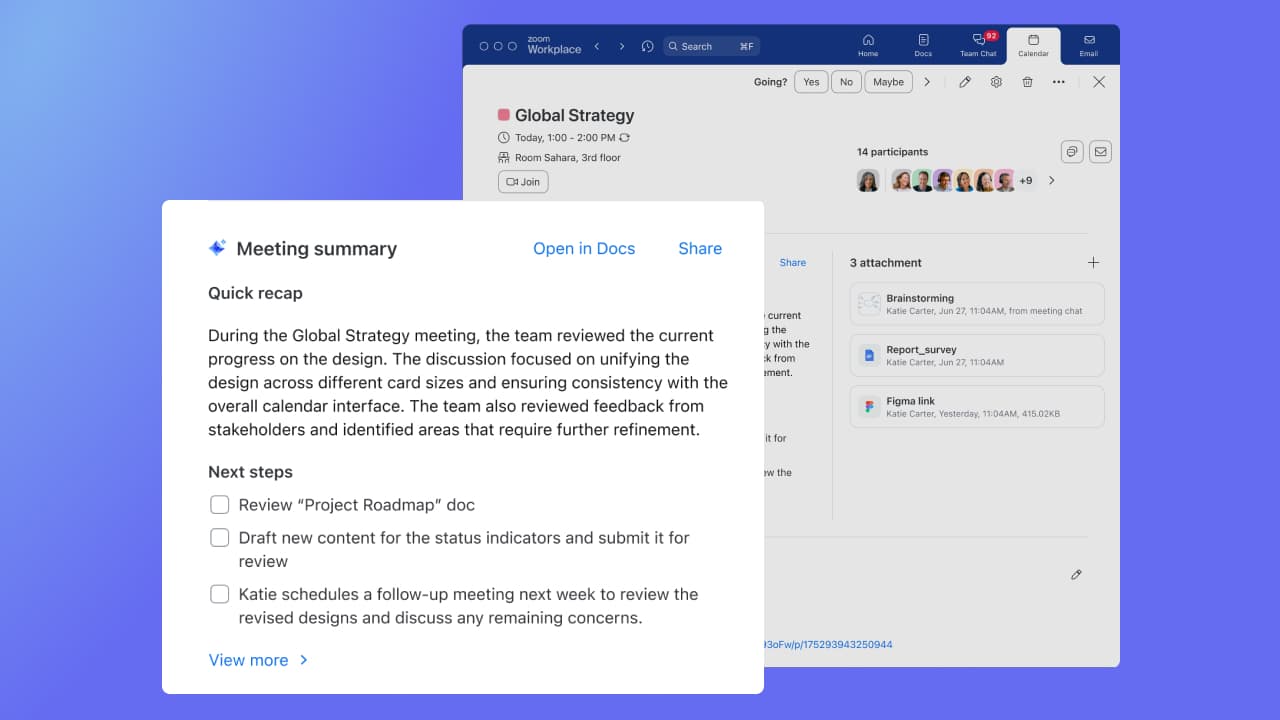
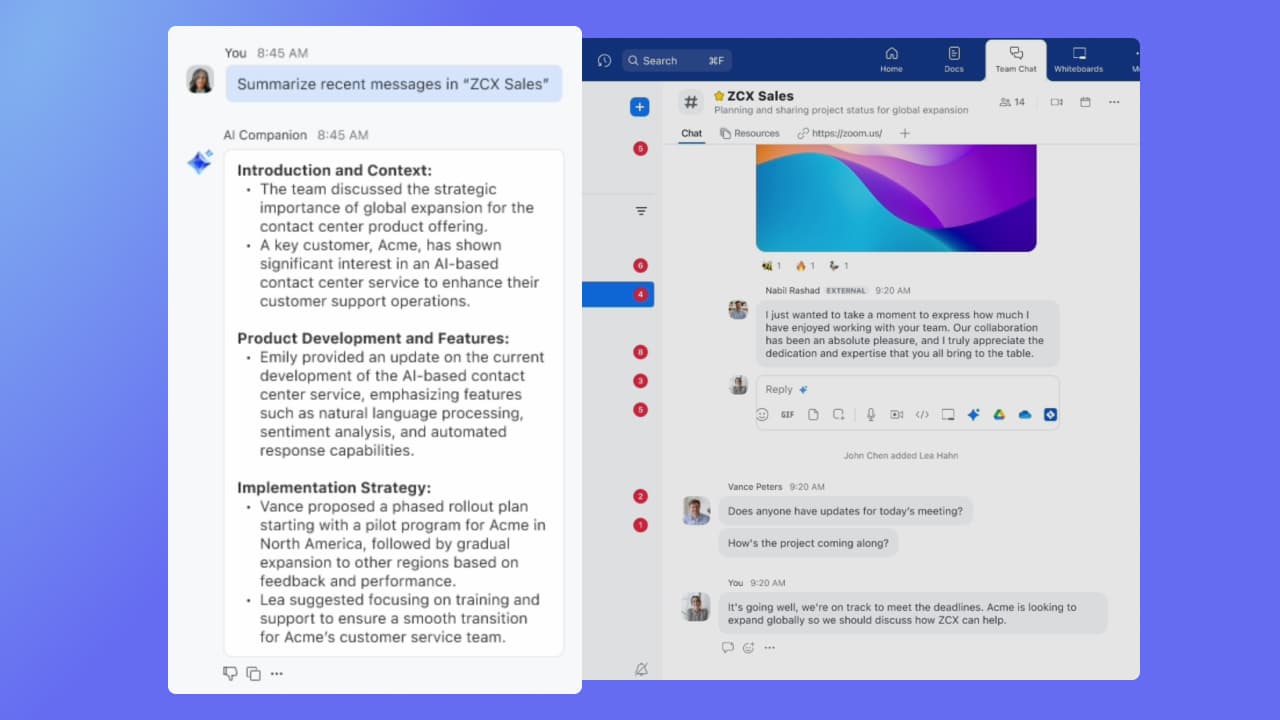
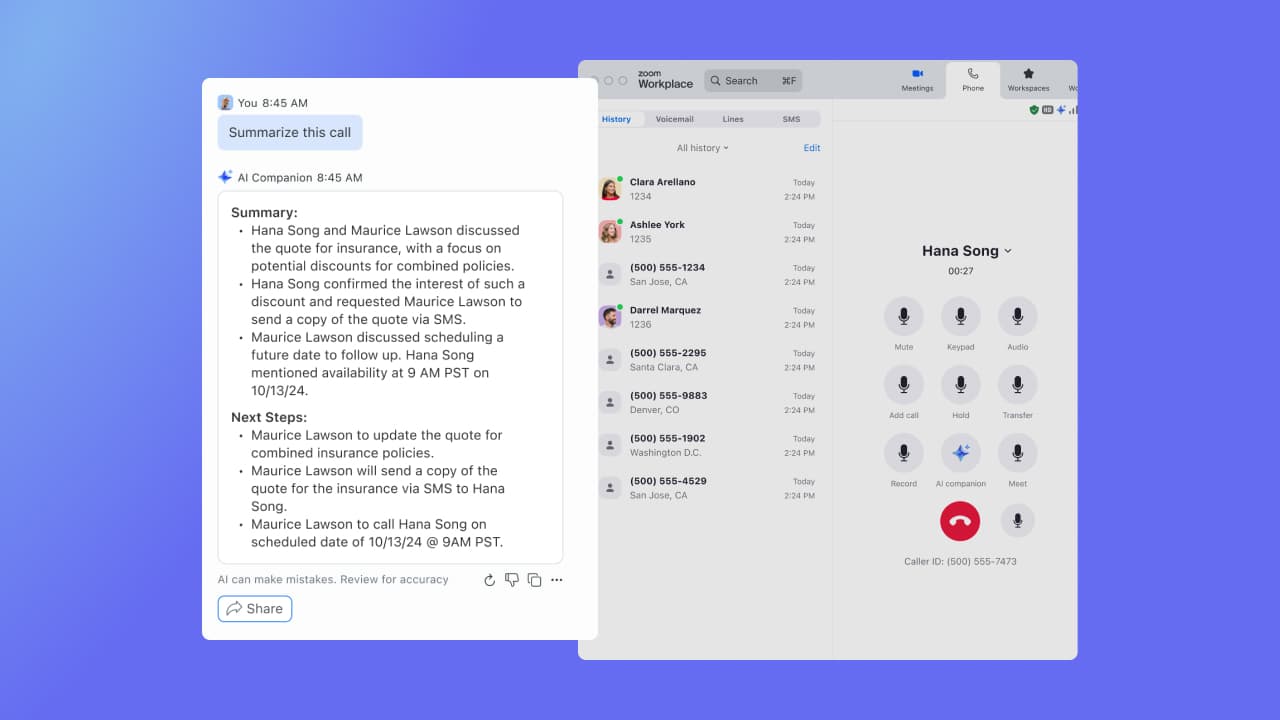
Screenshot of Zoom AI Companion for Zoom Workplace, here used to analyze a document. It gets information about documents connected to Zoom Workplace, including email attachments, documents from chat, and Zoom Docs. With Zoom AI Companion for Zoom Meetings, Meeting Summary can take notes and share important action items. Summaries are shared in 36 supported languages, automatically detected by the main language spoken during the meeting.Screenshot of Zoom AI Companion for Zoom Team Chat, Zoom Mail and Calendar, and Zoom Docs, used to get a summary of the chat channel, email, and documents. Instead of reading a long email, users can get a quick summary.Screenshot of Zoom AI Companion for Zoom Phone, which offers a post-call summary during a recorded conversation.