ALVAO Service Desk vs. Datto Autotask PSA

Overview
ProductRatingMost Used ByProduct SummaryStarting Price
ALVAO Service Desk
Score 6.4 out of 10
Mid-Size Companies (51-1,000 employees)
ALVAO Service Desk is a Microsoft-native ITSM platform that centralizes requests across IT, HR, and Facilities. Integrated with Outlook and Teams, it allows employees to create, track, and resolve tickets directly in familiar tools. AI and Copilot features automate repetitive tasks, provide smart suggestions, and power a Teams-based virtual agent for 24/7 self-service. With transparent dashboards, SLA-driven prioritization, Power platform integration, no-code automatization and Power BI…
$1,296
per year 3 agents (minimum)
Autotask PSA
Score 7.9 out of 10
N/A
Autotask PSA is designed as a complete IT Business Management Platform for MSPs, now from Datto (resulting from the Autotask merger with Datto in 2017).N/A
Pricing
ALVAO Service DeskDatto Autotask PSA
Editions & Modules
Start
$36
per month (billed annually) per agent (minimum 3)
Standard
$54
per month (billed annually) per agent (minimum 3)
Professional
$63
per month (billed annually) per agent (minimum 3)
Enterprise
$84
per month (billed annually) per agent (minimum 3)
No answers on this topic
Offerings
Pricing Offerings
ALVAO Service DeskAutotask PSA
Free Trial
YesNo
Free/Freemium Version
NoNo
Premium Consulting/Integration Services
YesNo
Entry-level Setup FeeOptionalNo setup fee
Additional Details
More Pricing Information
Community Pulse
ALVAO Service DeskDatto Autotask PSA
Features
ALVAO Service DeskDatto Autotask PSA
Incident and problem management
Comparison of Incident and problem management features of Product A and Product B
ALVAO Service Desk
5.5
1 Ratings
40% below category average
Datto Autotask PSA
-
Ratings
Organize and prioritize service tickets6.41 Ratings00 Ratings
Expert directory7.31 Ratings00 Ratings
Self-service tools5.51 Ratings00 Ratings
Subscription-based notifications2.71 Ratings00 Ratings
ITSM collaboration and documentation5.51 Ratings00 Ratings
ITSM reports and dashboards5.51 Ratings00 Ratings
Change management
Comparison of Change management features of Product A and Product B
ALVAO Service Desk
5.5
1 Ratings
44% below category average
Datto Autotask PSA
-
Ratings
Change requests repository5.51 Ratings00 Ratings
Best Alternatives
ALVAO Service DeskDatto Autotask PSA
Small Businesses
Agiloft Service Desk (discontinued)
Score 9.0 out of 10
Teamwork.com
Teamwork.com
Score 8.5 out of 10
Medium-sized Companies
Agiloft Service Desk (discontinued)
Score 9.0 out of 10
Teamwork.com
Teamwork.com
Score 8.5 out of 10
Enterprises
ManageEngine ServiceDesk Plus
Score 9.3 out of 10
Planview AdaptiveWork
Score 8.1 out of 10
All AlternativesView all alternativesView all alternatives
User Ratings
ALVAO Service DeskDatto Autotask PSA
Likelihood to Recommend
6.4
(1 ratings)
10.0
(30 ratings)
Likelihood to Renew
-
(0 ratings)
9.0
(1 ratings)
Usability
6.4
(1 ratings)
9.0
(2 ratings)
Support Rating
-
(0 ratings)
8.4
(4 ratings)
User Testimonials
ALVAO Service DeskDatto Autotask PSA
Likelihood to Recommend
ALVAO
Great for IT department, where service desk is good single point of contact, but can be also used for other departmnets to track their requests. We also use it for development tracking.
Read full review
Kaseya
In my opinion, Datto Autotask is exceptionally complicated to set up, manage, and use on a daily basis. I would think the target market for this product would be someone managing a team of 20 - 50 people, possibly more. In my experience, for it to run properly you will need to dedicate at least half an FTE to running this product in an organization of that size per month. I would not recommend it for companies with less than 10 people or for companies that value quick communication with their clients. I would not recommend it for companies using Datto's RMM product. The integration exists, but it is clearly a bolt-on. They were not developed together and they are slow to talk to each other. Frequently you cannot add details from RMM sessions into the PSA without manually copying the ticket number, and if the ticket is more than a week old, then you can't even find it with the ticket number.
Read full review
Pros
ALVAO
  • Users can easily ask for help
  • Clear overview about current tickets
  • Reporting
Read full review
Kaseya
  • The graphical calculations on time spent on requests, how long they were open for, who worked on a ticket last.
  • Grouping by priority so you can determine easier what needs to be addressed sooner rather then later. This also helps if Account Management has conversations a technician is not aware of so they can prioritize efficiently.
  • The email updates that are sent out to the technicians so they are aware of upcoming or stale tickets.
Read full review
Cons
ALVAO
No answers on this topic
Kaseya
  • The GUI is a little dated.
  • Some integrations are limited for not being a Datto product.
  • While not as complex to set up as Connectwise, it definitely requires some serious thought during the initial setup.
  • Email processing could offer more options for parsing keywords and allow for more automation.
  • The mobile app is just not worth using in my experience.
Read full review
Likelihood to Renew
ALVAO
No answers on this topic
Kaseya
After using multiple products on the market, Autotask was intuitive and easy to manage.
Read full review
Usability
ALVAO
No answers on this topic
Kaseya
Datto Autotask PSA is a full featured product that can do almost anything you need. There is a significant learning curve to get started which requires several hours spent in product training. Additionally, several hours / days are needed to get clients imported, contracts configured, and integrations implemented. Once the setup and user training is complete, the product is very functional, but it's imperative to not get overwhelmed when starting out.
Read full review
Support Rating
ALVAO
No answers on this topic
Kaseya
They are fairly quick at returning a response to a problem and have been able to fix all issues for the most part.
Read full review
Alternatives Considered
ALVAO
It was management desicion, I cant say
Read full review
Kaseya
The portion of Autotask that we've used other companies for prior to using Autotask is the Endpoint Management. The Autotask Endpoint Management (AEM) portal integrates perfectly with their PSA/CRM tools. It's alerting features are much better than the above software as there aren't a bunch of superfluous and unneeded alerts. Instead, it only alerts for things that you specify that you want. Alerts aside, for the PSA/CRM, I don't have much to compare it to as Autotask was the first PSA we tried. It's hard to imagine a PSA having more features or doing a better job than Autotask.
Read full review
Return on Investment
ALVAO
No answers on this topic
Kaseya
  • We were able to identify the profitability of our entire client base.
  • We identified a loss of over 1 million dollars for time unbilled consultancy fees using metrics derived from Autotask.
  • Autotask helped us serve our client base in a professional manner, it's like having an entire department at your finger tips.
  • Autotask is the heartbeat of our operation.
Read full review
ScreenShots

ALVAO Service Desk Screenshots

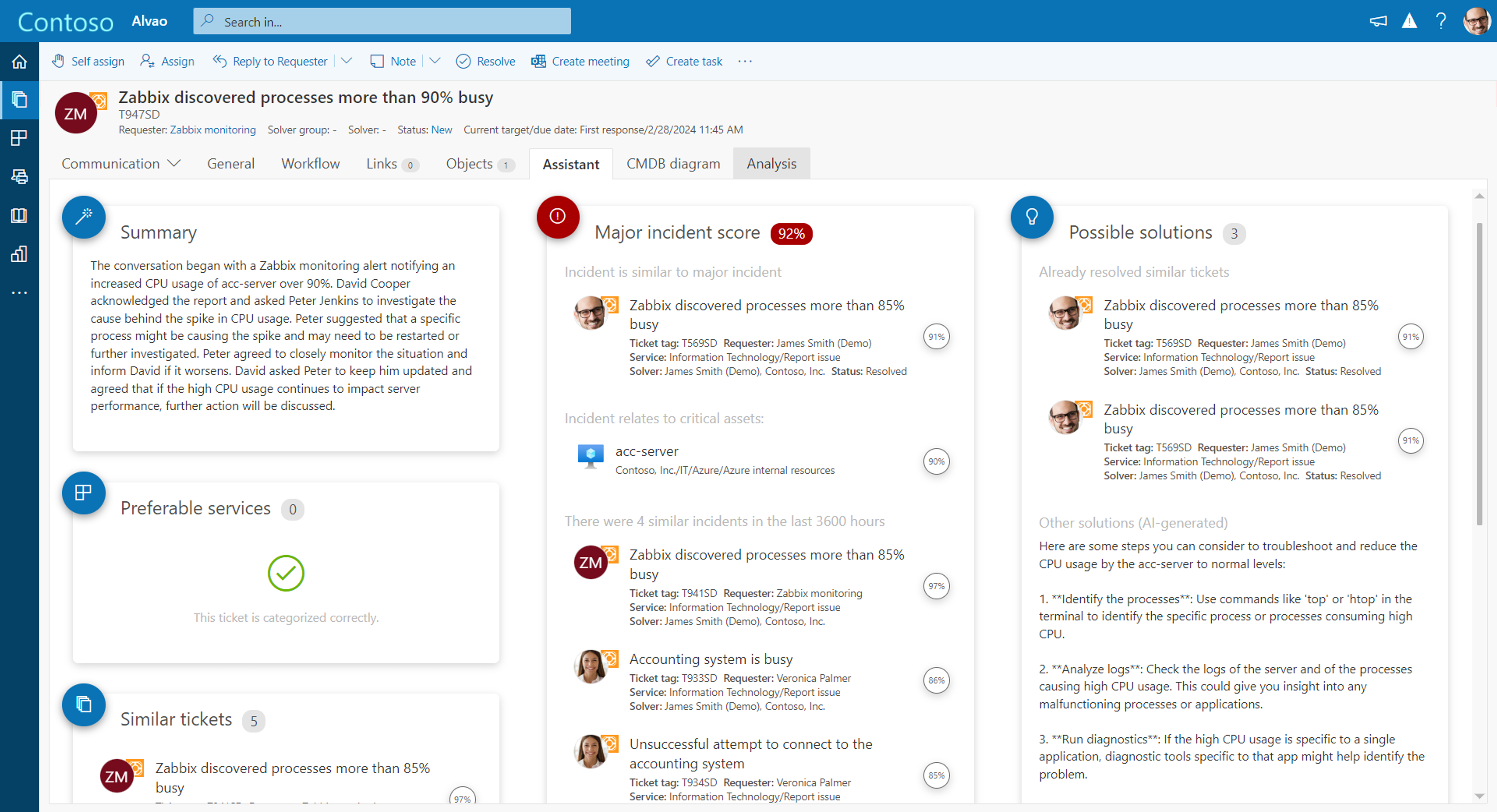
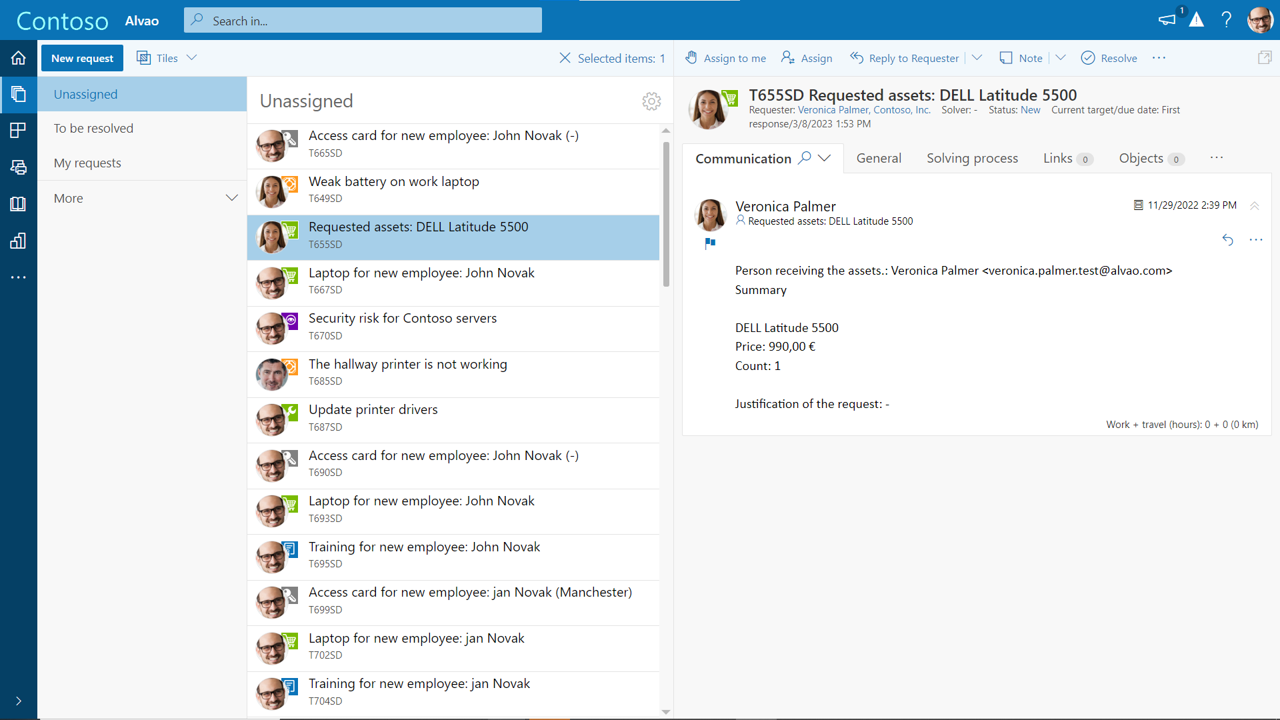
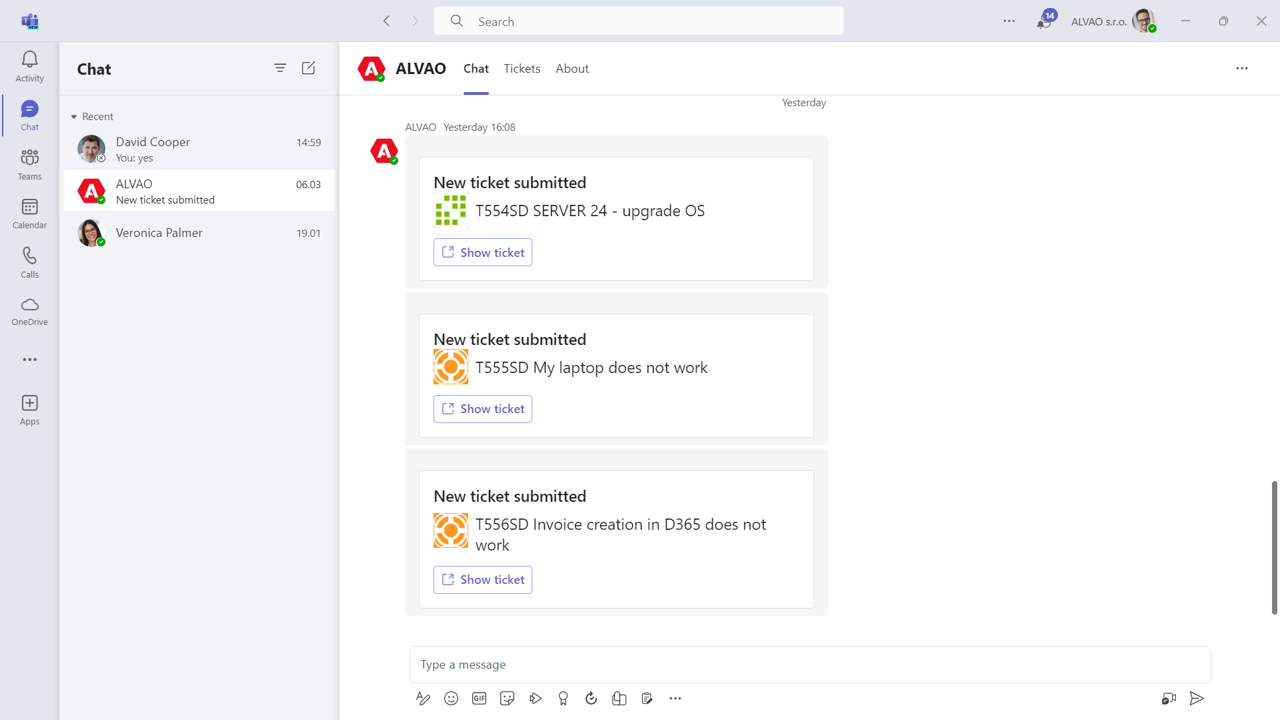
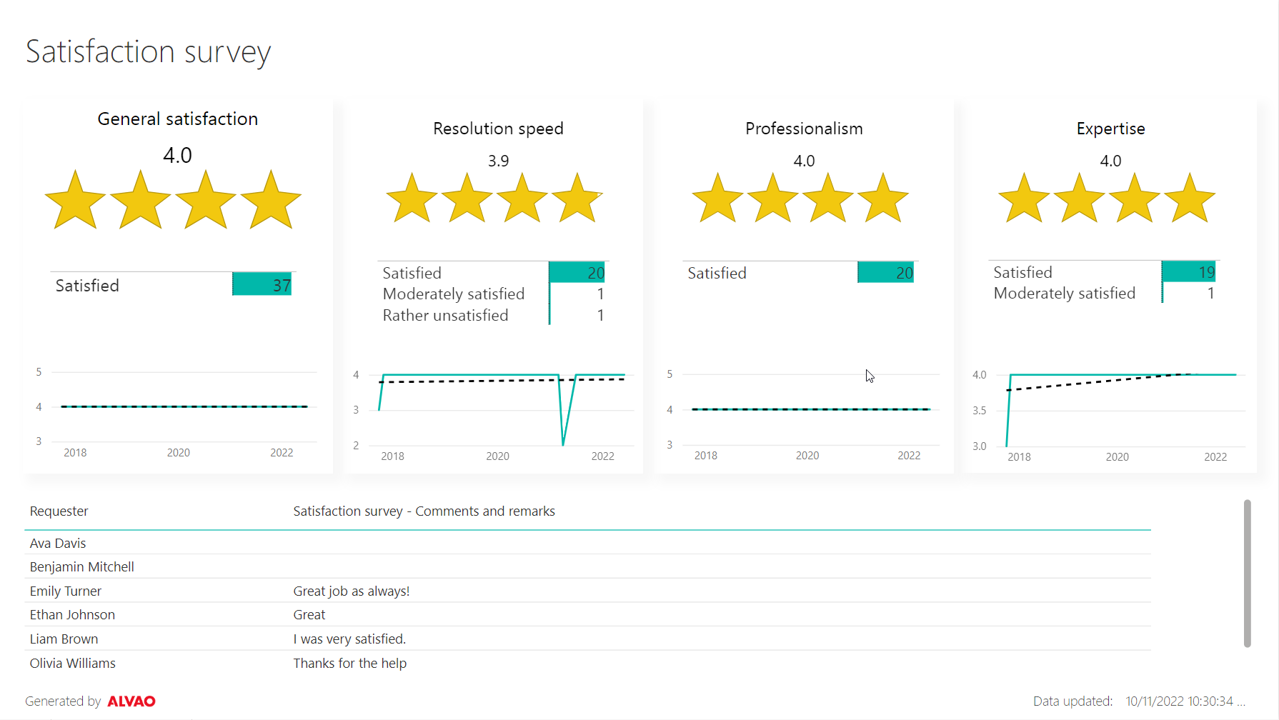
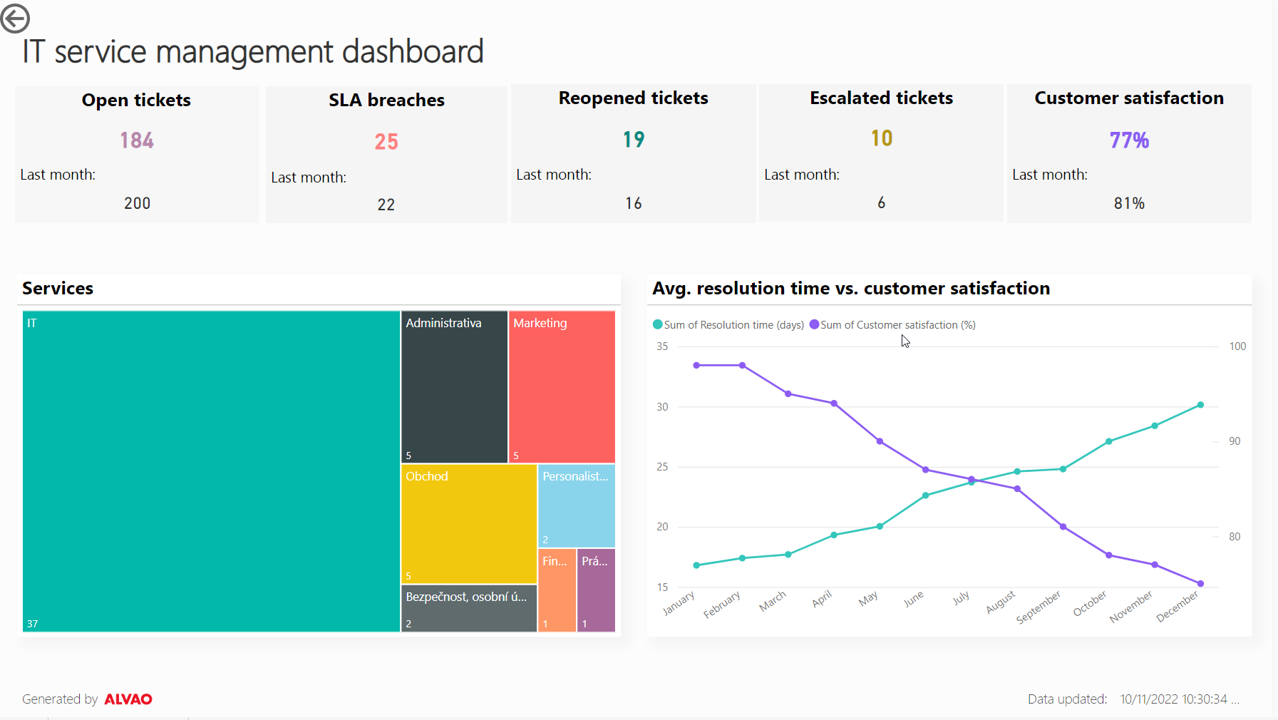
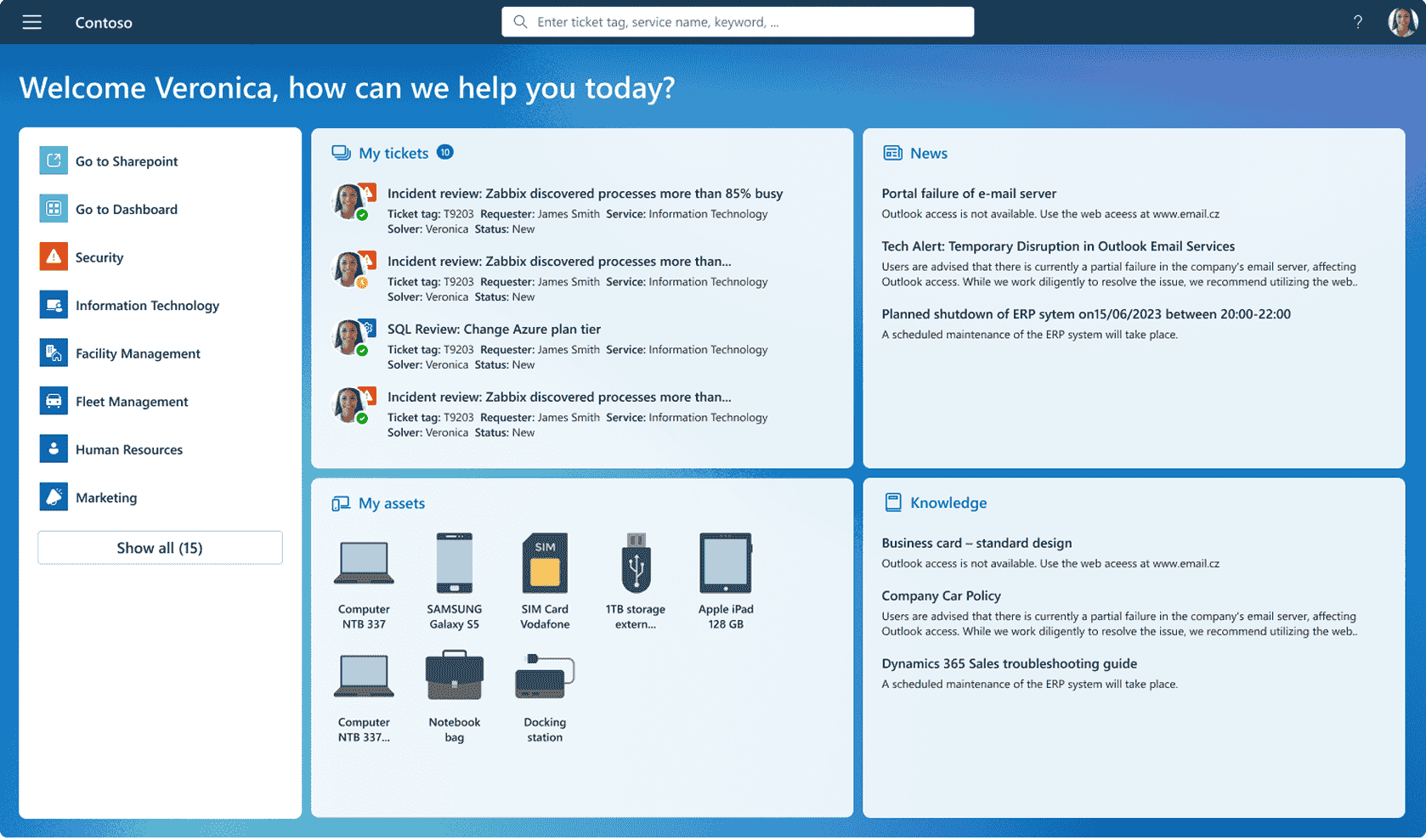
Screenshot of ALVAO AI Assistant powered by Azure OpenAI, which streamlines the solution to any incident or request.Screenshot of where users can filter tickets by status, service or anything else.Screenshot of the interface for ALVAO Teams Assistant, which is available 24/7.Screenshot of measurement of user feedback.Screenshot of key metrics monitoring, to drive informed business decisions.Screenshot of the self-service portal