
Chose Amazon API Gateway
Amazon API Gateway vs. NGINX vs. Postman
Amazon API Gateway vs. NGINX vs. Postman
| Product | Rating | Most Used By | Product Summary | Starting Price |
|---|---|---|---|---|
 Amazon API Gateway | N/A | AWS offers the Amazon API Gateway supports the creation and publication of an API for web applications, as well as its monitoring and maintenance. The Amazon API Gateway is able to support thousands of API calls concurrently and provides traffic management, as well as monitoring and access control. | $0.90 Per Million | |
 NGINX | Mid-Size Companies (51-1,000 employees) | NGINX, a business unit of F5 Networks, powers over 65% of the world's busiest websites and web applications. NGINX started out as an open source web server and reverse proxy, built to be faster and more efficient than Apache. Over the years, NGINX has built a suite of infrastructure software products o tackle some of the biggest challenges in managing high-transaction applications. NGINX offers a suite of products to form the core of what organizations need to create… | N/A | |
 Postman | N/A | Postman, headquartered in San Francisco, offers their flagship API development and management free to small teams and independent developers. Higher tiers (Postman Pro and Postman Enterprise) support API management, as well as team collaboration, extended support and other advanced features. | $0 |
| Amazon API Gateway | NGINX | Postman | ||||||||||||||||||||||
|---|---|---|---|---|---|---|---|---|---|---|---|---|---|---|---|---|---|---|---|---|---|---|---|---|
| Editions & Modules |
| No answers on this topic |
| |||||||||||||||||||||
| Offerings |
| |||||||||||||||||||||||
| Entry-level Setup Fee | No setup fee | Optional | No setup fee | |||||||||||||||||||||
| Additional Details | — | — | 1. Postman Free plan: Start designing, developing, and testing APIs at no cost for teams of up to three people. 2. Postman Basic plan: Collaborate with your team to design, develop, and test APIs faster; $12/month per user, billed annually 3. Postman Professional plan: Centrally manage the entire API workflow; $29/month per user, billed annually 4. Postman Enterprise plan: Securely manage, organize, and accelerate API-first development at scale; $99/month per user, billed annually | |||||||||||||||||||||
| More Pricing Information | ||||||||||||||||||||||||
| Amazon API Gateway | NGINX | Postman | |
|---|---|---|---|
| Considered Multiple Products |  Amazon API Gateway  Ramindu Deshapriya Lead Consultant - Technology Chose Amazon API Gateway Our primary architecture is AWS, so we selected [Amazon] API Gateway as our gateway solution. While Apigee and SwaggerHub provide great solutions for service orchestration, [Amazon] API Gateway provided the best integrations with our web services which were mostly running … |  NGINX No answer on this topic | Postman  Lankit Patel AWS Developer | Laravel Developer Chose Postman NGL first of all was word of mouth. my teammates were already using Postman so I was told to use it as well. I tried exploring other alternatives but most of them seem to provide a particular service. On the other hand, Postman is a whole bundle to manage almost everything … |
| Amazon API Gateway | NGINX | Postman | |||||||||||||||||||||||||||||||
|---|---|---|---|---|---|---|---|---|---|---|---|---|---|---|---|---|---|---|---|---|---|---|---|---|---|---|---|---|---|---|---|---|---|
| API Management |
| ||||||||||||||||||||||||||||||||
| Application Servers |
|
| Amazon API Gateway | NGINX | Postman | |
|---|---|---|---|
| Small Businesses | NGINX Score 9.2 out of 10 |  Apache HTTP Server Score 9.1 out of 10 | NGINX Score 9.2 out of 10 |
| Medium-sized Companies | NGINX Score 9.2 out of 10 |  Apache Tomcat Score 8.0 out of 10 | NGINX Score 9.2 out of 10 |
| Enterprises | NGINX Score 9.2 out of 10 | Apache Tomcat Score 8.0 out of 10 | NGINX Score 9.2 out of 10 |
| All Alternatives | View all alternatives | View all alternatives | View all alternatives |
| Amazon API Gateway | NGINX | Postman | |
|---|---|---|---|
| Likelihood to Recommend | 8.0 (14 ratings) | 8.9 (50 ratings) | 9.0 (43 ratings) |
| Likelihood to Renew | - (0 ratings) | 9.1 (1 ratings) | - (0 ratings) |
| Usability | 9.0 (1 ratings) | 8.3 (3 ratings) | 8.8 (7 ratings) |
| Support Rating | 10.0 (1 ratings) | 8.1 (4 ratings) | 7.1 (11 ratings) |
| Ease of integration | - (0 ratings) | - (0 ratings) | 9.0 (1 ratings) |
| Amazon API Gateway | NGINX | Postman | |
|---|---|---|---|
| Likelihood to Recommend | Amazon AWS
 Amritansu Sahoo Co-Founder | F5
 Luiz Eduardo Garcia System Administrator | Postman
 Callum O'Connor Senior Analytics Engineer |
| Pros | Amazon AWS
| F5
 Gabriel Samaroo Senior Software Engineer | Postman
 Kerry Haupt HR Director |
| Cons | Amazon AWS
 Michael Jenkins Senior Systems Reliability Engineer | F5
 L Matthew Blancett Senior DevOps Engineer | Postman
|
| Likelihood to Renew | Amazon AWS No answers on this topic | F5
| Postman No answers on this topic |
| Usability | Amazon AWS
| F5
| Postman
|
| Support Rating | Amazon AWS
| F5
 John Reeve Principal, Lead developer, Lead designer | Postman
|
| Alternatives Considered | Amazon AWS
| F5
 Josh Stapp Sr. Software Engineer | Postman
 Anthony Aziz Senior Software Engineer |
| Return on Investment | Amazon AWS
| F5
 Tyler Johnson Senior Software Architect | Postman
|
| ScreenShots | NGINX Screenshots 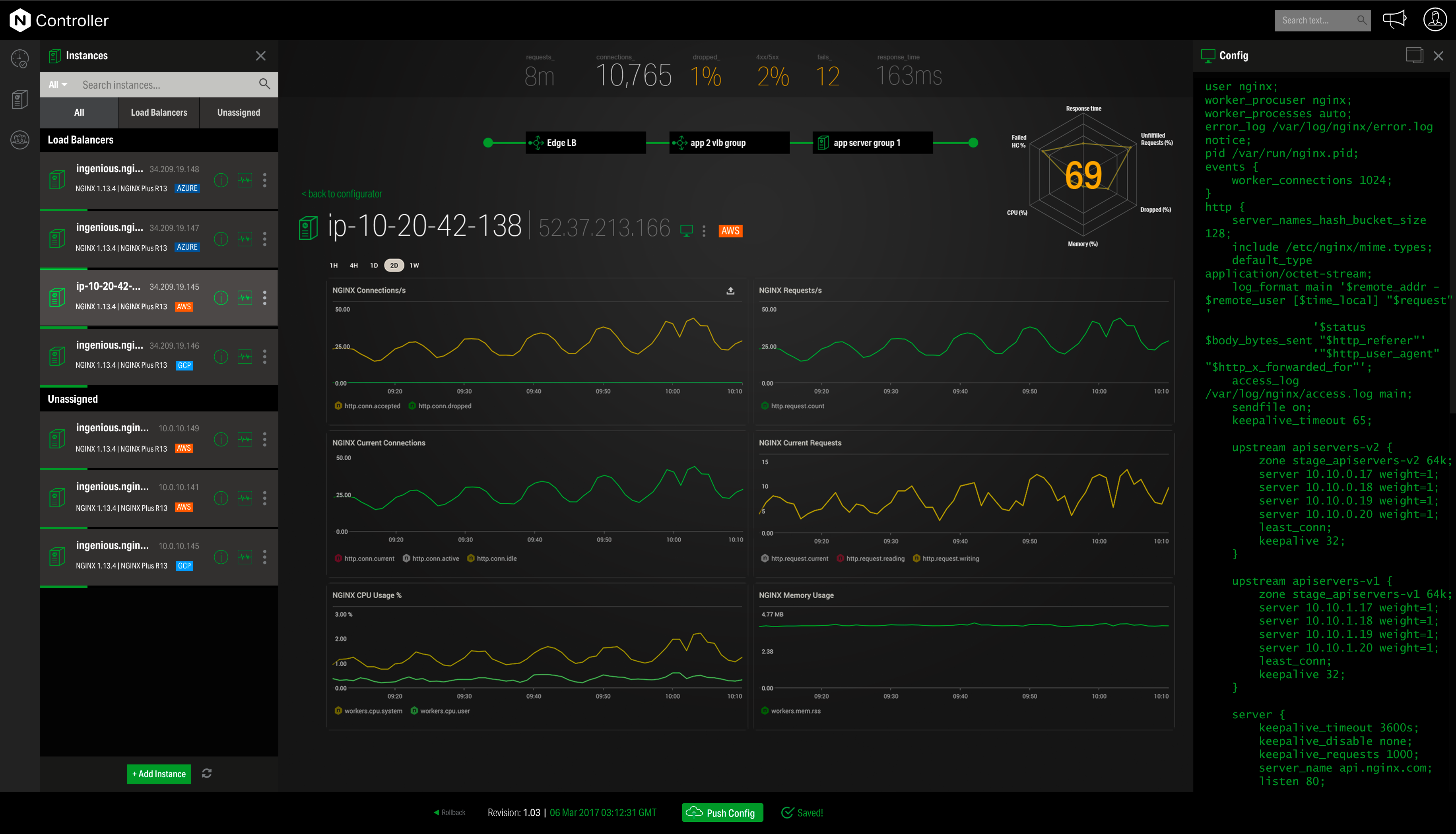  | Postman Screenshots     |