
Chose Apache Tomcat
Apache Tomcat vs. NGINX vs. pfSense
Apache Tomcat vs. NGINX vs. pfSense
| Product | Rating | Most Used By | Product Summary | Starting Price |
|---|---|---|---|---|
 Apache Tomcat | N/A | Tomcat is an open-source web server supported by Apache. | N/A | |
 NGINX | Mid-Size Companies (51-1,000 employees) | NGINX, a business unit of F5 Networks, powers over 65% of the world's busiest websites and web applications. NGINX started out as an open source web server and reverse proxy, built to be faster and more efficient than Apache. Over the years, NGINX has built a suite of infrastructure software products o tackle some of the biggest challenges in managing high-transaction applications. NGINX offers a suite of products to form the core of what organizations need to create… | N/A | |
 pfSense | N/A | pfSense is a firewall and load management product available through the open source pfSense Community Edition, as well as a the licensed edition, pfSense Plus (formerly known as pfSense Enterprise). The solution provides combined firewall, VPN, and router functionality, and can be deployed through the cloud (AWS or Azure), or on-premises with a Netgate appliance. It as scalable capacities, with functionality for SMBs. As a firewall, pfSense offers Stateful packet inspection, concurrent… | $179 per appliance |
| Apache Tomcat | NGINX | pfSense | ||||||||||||||||||||||
|---|---|---|---|---|---|---|---|---|---|---|---|---|---|---|---|---|---|---|---|---|---|---|---|---|
| Editions & Modules | No answers on this topic | No answers on this topic |
| |||||||||||||||||||||
| Offerings |
| |||||||||||||||||||||||
| Entry-level Setup Fee | No setup fee | Optional | No setup fee | |||||||||||||||||||||
| Additional Details | — | — | — | |||||||||||||||||||||
| More Pricing Information | ||||||||||||||||||||||||
| Apache Tomcat | NGINX | pfSense | |
|---|---|---|---|
| Considered Multiple Products | Apache Tomcat |  NGINX  Rene Enriquez Technical Lead Chose NGINX It's lightweight and it does not require complex configurations for simple scenarios. If you want you can accomplish some other complicated tasks like reverse proxies which are well supported by the product.  Craig Nash Sr. Network Engineer Chose NGINX Nginx is one of the top three web servers and sits in the second position in terms of the amount of servers deployed. The main competition comes from Apache and Apache-based forks on Linux based servers, and less-so from Microsoft IIS on Windows based servers. As stated … |  pfSense  Luiz Eduardo Garcia System Administrator Chose pfSense Both products listed above, are very great solutions, but payed ones. If you are looking for open source firewall solution, pfSense is the one. Based on FreeBSD, it has strong security features and is very easy to deploy, configure and manage. pfSense also plays network simple … |
| Apache Tomcat | NGINX | pfSense | |||||||||||||||||||||||||||||||||||||||||||||||
|---|---|---|---|---|---|---|---|---|---|---|---|---|---|---|---|---|---|---|---|---|---|---|---|---|---|---|---|---|---|---|---|---|---|---|---|---|---|---|---|---|---|---|---|---|---|---|---|---|---|
| Application Servers |
| ||||||||||||||||||||||||||||||||||||||||||||||||
| Firewall |
|
| Apache Tomcat | NGINX | pfSense | |
|---|---|---|---|
| Small Businesses | NGINX Score 9.2 out of 10 |  Apache HTTP Server Score 9.1 out of 10 |  Sophos UTM Score 8.9 out of 10 |
| Medium-sized Companies | NGINX Score 9.2 out of 10 | Apache Tomcat Score 8.0 out of 10 |  Quantum Firewalls and Security Gateways Score 9.2 out of 10 |
| Enterprises | NGINX Score 9.2 out of 10 | Apache Tomcat Score 8.0 out of 10 |  Palo Alto Networks Virtualized Next-Generation Firewalls - VM Series Score 9.1 out of 10 |
| All Alternatives | View all alternatives | View all alternatives | View all alternatives |
| Apache Tomcat | NGINX | pfSense | |
|---|---|---|---|
| Likelihood to Recommend | 9.0 (24 ratings) | 8.9 (50 ratings) | 9.3 (30 ratings) |
| Likelihood to Renew | 10.0 (1 ratings) | 9.1 (1 ratings) | - (0 ratings) |
| Usability | 8.0 (3 ratings) | 8.3 (3 ratings) | 9.7 (8 ratings) |
| Availability | 6.0 (1 ratings) | - (0 ratings) | - (0 ratings) |
| Performance | 9.0 (2 ratings) | - (0 ratings) | - (0 ratings) |
| Support Rating | 9.1 (3 ratings) | 8.1 (4 ratings) | 10.0 (1 ratings) |
| Configurability | 8.0 (1 ratings) | - (0 ratings) | - (0 ratings) |
| Ease of integration | 9.0 (1 ratings) | - (0 ratings) | - (0 ratings) |
| Product Scalability | 9.0 (1 ratings) | - (0 ratings) | - (0 ratings) |
| Apache Tomcat | NGINX | pfSense | |
|---|---|---|---|
| Likelihood to Recommend | Apache
| F5
Luiz Eduardo Garcia System Administrator | Netgate (Rubicon Communications, LLC)
 Pablo Mojica Systems Administrator |
| Pros | Apache
| F5
 Gabriel Samaroo Senior Software Engineer | Netgate (Rubicon Communications, LLC)
 Allan Leung IT & T Manager |
| Cons | Apache
 Candy Carrizales Database Administrator | F5
 L Matthew Blancett Senior DevOps Engineer | Netgate (Rubicon Communications, LLC)
 Charles R. Coggins III Technical Support Specialist |
| Likelihood to Renew | Apache
| F5
| Netgate (Rubicon Communications, LLC) No answers on this topic |
| Usability | Apache
| F5
| Netgate (Rubicon Communications, LLC)
|
| Reliability and Availability | Apache
| F5 No answers on this topic | Netgate (Rubicon Communications, LLC) No answers on this topic |
| Performance | Apache
| F5 No answers on this topic | Netgate (Rubicon Communications, LLC) No answers on this topic |
| Support Rating | Apache
| F5
 John Reeve Principal, Lead developer, Lead designer | Netgate (Rubicon Communications, LLC)
 Jerry Riggin President |
| Alternatives Considered | Apache
| F5
 Josh Stapp Sr. Software Engineer | Netgate (Rubicon Communications, LLC)
|
| Scalability | Apache
| F5 No answers on this topic | Netgate (Rubicon Communications, LLC) No answers on this topic |
| Return on Investment | Apache
| F5
 Tyler Johnson Senior Software Architect | Netgate (Rubicon Communications, LLC)
 Aaron Smith Information Technology Manager |
| ScreenShots | NGINX Screenshots 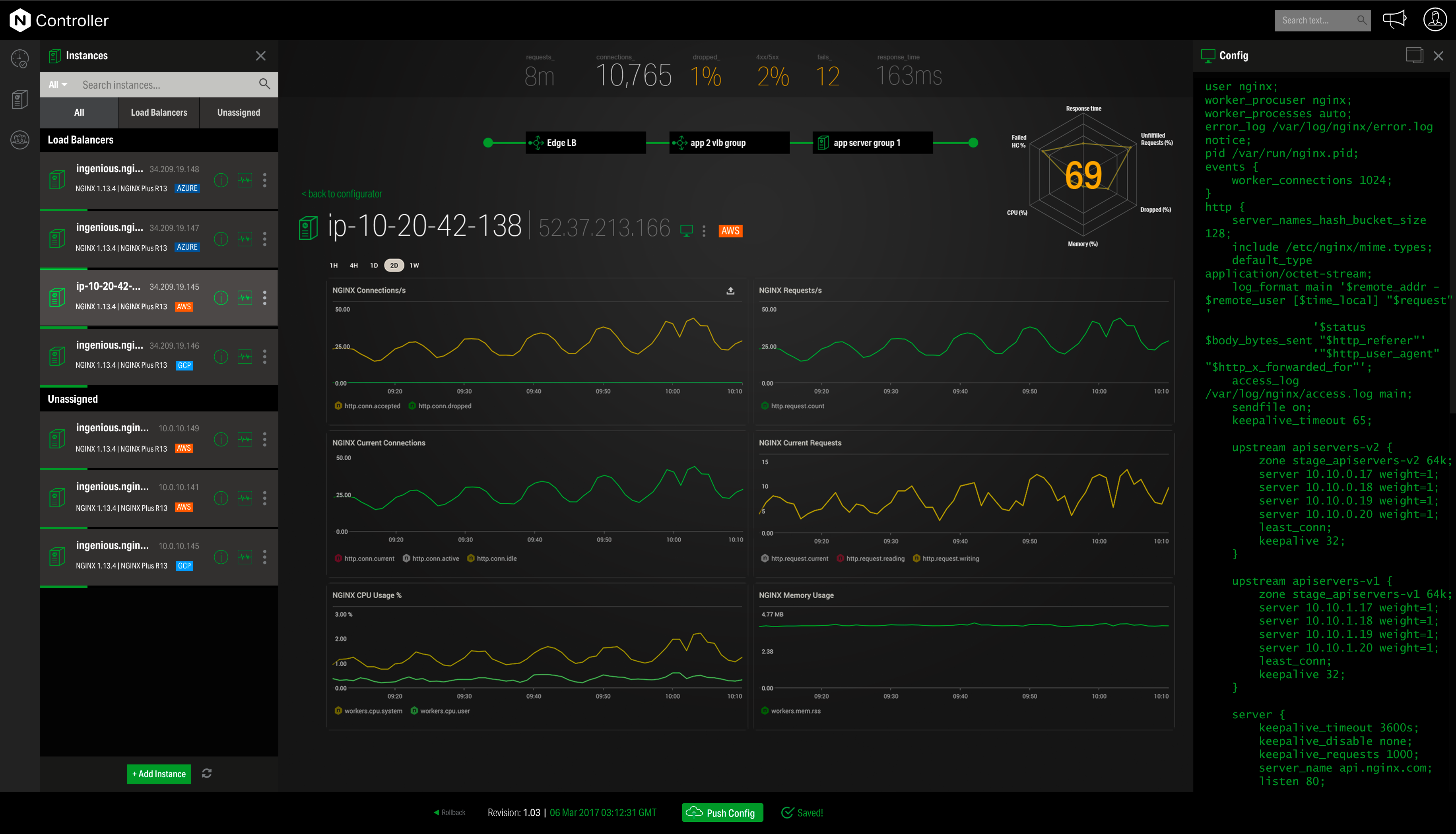  |