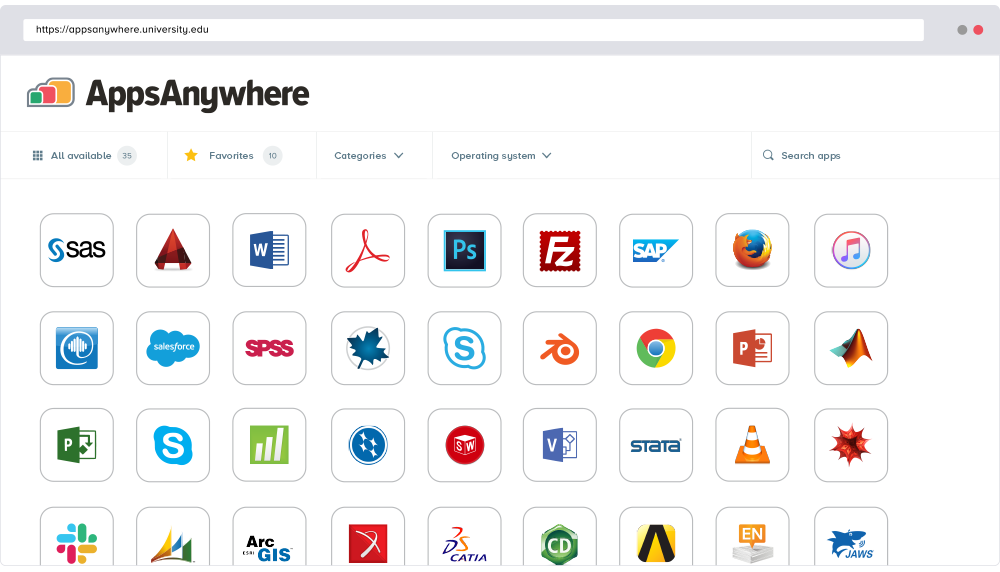
AppsAnywhere
is a software delivery platform that gives students and staff access to
the software they need to get their work done wherever they are, both on and
off campus.
Boasting more than 2 million students at over 200 universities
and colleges worldwide, the vendor states AppsAnywhere improves student outcomes by making
software available on any device, including BYOD, thanks to their unique approach
to virtualization. Used by higher ed
institutions, including University…
N/A
Microsoft App-V
Score 8.0 out of 10
N/A
Microsoft App-V supports the virtualization of applications, making them available to end users without an installation.
N/A
Microsoft System Center
Score 8.3 out of 10
N/A
Microsoft System Center Suite is a family of IT management software for network monitoring, updating and patching, endpoint protection with anti-malware, data protection and backup, ITIL- structured IT service management, remote administration and more.
It is available in two editions: standard and datacenter. Datacenter provides unlimited virtualization for high density private clouds, while standard is for lightly or non-virtualized private cloud workloads.
$1,323
per month
Pricing
AppsAnywhere
Microsoft Application Virtualization (App-V)
Microsoft System Center
Editions & Modules
No answers on this topic
No answers on this topic
Standard Edition
$1323
Datacenter Edition
$3607
Offerings
Pricing Offerings
AppsAnywhere
Microsoft App-V
Microsoft System Center
Free Trial
Yes
No
No
Free/Freemium Version
No
No
No
Premium Consulting/Integration Services
Yes
No
No
Entry-level Setup Fee
Required
No setup fee
No setup fee
Additional Details
—
—
—
More Pricing Information
Community Pulse
AppsAnywhere
Microsoft Application Virtualization (App-V)
Microsoft System Center
Considered Multiple Products
AppsAnywhere
No answer on this topic
Microsoft App-V
Verified User
Analyst
Chose Microsoft Application Virtualization (App-V)
APP-V is able to do the majority of software packages for internal organization use, but when you get to a program that is space and resource intensive, moving to EMCO MSI Package Builder will allow you to capture the entire install process as well as any complex configurations …
I have been monitoring the use of this app for the past year now and it has been incredibly useful in providing my team with easy access to the applications they need. It is well suited to organizations with a large variety of applications and users that need to access them from multiple devices. It has been very easy to deploy, manage and maintain, and I love the fact that users can easily find what they need without having to navigate complex menus. (search can still be abit better). Still a really good pick :)
Using Microsoft Teams for small or large meetings is a great way to communicate and collaborate. Microsoft Application Virtualization is a terrific tool for presenting and sharing information, and its storage capacity is also excellent. Installing and centrally administering specialized apps to control who has access to it is one of the features I value most about this software. It also provides a separate UI for tracking the app's accesses. This program is not suitable for freelancers or clients that operate alone.
For companies with more than 10 Windows devices and needing to standardize the OS, AV, access, share resources, and install software. SCCM is the way to go. This software is unnecessary if the business is all remote users and not in an office-type setting. There are cloud offerings or none to accomplish what a business needs.
Needs web based storefront for requesting new software
Needs ability to manage the packaging work flow better
Sometimes is slow to download and there is no indication the entire catalog is being loaded, resulting in confused users not being able to find common software in the available list.
Almost everyone you tell to use it to access a specialist application can find the software they need and install it. However, surprisingly many have difficulties finding AppsAnywhere under the start menu or on the task bar - it is not a icon or name they recognise, and they really want to lunch the target specialist software (Zbrush or whatever). Once you find it, many people ignore the search function which is probably the fastest method, and browse the long list alphabetically, because the standard filters do not help much. Favouriting is rarely used as it is too burdensome and not an issue for users when they are looking for the applicationt hey need.
It is not user-friendly for the most part. With IT infrastructure, sometimes it cannot handle excess requests. Every few months, you will need an upgrade in terms of server resources to keep up with incoming alerts and requests. This does not happen all of the time, but it does happen when there are too many requests.
APP-V is no longer a supported technology and is on the way out, only on legacy support at this time. The changes in security emphasis in windows, as well as the changes in software development have meant that APP-V is no longer able to correctly package software. It has been superseded by the MSIX format and distribution via the Microsoft Store for Business.
If I had to dislike something about the system it would be how much it changes once you upgrade. This could be more of a problem of mine since I get used to one way and don't like it when it changes so much. I am enjoying the newest update, but it is a mess when you are actually going through the upgrades.
The AppsAnywhere team is very quick in setting up things and also having everything in a single place. The bundle of the apps can be easily configured as the documentation is also very straightforward while setting up things and also having the team to work accordingly customize as per the needs
Microsoft Teams is included in our current Office 365 product set; therefore, there is no additional fee to use the application. It saves our company money by not having to pay for Slack or another internal chat service. For us, Microsoft Teams has a better user experience and product features. Teams' usability is higher than Slack's since it has access to OneDrive, email, and OneNote applications. Screen sharing, chat, and file-sharing operate smoothly, and the performance appears great.
We previously used a mix of FOG and Clonezilla to image machines. The biggest issues with these products is that changing one piece of the image required you to rebuild the entire image itself. These pieces of software also did not allow you to manage applications and Windows Updates, causing IT to have to constantly touch machines after they were imaged and update or manage them with a much more hands on approach.
We have been able to automate our patch management, firmware and other security concerns.
We have a standardized "image" ensuring our setup is consistent across the enterprise. This alone has saved us in time to support and time to understand how to use our desktops.