Overview
ProductRatingMost Used ByProduct SummaryStarting Price
Autodesk Takeoff
Score 9.0 out of 10
N/A
Autodesk Takeoff, from the Autodesk Construction Cloud, combines 2D and 3D quantification capabilities in a cloud-based environment for improved collaboration and accuracy. Whether using either the imperial or metric system, users can capture project scope with linear, count, or area takeoff tools. Or generate multiple quantities for any takeoff drawn and reassign takeoffs to different types. The solution helps users to improve how takeoffs are organized by selecting from predefined or uploaded…N/A
HCSS
Score 9.2 out of 10
Mid-Size Companies (51-1,000 employees)
HCSS is a construction software suite. It includes functionality for bidding, time card and project management, safety, planning, scheduling, equipment management, and data warehousing and reporting. Each module can be purchased separately. The suite can be hosted in the cloud.N/A
SiteCapture
Score 8.0 out of 10
N/A
SiteCapture is a mobile and cloud solution that transforms how businesses capture and communicate information from the field. SiteCapture lets companies that rely heavily on remote workers replace inefficient processes with a single, easy-to-use mobile solution that improves workforce productivity, streamlines operations, and improves levels of customer service. SiteCapture can be configured for virtually any field data collection task and integrated into existing back-office systems.
$100
per month
Pricing
Autodesk TakeoffHCSSSiteCapture
Editions & Modules
No answers on this topic
Basic
$100.00
per month
Professional
$300.00
per month
Premium
$700.00
per month
Offerings
Pricing Offerings
Autodesk TakeoffHCSSSiteCapture
Free Trial
NoNoYes
Free/Freemium Version
NoNoNo
Premium Consulting/Integration Services
NoYesYes
Entry-level Setup FeeNo setup feeRequiredOptional
Additional Details
More Pricing Information
Community Pulse
Autodesk TakeoffHCSSSiteCapture
Features
Autodesk TakeoffHCSSSiteCapture
Construction Project & Field Management
Comparison of Construction Project & Field Management features of Product A and Product B
Autodesk Takeoff
-
Ratings
HCSS
5.1
34 Ratings
37% below category average
SiteCapture
-
Ratings
Plan distribution & viewing00 Ratings5.010 Ratings00 Ratings
Plan markups & sharing00 Ratings5.07 Ratings00 Ratings
Issue tracking & punchlists00 Ratings5.014 Ratings00 Ratings
Photo documentation00 Ratings5.026 Ratings00 Ratings
Jobsite reports00 Ratings6.031 Ratings00 Ratings
Document sharing00 Ratings5.018 Ratings00 Ratings
RFI tools00 Ratings3.01 Ratings00 Ratings
Collaboration & approvals00 Ratings5.020 Ratings00 Ratings
Mobile app00 Ratings7.029 Ratings00 Ratings
Best Alternatives
Autodesk TakeoffHCSSSiteCapture
Small Businesses
Bluebeam
Bluebeam
Score 9.2 out of 10
FollowUp CRM
FollowUp CRM
Score 2.0 out of 10
Dotloop
Dotloop
Score 7.0 out of 10
Medium-sized Companies
InEight
InEight
Score 8.4 out of 10
InEight
InEight
Score 8.4 out of 10
Condo Control
Condo Control
Score 9.0 out of 10
Enterprises
InEight
InEight
Score 8.4 out of 10
InEight
InEight
Score 8.4 out of 10
Accruent Lucernex
Accruent Lucernex
Score 7.9 out of 10
All AlternativesView all alternativesView all alternativesView all alternatives
User Ratings
Autodesk TakeoffHCSSSiteCapture
Likelihood to Recommend
-
(0 ratings)
10.0
(39 ratings)
10.0
(1 ratings)
Usability
-
(0 ratings)
7.0
(3 ratings)
-
(0 ratings)
Support Rating
-
(0 ratings)
10.0
(35 ratings)
-
(0 ratings)
Implementation Rating
-
(0 ratings)
8.2
(32 ratings)
-
(0 ratings)
User Testimonials
Autodesk TakeoffHCSSSiteCapture
Likelihood to Recommend
Autodesk
No answers on this topic
HCSS
Our operation uses several pieces of what we call specialty equipment (not used every day on every job). The foreman when finished will give a location of where this equipment is left, this many times can be very vague and lead to a lowboy driver trying to block around to find the piece or driving down a street he cannot get turned around in. With the GPS devices, the driver can pinpoint exactly where the unit is and if he has room to turn around at that location.
Read full review
SiteCapture
Any scenario where you are managing off-site work tasks, especially if those work tasks involve virtual verification and media.
Read full review
Pros
Autodesk
No answers on this topic
HCSS
  • #1 is support! HCSS is by far the best software support of any product we have ever used. Unlike most software companies HCSS utilizes their support calls to help upgrade their software. When you here them tell you that they will write down a particular issue you come across during a support call if they can't help you then and there they will research and get an answer to you extremely fast. If the software will not do it, you can bet there is a good chance it will be on the list of enhancements you will see come out in the near future.
  • Estimating software is very extensive. Their software is capable of handling the smallest estimate all the way to the largest joint venture estimate. It has advanced features that make it extremely useful for analyzing job materials, subcontractors etc.
  • HeavyJob is an extremely useful tool for the field to keep the office up to date with job costs. Everything is at the Foreman's fingertips on Tablets to allow the information from the field to get uploaded to HeavyJob manager which then can export to accounting. We are also able to give our Foreman the ability to deal with the Daily and weekly safety needs (Tailgate Meetings, incident Investigation, observations etc.) right on the Tablets thru HeavyJob.
Read full review
SiteCapture
  • Creating products that are highly configurable for the user.
  • Creating API integrations.
  • Understanding and adapting to mobile user needs.
Read full review
Cons
Autodesk
No answers on this topic
HCSS
  • All their apps are on mobile devices. Although there is not a clear company policy on Android versus iPhone. Updates for features lag behind on Android. Some apps are exclusive to one platform making it hard to fully interconnect all programs.
Read full review
SiteCapture
  • Industry/market specification.
  • Expansion and scale.
  • Look and design.
Read full review
Usability
Autodesk
No answers on this topic
HCSS
As mentioned, user interface appears messy and complicated at initial onset. Training is necessary but becomes easy to maneuver through after solid daily use.
Read full review
SiteCapture
No answers on this topic
Support Rating
Autodesk
No answers on this topic
HCSS
I have never had a bad experience or heard of one in 4 years of doing business with HCSS. That is unheard of even with the hurricanes and flooding in Houston area it feels like HCSS was always there and willing to help in every way.
Read full review
SiteCapture
No answers on this topic
Implementation Rating
Autodesk
No answers on this topic
HCSS
I was not employed with PPI upon implementation. I would prefer to reference my previous statement, that each company needs to evaluate its culture and address your implementation accordingly. The purchasing company should assign an employee as point person and really take charge of not just the technical side of the implementation (HCSS pretty much handles that), but focus on company culture and training.
Read full review
SiteCapture
No answers on this topic
Alternatives Considered
Autodesk
No answers on this topic
HCSS
Other estimating products I have used consist of ICE/MC2 and MS Excel. ICE was not a good fit for our company, as they have awful technical support and offer very poor training. MS Excel is great for simple estimates where there is not a lot of data being compiled. However neither hold a candle to the power of HCSS Heavybid
Read full review
SiteCapture
No answers on this topic
Return on Investment
Autodesk
No answers on this topic
HCSS
  • Because of the codebooks (bid item codebook for DOT's specifically), we're able to carve off significant time in "stick-building" estimates
  • It's very easy to train newer estimators with HeavyBid due to the abundance of resources available on HCSS Academy and elsewhere (i.e. Arthur Nix's material)
  • The KPI's and Insights that Pre-Con offers helps us to make better decisions on Bid Day.
Read full review
SiteCapture
  • Reduced our labor spend due to integration and automation.
  • Reduced subcontracting burdens due to advanced mobile features (i.e., eliminated the need for homework, uploading, and transcription after job completion).
Read full review
ScreenShots

HCSS Screenshots

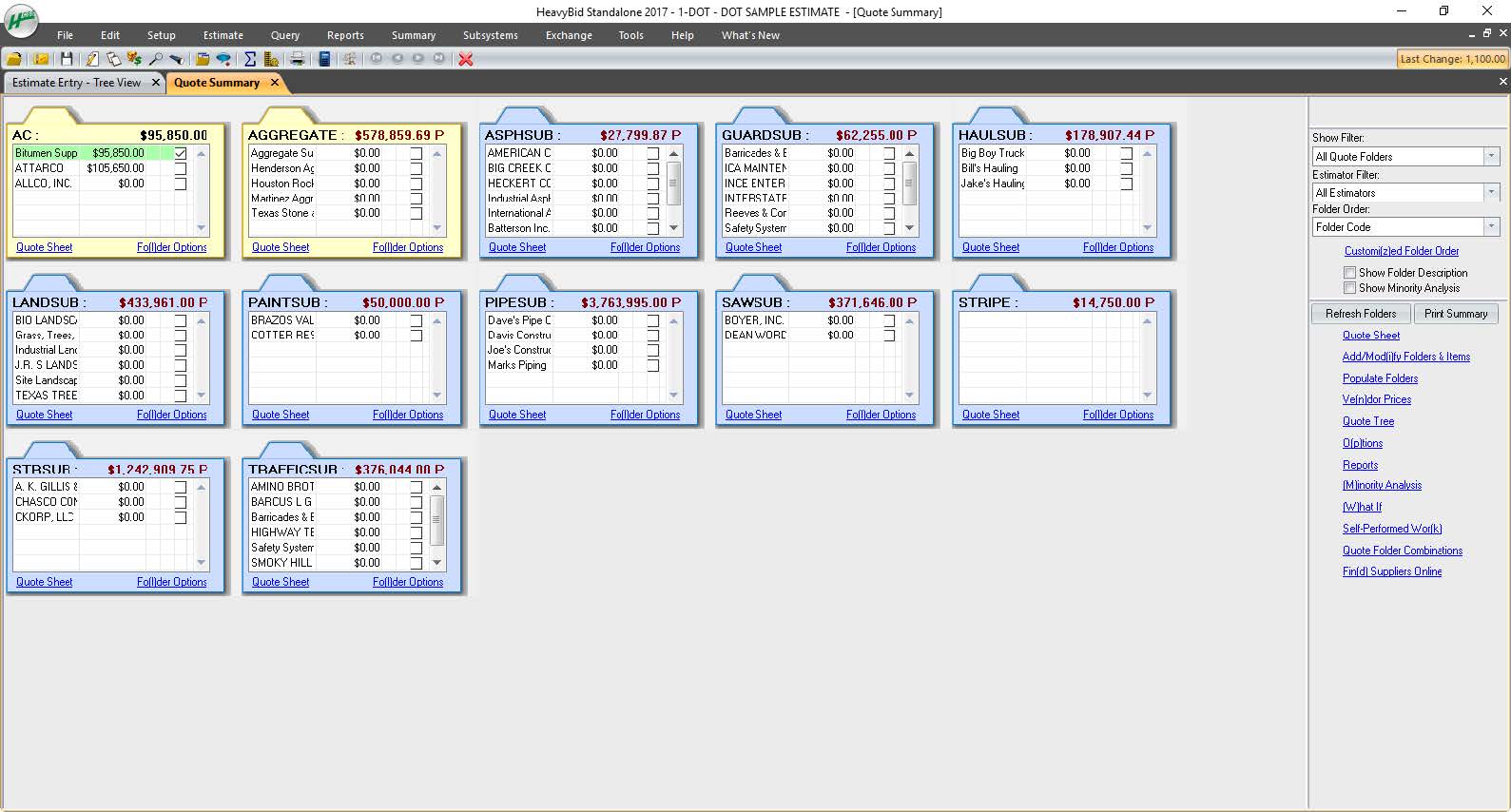
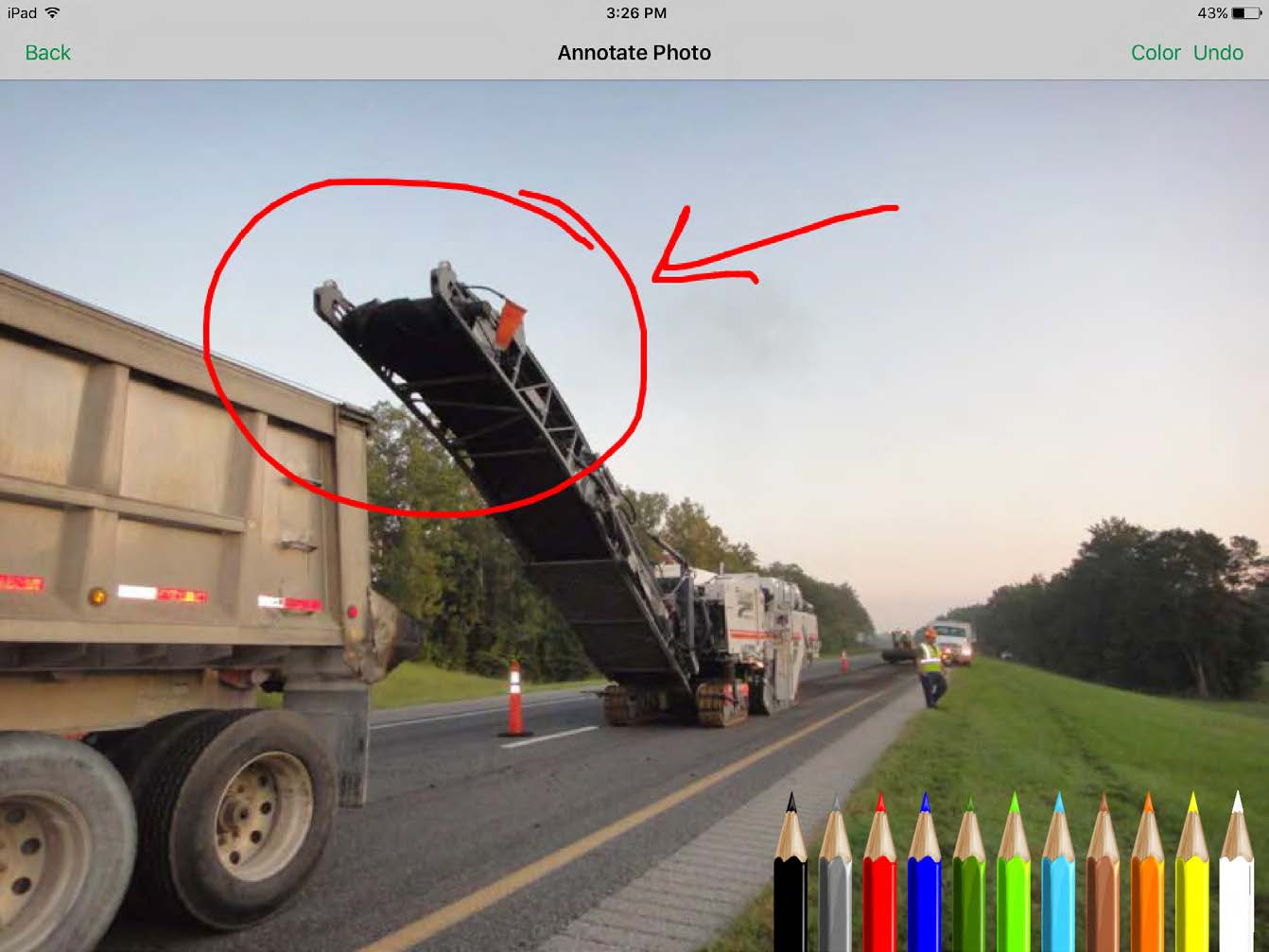
Screenshot of HeavyBid - build the structure of an estimateScreenshot of HeavyBid - manage sub and material quotesScreenshot of HeavyBid - create professional bid proposalsScreenshot of HeavyJob - manage a job site from a mobile deviceScreenshot of HeavyJob - capture job site photos from any deviceScreenshot of HeavyJob - review, edit, and approve time cards from a mobile device

SiteCapture Screenshots

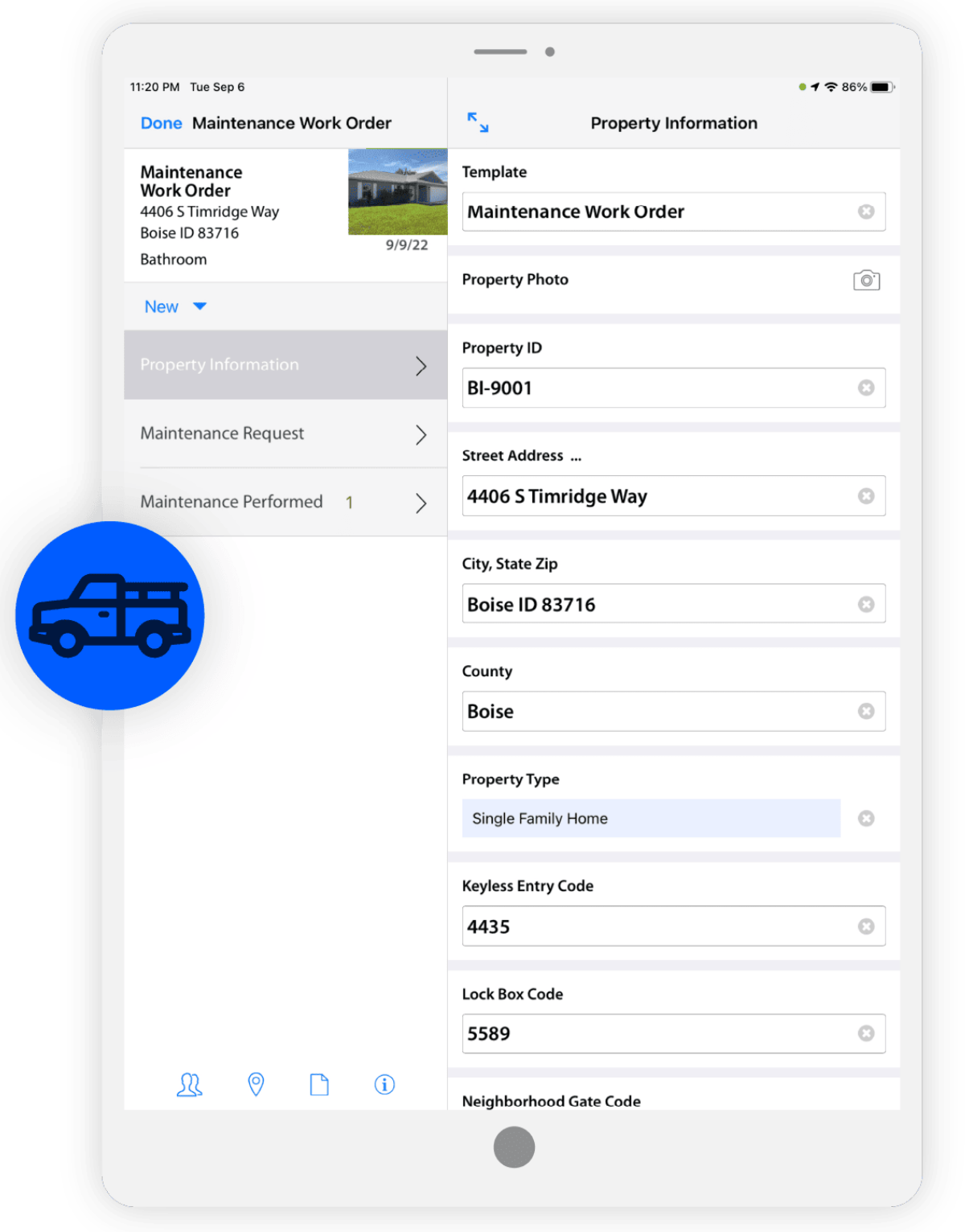
Screenshot of Field communicationScreenshot of Consumer Inspection & SurveysScreenshot of Work Order ManagementScreenshot of Photo & Data ManagementScreenshot of ReportingScreenshot of Estimating