AWS Compute Optimizer recommends optimal AWS Compute resources for workloads to reduce costs and improve performance by using machine learning to analyze historical utilization metrics. Over-provisioning compute can lead to unnecessary infrastructure cost and under-provisioning compute can lead to poor application performance. Compute Optimizer helps users choose the optimal Amazon EC2 instance types, including those that are part of an Amazon EC2 Auto Scaling group, based on utilization data.
N/A
Datadog
Score 8.8 out of 10
N/A
Datadog is a monitoring service for IT, Dev and Ops teams who write and run applications at scale, and want to turn the massive amounts of data produced by their apps, tools and services into actionable insight.
$18
per month per host
Pricing
AWS Compute Optimizer
Datadog
Editions & Modules
No answers on this topic
Log Management
$1.27
per month (billed annually) per host
Infrastructure
$15.00
per month (billed annually) per host
Standard
$18
per month per host
Enterprise
$27
per month per host
DevSecOps Pro
$27
per month per host
APM
$31.00
per month (billed annually) per host
DevSecOps Enterprise
$41
per month per host
Offerings
Pricing Offerings
AWS Compute Optimizer
Datadog
Free Trial
No
Yes
Free/Freemium Version
No
Yes
Premium Consulting/Integration Services
No
No
Entry-level Setup Fee
No setup fee
Optional
Additional Details
—
Discount available for annual pricing. Multi-Year/Volume discounts available (500+ hosts/mo).
AWS Compute Optimizer works well if you are using AWS as the core tech stack. If you are on mixed cloud deployments, then it is less appropriate because it can only give you a partial view. It might be helpful to use a tool that aggregates the usage and billing data from multiple platforms instead.
If I want to see what customers are doing wrong in their sessions, we can do that easily. On the other hand, if we want to know the payload in the API calls, that is the area where Datadog can improve.
The thing which Datadog does really well, one of them are its broad range of services integrations and features which makes it one step observability solution for all. We can monitor all types of our application, infrastructure, hosts, databases etc with Datadog.
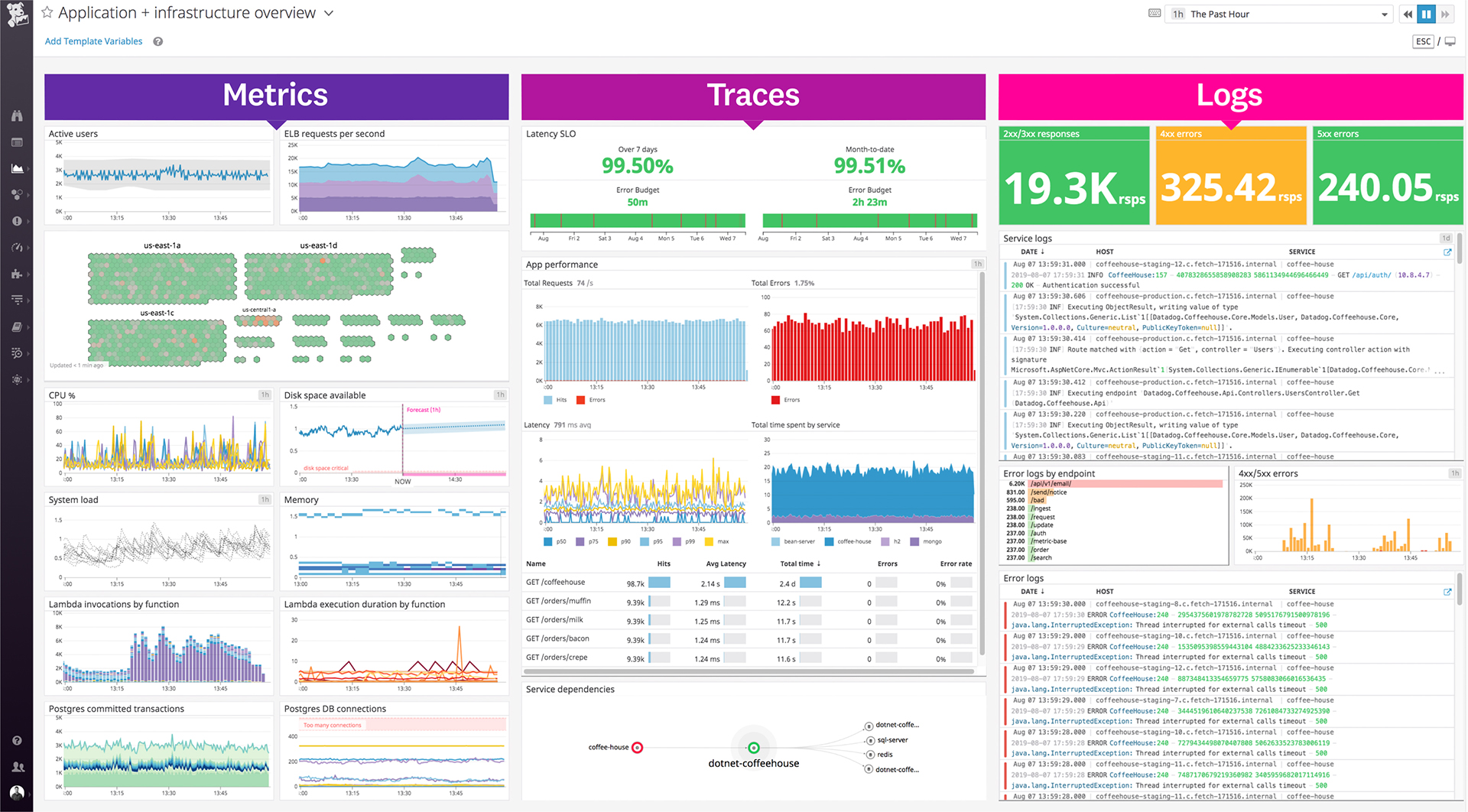
Its custom dashboard feature which helps us to visualize the data in a better way . It supports different types of charts through those charts we can create our dashboard more attractive.
Its AI powered alerting capability though that we can easily identify the root cause and also it has a low noise alerting capability which means it correlated the similar type of issues.
Its a one stop solution for most processes and does reduce cost overall. This does in turn help teams communicate in a much more efficient way, also RUM is a game changer for any quality product; we use RUM alot for debugging and reverse engineering issues. Reports and coverage has been a plus, it all has helped us a lot in our processes.
There are so many features that it can be hard to figure out where you need to go for your own use case. For example, RUM monitoring us buried in a "Digital Experience" sidebar setting when this is one of our key use cases that I sometimes struggle to find in the application. It appears that ECS + Fargate monitoring was recently released which is great because we had to build a lambda reporting solution for ephemeral task monitoring. But this new feature was never on my radar until I starting clicking around the application.
The support team usually gets it right. We did have a rather complicate issue setting up monitoring on a domain controller. However, they are usually responsive and helpful over chat. The downside would be I don’t think they have any phone support. If that is important to you this might not be a good fit.
Although both work in the same manner I prefer AWS cause our department mostly work on AWS technologies and it really makes our life easy in terms of cutting cost and making our application efficient and it gives a whole understanding of resource utilization. I recommend AWS Cost optimizer to all.
In terms of usability, I’ve found Datadog significantly more approachable and powerful compared to Elasticsearch, especially for day-to-day operational monitoring. Datadog offers a much more cohesive, user-friendly interface out of the box, with built-in support for metrics, logs, tracing, alerting, and dashboards—all tightly integrated. In contrast, Elasticsearch often felt barebones and required considerable setup and additional tooling (like Kibana or Logstash) to reach the same level of functionality. While Elasticsearch is excellent for high-volume log ingestion and full-text search, it lacks the depth of features and real-time visualization capabilities that Datadog provides natively. The query language in Datadog is also quite usable and comparable for my needs—mainly filtering and aggregating logs and metrics—without needing to learn Elasticsearch's more complex DSL. Overall, Datadog saves our team time and effort, whereas Elasticsearch often felt like building a monitoring system from scratch. The all-in-one nature of Datadog, despite its complexity, is ultimately more efficient and scalable for our use case.