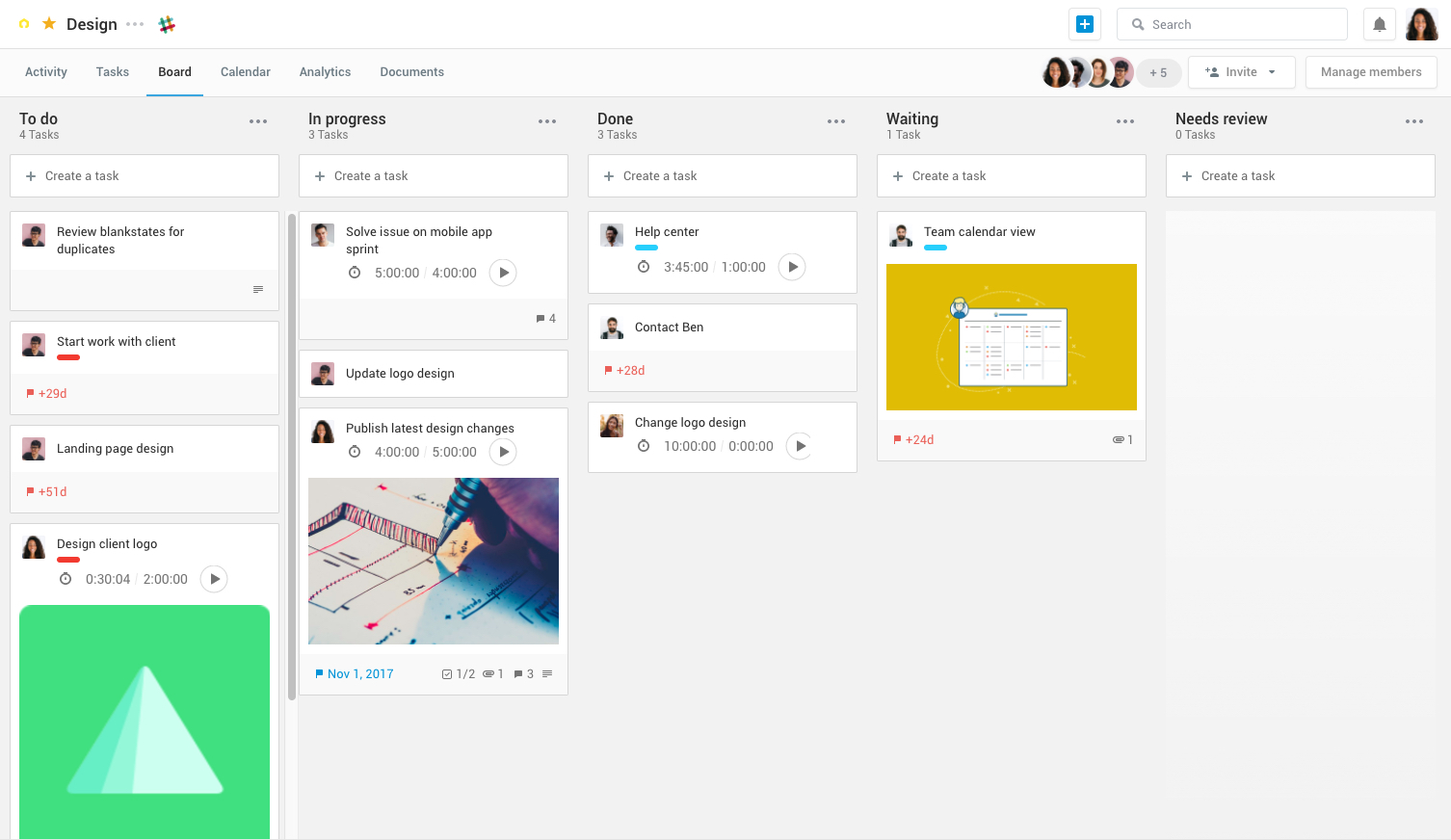
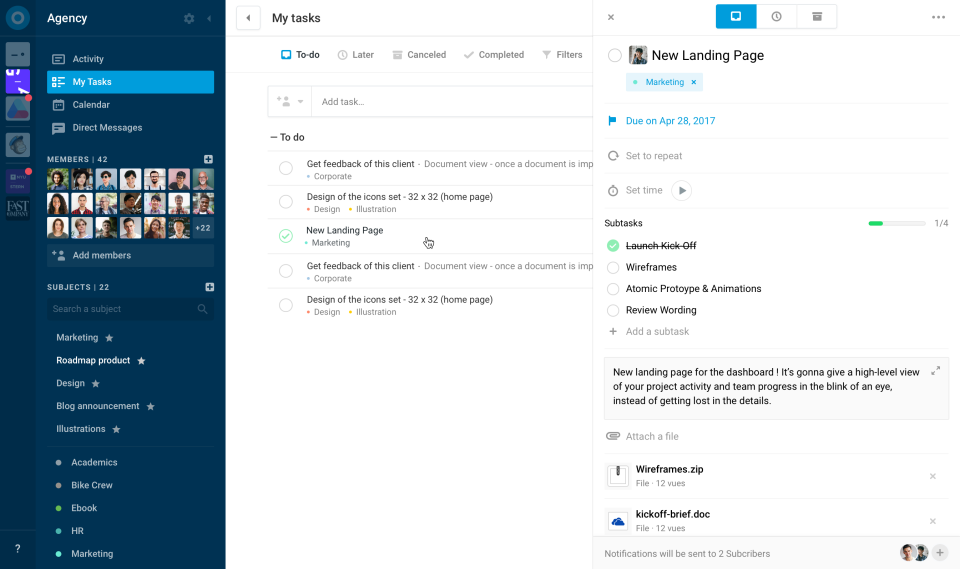
Azendoo is a work management application to help teams work more effectively by giving them the tools to communicate, plan and execute together. Azendoo is designed to make teams collaborate in a more transparent and positive way while making work more enjoyable. Conversations are held in threads shared on projects to see through every piece of information and eventually take action by creating a task based on a conversation. Tasks allow team members to see all of their work in one…
$7.50
per user
Replicon Polaris PSA
Score7.3 out of 10
N/A
Replicon Polaris PSA is a professional services automation platform containing project management, expense tracking, and billing features, from Replicon headquartered in Redwood City, California.
N/A
Pricing
azendoo
Replicon Polaris PSA
Editions & Modules
Team plan
$7.50
per user
Business plan
$14.00
per user
Enterprise plan
custom pricing
per user
No answers on this topic
Offerings
Pricing Offerings
azendoo
Replicon Polaris PSA
Free Trial
Yes
No
Free/Freemium Version
No
No
Premium Consulting/Integration Services
Yes
No
Entry-level Setup Fee
$7.50 per user
No setup fee
Additional Details
Add some time tracking: +$5.00 user/month
Scheduled and accumulated time per task
—
More Pricing Information
Features
azendoo
Replicon Polaris PSA
Project Management
Comparison of Project Management features of azendoo and Replicon Polaris PSA
Feature
azendoo
8.3
3 Ratings
8% above category average
Replicon Polaris PSA
-
Ratings
Task Management
8.13 Ratings
00 Ratings
Resource Management
9.03 Ratings
00 Ratings
Scheduling
7.93 Ratings
00 Ratings
Workflow Automation
8.93 Ratings
00 Ratings
Team Collaboration
9.03 Ratings
00 Ratings
Document Management
8.03 Ratings
00 Ratings
Email integration
8.02 Ratings
00 Ratings
Mobile Access
8.03 Ratings
00 Ratings
Budget and Expense Management
8.02 Ratings
00 Ratings
Professional Services Automation
Comparison of Professional Services Automation features of azendoo and Replicon Polaris PSA
I think Azendoo is suited well to small office tracking projects and tasks together. The shared projects/calendar use is helpful and can make work easier if everyone uses it in a similar manner. The ability to add things from other sources (Dropbox, Evernote, etc) does make it a useful platform because you can integrate other things into the app well. The visibility and shared spaces provide good accountability and follow up for work being done.
A de minimis incentive was given to thank the reviewer for their time. The incentive was not used to bias or drive a particular response, nor was the incentive contingent on a positive endorsement. More Info
It is perfect for inputing time sheets, time offs and expenses. It is hosted on the cloud, so accessible from anywhere, and even from mobile. It should nonetheless do just that, as it is not suited to track the work that you are doing or details about it. It is completely useless in that case.
A de minimis incentive was given to thank the reviewer for their time. The incentive was not used to bias or drive a particular response, nor was the incentive contingent on a positive endorsement. More Info
Software Updates - The azendoo interface is constantly being updated with new features which are helpful to our organization. For example, they just rolled out the ability to assign subtasks, so that we don't have to manually update the assignee on each step of a large, multi-step task.
Email Notifications - azendoo provides complete customization over the amount of notification emails you receive. Some of us prefer to be emailed with each update made within a task, whereas others prefer just a once-daily notification email.
Levels of organization - azendoo provides many tiers of structure within the platform, making it easy for us to layer levels of detail for a single project. For example, at the workspace level we can define where our teams "live" on azendoo, and at the subject level we can categorize projects for tracking purposes. With the new addition of subtasks, we now have an additional layer of organization which helps us keep track of where a task is at in its lifecycle.
A de minimis incentive was given to thank the reviewer for their time. The incentive was not used to bias or drive a particular response, nor was the incentive contingent on a positive endorsement. More Info
A de minimis incentive was given to thank the reviewer for their time. The incentive was not used to bias or drive a particular response, nor was the incentive contingent on a positive endorsement. More Info
A de minimis incentive was given to thank the reviewer for their time. The incentive was not used to bias or drive a particular response, nor was the incentive contingent on a positive endorsement. More Info
Though the technical support staff are always very nice, sometimes they don't seem to understand exactly what the issue is based on our explanation. There have been several times when I've ended up solving the issue on my own without their assistance, despite numerous emails and phone calls. Could be a language barrier issue, perhaps they could receive more training in how companies are actually using the software on a daily basis.
Employee time sheets have to be approved by project managers and supervisors prior to my final approval. However, when viewing the time sheets in list form, there is no way for me to tell whether a time sheet has been approved by everyone else. I have to manually open each one and hover over the approver link. It would be helpful if there was a column in the list showing which approvers still need to approve it.
There have been a few times when time sheets were accidentally deleted by approvers. In order to retrieve them, we've had to contact Replicon support and have a backup instance of the information created. It would be great if perhaps there was some sort of archive or recently deleted section that could be accessed right away without having to go through Replicon support, a folder or something that would hold on to recently deleted files for a few days or a week just in case they needed to be retrieved.
Some of our projects have more than one project manager. Replicon currently allows for co-managers to be assigned to a project, but this status does not seem to include that co-manager in the approval of time sheets and expenses. We have had to manually create an approval path to include that second manager. It would be nice if co-managers would automatically be included in those approval paths.
azendoo is a different tool, meant for a different project type. While it's a good program on its own, Evernote ultimately had all I needed as a single employee/student is the only person within my workspaces. I did not need to network and as such, I did not find it applicable. Later down the road in a shared office, I might feel differently.
A de minimis incentive was given to thank the reviewer for their time. The incentive was not used to bias or drive a particular response, nor was the incentive contingent on a positive endorsement. More Info
We used to track time on JIRA on the tickets. This was good enough for time tracking, but didn't integrate efficiently with accounting software, so accountants had to replicate manually the data from JIRA to their software in order to bill clients. Using Replicon made things much easier for them.
A de minimis incentive was given to thank the reviewer for their time. The incentive was not used to bias or drive a particular response, nor was the incentive contingent on a positive endorsement. More Info
azendoo's integration with Google Drive has been valuable to our organization, as we are heavy users of Drive. We've been able to seamlessly attach documents to tasks which has been very helpful from a collaboration perspective.
Training new team members - It's relatively easy to get new team members up-to-speed on what's going on in the department, as they can just log into azendoo and catch up on all of our existing projects and things coming down the pipeline.
App - azendoo's mobile app has been great for keeping up with progress on items while many of us are out of office or working away from the office. The app has a great user experience and is much easier than keeping tabs via email.
A de minimis incentive was given to thank the reviewer for their time. The incentive was not used to bias or drive a particular response, nor was the incentive contingent on a positive endorsement. More Info
A de minimis incentive was given to thank the reviewer for their time. The incentive was not used to bias or drive a particular response, nor was the incentive contingent on a positive endorsement. More Info