Microsoft's Azure Backup is a cloud backup service.
$5
pCloud
Score 6.9 out of 10
N/A
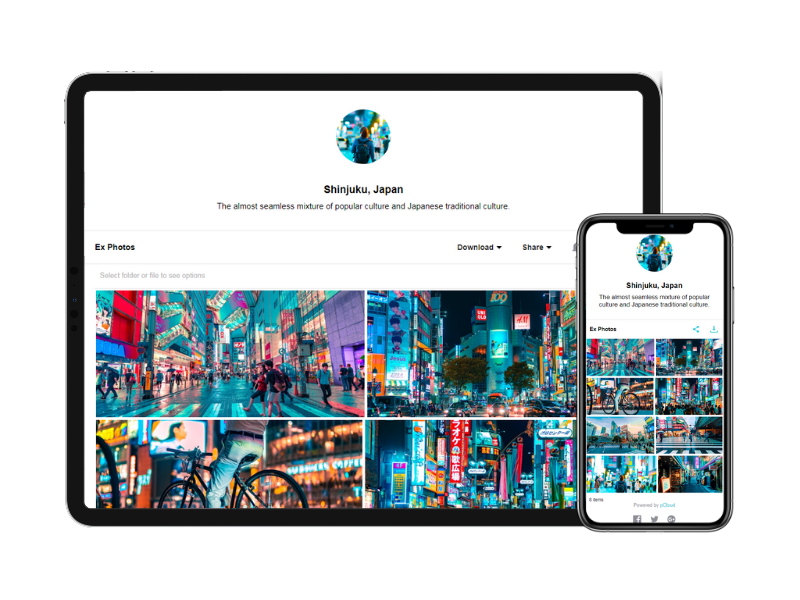
pCloud is a cloud- based digital asset management platform that provides access to all digital content including images,video, audio, documents, and more, anytime, anywhere, on any device. Users can keep important files safe and centralized in one place, and share with team members, clients, etc. across the globe with controlled access and permissions to the digital library. The vendor says that the product has a user-friendly interface that clearly shows where everything is located and…
$29.97
per month 3 users
Sync.com
Score 8.0 out of 10
N/A
Sync.com is a cloud storage provider that allows businesses to sync and backup files for versioning and collaboration. Sync.com includes a suite of features for managing backup and syncing settings.
$6
per month (billed annually) per user
Pricing
Azure Backup
pCloud
Sync.com
Editions & Modules
Storage in GB/Month
$0.0224 to $0.0569
per GB
Backup Instance <50GB
$5.00 + storage consumed
Backup Instance > 50 GB but < or = 500 GB
$10.00 + storage consumed
Backup Instance Instance is > 500 GB
$10 for each 500 GB increment + storage consumed
pCloud Business
$9.99
per month per user (1 TB storage per user, 3+ users)
Business Pro
$19.98
per month per user (2 TB storage per user, 3+ users)
Pro Teams Standard
$6
per month (billed annually) per user
Pro Teams+ Unlimited
$15
per month (billed annually) per user
Enterprise
Custom Pricing
Offerings
Pricing Offerings
Azure Backup
pCloud
Sync.com
Free Trial
No
No
No
Free/Freemium Version
No
Yes
Yes
Premium Consulting/Integration Services
No
No
No
Entry-level Setup Fee
No setup fee
Optional
No setup fee
Additional Details
—
Discount available for annual pricing.
Pro Teams+ Unlimited is available on a monthly payment plan at $18 per user. Plans for Solo users also available.
More Pricing Information
Community Pulse
Azure Backup
pCloud
Sync.com
Features
Azure Backup
pCloud
Sync.com
File Sharing & Management
Comparison of File Sharing & Management features of Product A and Product B
Azure Backup
8.7
14 Ratings
4% above category average
pCloud
-
Ratings
Sync.com
-
Ratings
Versioning
8.712 Ratings
00 Ratings
00 Ratings
Video files
9.16 Ratings
00 Ratings
00 Ratings
Audio files
8.26 Ratings
00 Ratings
00 Ratings
Document collaboration
9.05 Ratings
00 Ratings
00 Ratings
Access control
9.012 Ratings
00 Ratings
00 Ratings
File search
8.010 Ratings
00 Ratings
00 Ratings
Device sync
9.06 Ratings
00 Ratings
00 Ratings
Cloud Storage Security & Administration
Comparison of Cloud Storage Security & Administration features of Product A and Product B
Azure Backup
9.0
13 Ratings
4% above category average
pCloud
-
Ratings
Sync.com
-
Ratings
User and role management
9.013 Ratings
00 Ratings
00 Ratings
File organization
9.010 Ratings
00 Ratings
00 Ratings
Device management
9.09 Ratings
00 Ratings
00 Ratings
Cloud Storage Platform
Comparison of Cloud Storage Platform features of Product A and Product B
Azure Backup
8.0
13 Ratings
8% below category average
pCloud
-
Ratings
Sync.com
-
Ratings
Performance
8.513 Ratings
00 Ratings
00 Ratings
Reliability
8.513 Ratings
00 Ratings
00 Ratings
Storage Reports
7.012 Ratings
00 Ratings
00 Ratings
Reporting & Analytics
Comparison of Reporting & Analytics features of Product A and Product B
Azure Backup
-
Ratings
pCloud
7.9
2 Ratings
10% above category average
Sync.com
-
Ratings
Dashboards
00 Ratings
10.02 Ratings
00 Ratings
Standard reports
00 Ratings
9.72 Ratings
00 Ratings
Custom reports
00 Ratings
5.01 Ratings
00 Ratings
Data exportability
00 Ratings
5.01 Ratings
00 Ratings
Content analytics
00 Ratings
10.01 Ratings
00 Ratings
DAM Features
Comparison of DAM Features features of Product A and Product B
Azure Backup is suitable for companies of various sizes, with varying amounts of data. The cost of the investment should be thought out carefully so that there are no bad surprises with unnecessary files going to Azure Backup. The interface is friendly and easy to configure and it does not require your company to have a backup expert. It is highly recommended for companies with smaller number of servers and better if the servers are already running in an Azure environment.
I need to store and share a lot of files. These include videos and other documents. Before using pCloud, I constantly had to clean up and delete files from my hard drive to free up space for new files. Sharing files and also using files on my website is now easier with pCloud's public folder.
Sync.com is well suited for all organizations who want to both store & share files in the cloud. Sync.com is only good when dealing with a single account at a time. This means all projects need to reside on a single Sync.com location since there's no app solution currently available to monitor more than one cloud storage location.
pCloud helps us to store data very well and it is accessible from anywhere. It makes it easy for anyone to use it and secure the data. It is easy to upload data and access it while having a meeting with our client.
pCloud easily stores files from another platform as well like Google Drive or Dropbox. It easily exchanges information like images, videos, and documents. This feature is amazing as it gives access to files from other storage.
It had one feature known as pCloud Crypto which gives high-end security to the data when stored. It is highly secure and encrypted. It uses blockchain technology which requires a key to use called Crypto Pass to unlock your data. Really like it.
Having an admin console that you can use to manage backup schedules across your network would be useful. Going machine to machine to check the current settings is ok but would be better in a GUI.
Maybe an agent utility installed on each workstation where the user can specify or customize the backup, perhaps just a set of folders, or ignore certain folders, would be helpful to eliminate garbage in the cloud.
Azure backup is easy to implement, accessible by using the web portal GUI, and has the ability to restore at the file level or the complete VM. We have experienced zero issues with the backup process or performing file-level restorations. We have not restored an entire VM to date.
It is very easy to use, fast loading and the product team keeps adding updates. Like now I can listen to all my audiobooks from a playlist in pCloud. I am ask for files or send files easier than ever before. I also have access to all my files whereever I am.
One of the differentials of the solution is the high level of guarantee and support of the Azure Backup solution. Microsoft is a reference in a technology company with a highly trained support team and helps us with any questions or technical problems with the tool. Service is fast and efficient with trained engineers.
Azure Backup works on Azure, the most famous of the cloud systems that the whole world has switched to, which is now a very large part of the Microsoft ecosystem that we have been used to using for years. Therefore, it is less tiring to use the additional service of an infrastructure that we already use, even if it is a part of it, which can be easily integrated with existing systems, which is one of the most important issues we IT professionals pay attention to. For this reason, we wanted to swim in familiar waters instead of another brand.
The reason why we love pCloud over similar tools is because of its neat and clean interface. We also love options for file encryption through pCloud Crypto, which is unavailable on Google Drive, Dropbox, or OneDrive. Also, the upload speed on pCloud is fantastic and it is a lot better than Dropbox or Google Drive
Sync does an excellent job stacking up against the competitors. Like the others, Sync.com has an app that helps monitor files uploaded or downloaded into the cloud. Sync.com offers a free account that has a capacity of 6GB which is more than many of the other competitors. With security and version history, Sync.com is the software program to beat.
pCloud had worked very well for us. It had given the best service and features to us whenever we needed our data. It was there safe and secure.
The Synchronization issue is there with pCloud Data Storage. It needs to be updated by the developers if possible.
pCloud has helped us with the improvement of our business requirements, as it makes our work easier and fast enough to deliver the project details on time to clients.