Azure Virtual Desktop vs. Microsoft Application Virtualization (App-V) vs. Firework by Startpack

Overview
ProductRatingMost Used ByProduct SummaryStarting Price
Azure Virtual Desktop
Score 8.4 out of 10
N/A
Azure Virtual Desktops are a comprehensive desktop and app virtualization service running in the cloud.N/A
Microsoft App-V
Score 8.0 out of 10
N/A
Microsoft App-V supports the virtualization of applications, making them available to end users without an installation.N/A
Firework by Startpack
Score 9.5 out of 10
N/A
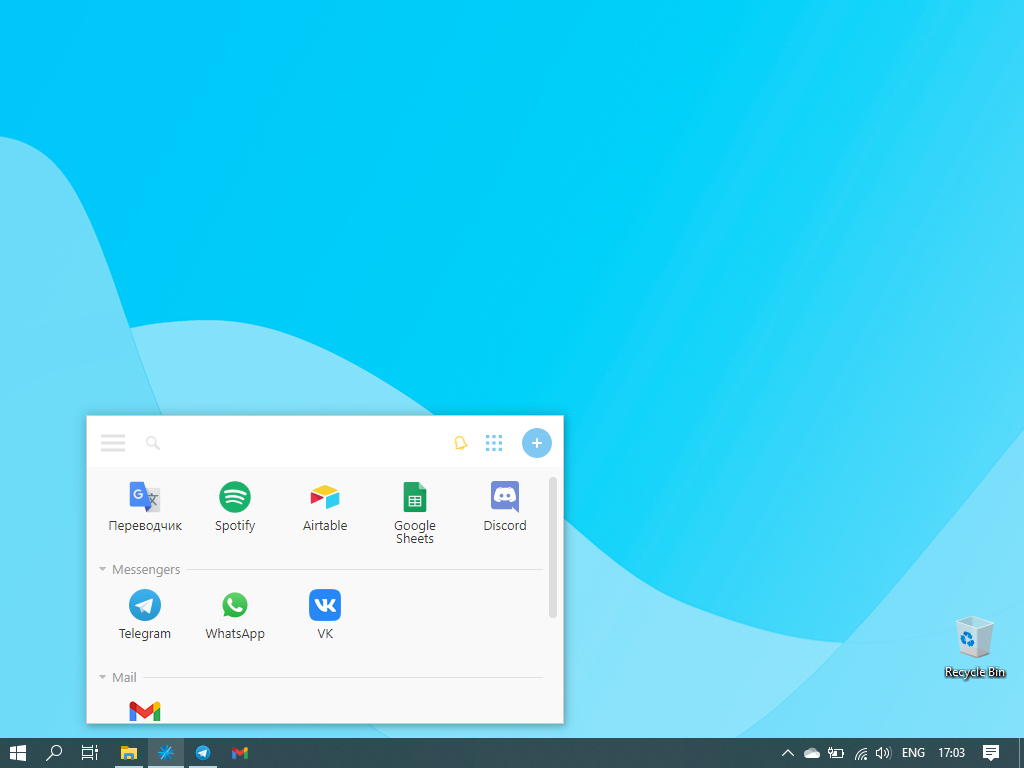
Firework is a program for turning web applications and websites into desktop apps, so that applications created in Firework look and function like regular programs. The vendor states applications will launch quickly and can be kept on the Taskbar or System Tray. Firework is useful for everyday web applications such as CRM systems or text editors, and Firework can be used for everyday web applications such as CRM systems or text editors. Users can customize icons and colors of apps,…
$2.99
per month
Pricing
Azure Virtual DesktopMicrosoft Application Virtualization (App-V)Firework by Startpack
Editions & Modules
No answers on this topic
Firework Pro
$2.99
per month per user
Firework Ultimate
$38.99
one-time fee
Offerings
Pricing Offerings
Azure Virtual DesktopMicrosoft App-VFirework by Startpack
Free Trial
YesNoNo
Free/Freemium Version
NoNoYes
Premium Consulting/Integration Services
NoNoNo
Entry-level Setup FeeNo setup feeNo setup fee$2.99 per user
Additional Details
More Pricing Information
Community Pulse
Azure Virtual DesktopMicrosoft Application Virtualization (App-V)Firework by Startpack
Considered Multiple Products
Azure Virtual Desktop
Chose Azure Virtual Desktop
Azure Lab Services is excellent for small scale classes but once you reach a particular density or need to serve entire school or district level resources you need to move into WVD.
Microsoft App-V

No answer on this topic

Firework by Startpack

No answer on this topic

Features
Azure Virtual DesktopMicrosoft Application Virtualization (App-V)Firework by Startpack
Application Virtualization
Comparison of Application Virtualization features of Product A and Product B
Azure Virtual Desktop
-
Ratings
Microsoft Application Virtualization (App-V)
7.6
3 Ratings
1% below category average
Firework by Startpack
-
Ratings
Application support00 Ratings6.03 Ratings00 Ratings
Device support00 Ratings8.03 Ratings00 Ratings
Ease of deployment00 Ratings10.03 Ratings00 Ratings
Application packaging00 Ratings8.03 Ratings00 Ratings
Security00 Ratings6.03 Ratings00 Ratings
Best Alternatives
Azure Virtual DesktopMicrosoft Application Virtualization (App-V)Firework by Startpack
Small Businesses

No answers on this topic

Parallels RAS
Parallels RAS
Score 9.3 out of 10
Parallels RAS
Parallels RAS
Score 9.3 out of 10
Medium-sized Companies
Omnissa Horizon
Omnissa Horizon
Score 7.4 out of 10
Nutanix AHV
Nutanix AHV
Score 9.1 out of 10
Nutanix AHV
Nutanix AHV
Score 9.1 out of 10
Enterprises
Omnissa Horizon
Omnissa Horizon
Score 7.4 out of 10
Nutanix AHV
Nutanix AHV
Score 9.1 out of 10
Nutanix AHV
Nutanix AHV
Score 9.1 out of 10
All AlternativesView all alternativesView all alternativesView all alternatives
User Ratings
Azure Virtual DesktopMicrosoft Application Virtualization (App-V)Firework by Startpack
Likelihood to Recommend
7.1
(17 ratings)
8.0
(3 ratings)
9.6
(2 ratings)
Usability
8.0
(1 ratings)
-
(0 ratings)
-
(0 ratings)
Support Rating
-
(0 ratings)
5.0
(1 ratings)
-
(0 ratings)
User Testimonials
Azure Virtual DesktopMicrosoft Application Virtualization (App-V)Firework by Startpack
Likelihood to Recommend
Microsoft
1. Overall we had excellent cost reduction after migrating from Citrix. We no longer need per-user CALs, and can scale our environment down to match usage. 2. Since the hosts are in Azure, Multi-session Windows 11 is fantastic. 3. Ability to Scale up to meet usage has saved us during several critical outages.
Read full review
Microsoft
Using Microsoft Teams for small or large meetings is a great way to communicate and collaborate. Microsoft Application Virtualization is a terrific tool for presenting and sharing information, and its storage capacity is also excellent. Installing and centrally administering specialized apps to control who has access to it is one of the features I value most about this software. It also provides a separate UI for tracking the app's accesses. This program is not suitable for freelancers or clients that operate alone.
Read full review
Startpack
If you need to communicate through multiple apps e.g. Gmail, Slack, Whats App, and you want everything in one place - Firework is definitely your thing. Also perfect for people who have to track the time they spend on certain tasks. Firework would be useless for people who don't care about productivity and getting things done as fast as possible.
Read full review
Pros
Microsoft
  • Better computing power
  • Configurable System and as per team needs configuration can be added or removed at ease
  • Internet Connectivity within the cloud system is way better than our home / office internet connections
  • No heating issues on personal machines, leaving all the worry on actual data center machines
Read full review
Microsoft
  • Install Software based on AD group assignment
  • Safely and quickly uninstall from devices
  • Updating is a bit more difficult but manageable.
Read full review
Startpack
  • It's really easy to use; I don't know of any other software that's this easy and convenient
  • UI is very straightforward and simple
  • It speeds up work process, as you no longer need to waste time switching tabs in order to find some crucial information
  • Helps declutter your work PC
  • It usually launches way faster than a browser
Read full review
Cons
Microsoft
  • While it is PaaS it would be nice to have some monitoring insights into some parts of the offering
  • Migrating user sessions from one host to another (to be able to downscale) would be awesome
  • It would be nice to have a more seamless deployment of FSLogix in a AVD Enviroment
Read full review
Microsoft
  • Unfortunately it will be replaced by MSIX
Read full review
Startpack
  • You have to pay for the most useful features
  • Lack of extensions (there are basic things like ad-block, but if you need something specific you'll have a hard time)
  • It's not clear how and where exactly the passwords are stored
Read full review
Usability
Microsoft
Stability and latency complaints are common, but not experienced by all users. A drop in overall productivity can be seen in contributors who rely on a lot of copy-pasting for editing, so some such commands are not instantaneous. Set up is intuitive and the tool is simple enough. It was quick to adopt and stick to.
Read full review
Microsoft
No answers on this topic
Startpack
No answers on this topic
Support Rating
Microsoft
No answers on this topic
Microsoft
APP-V is no longer a supported technology and is on the way out, only on legacy support at this time. The changes in security emphasis in windows, as well as the changes in software development have meant that APP-V is no longer able to correctly package software. It has been superseded by the MSIX format and distribution via the Microsoft Store for Business.
Read full review
Startpack
No answers on this topic
Alternatives Considered
Microsoft
They are all part of my company's environment.
Read full review
Microsoft
Microsoft Teams is included in our current Office 365 product set; therefore, there is no additional fee to use the application. It saves our company money by not having to pay for Slack or another internal chat service. For us, Microsoft Teams has a better user experience and product features. Teams' usability is higher than Slack's since it has access to OneDrive, email, and OneNote applications. Screen sharing, chat, and file-sharing operate smoothly, and the performance appears great.
Read full review
Startpack
No answers on this topic
Return on Investment
Microsoft
  • Generally, Positive so far. From business objectives, we covered security, scalability and efficiency but implementing AVD.
  • User are able to work securely from anywhere and support hybrid model as well.
  • however, ongoing attention require to make sure you are not over sizing the host pools and cost remain in expected budget.
Read full review
Microsoft
  • Some applications may be slower
  • Interaction between several applications can be better
Read full review
Startpack
  • You're way more productive when all of your tools are easily accessible
  • Health benefits! It prevents your mental state from deteriorating, it saves at least 10-15 minutes per day, and there's no need to be anxious while trying to remember the password from your work email again
Read full review
ScreenShots

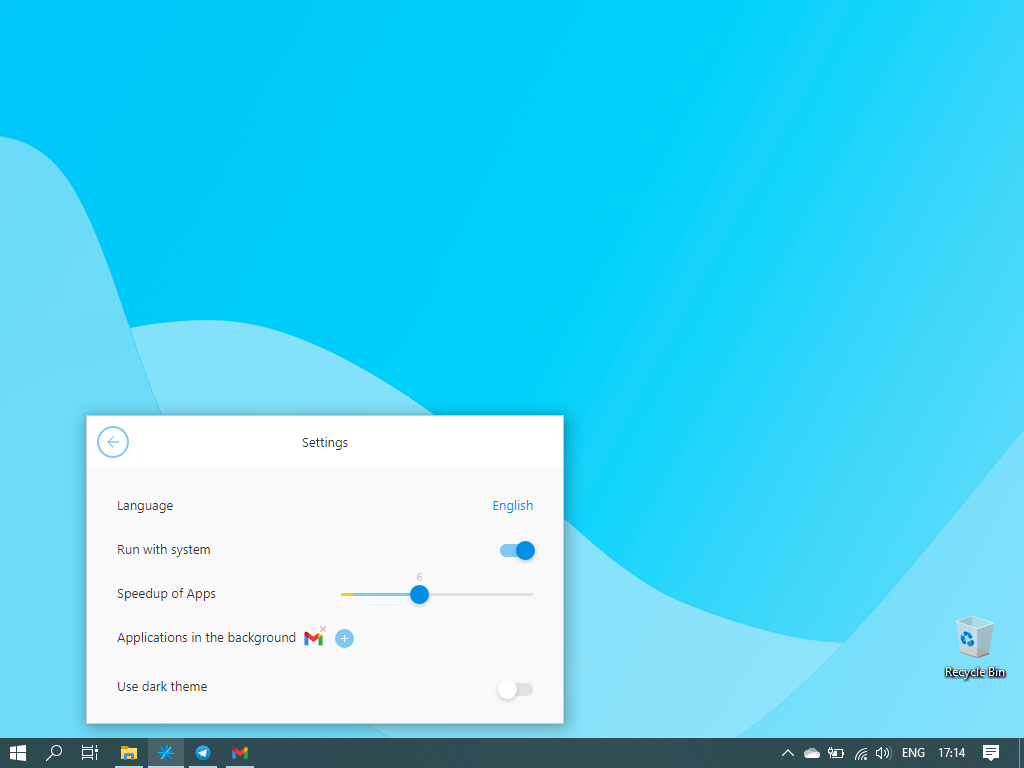
Firework by Startpack Screenshots

Screenshot of Firework's launch windowScreenshot of Adding applicationsScreenshot of Application created by FireworkScreenshot of App setingsScreenshot of Firework's settingsScreenshot of Icons customization