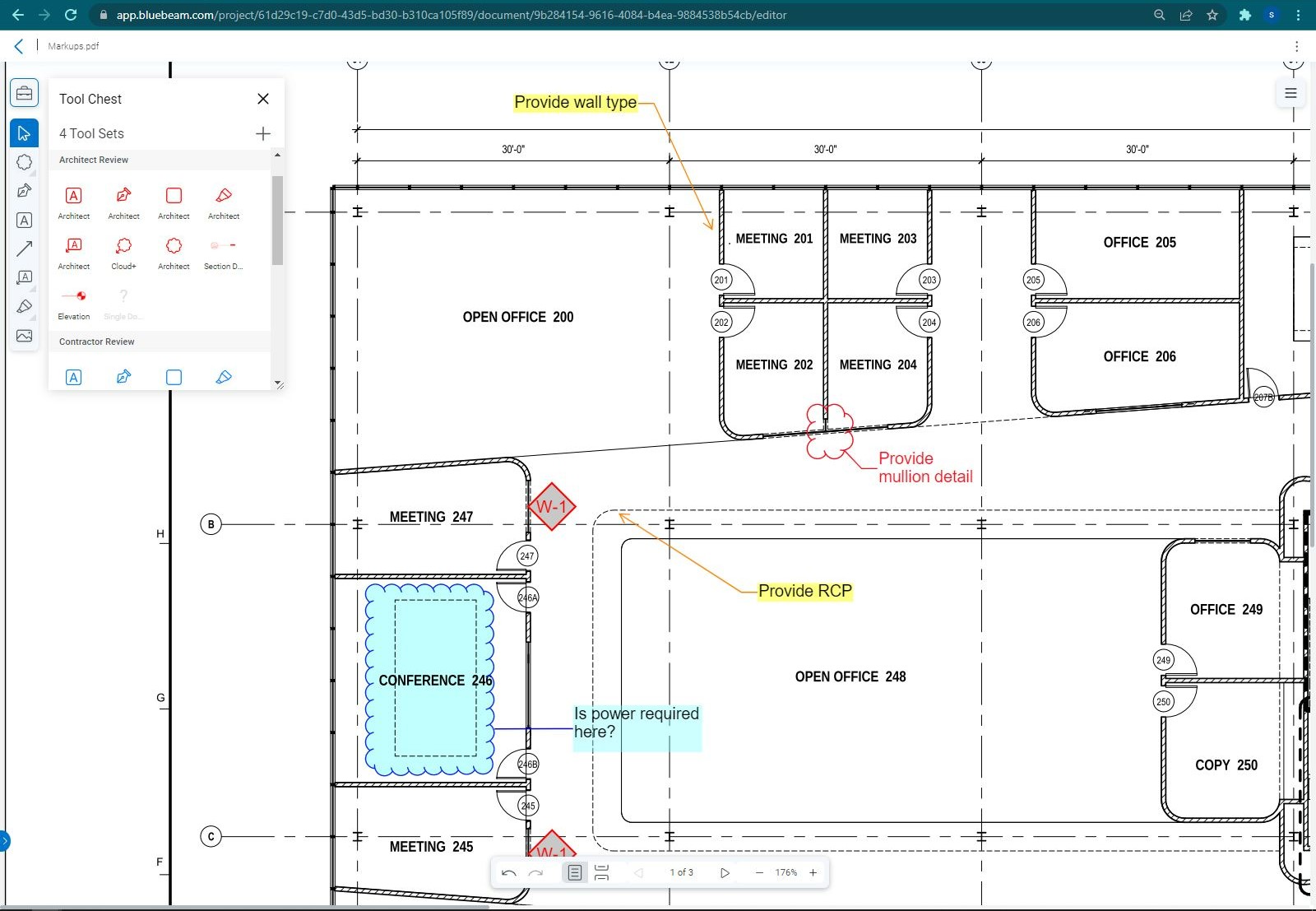
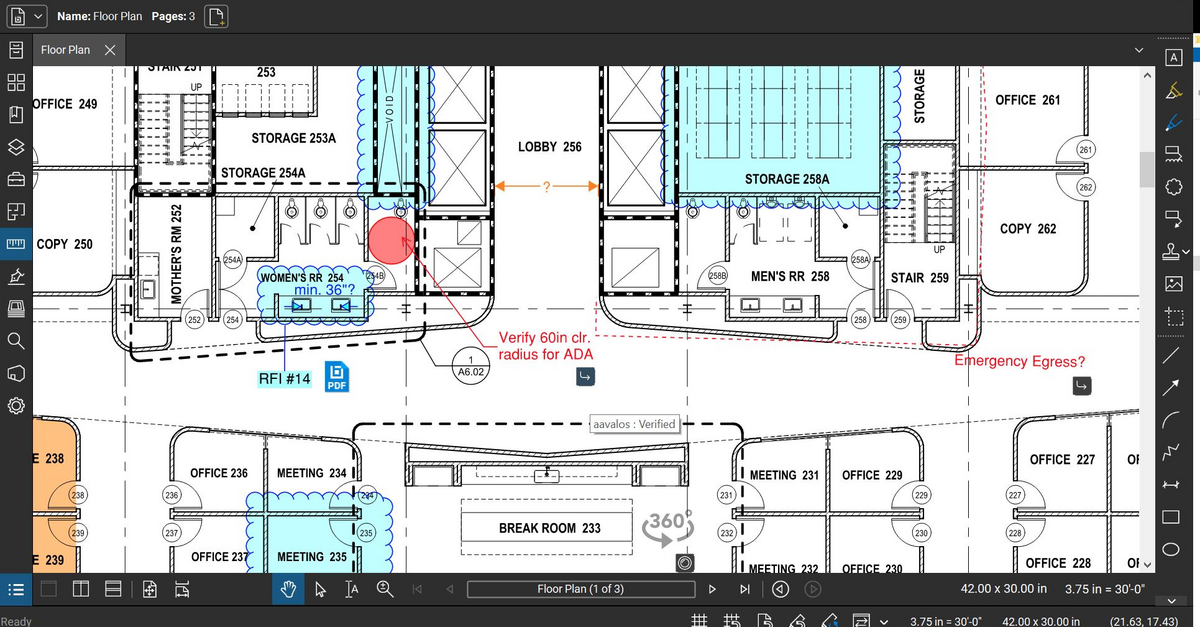
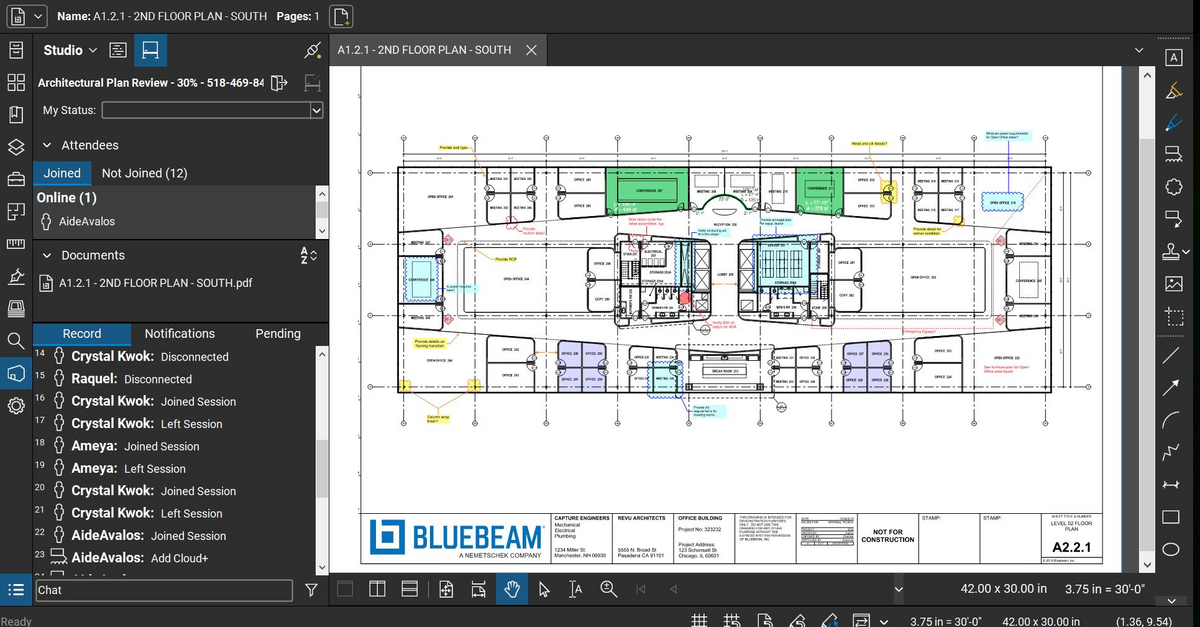
Bluebeam Revu is a PDF management, control, and editing tool. It enables collaboration and markup within shared documents across projects’ life cycles and has takeoff and bid creation capabilities.
$260
per year per user
GCPay
Score7.2 out of 10
Mid-Size Companies (51-1,000 employees)
GCPay simplifies the application for payment processes between general contractors and subcontractors by automating the payment application process. Create and exchange lien waivers, organize and collect compliance documents and improve subcontractor communication. Integrate directly with a construction ERP platform to save time and gets subs paid faster.
The program is great for editing construction drawings, stamping/approving official documents and overlaying revised documents to see design changes. You can use it as an estimating takeoff tool, estimating database, document control, cloud document storage, the list goes on! Bluebeam poses many applications for the user to utilize for the desired needs. There may be some other software that has one specific function that can perform the specific task better, but Bluebeam is a holistic program with many tools for use.
A de minimis incentive was given to thank the reviewer for their time. The incentive was not used to bias or drive a particular response, nor was the incentive contingent on a positive endorsement. More Info
Their customer service is top notch and as a whole I don't like customer service departments, but they listen to you and help you with your problem, this includes telephone service and email. Their email and telephone number is listed on every page of their website, unlike other companies that try and hide this information. They will train your company to use the system and your users, and the system can be used on any internet capable device such as computer, tablet, or phone. Subcontractors can fill out the invoice by percentage complete and/or actual dollar amounts, and they can easily upload photos or other documentation needed to complete the invoice. If you need to have document(s) notarized you can use your own service or GCPay has a service that will notarize the document(s) for you for a fee. Finally, you control the level of reviewers you want for your company and situation. We have some items that have 2 reviewers and others that only have 1 reviewer. Overall, we are very happy with this system and number of hours we save every week verses having to manually enter all of our subcontractor invoices
A de minimis incentive was given to thank the reviewer for their time. The incentive was not used to bias or drive a particular response, nor was the incentive contingent on a positive endorsement. More Info
Once you set Bluebeam Revu as your default PDF handler, it launches immediately when clicking a PDF to open. The speed with which it opens documents is impressive.
Creating PDF's out of other documents, such as Word, Excel, JPG's, etc. is simple.
Digitally signing documents is a simple, secure process. You can keep your signature password-protected, yet still access it quickly.
The Bluebeam Revu mobile application ( I use the iOS version on an iPad Pro), is awesome. Not only does it handle PDF's like you would expect it to, it allows for effortless digital signing of documents on the fly. Nice to be able to quickly sign a document and email right back out from the tablet no matter where I am.
A de minimis incentive was given to thank the reviewer for their time. The incentive was not used to bias or drive a particular response, nor was the incentive contingent on a positive endorsement. More Info
A de minimis incentive was given to thank the reviewer for their time. The incentive was not used to bias or drive a particular response, nor was the incentive contingent on a positive endorsement. More Info
If you have several tabs open and you try to drag one out for a side by side view then you do not have all the modification options and you have to combine them back together.
There is a lag time when hitting the print option.
There is also a lag time when opening files, sometimes I think the window is frozen.
I wish the basic version also had basic file editing, as in editing a document as Adobe does.
A de minimis incentive was given to thank the reviewer for their time. The incentive was not used to bias or drive a particular response, nor was the incentive contingent on a positive endorsement. More Info
When waivers have been completed by the subcontractor, but have not been reviewed by the GC yet, I wish the OW tag would stay up until the waiver was either reviewed and approved or rejected. (OW stands for outstanding waiver)
That the GC had the option to update the amount paid to the supplier. Right now if the unconditional lien waiver is received and is a different amount the only way to update this is sending GCPay an email. We don't do this and would love this as an option, so the tier vendor spreadsheet was accurate.
A de minimis incentive was given to thank the reviewer for their time. The incentive was not used to bias or drive a particular response, nor was the incentive contingent on a positive endorsement. More Info
Bluebeam is a powerful PDF viewer and mark-up tool. We are more familiar with it than Adobe Acrobat Pro or other viewers, and it has more features geared towards construction document managers than Acrobat Pro does.
A de minimis incentive was given to thank the reviewer for their time. The incentive was not used to bias or drive a particular response, nor was the incentive contingent on a positive endorsement. More Info
I'm constantly finding that Bluebeam Revu does more than I knew it could. And when I find something that it can't do, I've found that Bluebeam truly listens to its user base and will work to incorporate any good suggestion when feasible.
A de minimis incentive was given to thank the reviewer for their time. The incentive was not used to bias or drive a particular response, nor was the incentive contingent on a positive endorsement. More Info
Its hard for me to give a rating on this one as we rarely have to use the support feature for Bluebeam. However, when we have used it, they have been ultra supportive in helping us get exactly what we needed. I know another engineer was trying to figure out a feature and the rep gave a detailed tutorial on how to complete the task
A de minimis incentive was given to thank the reviewer for their time. The incentive was not used to bias or drive a particular response, nor was the incentive contingent on a positive endorsement. More Info
We feel there is not another program out there that would compare to Bluebeam at this current time. Some of the other programs out there do not include studio or the overlaying process which is one of our main uses. The ease of hyperlinking makes this product stand out the most.
A de minimis incentive was given to thank the reviewer for their time. The incentive was not used to bias or drive a particular response, nor was the incentive contingent on a positive endorsement. More Info
A de minimis incentive was given to thank the reviewer for their time. The incentive was not used to bias or drive a particular response, nor was the incentive contingent on a positive endorsement. More Info
A major positive aspect is being able to take your computer home without taking the entire set of paper drawings. They have made it so easy to navigate a set of drawings that I can work at home using only the digital drawings.
Collaboration with owners and architects has been a great feature. Setting up a Bluebeam studio and having everyone get in and mark things up, then having the architect be able to go in and see what markups have been added, has made the constructability review process much much better.
Even when not working on drawings, Bluebeam is a very good tool for working with standard PDF documents. The markup tools are very easy to use.
The negative aspect is the takeoff function because some people would like estimators to use the Bluebeam takeoff because it would make their job easier down the road; however, the actual act of doing a full scale takeoff in Bluebeam would require much more time.
A de minimis incentive was given to thank the reviewer for their time. The incentive was not used to bias or drive a particular response, nor was the incentive contingent on a positive endorsement. More Info
A de minimis incentive was given to thank the reviewer for their time. The incentive was not used to bias or drive a particular response, nor was the incentive contingent on a positive endorsement. More Info