Overview
ProductRatingMost Used ByProduct SummaryStarting Price
Bolste
Score 9.1 out of 10
Small Businesses (1-50 employees)
Bolste™ is a complete business operating system, designed to simplify work-life and help businesses grow by streamlining communication and collaboration. The system brings together separate applications – email, chat, tasks, file-sharing, calendars, and more – into a single, simple platform. Available on the web and via iOS and Android apps, Bolste enables remote users to stay connected and productive from anywhere. The admin console shows employee activity, making it easy to…
$0
per user
monday.com
Score 8.2 out of 10
Mid-Size Companies (51-1,000 employees)
monday.com Work OS is an open platform designed so that anyone can create the tools they need to run all aspects of their work. It includes ready-made templates or the ability to customize any work solution ranging from sales pipelines to marketing campaigns, CRMs, and project tracking.
$36
per month (3 seats)
Pricing
Bolstemonday.com
Editions & Modules
Basic
$0
per user
Pro
$9.99
per month
Basic
$12
per month per user
Standard
$14
per month per user
Pro
$24
per month per user
Enterprise
Contact Sales
Contact us
Offerings
Pricing Offerings
Bolstemonday.com
Free Trial
YesYes
Free/Freemium Version
YesYes
Premium Consulting/Integration Services
YesYes
Entry-level Setup FeeNo setup feeOptional
Additional DetailsBolste offers three (3) packages that meet the exact needs of any user. BASIC is a free version perfect for an army of one or for small group to try out the solution. PRO is a more robust version perfect for larger teams and SMB organizations. CORPORATE is a full-scale version perfect for enterprise solutions.An 18% discount is available for annual billing.
More Pricing Information
Community Pulse
Bolstemonday.com
Features
Bolstemonday.com
Project Management
Comparison of Project Management features of Product A and Product B
Bolste
8.8
1 Ratings
13% above category average
monday.com
8.2
2258 Ratings
6% above category average
Task Management9.11 Ratings9.22244 Ratings
Gantt Charts8.21 Ratings8.21314 Ratings
Scheduling8.21 Ratings8.51872 Ratings
Workflow Automation9.11 Ratings8.51950 Ratings
Mobile Access9.11 Ratings7.81794 Ratings
Search9.11 Ratings00 Ratings
Resource Management00 Ratings8.11917 Ratings
Team Collaboration00 Ratings9.32198 Ratings
Support for Agile Methodology00 Ratings8.21168 Ratings
Support for Waterfall Methodology00 Ratings7.01 Ratings
Document Management00 Ratings7.91815 Ratings
Email integration00 Ratings7.71617 Ratings
Timesheet Tracking00 Ratings7.71053 Ratings
Change request and Case Management00 Ratings9.01166 Ratings
Budget and Expense Management00 Ratings7.91043 Ratings
Communication
Comparison of Communication features of Product A and Product B
Bolste
8.7
1 Ratings
9% above category average
monday.com
-
Ratings
Chat9.11 Ratings00 Ratings
Notifications8.21 Ratings00 Ratings
Discussions8.21 Ratings00 Ratings
Internal knowledgebase8.21 Ratings00 Ratings
Integrates with GoToMeeting9.11 Ratings00 Ratings
Integrates with Gmail and Google Hangouts9.11 Ratings00 Ratings
Integrates with Outlook9.11 Ratings00 Ratings
File Sharing & Management
Comparison of File Sharing & Management features of Product A and Product B
Bolste
8.9
1 Ratings
10% above category average
monday.com
-
Ratings
Versioning8.21 Ratings00 Ratings
Video files9.11 Ratings00 Ratings
Audio files9.11 Ratings00 Ratings
Document collaboration9.11 Ratings00 Ratings
Access control9.11 Ratings00 Ratings
Advanced security features8.21 Ratings00 Ratings
Integrates with Google Drive9.11 Ratings00 Ratings
Device sync9.11 Ratings00 Ratings
Professional Services Automation
Comparison of Professional Services Automation features of Product A and Product B
Bolste
-
Ratings
monday.com
7.9
1022 Ratings
2% above category average
Quotes/estimates00 Ratings7.8684 Ratings
Project & financial reporting00 Ratings8.0906 Ratings
Integration with accounting software00 Ratings7.7510 Ratings
Best Alternatives
Bolstemonday.com
Small Businesses
Stackby
Stackby
Score 8.8 out of 10
Stackby
Stackby
Score 8.8 out of 10
Medium-sized Companies
Troop Messenger
Troop Messenger
Score 9.8 out of 10
InEight
InEight
Score 8.2 out of 10
Enterprises
HCL Connections
HCL Connections
Score 9.0 out of 10
InEight
InEight
Score 8.2 out of 10
All AlternativesView all alternativesView all alternatives
User Ratings
Bolstemonday.com
Likelihood to Recommend
9.1
(1 ratings)
8.6
(2263 ratings)
Likelihood to Renew
-
(0 ratings)
9.1
(33 ratings)
Usability
-
(0 ratings)
8.6
(2191 ratings)
Availability
-
(0 ratings)
9.1
(9 ratings)
Performance
-
(0 ratings)
6.4
(9 ratings)
Support Rating
-
(0 ratings)
8.0
(1908 ratings)
In-Person Training
-
(0 ratings)
9.1
(1 ratings)
Online Training
-
(0 ratings)
7.3
(5 ratings)
Implementation Rating
-
(0 ratings)
7.3
(8 ratings)
Configurability
-
(0 ratings)
8.2
(7 ratings)
Ease of integration
-
(0 ratings)
9.1
(7 ratings)
Product Scalability
-
(0 ratings)
9.1
(9 ratings)
Vendor post-sale
-
(0 ratings)
9.1
(7 ratings)
Vendor pre-sale
-
(0 ratings)
9.1
(7 ratings)
User Testimonials
Bolstemonday.com
Likelihood to Recommend
Bolste
Bolste is best suited for companies that rely on team work and e-mail communication within/between departments
Read full review
monday.com
The platform has a good deal of versatility and extensibility, but I do not feel it is well suited for anything too complex. More complexity seems to bog down performance and increase maintenance to keep everything humming. As much as possible, avoid creating too many bespoke workarounds that will end up creating tech debt. The platform seems to work best for more straightforward scenarios and smaller to mid-size companies. Pricing can be reasonable for specific teams, but can feel a little too pricey for company-wide usage. It has served us well for the early stages of our company, but we find ourselves offloading the more complex use cases to other apps specifically developed for those, and reducing to just those teams that are more deeply embedded in the functionality.
Read full review
Pros
Bolste
  • Keeps everybody on the same page.
  • Easy to access/use.
Read full review
monday.com
  • I like summary of subitems, especially with subitasks as subitems and add item tracking for each subtask it can show total tracked in parent item. Similar with other columns, like numbers, status, date.
  • Dashboard features, Many kinds of dashboard view available, we can utilize on the basis of requirements.
  • monday.com workform is very powerful, easily share form link when submitted it will create line item in board with provided data.
  • monday.com automation is very helpful in order to automate steps with specific rules and easy setup.
  • monday.com also provides integrations in order to automate processes if need to integrate multiple app together. or need to transfer data between multiple apps.
Read full review
Cons
Bolste
  • There is only 7GB of storage in the Plus Pack.
Read full review
monday.com
  • I would like to see our company logo show up larger on the form feature.
  • I prefer the version of the form they have now instead of the new version for 2025. The current form shows the questions in bold font, and the new version does not. This may mean it could take our volunteers longer to get to the pertinent information on the form.
  • It would be nice if monday.com staff had monthly webinars showing how to use some features. such as, using formulas effectively.
Read full review
Likelihood to Renew
Bolste
No answers on this topic
monday.com
Teams involved in content creation, such as marketing or editorial teams, could use monday.com to manage the entire content lifecycle. Boards might track content ideas, assignments, drafts, reviews, approvals, and publication schedules, helping teams collaborate and keep content production on track.
Read full review
Usability
Bolste
No answers on this topic
monday.com
I give monday.com a 10/10 because I almost never encounter any lag or connectivity issues despite all of the many templates, boards, and automations we have. As a matter of fact, I feel like the last issue I encountered was over a year ago... and I'm in monday.com every single work day. Not only is monday trustworthy, it is easy to find what I'm looking for... making the overall usability extremely hard to beat.
Read full review
Reliability and Availability
Bolste
No answers on this topic
monday.com
There have only been 2 instances in the past year where monday.com was down.
Read full review
Performance
Bolste
No answers on this topic
monday.com
Everything performs fairly well. Every now and then there are user errors where an employee will not click "ok" on a note they've created and simply exit out (I do wish that something was in place to prevent this, such as a pop "are you finished?")
Read full review
Support Rating
Bolste
No answers on this topic
monday.com
monday.com only really care about accounts that have 20 seats or more. While this is great for monday.com, it pushes smaller organisations to evaluate alternatives. We rate monday.com highly in our organisation because key staff have already got good experience with the application and we know we will get to 20+ seats one day. But, till then the billing model and lack of permanent enterprise features is a dread.
Read full review
Online Training
Bolste
No answers on this topic
monday.com
To have someone walk you thru the features and capabilities of Monday.com is priceless. Someone also coming along later in the contract to see if you are maximizing the program to suit your company needs is beyond helpful. The staff that have provided this training are fun, creative and very patient.
Read full review
Implementation Rating
Bolste
No answers on this topic
monday.com
We signed up for the accounts. Created the accounts. Ran the trial version and tested it live while we were running multiple projects and found that it was fitting our needs perfectly. When the trial ended and we were asked to purchase the full version, we did. We have found other ways to use it and it's a breeze.
Read full review
Alternatives Considered
Bolste
No answers on this topic
monday.com
monday.com is cleaner, offers more customization and is easier to design out with a team project focus in mind. With the ability to automate steps as well, it is super easy to move tasks along, have stages auto-update and to go through my personal to-do list of tasks to get things done.
Read full review
Scalability
Bolste
No answers on this topic
monday.com
For it to work across multiple departments and sites, I would like to see improvements made with integrations and automation. For this question, I am acknowledging not only the addition of internal triggers/automation, but also an expansion on external ones.
Read full review
Return on Investment
Bolste
No answers on this topic
monday.com
  • Much easier to review my prior month and report to clients on work completed; easy to extract the information and work done to Excel to add budget tracking etc - I see this is possible in monday.com and I will investigate how/if this is possible on our current plan.
  • Very fast and easy set-up of Boards.
  • Still lots to learn and grasp - many more opportunities to become more efficient using monday.com. I'm only just getting started.
  • The initial automations are quick and easy to set up, and if set up correctly.
  • My month-end client status and progress reports are now more accurate, and I can keep track of all the information in one place (inside monday.com).
Read full review
ScreenShots

Bolste Screenshots

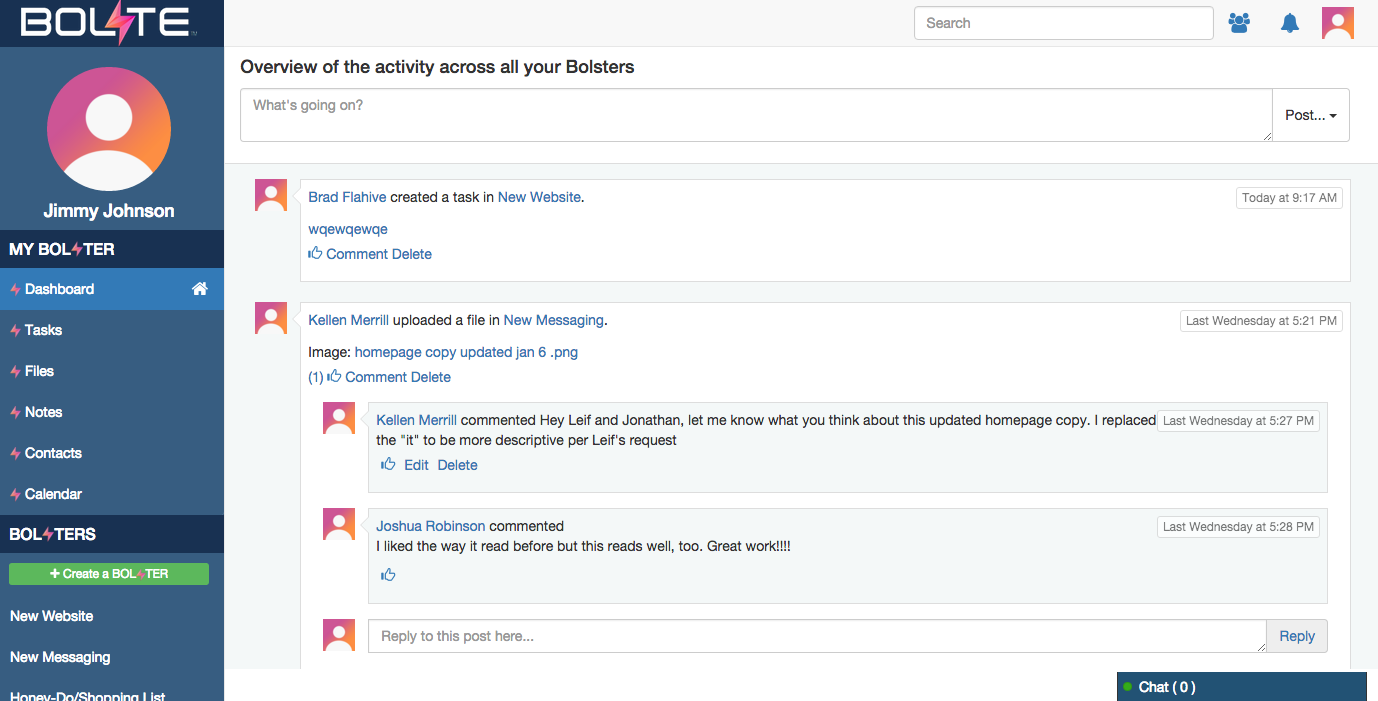
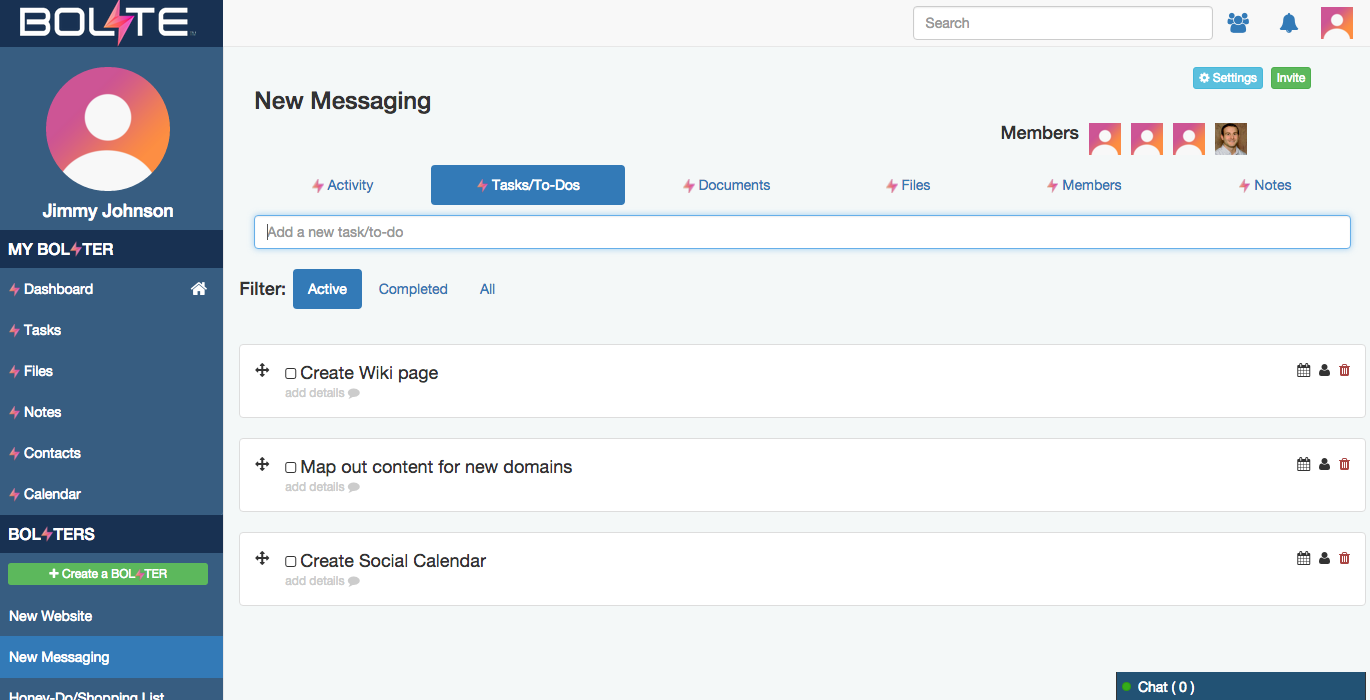
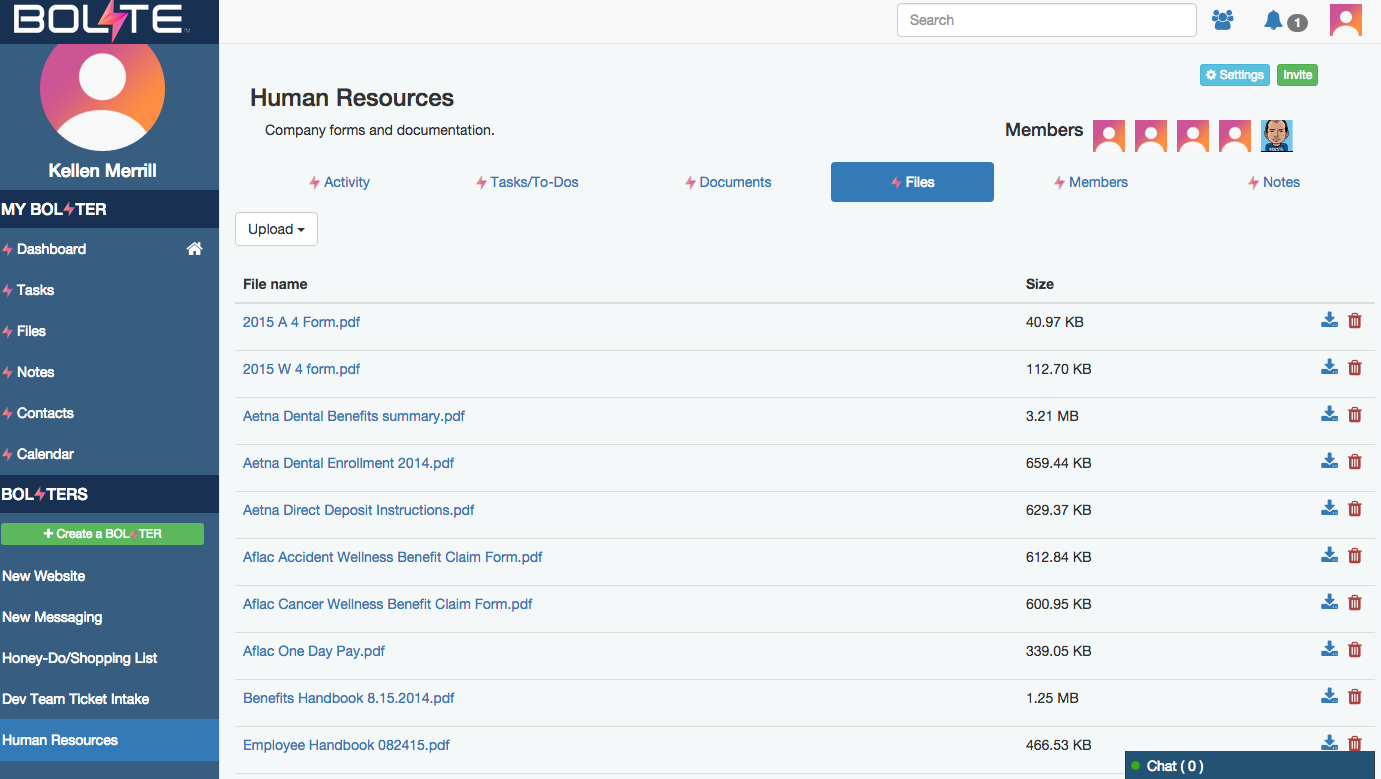
Screenshot of Activity Feed – displaying all activity across a your account, making it easy to see the latestScreenshot of Calendar – for scheduling meetings / events and tracking task due datesScreenshot of Tasks – for creating, assigning and managing tasks or "to-dos"Screenshot of Contacts – enabling you to easily connect with contacts from inside and out of your organizationScreenshot of Shared Files – allowing you to easily share and find filesScreenshot of Bolster Navigation – where you find your personal tools and files (under My Bolster), as well as your shared Bolsters for collaboration

monday.com Screenshots

Screenshot of Work OSScreenshot of Ready-Made TemplatesScreenshot of MobileScreenshot of Visual BoardsScreenshot of Real-time NotificationsScreenshot of Automations