Chose Brault
It was the best all-in-one solution at the best price. Harder to find anything more balanced!

| Product | Rating | Most Used By | Product Summary | Starting Price |
|---|---|---|---|---|
 Brault | Small Businesses (1-50 employees) | Brault is a creative asset management (DAM) platform built for teams that need more than generic cloud storage. It combines file storage, AI-powered search, project tracking, feedback, file transfer, and brand management in a single workspace, reducing the need for multiple tools across the creative stack. The platform analyzes the content of images, videos, audio files, and documents across 50+ formats, enabling natural language search. Workspaces organize assets by… | $0 | |
 WeTransfer | N/A | WeTransfer offers a large file transfer service which includes up to 20 GB transfer with its Pro service, as well as 100 GB of cloud storage. | $12 per month |
| Brault | WeTransfer | |||||||||||||||
|---|---|---|---|---|---|---|---|---|---|---|---|---|---|---|---|---|
| Editions & Modules |
|
| ||||||||||||||
| Offerings |
| |||||||||||||||
| Entry-level Setup Fee | $1,500 one-time fee per installation (Enterprise tier only) | No setup fee | ||||||||||||||
| Additional Details | — | — | ||||||||||||||
| More Pricing Information | ||||||||||||||||
| Brault | WeTransfer | |
|---|---|---|
| Considered Both Products |  Brault | WeTransfer  James Bishop Nonprofit Marketing Consultant Chose WeTransfer Google Drive is a more traditional cloud storage and sharing tool, but it can become ridiculously expensive and cumbersome to operate without support or training.  Sara Rudman Full-Stack Digital Marketer & Accessibility Expert Chose WeTransfer I prefer WeTransfer as it automatically deletes the shared files after X number of days. It forces the recipient to save the file rather than rely on you to keep it stored in the cloud (e.g. Google Drive) for his for years to come. It essentially transfers the responsibility …  Doug Harrison Director of Client Services Chose WeTransfer WeTransfer doesn't require storage. You just send the files and you're done!  Rob Gokee Podcast Producer & Audio Mixer Chose WeTransfer While Dropbox is more robust with storage and ways to share, it's often cumbersome to send files, especially with clients that don't use Dropbox. WeTransfer sends my clients a link that results in an immediate download - no fuss, no having to log in. The process is much easier, …  Michael Anderson Audio Engineer/ Editor Chose WeTransfer WeTransfer is much faster and cuts out a lot of the extra steps of the other services we've used. It can automatically email the recipient when the file upload is done, cutting out a step.  Ann M. Frank Digital Asset Management and Art Buyer Chose WeTransfer We actually use both other platforms because we may be required to by our clients or vendors. I find We Transfer easier to use especially remotely - quicker to upload and send.  Chris Hecox Business Owner Chose WeTransfer Dropbox is a terrible and slow service, so WeTransfer is the far better option between the two. Google Drive isn't as professional as WeTransfer (in my opinion) so using WeTransfer might be the better option.  Daryl Wise Jr. Founder/Owner Chose WeTransfer The listed alternative are also very good but we have specifically used WeTransfer for it's simple and straight to the point file hosting. All of the above services require registration and WeTransfer doesn't. We can just send our files quickly and call it a day. The files …  Aubrey Dixon Finance Administrator Chose WeTransfer While Dropbox does offer features that WeTransfer does not in terms of collaboration & organization, WeTransfer is the better option for simple file transfers. In my experience, WeTransfer is much faster for uploads & downloads. The premium version of WeTransfer also offers a … |
| Brault | WeTransfer | |||||||||||||||||||||||||||||||||||||||||||||
|---|---|---|---|---|---|---|---|---|---|---|---|---|---|---|---|---|---|---|---|---|---|---|---|---|---|---|---|---|---|---|---|---|---|---|---|---|---|---|---|---|---|---|---|---|---|---|
| DAM Features |
|
| Brault | WeTransfer | |
|---|---|---|
| Small Businesses |  CoSchedule Marketing Suite Score 10.0 out of 10 |  SugarSync Score 3.8 out of 10 |
| Medium-sized Companies | CoSchedule Marketing Suite Score 10.0 out of 10 |  M‑Files Score 8.9 out of 10 |
| Enterprises |  MediaValet Score 8.8 out of 10 | M‑Files Score 8.9 out of 10 |
| All Alternatives | View all alternatives | View all alternatives |
| Brault | WeTransfer | |
|---|---|---|
| Likelihood to Recommend | 9.0 (0 ratings) | 9.7 (0 ratings) |
| Usability | 10.0 (0 ratings) | 9.3 (0 ratings) |
| Performance | - (0 ratings) | 9.0 (0 ratings) |
| Support Rating | - (0 ratings) | 9.6 (0 ratings) |
| Brault | WeTransfer | |
|---|---|---|
| Likelihood to Recommend |
|
Aubrey Miles Finance Administrator |
| Pros | No answers on this topic |
Chris Hecox Business Owner |
| Cons | No answers on this topic |
Chris Hecox Business Owner |
| Usability |
|
James Bishop Nonprofit Marketing Consultant |
| Performance | No answers on this topic |
Michael Anderson Audio Engineer/ Editor |
| Support Rating | No answers on this topic |
Rob Gokee Podcast Producer & Audio Mixer |
| Alternatives Considered |
|
|
| Return on Investment | No answers on this topic |
|
| ScreenShots | Brault Screenshots 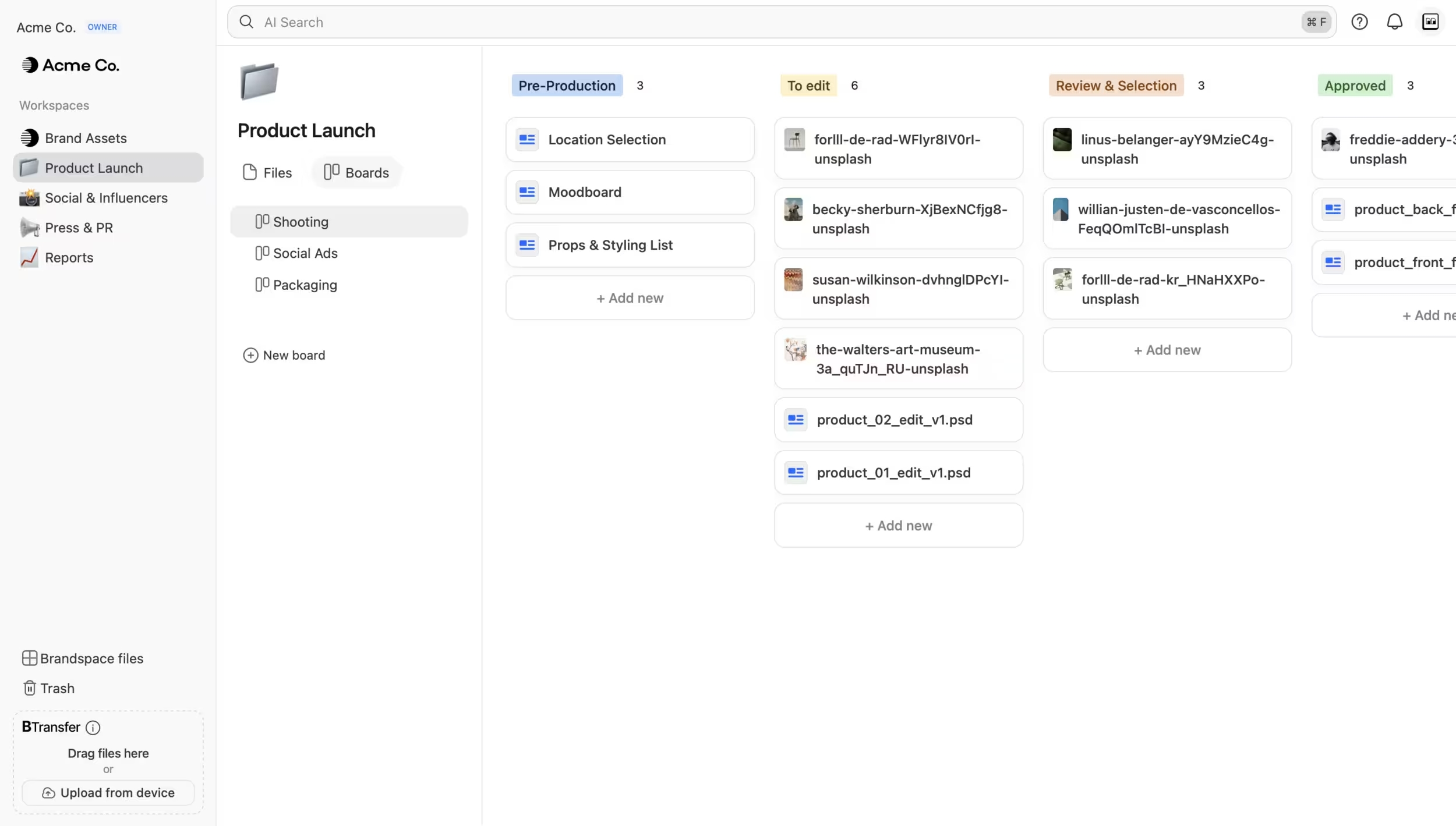 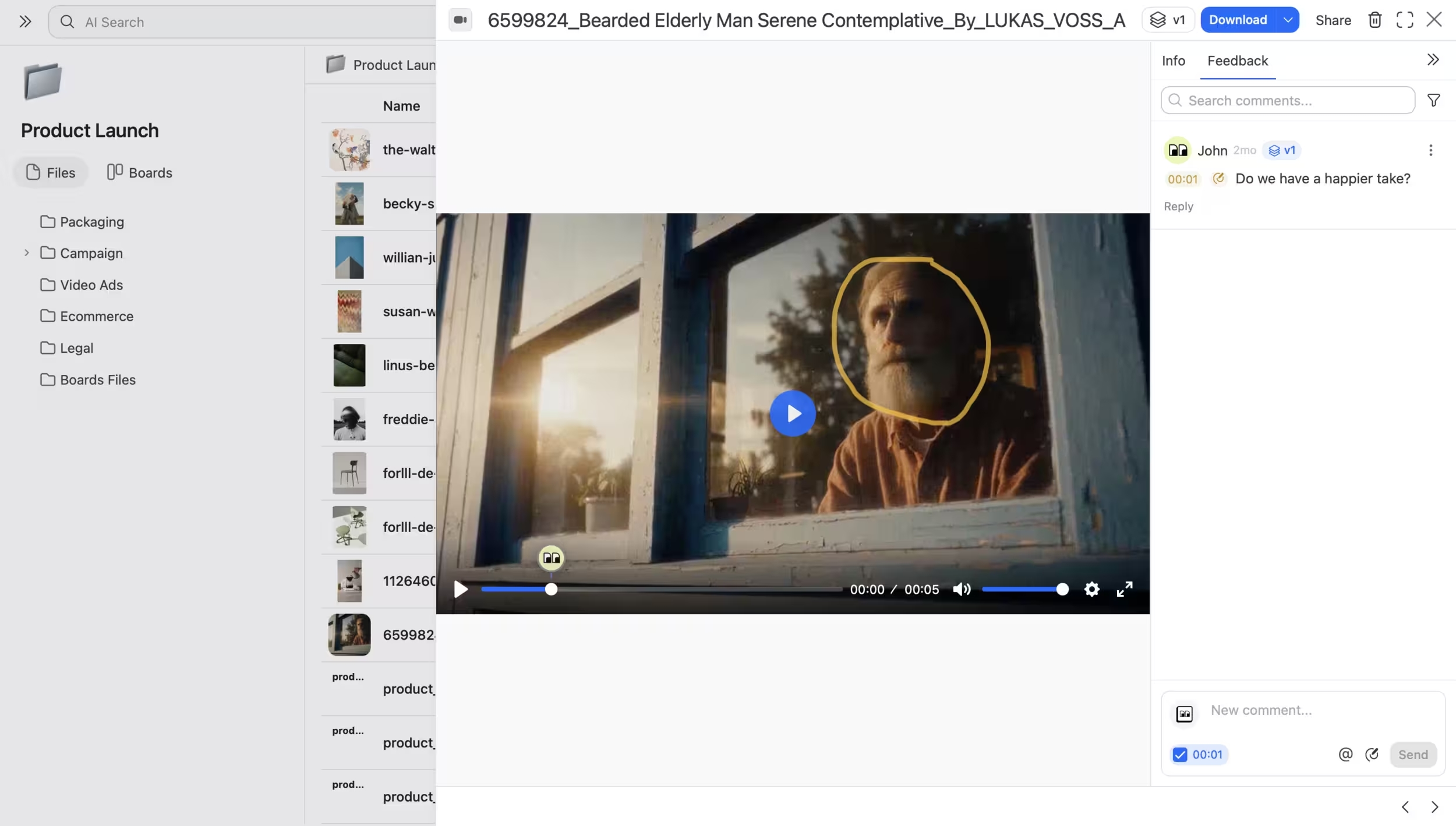 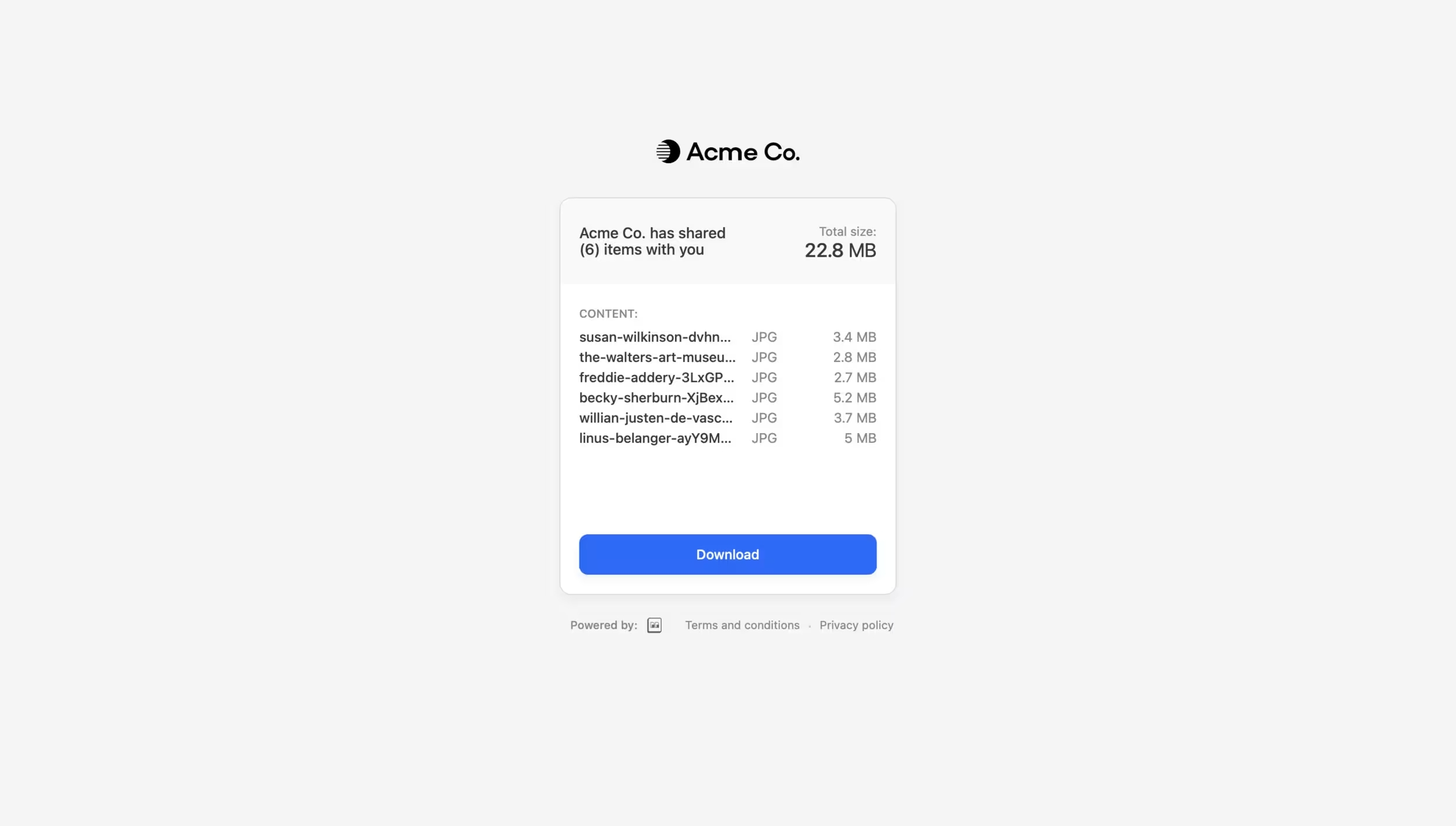 |