BrowseControl by CurrentWare vs. Dashlane Password Manager

Overview
ProductRatingMost Used ByProduct SummaryStarting Price
BrowseControl by CurrentWare
Score 10.0 out of 10
N/A
BrowseControl is a content filtering software for configuring content access to websites and Windows applications based on user, device, department, or other Organizational Unit (OU). BrowseControl's content filtering features allow administrators to configure the internet and application usage permissions of the students, employees, and patrons that use computers within their network. Content filtering policies for websites, applications, and files can be…
$72
per year per user
Dashlane Password Manager
Score 9.1 out of 10
N/A
Dashlane is a credential manager that secures every credential, every user, and every employee device to proactively protect against breaches. Brands worldwide can use Dashlane to stay ahead of evolving threats.
$240
per year 10 employees
Pricing
BrowseControl by CurrentWareDashlane Password Manager
Editions & Modules
10-99 Users
$6
per month per user
100+ Users
Volume & prepurchase discounts available. Please contact sales for info.
Per User Per Month
Business
$8
per month (billed annually) per seat
Omnix™
Contact Sales
per year for organizations of 100+
Offerings
Pricing Offerings
BrowseControl by CurrentWareDashlane Password Manager
Free Trial
YesYes
Free/Freemium Version
NoYes
Premium Consulting/Integration Services
NoNo
Entry-level Setup FeeNo setup feeNo setup fee
Additional DetailsPrice per license is based on purchase volume. There are additional discounts available for educational organizations, non-profits, managed services providers, and for businesses that pre-purchase multiple year plans.
More Pricing Information
Community Pulse
BrowseControl by CurrentWareDashlane Password Manager
Best Alternatives
BrowseControl by CurrentWareDashlane Password Manager
Small Businesses

No answers on this topic

RoboForm
RoboForm
Score 8.3 out of 10
Medium-sized Companies
Quantum Firewalls and Security Gateways
Score 9.1 out of 10
1Password
1Password
Score 9.2 out of 10
Enterprises
Quantum Firewalls and Security Gateways
Score 9.1 out of 10
KeePass
KeePass
Score 8.9 out of 10
All AlternativesView all alternativesView all alternatives
User Ratings
BrowseControl by CurrentWareDashlane Password Manager
Likelihood to Recommend
-
(0 ratings)
9.0
(172 ratings)
Likelihood to Renew
-
(0 ratings)
9.2
(4 ratings)
Usability
-
(0 ratings)
8.8
(158 ratings)
Support Rating
-
(0 ratings)
5.9
(6 ratings)
User Testimonials
BrowseControl by CurrentWareDashlane Password Manager
Likelihood to Recommend
CurrentWare Inc.
No answers on this topic
Dashlane
I think Dashlane is a great service for anyone who uses the internet. We need to create accounts on almost every website, and Dashlane helps generate secure passwords and store them safely, but easily accessible through its seamless browser extension. Any business or personal lifestyle can benefit from Dashlane when you go online
Read full review
Pros
CurrentWare Inc.
No answers on this topic
Dashlane
  • Reliable autofill on most websites
  • Robust features in both the Admin and personal user sense
  • Multiple convenient options for unlocking that don't require retyping the master pass on a regularly used and trusted device
  • Extensive customization options in both the Admin panel and user settings
Read full review
Cons
CurrentWare Inc.
No answers on this topic
Dashlane
  • The mobile app works fine for quick access, but autofill across different apps can be inconsistent. Sometimes it doesn’t recognize the login field, which slows people down when they’re on the go.
  • Occasionally the browser extension logs users out or doesn’t sync immediately with the desktop app, which causes frustration if someone just updated a password.
Read full review
Likelihood to Renew
CurrentWare Inc.
No answers on this topic
Dashlane
It has served us very well until now and at the pricepoint it doesn't make us second guess our current relationship.
Read full review
Usability
CurrentWare Inc.
No answers on this topic
Dashlane
Dashlane is usable, but there are 2 key issues that annoy me. 1. The mobile app and the browser extension are not synced and i cannot find passwords in the app that are clearly in the extension. 2. The system doe snot make it easy to assign a password to a specific subdomain. I get hundreds of passwords that i have to go through any time i go to any subdomain on my main site because of the nature of my business. I need the option back to assign a password to only work with a specific subdomain (and all related paged on that subdomain) note: The search features have been annoying in the past. I just went to test them to verify my issues and found that notes inside of a password are finally searchable. This helps
Read full review
Support Rating
CurrentWare Inc.
No answers on this topic
Dashlane
We've had no issues with Dashlane. I can't speak to their customer service because I have not personally needed to contact them. I guess that speaks about their product if we've not had any issues to reach out about. Great for supporting data/information on multiple platforms that are shared among team members.
Read full review
Alternatives Considered
CurrentWare Inc.
No answers on this topic
Dashlane
Dashlane’s customer support is often rated higher, providing more responsive and helpful assistance. LastPass has a slightly steeper learning curve than Dashlane, but it offers more flexibility with user permissions, which can benefit teams. Dashlane includes unlimited passkey support and a clean breach history, while LastPass is more accommodating for smaller teams.
Read full review
Return on Investment
CurrentWare Inc.
No answers on this topic
Dashlane
  • We constantly preach security, Dashlane Password Manager has provided us a means to improve our security posture
  • Employees love the ease of use and the ability to keep all password in one place
  • Employees feel more secure as they are able to use Dashlane Password Manager for personal protection as well
Read full review
ScreenShots

BrowseControl by CurrentWare Screenshots
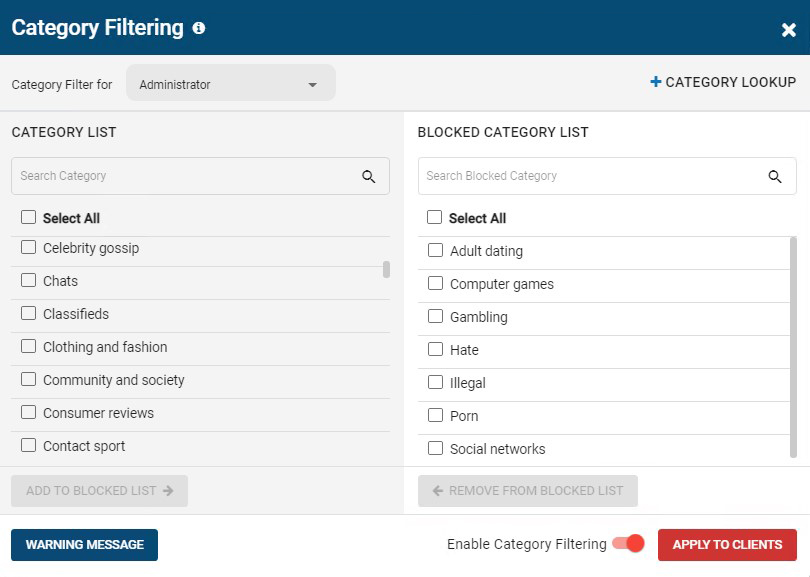
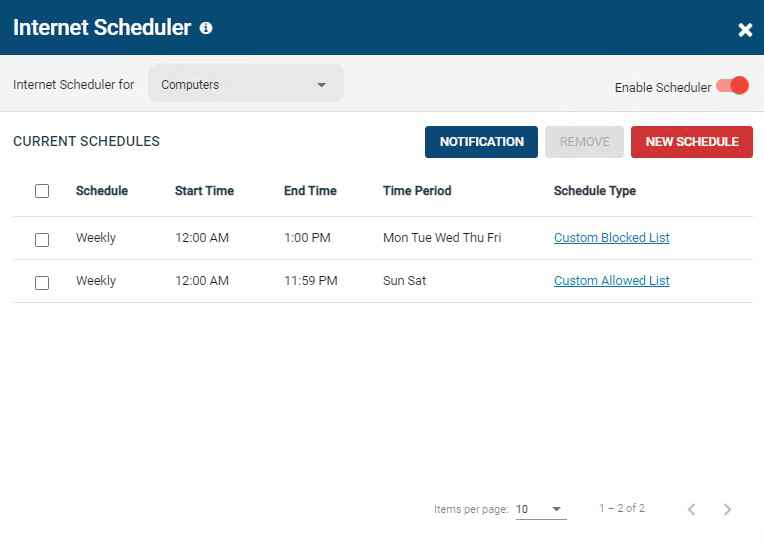
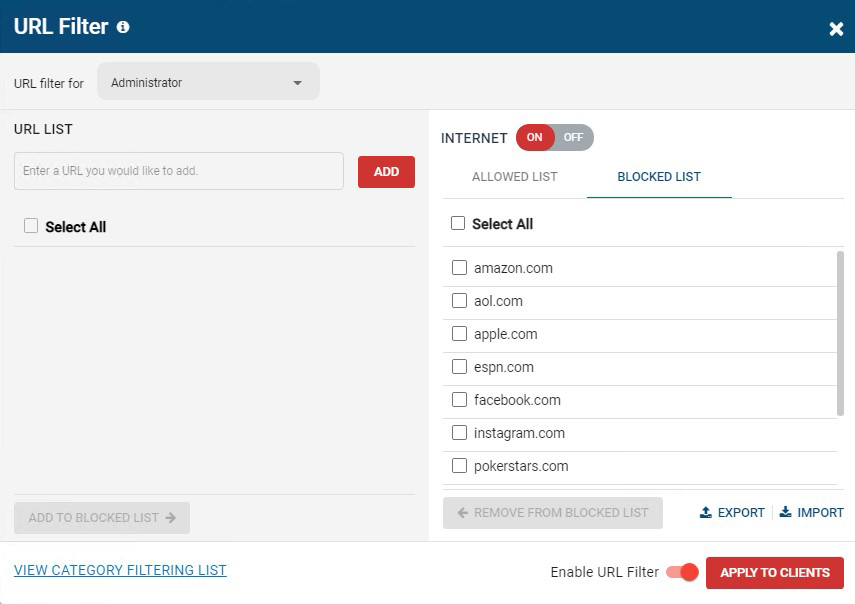
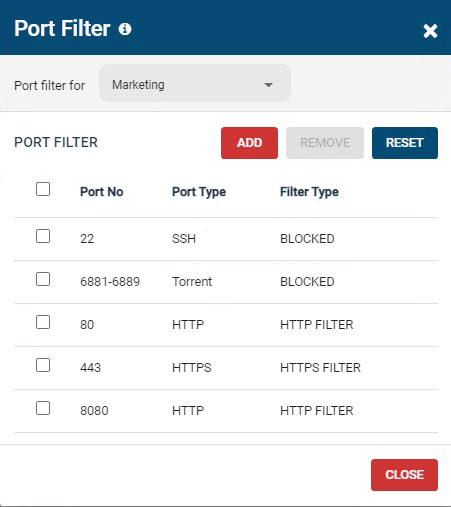
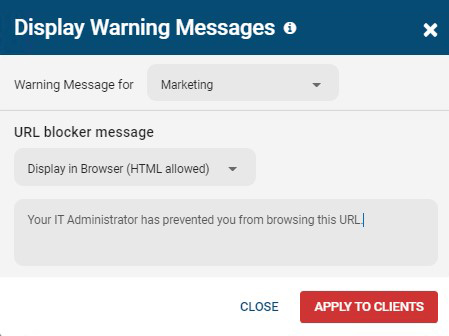
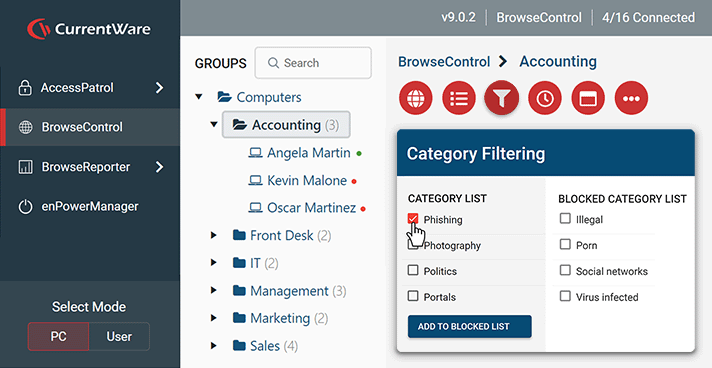
Screenshot of BrowseControl's category filtering feature window. The URL category database is constantly updated with new URLs, making the blocking of porn, malware-infected sites, social media, and other undesirable websites as easy as a few clicks.Screenshot of BrowseControl's internet scheduler feature window. Allowed and block lists can be scheduled to provide unique internet restriction policies for special occasions and breaks.Screenshot of BrowseControl's URL filter. Specific URLs/Domains can be added to the allowed or blocked list for granular control over employee internet use.Screenshot of BrowseControl's port filter. The port filter blocks egress and ingress network traffic based on network port numbers and port ranges. This allows network administrators to block unused ports and reduce the attack surface of their network.Screenshot of BrowseControl's warning message. When a user attempts to access a blocked website they will be presented a warning message. The message can be customized to include links to a company's acceptable use policy, or any other messaging.Screenshot of BrowseControl web console

Dashlane Password Manager Screenshots
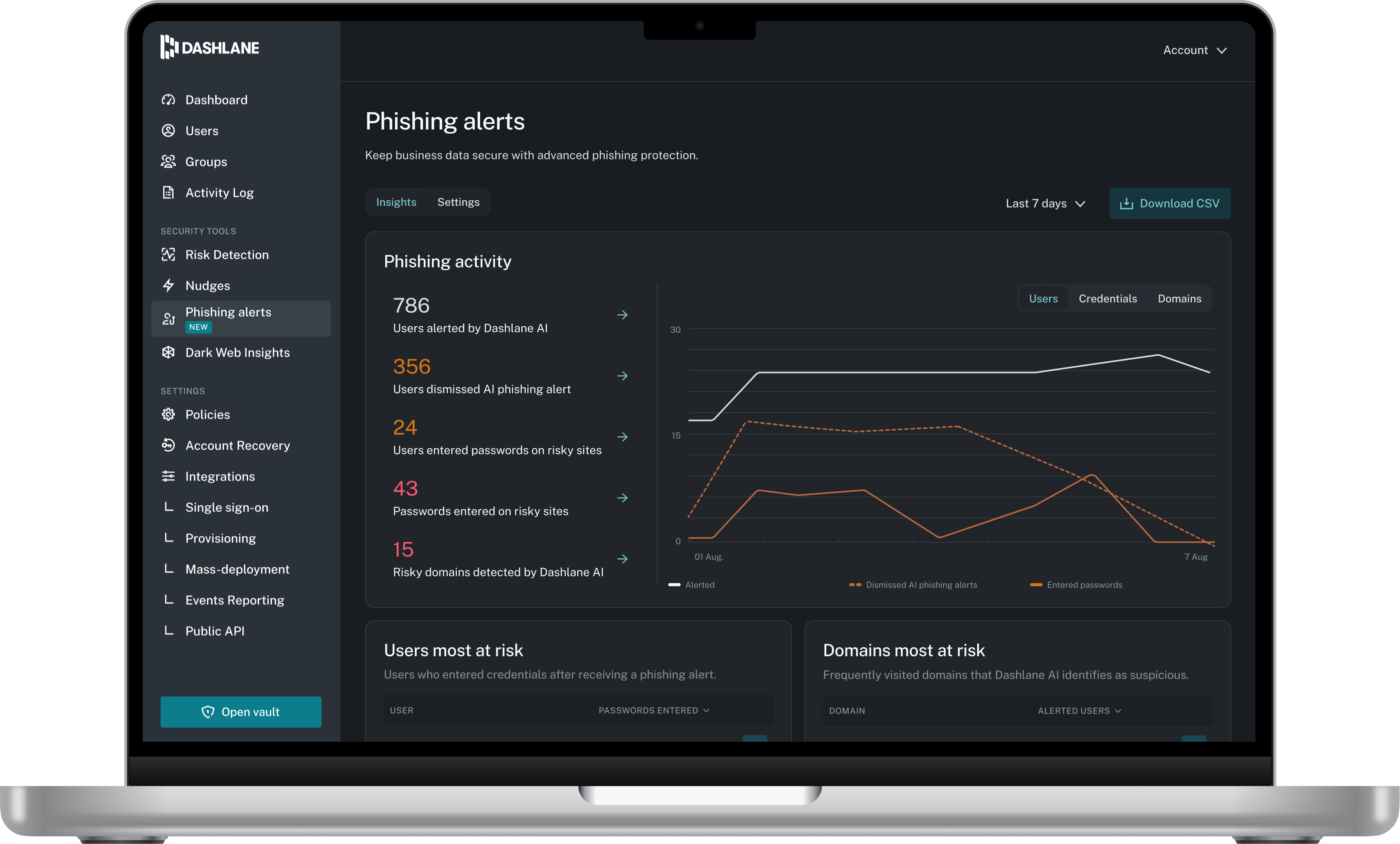
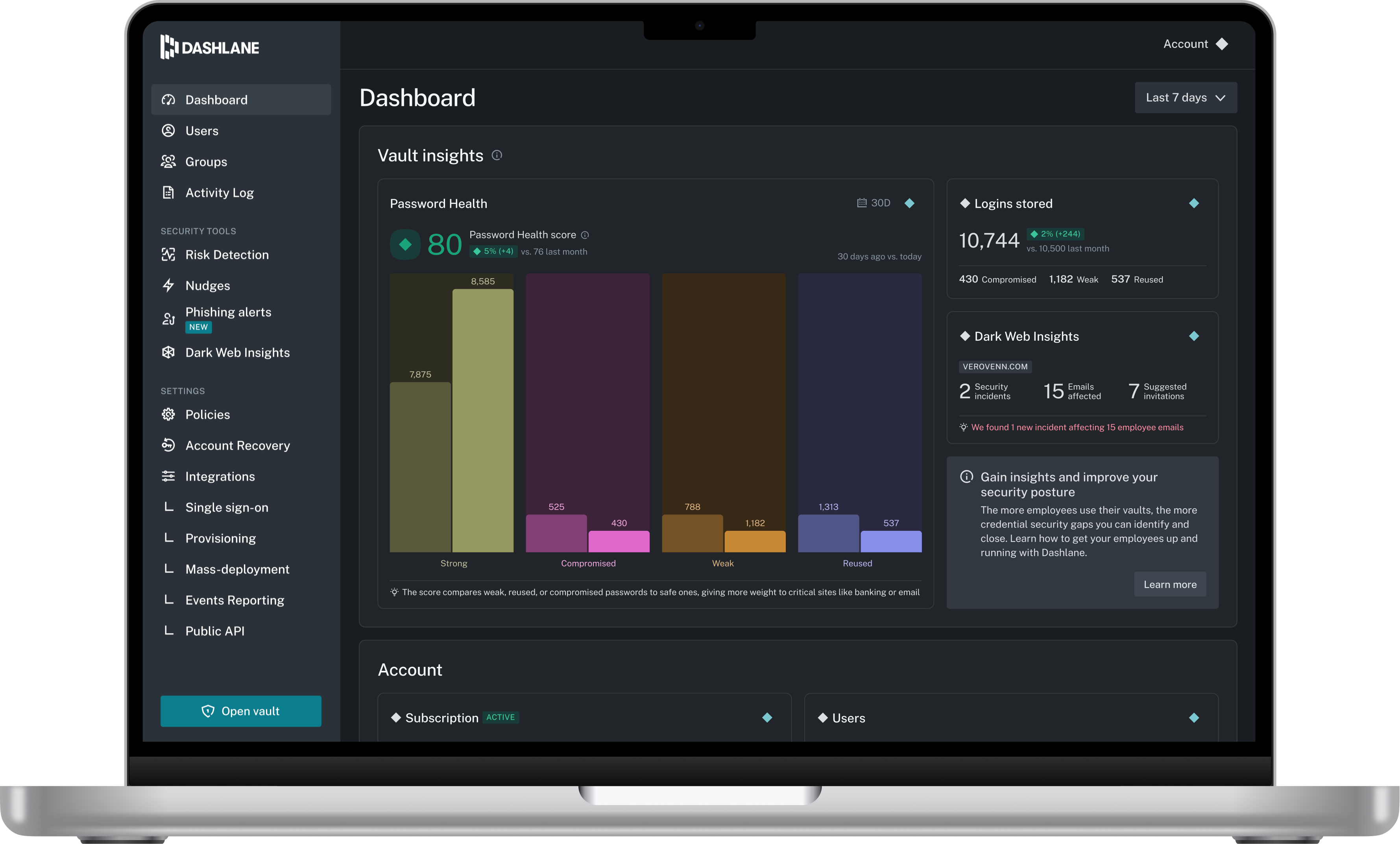
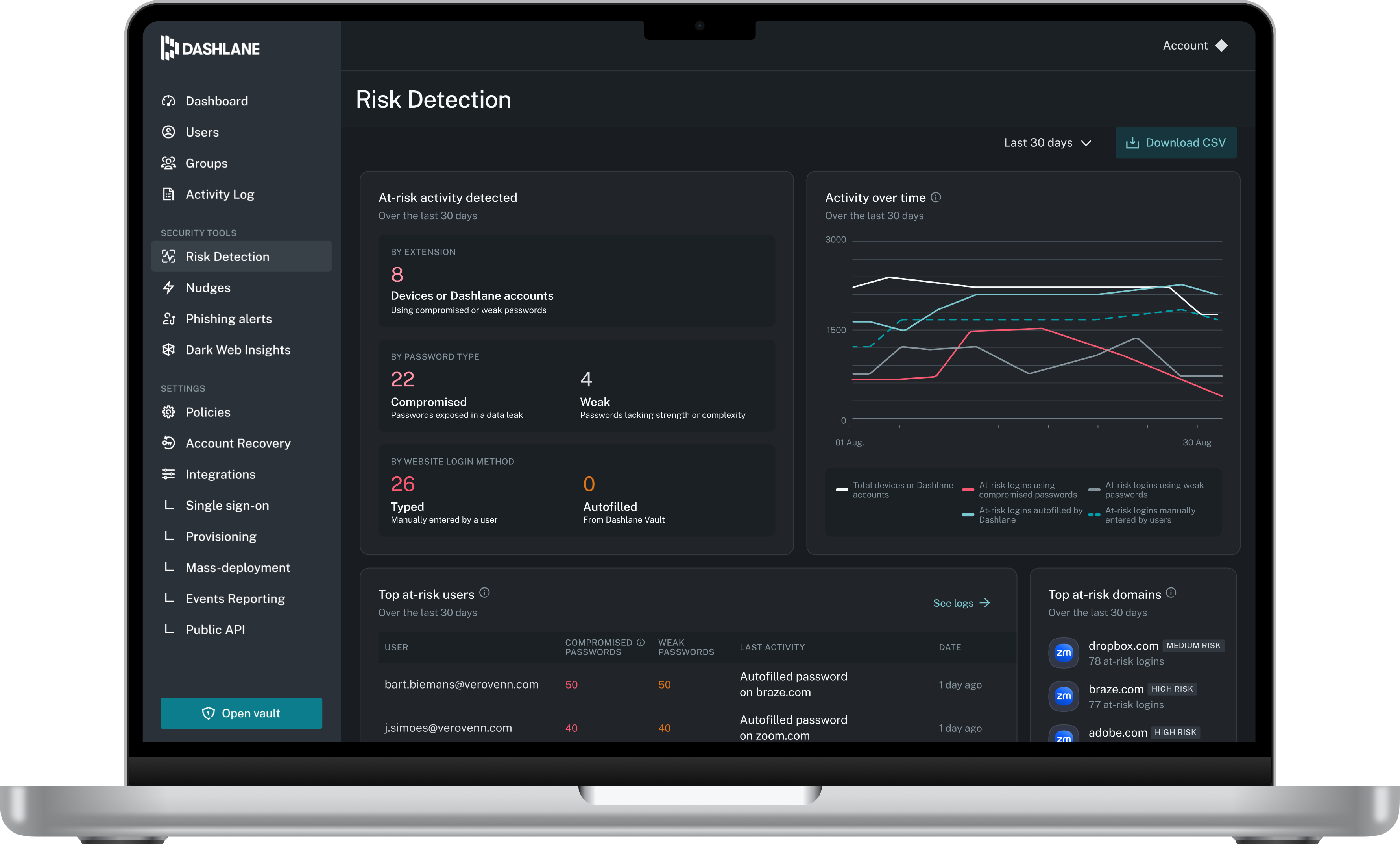
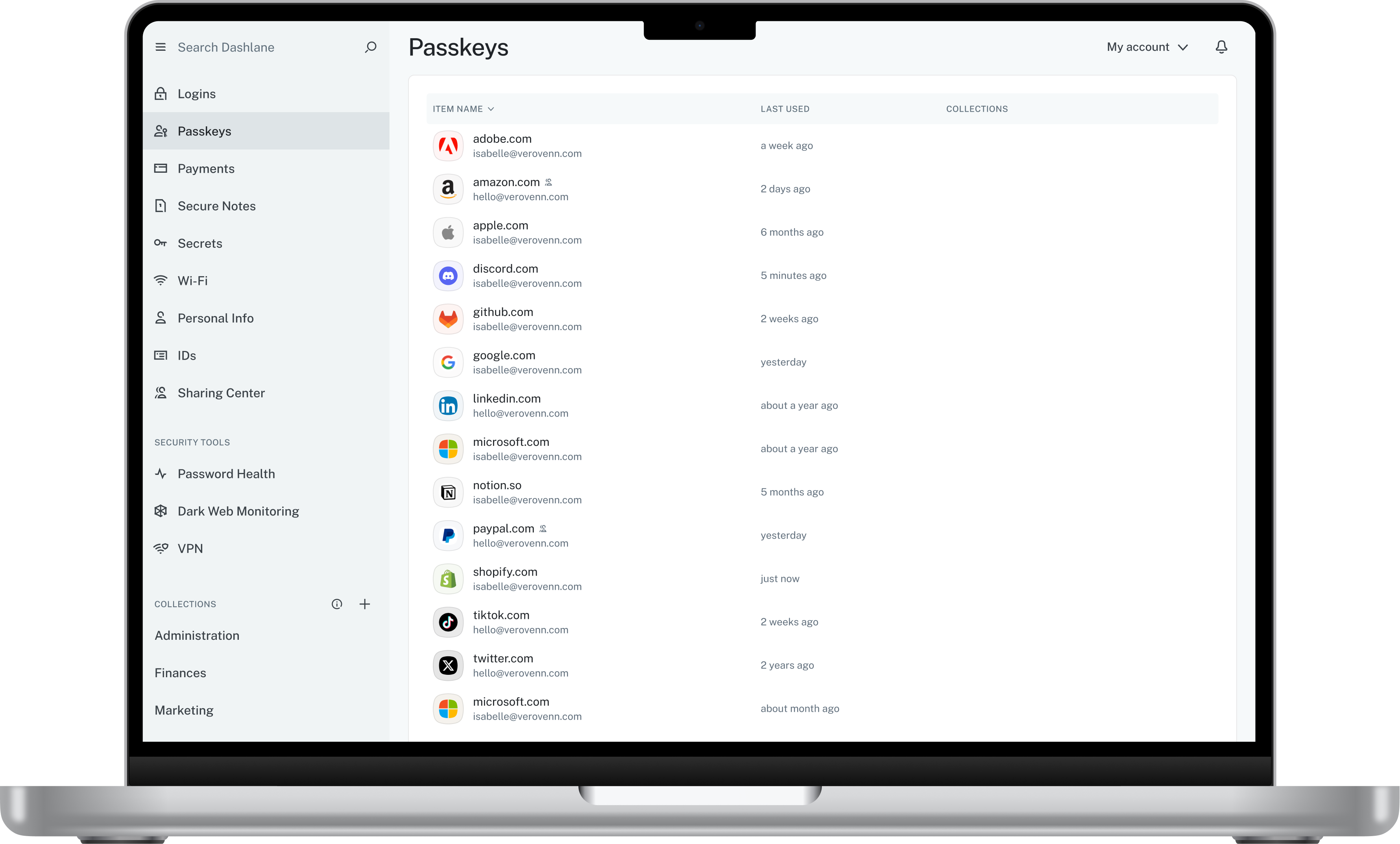
Screenshot of Admin DashboardScreenshot of Credential Risk DetectionScreenshot of AI Phishing AlertScreenshot of Vault