
Bubble.io vs. Progress Kendo UI
Bubble.io vs. Progress Kendo UI
| Product | Rating | Most Used By | Product Summary | Starting Price |
|---|---|---|---|---|
 Bubble | N/A | Bubble (bubble.io) is a no code app development platform from the Bubble Group in New York. | $25 per month | |
 Progress Kendo UI | N/A | Kendo UI is a JavaScript UI toolkit that allows users to build responsive web-based apps integrated into their framework of choice (jQuery, Angular, React, or Vue). The vendor’s value proposition is that Kendo UI offers a large library of popular and configurable components ranging from sophisticated grids and charts to basic buttons, so users don’t have to waste development time building their UI. The vendor also says the large library of customizable themes means users can easily deploy a… | $999 per developer, royalty-free |
| Bubble.io | Progress Kendo UI | |||||||||||||||
|---|---|---|---|---|---|---|---|---|---|---|---|---|---|---|---|---|
| Editions & Modules |
|
| ||||||||||||||
| Offerings |
| |||||||||||||||
| Entry-level Setup Fee | No setup fee | No setup fee | ||||||||||||||
| Additional Details | — | — | ||||||||||||||
| More Pricing Information | ||||||||||||||||
| Bubble.io | Progress Kendo UI |
|---|
| Bubble.io | Progress Kendo UI | |||||||||||||||||||||
|---|---|---|---|---|---|---|---|---|---|---|---|---|---|---|---|---|---|---|---|---|---|---|
| Low-Code Development |
| |||||||||||||||||||||
| No-Code Development |
|
| Bubble.io | Progress Kendo UI | |
|---|---|---|
| Small Businesses |  Stackby Score 8.9 out of 10 |  React (React.js) Score 8.8 out of 10 |
| Medium-sized Companies |  Quixy Score 9.9 out of 10 | React (React.js) Score 8.8 out of 10 |
| Enterprises |  Creatio Score 9.0 out of 10 | React (React.js) Score 8.8 out of 10 |
| All Alternatives | View all alternatives | View all alternatives |
| Bubble.io | Progress Kendo UI | |
|---|---|---|
| Likelihood to Recommend | 10.0 (1 ratings) | 8.2 (177 ratings) |
| Likelihood to Renew | - (0 ratings) | 8.8 (21 ratings) |
| Usability | - (0 ratings) | 9.0 (38 ratings) |
| Availability | - (0 ratings) | 9.1 (2 ratings) |
| Performance | - (0 ratings) | 9.1 (2 ratings) |
| Support Rating | - (0 ratings) | 7.5 (38 ratings) |
| Implementation Rating | - (0 ratings) | 8.1 (9 ratings) |
| Configurability | - (0 ratings) | 8.2 (2 ratings) |
| Ease of integration | - (0 ratings) | 8.2 (2 ratings) |
| Product Scalability | - (0 ratings) | 8.2 (2 ratings) |
| Vendor post-sale | - (0 ratings) | 9.1 (2 ratings) |
| Vendor pre-sale | - (0 ratings) | 9.1 (2 ratings) |
| Bubble.io | Progress Kendo UI | |
|---|---|---|
| Likelihood to Recommend |  Bubble Group
| Progress Software Corporation
|
| Pros | Bubble Group
| Progress Software Corporation
 Thangadurai Narayanan Software Architect |
| Cons | Bubble Group
| Progress Software Corporation
|
| Likelihood to Renew | Bubble Group No answers on this topic | Progress Software Corporation
 Clay Horste Software Developer III |
| Usability | Bubble Group No answers on this topic | Progress Software Corporation
|
| Reliability and Availability | Bubble Group No answers on this topic | Progress Software Corporation
 Alejandro Javier Fernandez Silva Web Project Leader |
| Performance | Bubble Group No answers on this topic | Progress Software Corporation
|
| Support Rating | Bubble Group No answers on this topic | Progress Software Corporation
|
| Implementation Rating | Bubble Group No answers on this topic | Progress Software Corporation
|
| Alternatives Considered | Bubble Group
| Progress Software Corporation
 Sergiu Pascutiu Senior Analyst, Business Data and Systems - Research and Innovation |
| Scalability | Bubble Group No answers on this topic | Progress Software Corporation
|
| Return on Investment | Bubble Group
| Progress Software Corporation
 Joshua Weaver Developer |
| ScreenShots | Progress Kendo UI Screenshots   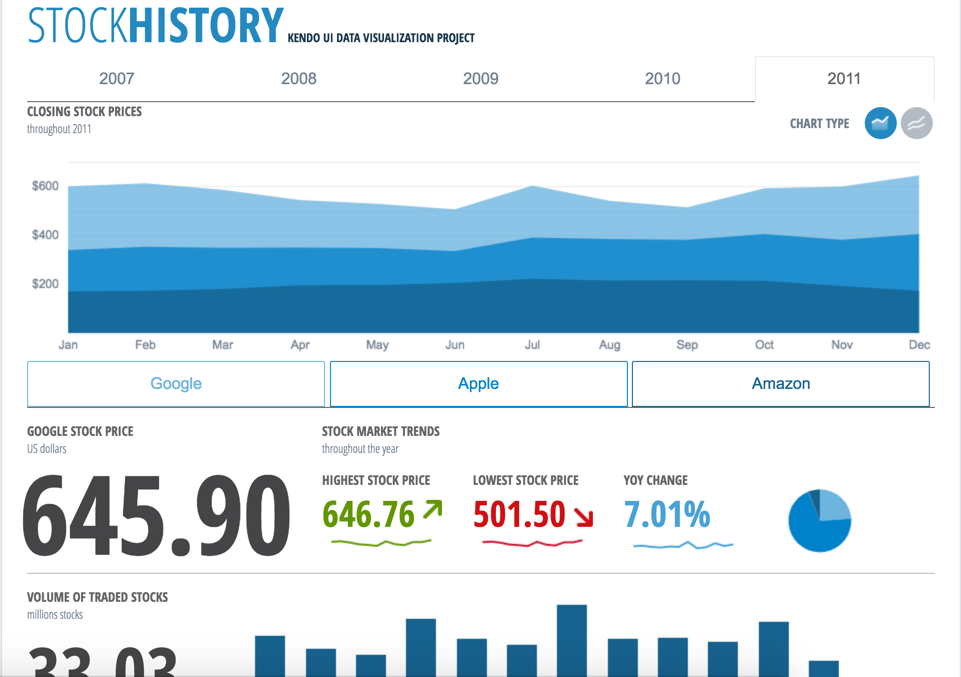 |