Buildertrend vs. Vectorworks Architect

Overview
ProductRatingMost Used ByProduct SummaryStarting Price
Buildertrend
Score 7.7 out of 10
N/A
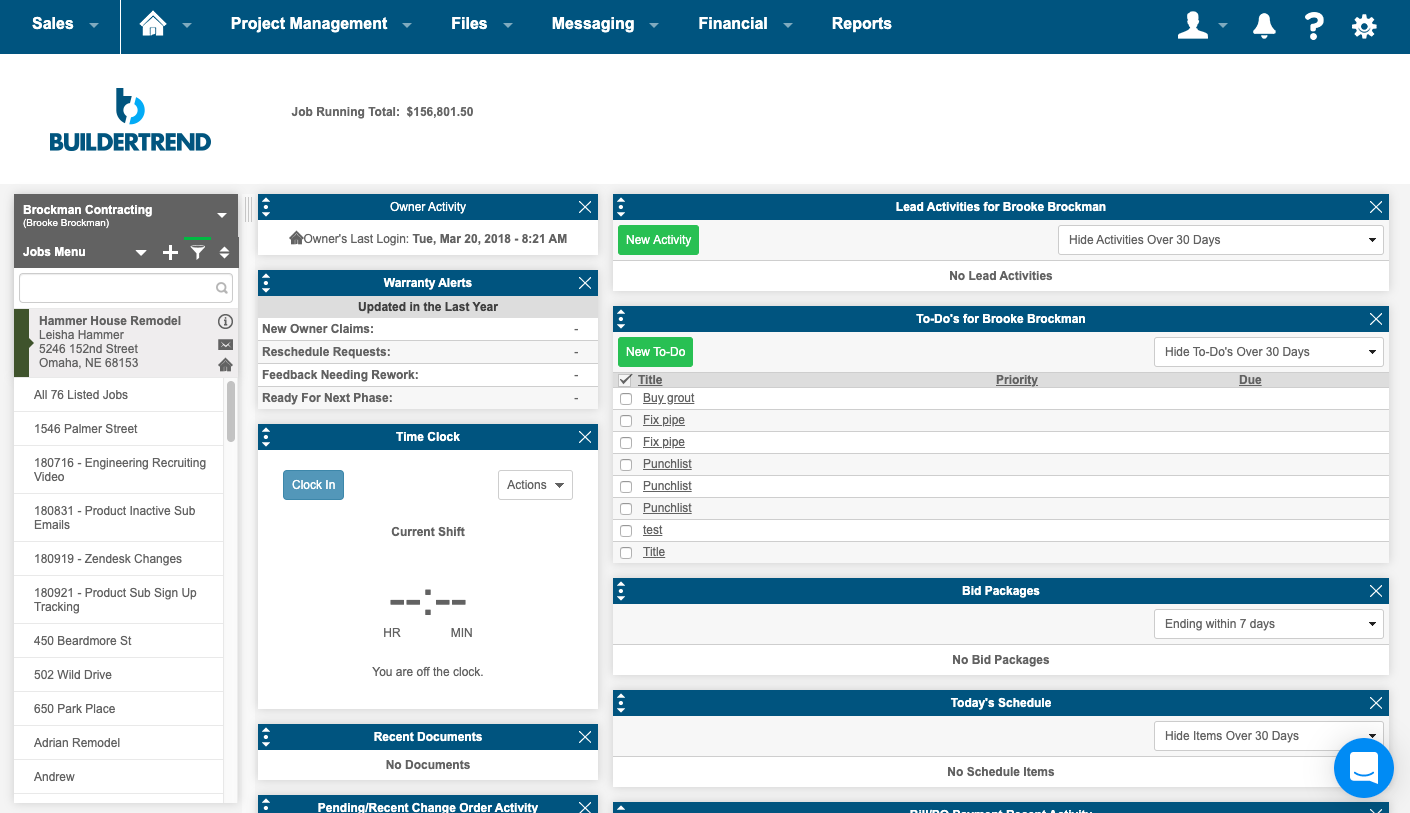
BuilderTrend is a construction management system. It includes functionality for pre-sale, project management, financial management, and customer management processes. It also provides mobile accessibility.N/A
Vectorworks Architect
Score 10.0 out of 10
N/A
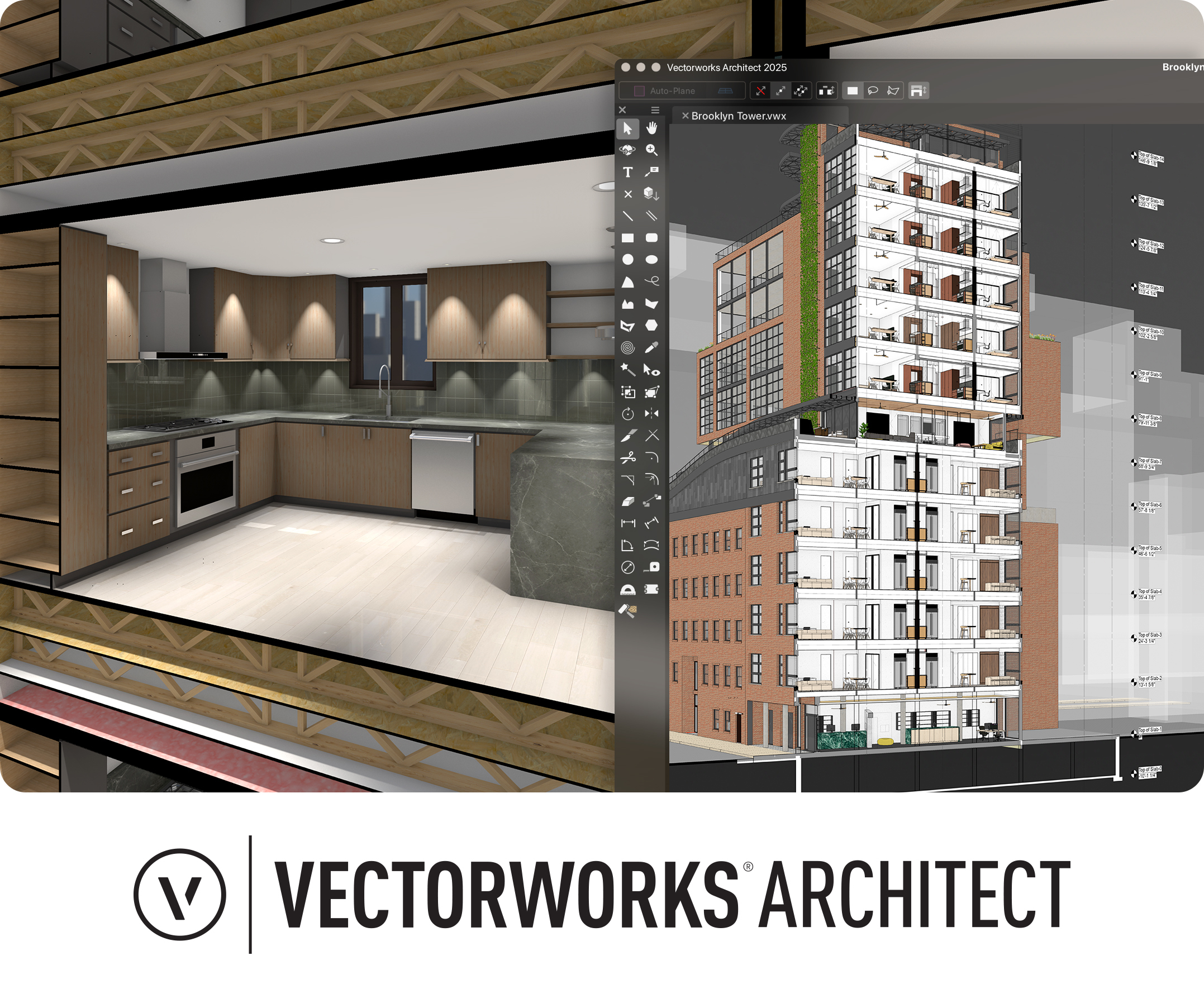
Vectorworks Architect allows users to sketch, model, and document in a fully integrated workflow with a design-centric BIM solution. The solution supports 2D graphics, 3D modeling, and visualization tools, and is built to deliver absolute creative expression and maximum efficiency.
$153
per month
Pricing
BuildertrendVectorworks Architect
Editions & Modules
Core Subscription
Contact for quote
per year
Premium
Contact for quote
per month
Premium
Contact for quote
Annual Subscription
$127.50
per month per user
Monthly Subscription
$153
per month per user
Offerings
Pricing Offerings
BuildertrendVectorworks Architect
Free Trial
NoYes
Free/Freemium Version
NoNo
Premium Consulting/Integration Services
YesYes
Entry-level Setup FeeNo setup feeNo setup fee
Additional Details$153/M: 2 GB of cloud storage, Basic tech support, Immediate access to new versions $128/M: $1530 billed annually | Save $306 over the monthly plan, 2 GB of cloud storage, Basic tech support, Immediate access to new versions
More Pricing Information
Community Pulse
BuildertrendVectorworks Architect
Features
BuildertrendVectorworks Architect
Construction Project & Field Management
Comparison of Construction Project & Field Management features of Product A and Product B
Buildertrend
4.3
8 Ratings
53% below category average
Vectorworks Architect
-
Ratings
Plan distribution & viewing1.06 Ratings00 Ratings
Plan markups & sharing2.07 Ratings00 Ratings
Issue tracking & punchlists2.28 Ratings00 Ratings
Photo documentation6.18 Ratings00 Ratings
Jobsite reports9.07 Ratings00 Ratings
Document sharing2.38 Ratings00 Ratings
RFI tools8.25 Ratings00 Ratings
Collaboration & approvals4.07 Ratings00 Ratings
As-built drawings8.74 Ratings00 Ratings
Mobile app1.38 Ratings00 Ratings
Submittal design and management3.06 Ratings00 Ratings
Estimating
Comparison of Estimating features of Product A and Product B
Buildertrend
1.2
7 Ratings
145% below category average
Vectorworks Architect
-
Ratings
Takeoff tools1.05 Ratings00 Ratings
Job costing1.06 Ratings00 Ratings
Cost databases1.06 Ratings00 Ratings
Cost calculator1.17 Ratings00 Ratings
Bid creation2.07 Ratings00 Ratings
Best Alternatives
BuildertrendVectorworks Architect
Small Businesses
FollowUp CRM
FollowUp CRM
Score 1.4 out of 10
Procore
Procore
Score 8.5 out of 10
Medium-sized Companies
Bluebeam
Bluebeam
Score 9.0 out of 10
Procore
Procore
Score 8.5 out of 10
Enterprises
Bluebeam
Bluebeam
Score 9.0 out of 10

No answers on this topic

All AlternativesView all alternativesView all alternatives
User Ratings
BuildertrendVectorworks Architect
Likelihood to Recommend
10.0
(11 ratings)
-
(0 ratings)
Usability
9.7
(4 ratings)
-
(0 ratings)
Support Rating
10.0
(1 ratings)
-
(0 ratings)
User Testimonials
BuildertrendVectorworks Architect
Likelihood to Recommend
Buildertrend
Buildertrend was made for a specific industry (building) and so I would recommend it to anyone in that industry, with the exception of Sales and Marketing. But for everything else from the financing to the permitting to the construction and all else, Buildertrend is exactly what our team has used and will ALWAYS use. Even with our decision to use other systems for Sales and Marketing, we have never given one thought to taking Buildertrend out of our process. We will always be with Buildertrend.
Read full review
Vectorworks, Inc.
No answers on this topic
Pros
Buildertrend
  • Manages in one place - crucial for organization.
  • Professional, across the board it provides companies with a seamlessly organized and flawless presentation - to subs/vendors/owners/etc.
  • Time Saver - you don't have to dig around through files/create templates/flip through your contact binder - it's all there.
  • Practical tools- designed for contractors. You get what you need - period.
Read full review
Vectorworks, Inc.
No answers on this topic
Cons
Buildertrend
  • Onsite consultants. There is a demand for this service that is great enough to allow outside BuilderTrend Super-Users like me to partner with BuilderTrend and make this a reality.
  • As their company grows, their support needs to grow as well.
  • Provide incentives for Super Users that are helping BuilderTrend acquire new business. Advocates should be their best friend.
Read full review
Vectorworks, Inc.
No answers on this topic
Usability
Buildertrend
Its simple to use and intuitive. The level of support that we have from online videos, to access to customer support, and the ability to call anyone at anytime on the main line has been invaluable to utilize and not get stuck on something you don't know yet. We've never not had anyone that couldn't respond in time for us.
Read full review
Vectorworks, Inc.
No answers on this topic
Support Rating
Buildertrend
I highly recommend. The only suggestion I have would be to offer a free trial. They do offer a 30 day money back guarantee. The price point isn't daunting if you have had a 100 % no strings attached/no effort to cancel or try to remember to get your money back - no strings attached chance to try out the product. Especially for such a big purchase decision, I think Buildertrend would see an incredible increase in sales. They have the value and companies just need a chance to see it first hand.
Read full review
Vectorworks, Inc.
No answers on this topic
Alternatives Considered
Buildertrend
The program has outstanding customer service. With project scheduling, project management, financial management, customer management, and service management capabilities in a single suite, there's really not much this program can't do! Owners generally love the use of this software as well, giving them the ability to view daily logs, photos, schedules, etc.
Read full review
Vectorworks, Inc.
No answers on this topic
Return on Investment
Buildertrend
  • The prior year cost me roughly $4300, which was barely reasonable for my volume. Some clients liked the format, some hated it and didn't participate. In my experience, few subcontractors or suppliers embraced the program, severely limiting the effectiveness.
  • For the coming year the fees would have exceeded $17,000, far too much for a program with limited client, employee, and subcontractor appeal with as small a volume as I have.
  • Honestly, for the last year, I feel they've been a burning tire hung around my neck and I regret not cancelling them in early 2019, I'd have $10,000 more in my pocket and no significant negative impact.
  • I did appreciate the daily log as a way to report on progress, but less than half my clients made use of this option.
Read full review
Vectorworks, Inc.
No answers on this topic
ScreenShots

Buildertrend Screenshots

Screenshot of the homeowner portalScreenshot of a summary pageScreenshot of the scheduling interface & Gantt chartScreenshot of photos

Vectorworks Architect Screenshots

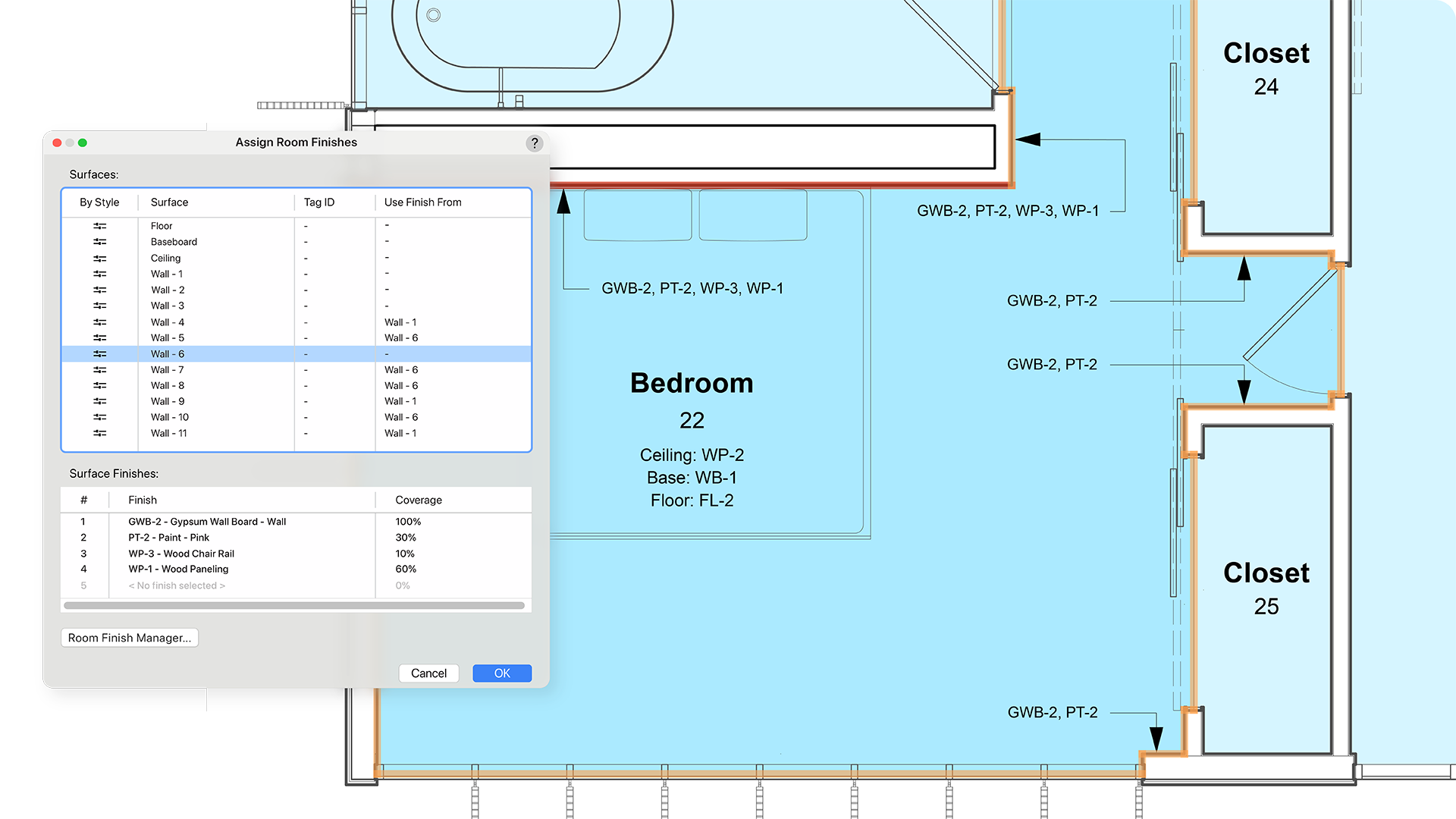
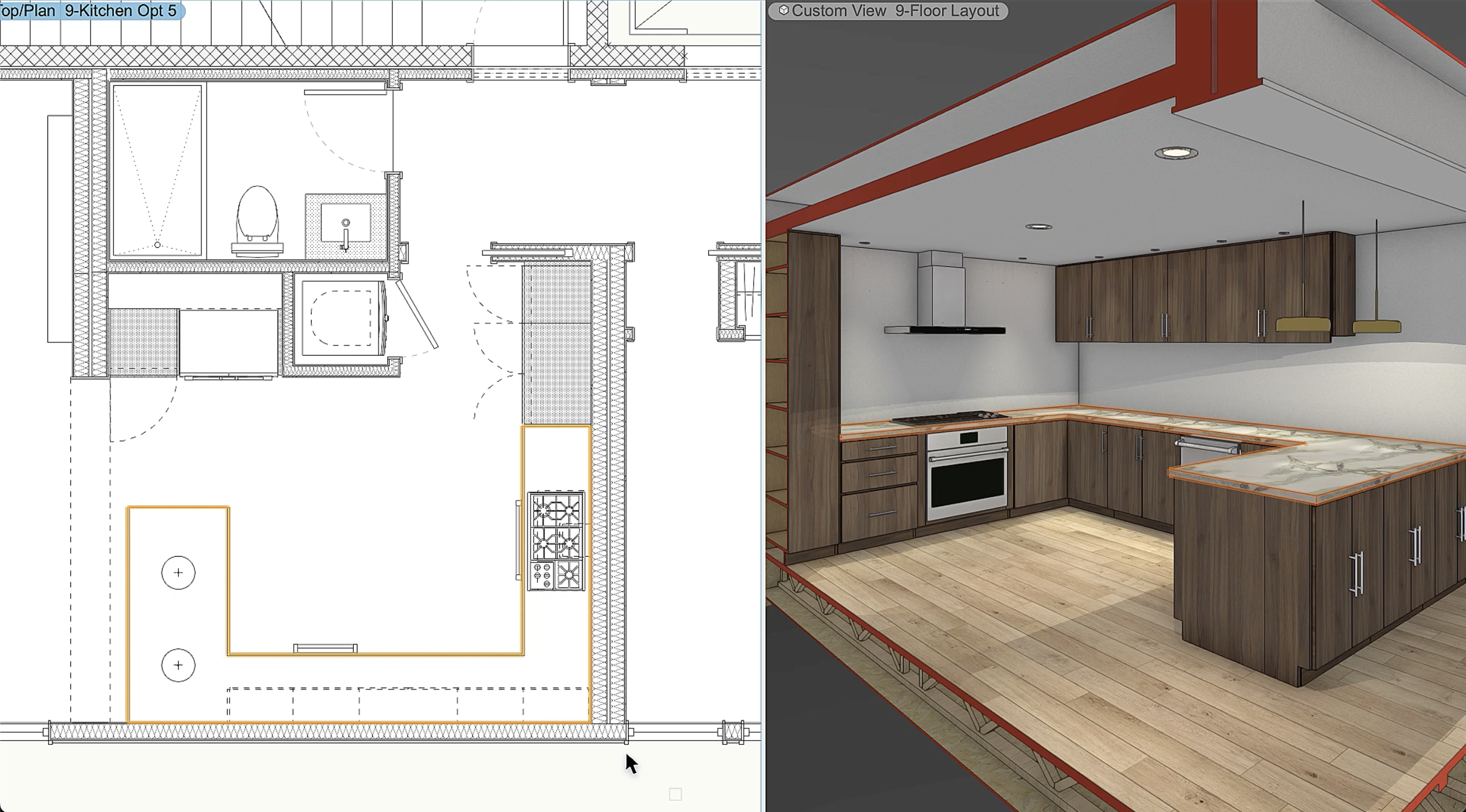
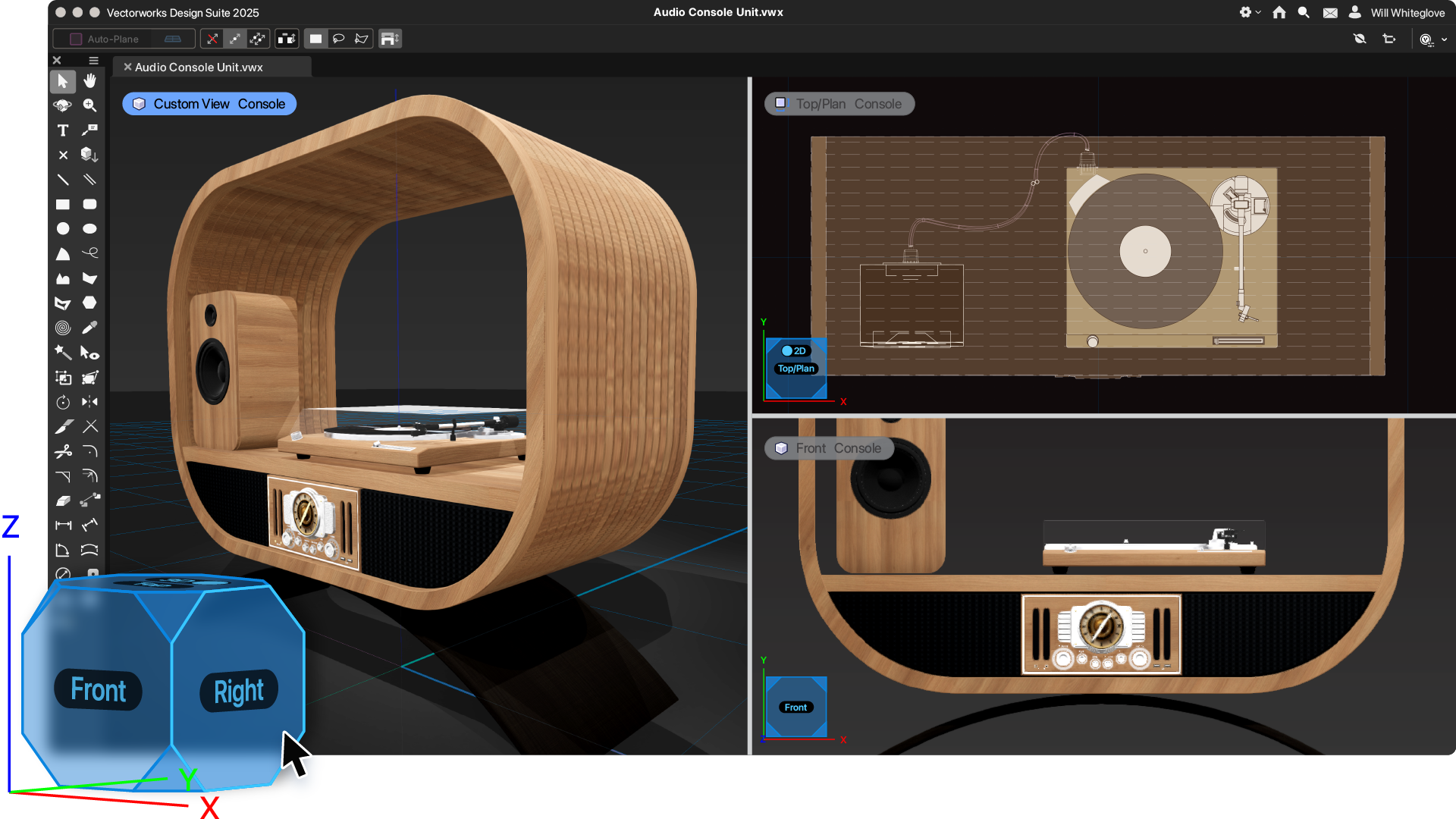
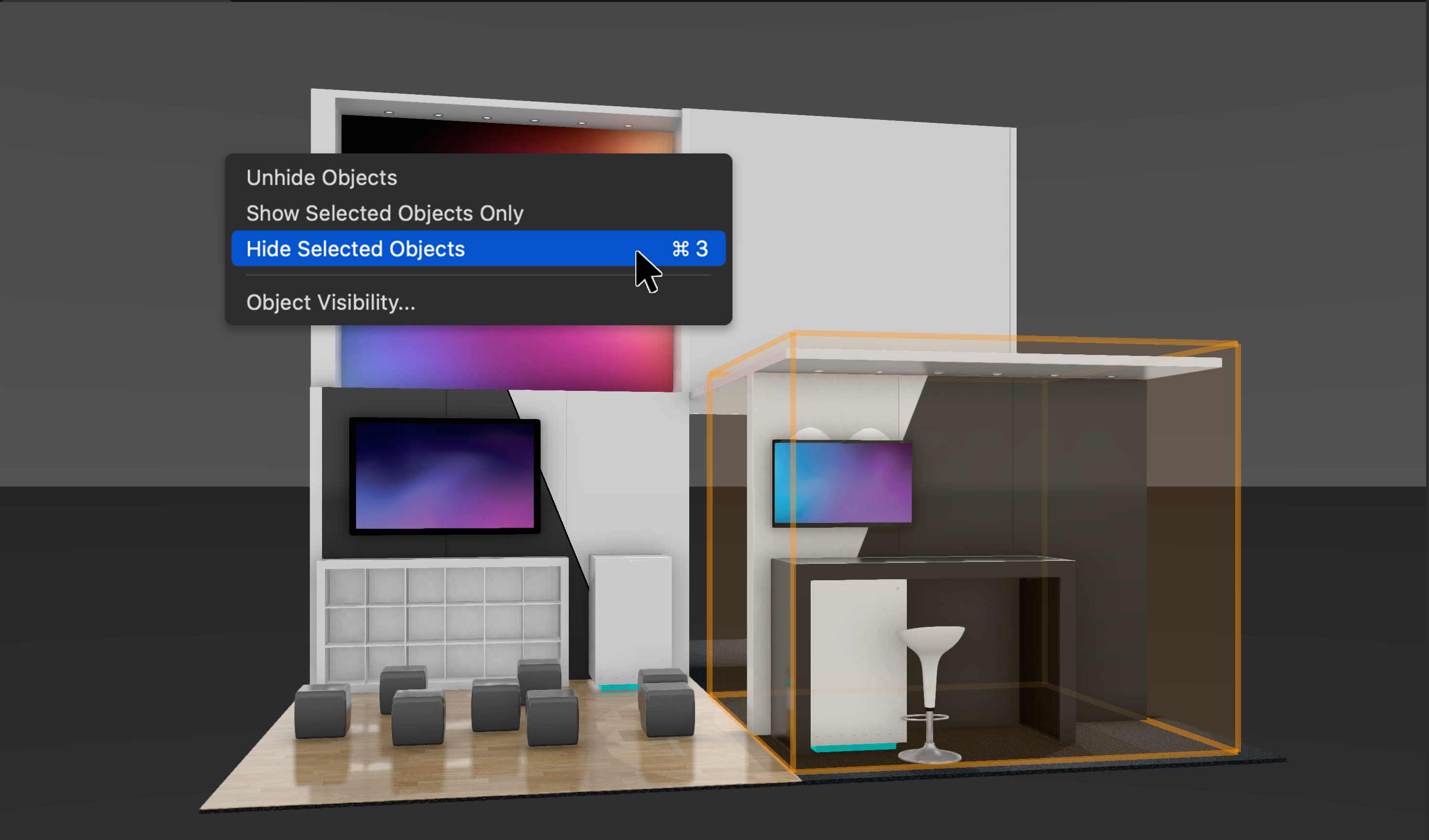
Screenshot of Vectorworks Architect 2025Screenshot of where the user has the ability to select multiple walls and apply surface finishes in a single operation. From here, users can manage, annotate, and create reports with customizable project finishes and data visualization to help streamline the documentation process.Screenshot of where to assign classifications to Vectorworks objects and sub-parts and manage them centrally with a rules-and-criteria-based system. This helps save time and reduce risk for errors with automated application of local and national classification standards in a BIM collaboration and specification writing workflow.Screenshot of a tool that balances automation with customization, used to create finely detailed countertops and achieve quality visuals and reports. Users can manage countertops across projects with customizable styles and find superior control of design features like overhangs and backsplashes. With efficient modeling and automatic hole cuts, time becomes available to create without having to worry about manual processes.Screenshot of an example of the one-click navigation that allows for instant access to all views of a model and interactive model orbiting with click-dragging. The optional display of XYZ axes, compass direction, and working planes help orient and navigate the model.Screenshot of where to show, ghost, hide, or isolate specific objects with individual visibility control. Navigate to specific parts of the model by isolating objects and create custom drawings or viewports to clearly communicate design intent. Apply object visibility directly within the design layer or save it to viewports and data visualizations. Find fast, flexible workflows, while also working harmoniously with Class and Layer visibilities.