
Grant Millar
Financial Planner and Money Coach
Chose Nitro PDF Pro
You need a subscription to use Adobe Acrobat. You can pay a one-off license fee to use Nitro.

| Product | Rating | Most Used By | Product Summary | Starting Price |
|---|---|---|---|---|
 ChatForCharities | N/A | N/A | $39 per month | |
 Nitro PDF Pro | N/A | Nitro PDF Pro is a document management platform that supports PDF creation, modification, conversion, organization, review, and protection across Windows, Mac, and iOS environments. Key Capabilities Document Authoring & Modification: Native editing capabilities for PDF creation and content updates. Format Conversion: Conversion between PDF and standard office document formats. Document Organization & Management: File organization and management… | $7.50 Billed every 3 years. This is a subscription product with a 3-year fee of $270.00 per license. per seat | |
 OpenText Documentum | N/A | OpenText acquired Documentum from Dell EMC in 2017, and now supports the enterprise content management (ECM) system. The vendor says users can build content-centric applications and solutions from collaborating on business documents to delivering case-based applications to managing highly precise processes in the most regulated business environments. | N/A |
| ChatForCharities | Nitro PDF Pro | OpenText Documentum | ||||||||||||||||||||||
|---|---|---|---|---|---|---|---|---|---|---|---|---|---|---|---|---|---|---|---|---|---|---|---|---|
| Editions & Modules |
|
| No answers on this topic | |||||||||||||||||||||
| Offerings |
| |||||||||||||||||||||||
| Entry-level Setup Fee | No setup fee | No setup fee | Optional | |||||||||||||||||||||
| Additional Details | — | — | — | |||||||||||||||||||||
| More Pricing Information | ||||||||||||||||||||||||
| ChatForCharities | Nitro PDF Pro | OpenText Documentum | |
|---|---|---|---|
| Considered Multiple Products | ChatForCharities No answer on this topic |  Nitro PDF Pro Grant Millar Financial Planner and Money Coach Chose Nitro PDF Pro You need a subscription to use Adobe Acrobat. You can pay a one-off license fee to use Nitro.  Matthew McGinnis VP of Business Development Chose Nitro PDF Pro Nitro Productivity Suite allows a user to accomplish all of the things you would want to do to a document that Adobe does not. Much easier to find the operation you are looking for in Nitro Productivity Suite compared to Adobe  Francis kimani Finance Specialist Chose Nitro PDF Pro It has more functionalities compared to the other software  Ariel Dunay Associate, Project Operations Chose Nitro PDF Pro Nitro has probably 10x the features that Adobe does and just does it so much better. Ease of use is profoundly different. I won't ever go back!!  John Plecki Construction Logistics Coordinator Chose Nitro PDF Pro Nitro was more simplistic than Adobe and a much better price  Benjamin E. Jerew Senior Content Manager Chose Nitro PDF Pro I downloaded the trial versions of both Acrobat DC and Nitro PDF, and found Nitro to be superior in price, while Acrobat was superior in software features and user-friendliness. I knew I would be using Nitro for basic publishing and editing of PDFs, which both programs do well, … | OpenText Documentum  Chris McCabe Technical Analyst / Technical SME / Tech Lead / Business Analyst Chose OpenText Documentum Sharepoint and others are a bit late to the party -- they have some nice features, but are leaders in the suite spot areas that we found OpenText helping us with.  Ryan Payne Oracle Solution Architect Chose OpenText Documentum Features and underlying technology and development roadmap are much better for both Docushare and Confluence. OpenText product was preselected when I came into the implementation of the project. It should not have been.  Craig Soucie ECM Solution and Strategist Chose OpenText Documentum Subjective but here's how I see it: Heavy duty (in order of how much they can do and how much they can handle): 1)Documentum, 2)FileNet 3)OpenText Middle duty: 1)WCC-WebCenter Content, 2)Alfresco, 3)M-Files (3rd b/c it is Windows only), 4)Nuxeo (only b/c of its newish approach …  Indars Sparnins Software Engineer Team Lead Chose OpenText Documentum While Livelink has many more modules out of the box and provide some more functionality which can be applied to document lifecycle without writing any customizations, from the support perspective Documentum is much cheaper to support and it is much more stable than Opentext ECM …  Rene Wagner Principal Consultant Chose OpenText Documentum There are numerous other products available including SharePoint, Stellent, FileNet, etc. Most offer many of the same solutions and modules that Documentum provides, however some, such as SharePoint, still have significant shortcomings when it comes to true, enterprise-level … |
| ChatForCharities | Nitro PDF Pro | OpenText Documentum | |||||||||||||||||||||||||||||||||||||||||||||||||||||||
|---|---|---|---|---|---|---|---|---|---|---|---|---|---|---|---|---|---|---|---|---|---|---|---|---|---|---|---|---|---|---|---|---|---|---|---|---|---|---|---|---|---|---|---|---|---|---|---|---|---|---|---|---|---|---|---|---|---|
| Enterprise Content Management |
|
| ChatForCharities | Nitro PDF Pro | OpenText Documentum | |
|---|---|---|---|
| Small Businesses |  Gist Score 9.5 out of 10 |  Tungsten Power PDF Score 9.8 out of 10 |  Square 9 Softworks Score 9.3 out of 10 |
| Medium-sized Companies |  Genesys DX (discontinued) Score 10.0 out of 10 |  pdfFiller Score 9.0 out of 10 |  MediaValet Score 8.8 out of 10 |
| Enterprises | Genesys DX (discontinued) Score 10.0 out of 10 |  Bluebeam Score 9.1 out of 10 | MediaValet Score 8.8 out of 10 |
| All Alternatives | View all alternatives | View all alternatives | View all alternatives |
| ChatForCharities | Nitro PDF Pro | OpenText Documentum | |
|---|---|---|---|
| Likelihood to Recommend | - (0 ratings) | 9.3 (0 ratings) | 9.0 (0 ratings) |
| Likelihood to Renew | - (0 ratings) | 10.0 (0 ratings) | 8.0 (0 ratings) |
| Usability | - (0 ratings) | 9.0 (0 ratings) | - (0 ratings) |
| Performance | - (0 ratings) | 8.0 (0 ratings) | 9.0 (0 ratings) |
| Support Rating | - (0 ratings) | 9.2 (0 ratings) | 7.0 (0 ratings) |
| Implementation Rating | - (0 ratings) | - (0 ratings) | 9.0 (0 ratings) |
| Ease of integration | - (0 ratings) | 5.0 (0 ratings) | - (0 ratings) |
| ChatForCharities | Nitro PDF Pro | OpenText Documentum | |
|---|---|---|---|
| Likelihood to Recommend | No answers on this topic |
Grant Millar Financial Planner and Money Coach |
Indars Sparnins Software Engineer Team Lead |
| Pros | No answers on this topic |
Ariel Dunay Associate, Project Operations |
Chris McCabe Technical Analyst / Technical SME / Tech Lead / Business Analyst |
| Cons | No answers on this topic |
|
Craig Soucie ECM Solution and Strategist |
| Likelihood to Renew | No answers on this topic |
|
Rene Wagner Principal Consultant |
| Usability | No answers on this topic |
Grant Millar Financial Planner and Money Coach | No answers on this topic |
| Performance | No answers on this topic |
| No answers on this topic |
| Support Rating | No answers on this topic |
|
Chris McCabe Technical Analyst / Technical SME / Tech Lead / Business Analyst |
| Alternatives Considered | No answers on this topic |
|
Craig Soucie ECM Solution and Strategist |
| Return on Investment | No answers on this topic |
|
|
| ScreenShots | Nitro PDF Pro Screenshots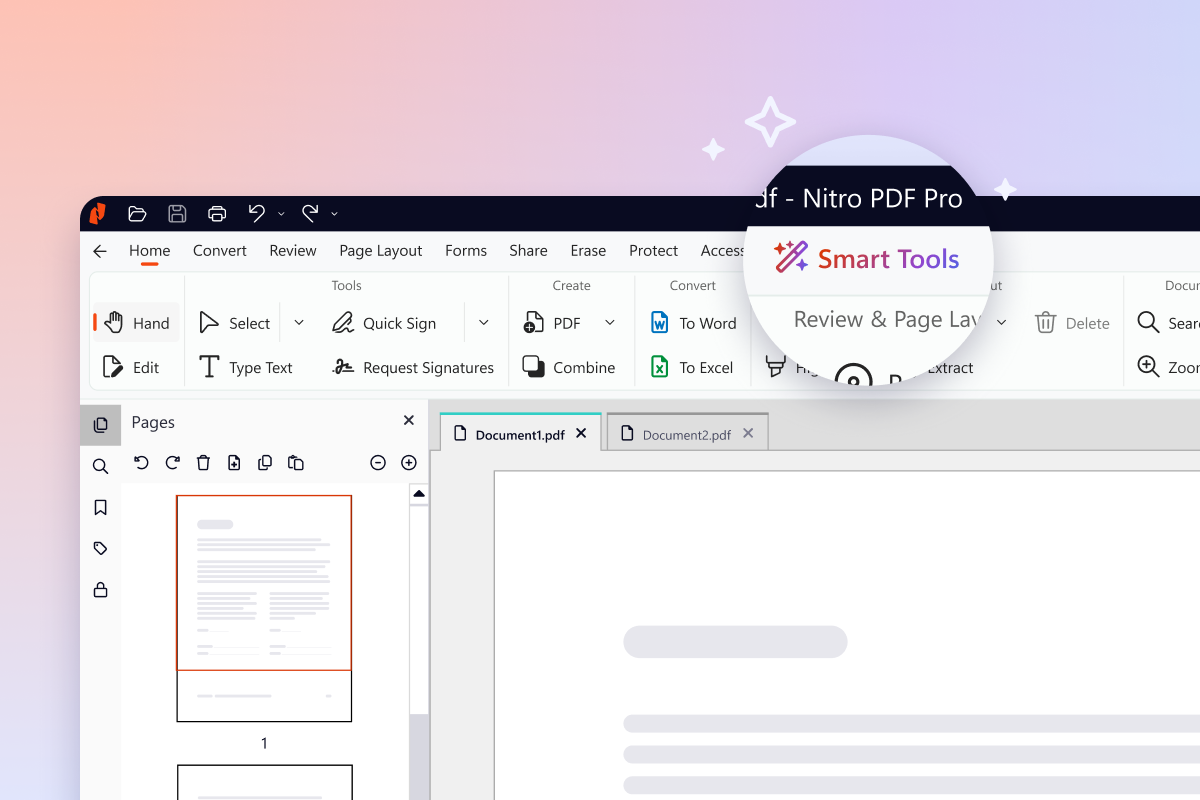  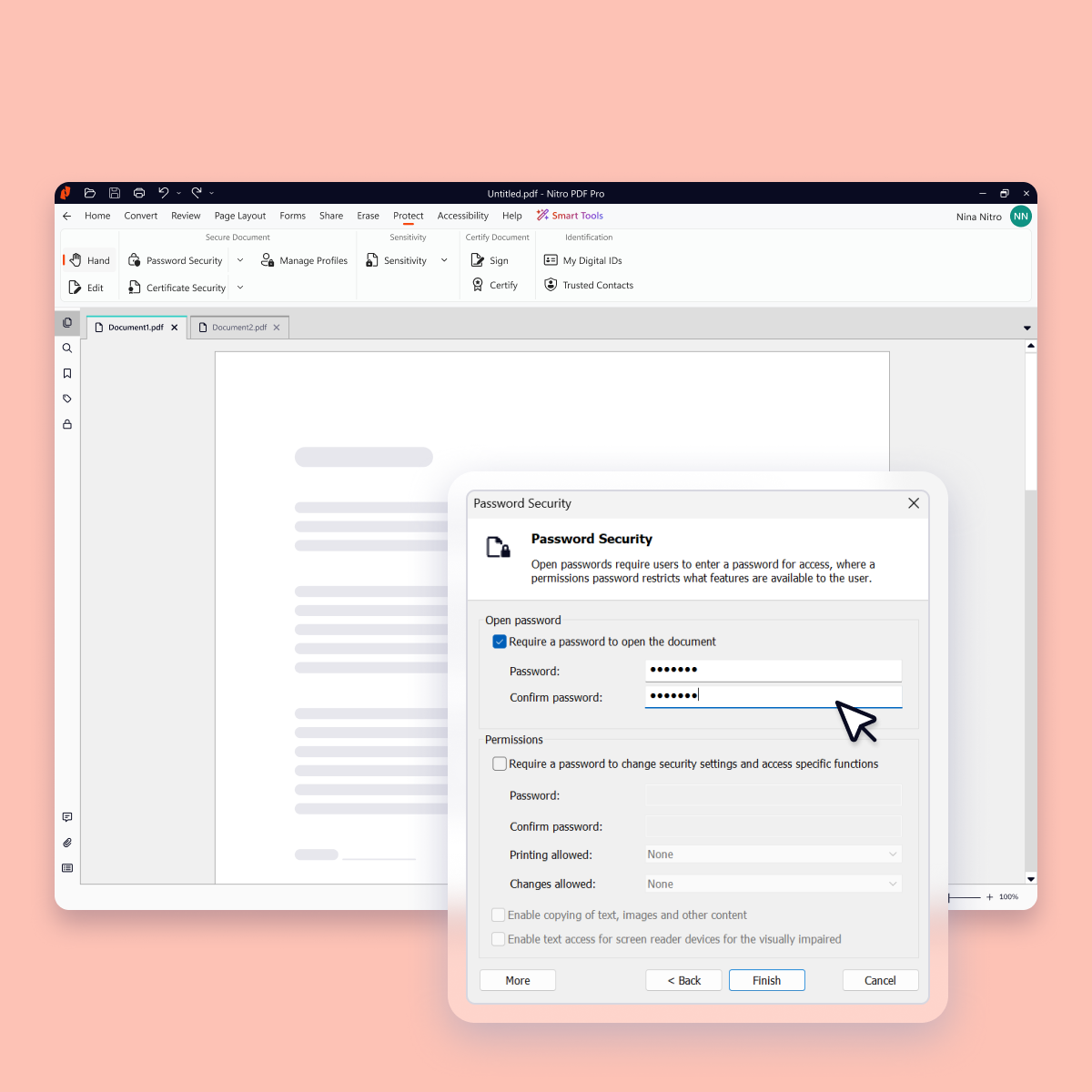    |