Class for Web, formerly Blackboard Collaborate, is an online, collaborative learning platform for the education industry and corporate learning needs. It includes features such as screen and application sharing, and web conferencing.
$300
per year
Google Workspace for Education
Score 9.0 out of 10
N/A
Google Workspace for Education includes Google products like Classroom, Meet, Gmail, Calendar, Drive, Docs, Sheets, and Slides, to create an online ecosystem for learning. The Google Workspace for Education Fundamentals edition is available at no per student cost to available institutions.
$3
per month
WebWave
Score 9.5 out of 10
N/A
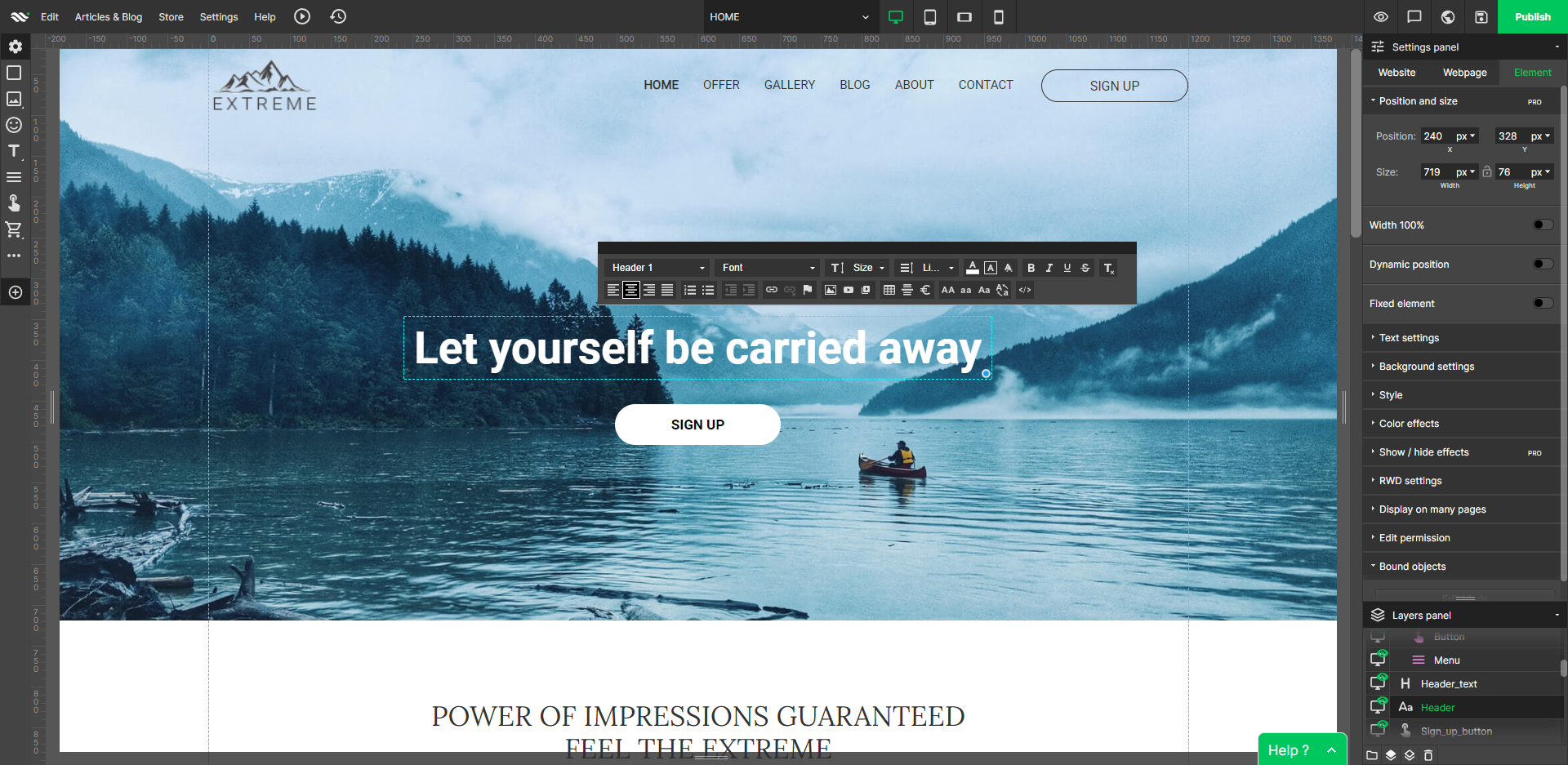
WebWave — an alternative for agencies and freelancers for creating custom websites for clients with the support of CMS. Using CMS with no sacrifices WebWave is a CMS platform that gives a designer precision up to 1 px in every single detail just like in more sophisticated graphic programs such as Photoshop while remaining a drag and drop software. This is to make creating websites much faster without loosing on details. Spend less time talking WebWave…
I would say it is very useful for group collaborations online, as well as virtual classrooms where you wish your students/guests to collaborate in an adaptable environment; however I would advise against using the shared screen to display audio or video, nor would I encourage the use of the shared board with a group of people with disciplinary issues (as there is no accountability for who wrote/drew what).
Google [Workspace for Education (formerly G Suite for Education)] is pretty darn good [at] meeting the needs for educators and students. It is not designed to run your business office, transportation group, or lunch services. It doesn't need to be good at those. Focus on teachers and students. They do that really, really well. The Google folks continue to add features that help serve teacher and students. For example, they have really done a good job of adding Google Meet features such as polling and breakout rooms. Those features required a paid subscription to Workspace, but it makes sense since those features compete with Zoom, which requires a subscription for those services.
Well suited: Small businesses and entrepreneurs: WebWave is an excellent option for small businesses and entrepreneurs who need a professional-looking website without spending a lot of time and money. It's easy to use, customizable, and offers fast load times and responsive design. Less appropriate: Large e-commerce websites: If you're looking to create a large e-commerce website with a vast number of products and advanced features, WebWave may not be the best option. Its e-commerce functionality is limited compared to other website builders, and it may not be able to accommodate the needs of a large-scale online store. Also, if you need much coding, you would rather have it with something that is wordpress-based.
The Whiteboard feature is perfect for tutoring. We use it to write out formulas, draw diagrams, etc while in video chat to enhance explanations.
The file attachment feature is also very handy. This means we don't have to do a follow-up with a student using their email to send files of handouts, etc.
It's great that we only have to share a classroom access link for a student to enter a session. With other products, they had to set up a username and log-in with an account. Link access means 1 less hassle.
We are currently beginning to use the "record session" feature video sessions to use as training for new employees.
Email: The best email experience, period. It's fast, has the best mobile apps and tons of addons that extend it.
Office suite: The Google editors might not have all the features of their MS Office counterparts, but they have most of them and the apps are surprisingly performant.
Domain management: The Google Admin Console, coupled with the GAM command line tool, is very powerful, easy to use and simplifies any admin's work.
WebWave's site builder is the platform's truly innovative feature. I've never come across another service that deploys a layer-based approach in web design, as most of them usually deploy a grid-based system. This is an incredible alteration that ensures WebWave behaves much like a traditional graphic design tool, thereby resulting in an experience that is a lot more intuitive and instinctive. I believe this has the potential to radically change the way people approach no-code web design.
WebWave provides automatic, daily backups and a free SSL certificate for every website. This results in excellent security.
WebWave's support team is first-class! I had some teething-issues in the beginning, but the support team quickly got me back on track.
WebWave's community/forum is an excellent place to vote and request new features. This proves the development team is committed to making WebWave better by listening to their users.
Some of the newest computer high resolution screens are not as compatible with the interface. The font and windows are much smaller and the user is not able to increase the size of the windows to make it easier to read/navigate.
The audio can sometimes be inconsistent and tune in and out when someone is speaking. This is not every time though and many times the audio is clear.
The login process takes a bit longer to get into the program. You have to go through a few step process and loading time to get into the application.
Some scope for improvement in UX (colors are not very appealing). It is simple to use but design is a little dated. Especially in the builder section, I'd like to see modern design for buttons and maybe gradients also: as this is where visual motivation is also important
Some edits take effect only after pressing OK. That should be eliminated as it's an unnecessary addition. It's also kind of annoying to do that again and again, which can add up to a lot as we do so many small tweaks while building the website.
Few things (maybe glitches) in design. The rectangle below the footer was uneditable for me. I spent quite some time trying to figure it out so I'm convinced it's a glitch.
It is a tool that faculty likes to use. It has so much flexibility to allow students to see a class even if they happen to not be available in the classroom.
Blackboard Collaborate is reliable and feature-rich. It's a great web conferencing tool for teaching & learning, offering polls, chat, video and audio, whiteboard, content sharing, and breakout rooms. Blackboard Collaborate can be used for virtual office hours, lectures, guest speakers, training, professional development, conferences, technical support, academic advising, and so much more. Blackboard Collaborate can be used separately from the learning management system or it can be integrated for a single sign-on experience. It supports recordings, playbacks, private sharing, and MP4 downloads. Overall, it's a solid tool and very reliable.
Always up, never down. Compatible with so many different platforms, OSes, and tools. For instance, someone can be on a phone, tablet, laptop, and all of those tools are compatible with Google apps like Meet, Docs, Slides, and anything else Google based. It's flexiblity is fantastic and meets our changing hardware and software requirements
The availability of the software is quite impressive. You can access it at any time that you want and from anywhere that you want, but that depends on how the software is set up by the University. There might be sudden outages due to not having enough space on your database, which we had that very issue happen recently here at our University. During that time, you could not access their blackboard at all until it was brought up online again.
The performance of the software is remarkable. The loading speed of the pages is more than satisfying, it all depends on the users internet package. So far, there wasn't any issue of Blackboard slowing down other software or systems when integrated with them
Sometimes they do planned maintenance. Depending on the time zone you’re in, this may be in the middle of the night. That’s great. Sometimes this maintenance isn’t completed overnight however, and you need to use the platform and it is down. I’ve never been able to successfully contact them to report an outage or get assistance when it is down. I just have to wait until it comes back up to go to class, review sessions, etc.
1. The support person does not seem to understand the issues, and seems like they go off to talk to somebody and revert back every 5 to 10 minutes. It takes up a lot of time. 2. There is a lack of reading material to address simple issues like changing the website name in the dashboard, pasting a code, etc.
Nearpod does not allow for the same type of synchronous environment that Blackboard collaborate does. Further, Nearpod, as the name suggests is best suited for a face-to-face classroom that is, preferably, one-to-one. While it has some of the same functions as Nearpod, Blackboard collaborate is best suited for remote transmission rather than face-to-face
Google has a simpler approach to its apps. With all applications being online, things like auto-save being a default have been helpful for many staff in our organisation. Compare this to Microsoft where much of the admin has to be managed by the ICT Team, Google allows for a portion of control to the user to manage permissions of areas. This type of user empowerment helps people see how important ICT is to a business.
WordPress is a more flexible and adaptive content management system than Webwave. In addition to the functionalities that are already built-in, I am unable to add any customizable plugins or add-ons. However, in the majority of cases, the inherent features of Webwave are sufficient for developing a website that serves its intended purpose. Webwave also makes it possible for you to add animations and the appearance of each of your design elements, whereas WordPress builders require additional plugins in order for users to access most of such capabilities. Webwave has several essential design features available internally, thus saving money and time.
The reason for this rating is that the software is a pretty good tool that can be utilized for use in all of the Universities around the world. It has the capability to fulfill the needs of various different education systems. Although, there are slight improvements that are needed, therefore the rating is at 8.
Because faculty can schedule sessions on-the-fly without IT involvement, they are able to accomplish goals that they plan for weeks in advance as well as impromptu goals that come up at a moments notice.
Integration with the campus Learning Management Systems provides quick and easy scheduling of sessions that can be joined easily by students in those courses.
Scheduling of meetings can also be done through the web interface directly which enables administrative departments not associated with courses in the learning management system to also schedule meetings not affiliated with courses.
On-campus users can schedule meetings without outside participants by sending an open "guest link" URL that allows users to participate despite not having an account within the system iteself.