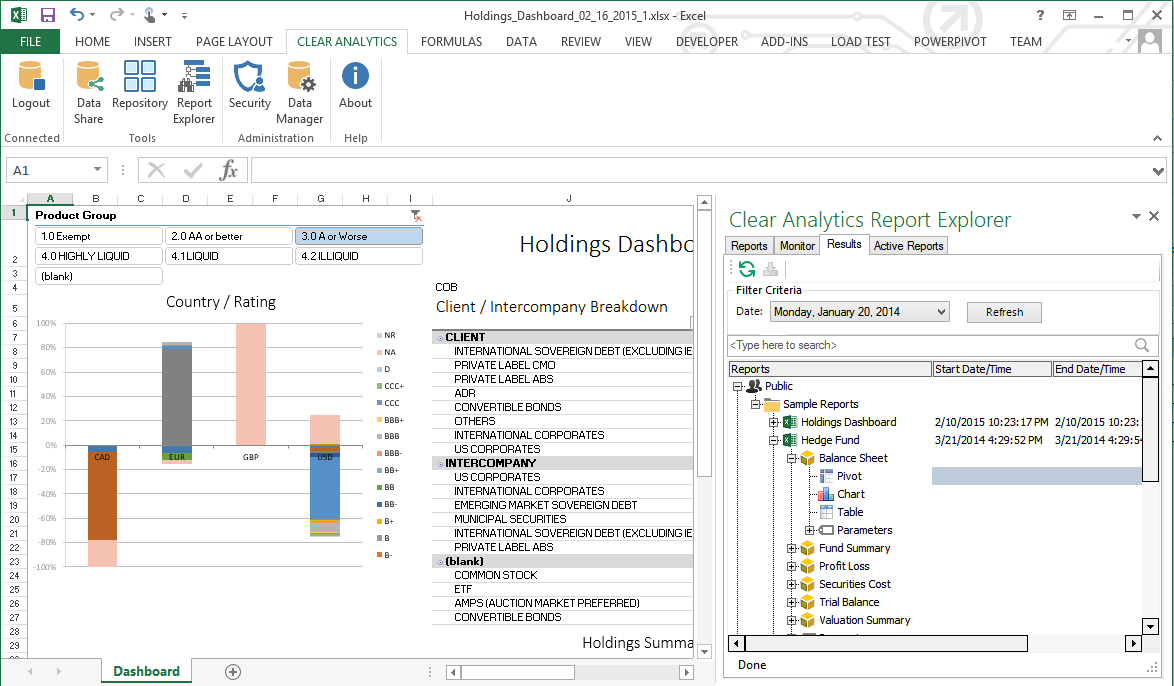
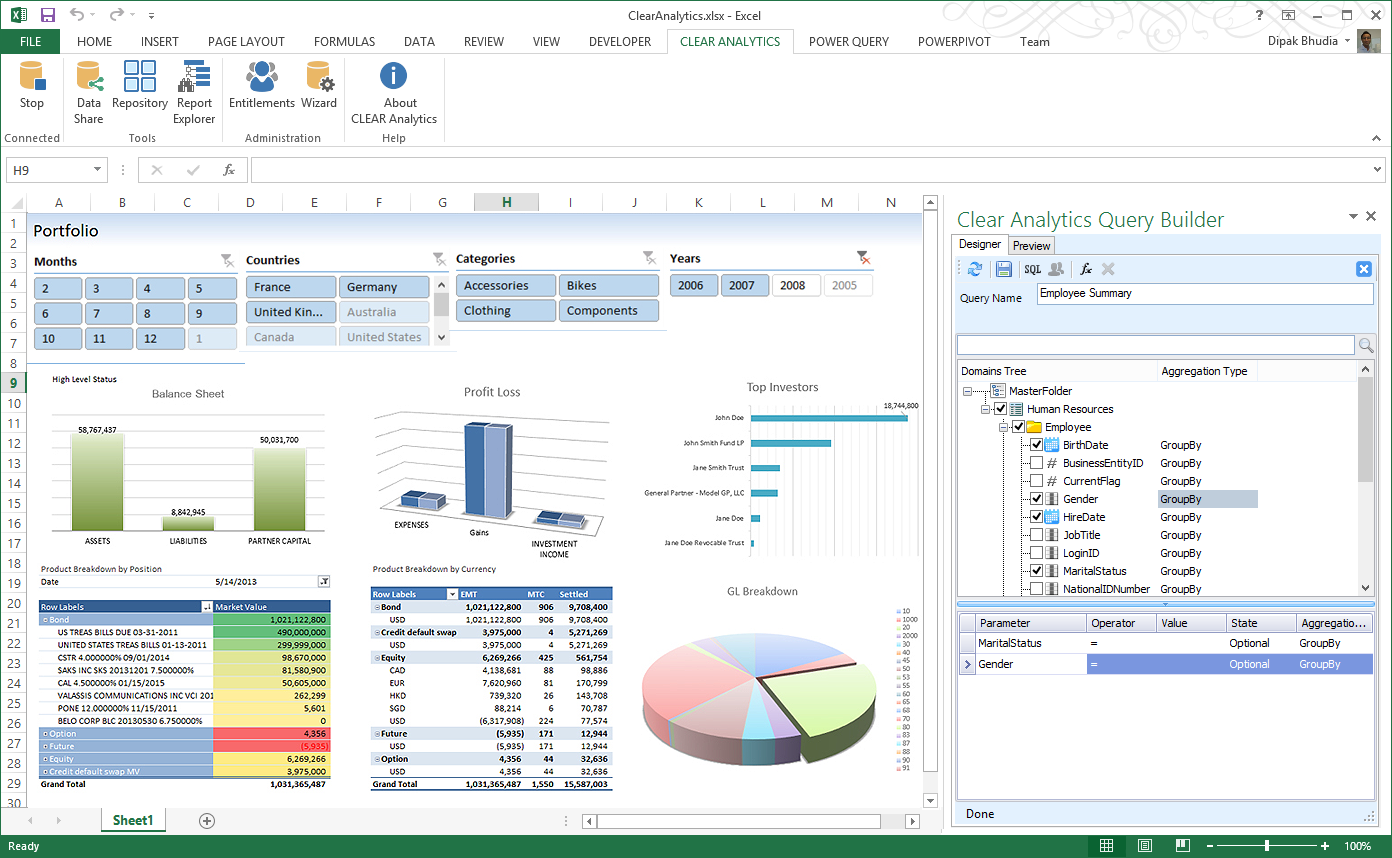
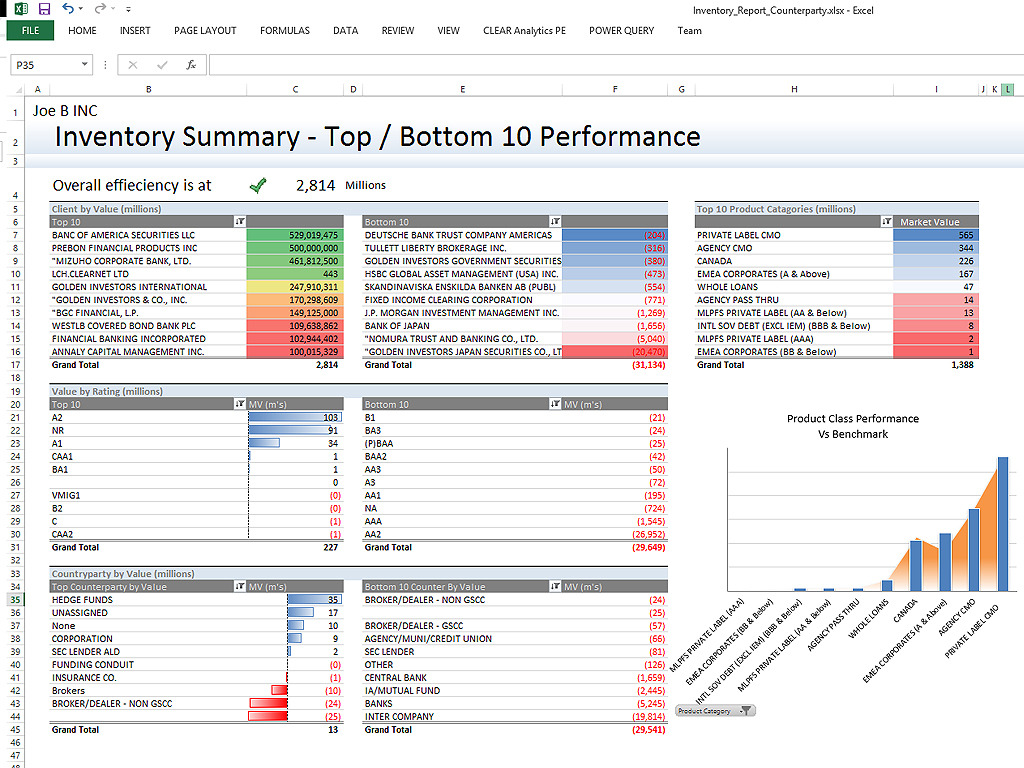
Clear Analytics is a business intelligence solution that enables non technical end users to perform analytics by leveraging existing knowledge of Excel coupled with a built in query builder. Some key features include: Dynamic Data Refresh, Data Share and In-Excel Collaboration.
$29
Per Seat per Month
OneTrust Privacy Automation
Score 8.2 out of 10
N/A
The OneTrust Privacy Automation solution is used to simplify compliance, improve operational efficiency, and enable risk-informed decisions.
N/A
Pricing
Clear Analytics
OneTrust Privacy Automation
Editions & Modules
Personal
$29
Per Seat per Month
Team
$165
upto 10 Seat per Month
Department
$265
upto 25 Seat per month
Organization
$565
Upto 100 per seat per month
No answers on this topic
Offerings
Pricing Offerings
Clear Analytics
OneTrust Privacy Automation
Free Trial
Yes
No
Free/Freemium Version
No
No
Premium Consulting/Integration Services
Yes
No
Entry-level Setup Fee
$800 Initial OnBoarding
No setup fee
Additional Details
Certain Enterprise level features can be made available to Small Business edition at additional cost. Such services include Scheduler and OLAP connectivity.
Custom adapters can also be created to connect to SaaS services.
—
More Pricing Information
Community Pulse
Clear Analytics
OneTrust Privacy Automation
Features
Clear Analytics
OneTrust Privacy Automation
BI Standard Reporting
Comparison of BI Standard Reporting features of Product A and Product B
Clear Analytics
9.0
8 Ratings
9% above category average
OneTrust Privacy Automation
-
Ratings
Pixel Perfect reports
9.08 Ratings
00 Ratings
Customizable dashboards
9.18 Ratings
00 Ratings
Report Formatting Templates
8.78 Ratings
00 Ratings
Ad-hoc Reporting
Comparison of Ad-hoc Reporting features of Product A and Product B
Clear Analytics
8.9
8 Ratings
10% above category average
OneTrust Privacy Automation
-
Ratings
Drill-down analysis
9.28 Ratings
00 Ratings
Formatting capabilities
8.78 Ratings
00 Ratings
Report sharing and collaboration
8.98 Ratings
00 Ratings
Report Output and Scheduling
Comparison of Report Output and Scheduling features of Product A and Product B
Clear Analytics
9.0
8 Ratings
9% above category average
OneTrust Privacy Automation
-
Ratings
Publish to Web
9.08 Ratings
00 Ratings
Publish to PDF
9.17 Ratings
00 Ratings
Report Versioning
8.98 Ratings
00 Ratings
Report Delivery Scheduling
8.87 Ratings
00 Ratings
Data Discovery and Visualization
Comparison of Data Discovery and Visualization features of Product A and Product B
Clear Analytics has almost all the features which are mostly required by the organizations for their data analytics and transformation activities. Clear Analytics is built on the support of a parallel query engine which makes it handle large volume requests and also provides optimized results. However, every solution has some limitations, Clear Analytics lacks advanced features such as Predictive Analytics which is a very demanding feature in the market as most organizations are adopting AI/ML automation for their businesses. Also, it needs to add a lot of advanced visualizations so that the user has the choice of selection. Overall a good solution to be recommended.
I strongly recommend it for general management of personal data privacy programs and risk and contract management, it complies with all major world legislation in addition to being easy and fast. Not recommended for data discovery still requires refinement.
I have really enjoyed working with Clear Analytics. This platform has contributed to increased production and reliable data control processes. It has flexible user interface that can be operated by any organization member. Reports are shared on simple and transparent way in the dashboard for easy access. Data analytics from all departments have created manageable working environment that have increased production.
We have used a shared hosted tenant managed by OneTrust for over three years with only one instance of a lengthy (4+ hours) unexpected outage which happened years ago.
We selected a European hosting location based on our initial use case, however, our usage of the OneTrust platform has expanded globally to where the majority of users sit in the Americas or Asia-Pacific regions. There is a noticeable lag when navigating the platform for users located far away from the hosting location.
As a user, you can mitigate any sluggish response time by the aggressive use of multiple browser tabs. I commonly have one tab open on an Inventory detail screen, another tab on an Assessment window, and maybe another tab on a customized inventory list screen. If one tab is slow I hop to another tab and work on that tab while the first tab responds.
I have had multiple scenarios where I had to reach out to the support team of Clear Analytics, be it access-related, general queries, during initial implementation, etc. My overall experience has always been good. I got the needed support every time without any delay. I can definitely recommend Clear Analytics simply on the basis of its excellent support team.
Both our customer rights access and cookie consent advisors were responsive and helpful in getting us trained on using the platform and the various assets implemented on our website. We had multiple training sessions that were more than enough in getting all of the users on our team familiar with what we needed to do.
An implementation specialist worked with us remotely during our initial deployment. Due to the diverse geographic locations of my organization's participants, the implementation and training had to be done remotely (this was before COVID-driven remote work).
The implementation specialist was knowledgeable and helpful but to really get full benefit from the platform I encourage organizations to dedicate a specialist within your company to really study and learn the platform.
There are other great tools that are out there but Clear Analytics is reasonable for our business and provides a lot of features that we specifically needed
First, when we compare OneTrust Privacy and Data Governance Cloud to the software I mentioned above, OneTrust Privacy and Data Governance Cloud software was way more affordable than the other 2. Also, along with the other 2 software, OnTrust was one of the most user friendly tool/software we've ever used.
The platform has exceptional capabilities to customize the user interface, reports, and recorded information. In most cases, the customization can be compartmentalized so that if the customization performed for Department A is determined to not impact Department B, the customization can be hidden from Department B.
We have four different departments using the IT Risk Management module. Three departments share their work in what we call the 'shared data risk management zone'. Another department is using IT Risk Management for a bespoke portfolio risk management task, and the customization for this department is largely hidden from the other departments.