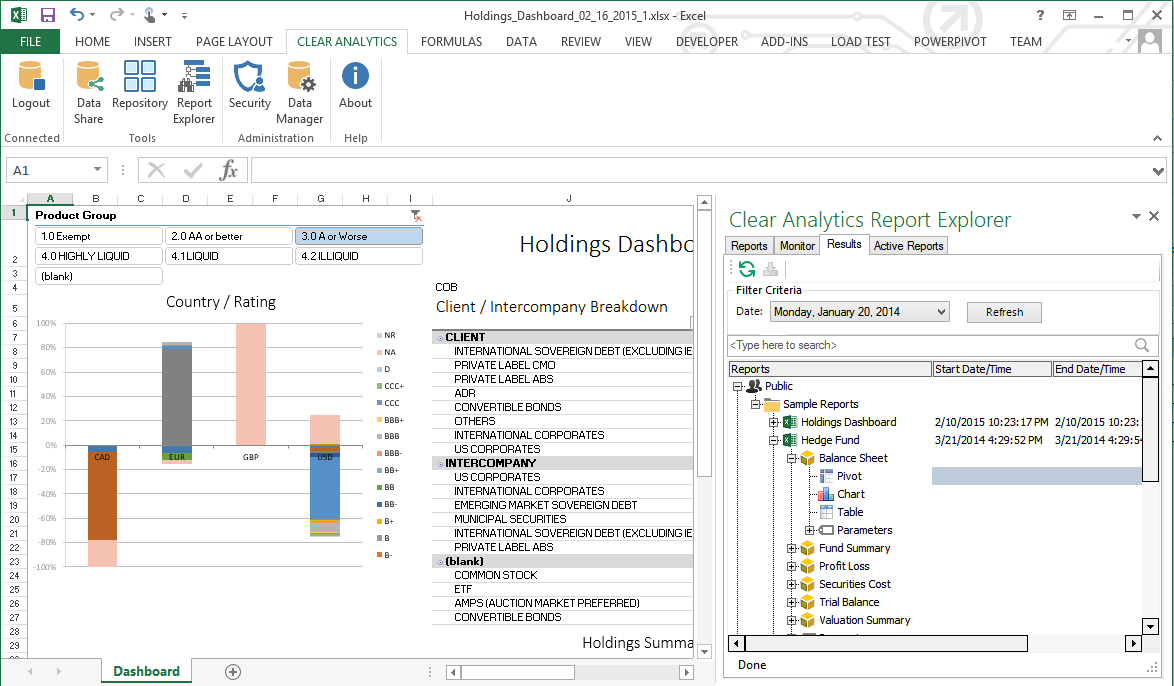
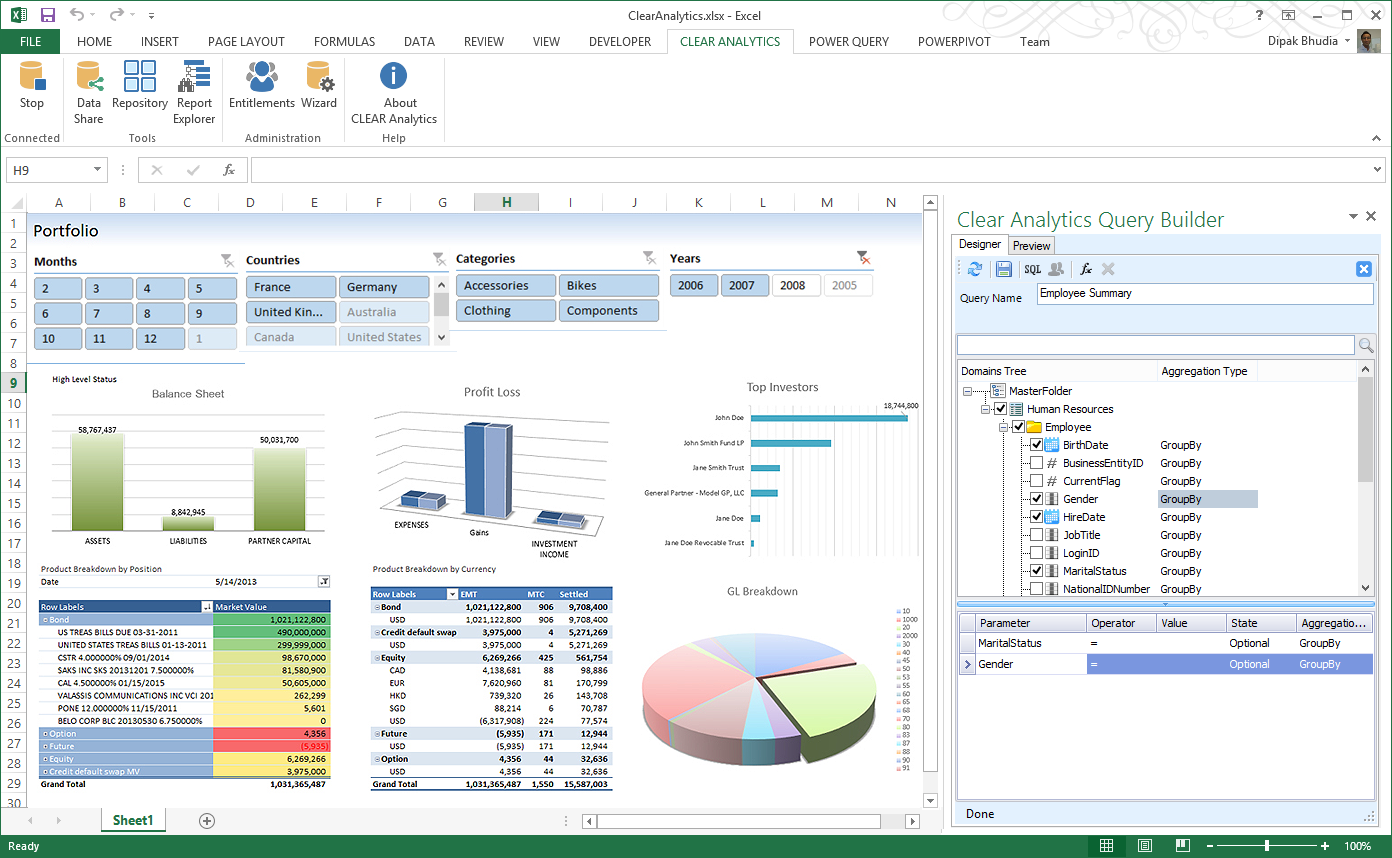
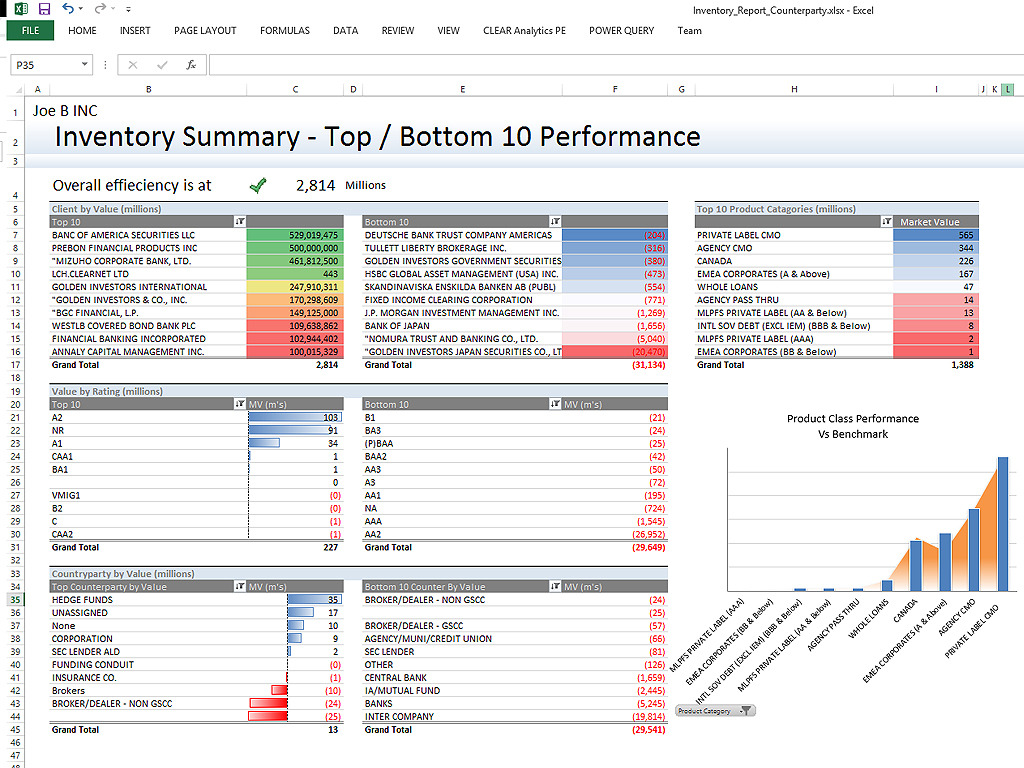
Clear Analytics is a business intelligence solution that enables non technical end users to perform analytics by leveraging existing knowledge of Excel coupled with a built in query builder. Some key features include: Dynamic Data Refresh, Data Share and In-Excel Collaboration.
$29
Per Seat per Month
Toad Database Developer Tools
Score9.2 out of 10
N/A
Toad by Quest is a database management toolset that database developers, administrators and data analysts use to simplify workflows, create code free from defects, automate frequent or repetitive processes, and minimize risks. Editions include Toad for Oracle, which automates administration tasks and helps proactively manage databases while embracing performance optimization and risk mitigation. Similar editions exist for IBM DB2, SQL Server, SAP, or MySQL and Postgres environments (Toad Edge).
$229
per year
Pricing
Clear Analytics
Toad Database Developer Tools
Editions & Modules
Personal
$29
Per Seat per Month
Team
$165
upto 10 Seat per Month
Department
$265
upto 25 Seat per month
Organization
$565
Upto 100 per seat per month
Toad Edge For MySQL
$229
per year
Toad Edge For Postgres
$229
per year
Toad for SQL - Pro Edition
$437
per year
Toad for Oracle - Base Edition
$550
per year
Toad for DB2 z/OS - Base Edition
$636
per year
Toad for SAP - Base Edition
$636
per year
Toad for SQL - Xpert Edition
$763
per year
Toad for Oracle - Professional Edition
$829
per year
Toad for SQL - Dev Edition
$930
per year
Toad for DB2 z/OS - Pro Edition
$996
per year
Toad for Oracle - Professional DB Admin Edition
$1,370
per year
Toad for DB2 z/OS - Xpert Edition
$1,529
per year
Toad for SAP - Xpert Edition
$1530
per year
Toad for Oracle - Xpert Plus Edition
$1,753
per year
Toad for DB2 z/OS - Dev Edition
$1,861
per year
Toad for SAP - Dev Edition
$1863
per year
Toad for SAP - Xpert+ Edition
$2099
per year
Toad for SAP - DBA Edition
$3661
per year
Offerings
Pricing Offerings
Clear Analytics
Toad Database Developer Tools
Free Trial
Yes
Yes
Free/Freemium Version
No
No
Premium Consulting/Integration Services
Yes
No
Entry-level Setup Fee
$800 Initial OnBoarding
No setup fee
Additional Details
Certain Enterprise level features can be made available to Small Business edition at additional cost. Such services include Scheduler and OLAP connectivity.
Custom adapters can also be created to connect to SaaS services.
Clear Analytics has almost all the features which are mostly required by the organizations for their data analytics and transformation activities. Clear Analytics is built on the support of a parallel query engine which makes it handle large volume requests and also provides optimized results. However, every solution has some limitations, Clear Analytics lacks advanced features such as Predictive Analytics which is a very demanding feature in the market as most organizations are adopting AI/ML automation for their businesses. Also, it needs to add a lot of advanced visualizations so that the user has the choice of selection. Overall a good solution to be recommended.
A de minimis incentive was given to thank the reviewer for their time. The incentive was not used to bias or drive a particular response, nor was the incentive contingent on a positive endorsement. More Info
Toad for Oracle is very well suited for all Oracle implementations, be it single instance or RAC. It is best suited for use of Oracle DBA, Developer and Database Engineers. I don't recommend Toad for Oracle for Project Managers or Solution Architects. This can be a pricier choice for these people. They can do fine with free options like SQL Developer.
A de minimis incentive was given to thank the reviewer for their time. The incentive was not used to bias or drive a particular response, nor was the incentive contingent on a positive endorsement. More Info
A de minimis incentive was given to thank the reviewer for their time. The incentive was not used to bias or drive a particular response, nor was the incentive contingent on a positive endorsement. More Info
Toad is a de-facto standard tool for data developers and analysts. Generally speaking it provides almost every function needed to manage data in EDW with great performance and stability.
The nature of clinical data is big-sized: one table may have billions of rows. Toad provides critical functions to manage SQLs, e.g. Top SQL that can monitor and manage SQLs using CPU power and network bandwidth, so that EDW administrator can optimize ETL operations in the best efficiency.
Many of our data analysts are not computer science backgrounded (having clinical / nursing background). Toad provides great auditing tools such as Tuning Lab or SQL Scanner, so that data analysts can train themselves with guidance of the tool.
A de minimis incentive was given to thank the reviewer for their time. The incentive was not used to bias or drive a particular response, nor was the incentive contingent on a positive endorsement. More Info
A de minimis incentive was given to thank the reviewer for their time. The incentive was not used to bias or drive a particular response, nor was the incentive contingent on a positive endorsement. More Info
The power and control it gives is at the same time kind of a negative thing. There's too many options available, even when you don't need them. For simple database operations it's sometimes easier to just use SQL Developer since navigation is way more intuitive and easy.
Related with the above: there is a steep learning curve. However, since this is the main tool for any Oracle developer, this is not that much of a problem.
If I remember well, Toad used to be free, some 20 years ago. Or at least had a free version. It would be nice to have a free version. The dedicated Oracle developers and DBA's won't use the free version, but all the rest of us developers might use it instead of SQL Developer. It would make communications between everybody somewhat easier.
A de minimis incentive was given to thank the reviewer for their time. The incentive was not used to bias or drive a particular response, nor was the incentive contingent on a positive endorsement. More Info
A de minimis incentive was given to thank the reviewer for their time. The incentive was not used to bias or drive a particular response, nor was the incentive contingent on a positive endorsement. More Info
I have really enjoyed working with Clear Analytics. This platform has contributed to increased production and reliable data control processes. It has flexible user interface that can be operated by any organization member. Reports are shared on simple and transparent way in the dashboard for easy access. Data analytics from all departments have created manageable working environment that have increased production.
A de minimis incentive was given to thank the reviewer for their time. The incentive was not used to bias or drive a particular response, nor was the incentive contingent on a positive endorsement. More Info
I give is an 8 because nothing is a 10 and there is always room for improvement. I believe the user who is not as technologically inclined would be better suited with an easier way to identify the options for setting the layout up for Toad's GUI. To some it is very cumbersome and confusing.
A de minimis incentive was given to thank the reviewer for their time. The incentive was not used to bias or drive a particular response, nor was the incentive contingent on a positive endorsement. More Info
I have had multiple scenarios where I had to reach out to the support team of Clear Analytics, be it access-related, general queries, during initial implementation, etc. My overall experience has always been good. I got the needed support every time without any delay. I can definitely recommend Clear Analytics simply on the basis of its excellent support team.
A de minimis incentive was given to thank the reviewer for their time. The incentive was not used to bias or drive a particular response, nor was the incentive contingent on a positive endorsement. More Info
I give the overall support for Toad for Oracle a 10/10. This is because whenever there has been an issue with this software, our team has got an immediate response. The same can not be said for similar software. The most recent example of this is when we needed to renew our licenses. Some employees were unable to log in to code with the given license key. Support was able to resolve the issue quickly.
A de minimis incentive was given to thank the reviewer for their time. The incentive was not used to bias or drive a particular response, nor was the incentive contingent on a positive endorsement. More Info
There are other great tools that are out there but Clear Analytics is reasonable for our business and provides a lot of features that we specifically needed
A de minimis incentive was given to thank the reviewer for their time. The incentive was not used to bias or drive a particular response, nor was the incentive contingent on a positive endorsement. More Info
Toad is much better than Tableau query writer. Tableau is not intuitive and requires knowledge of proprietary database language to fully implement. Tableau does not perform as quickly and accurately as Toad. Toad is very easy and slim to install. Additional hardware is often required to run Tableau smoothly. Support for Tableau is even more expensive than Toad support.
A de minimis incentive was given to thank the reviewer for their time. The incentive was not used to bias or drive a particular response, nor was the incentive contingent on a positive endorsement. More Info
A de minimis incentive was given to thank the reviewer for their time. The incentive was not used to bias or drive a particular response, nor was the incentive contingent on a positive endorsement. More Info
Quick and easy query development helps reduce man-hours in a project which converts to real dollars.
Query analysis and tuning result in low database overhead and low latency, thus translating into real dollars because a system can thus handle more requests from customers.
Ease of use makes it easy to deploy greenhorns in projects with minimal training, thus helping save money. Otherwise menial and simple jobs would have required experienced DBAs.
A de minimis incentive was given to thank the reviewer for their time. The incentive was not used to bias or drive a particular response, nor was the incentive contingent on a positive endorsement. More Info