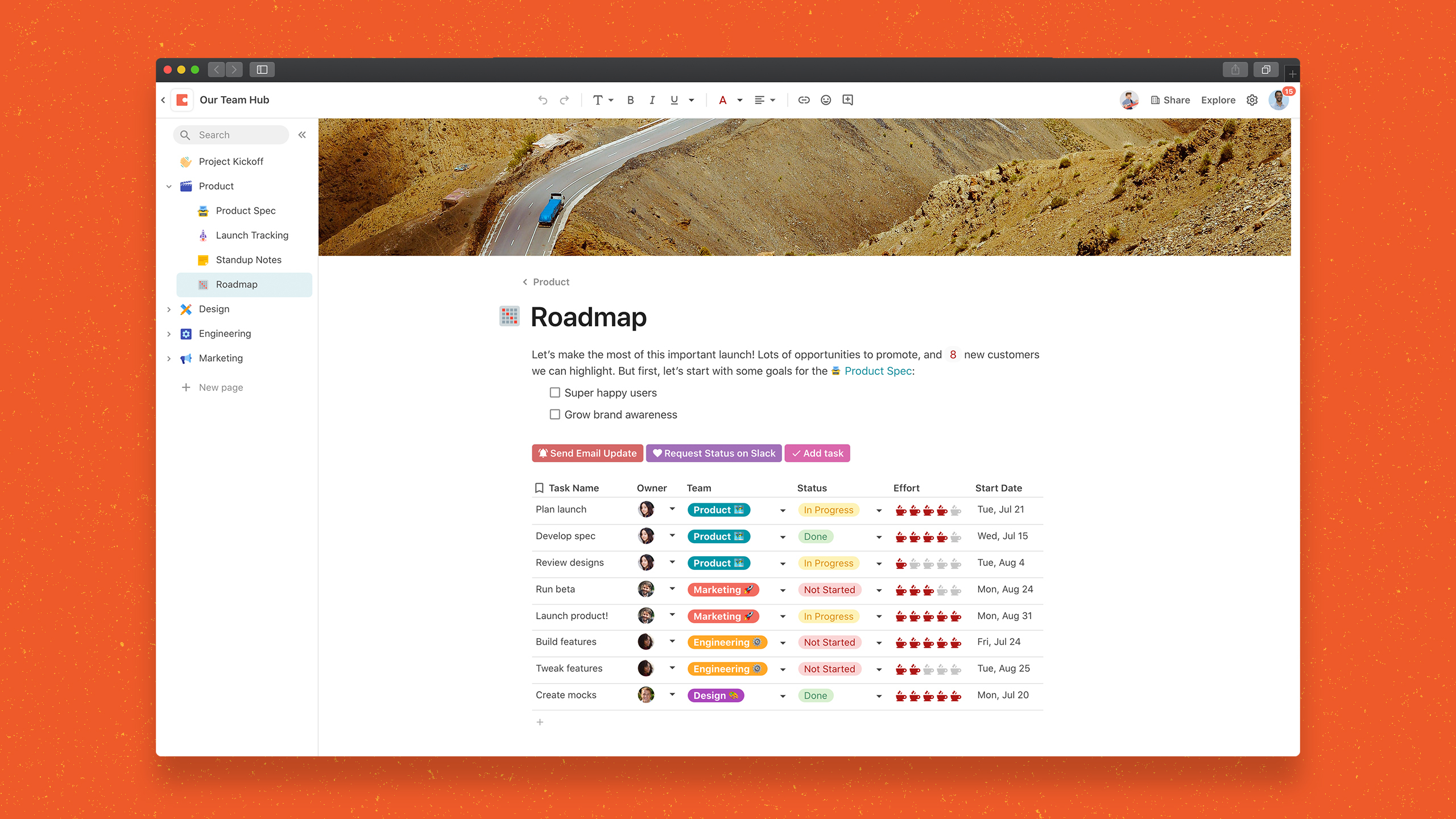
Coda is a unified workspace platform that transforms documents into interactive applications by combining documentation, spreadsheet functionality, relational databases, and AI-powered automation—enabling teams to consolidate multiple tools and automate complex workflows without writing code. The platform operates as a block-based document system where every page can contain interactive tables, buttons that trigger automations, live formulas, and conditional logic, all rendering from a shared…
$0
Hubdoc
Score 8.7 out of 10
N/A
Hubdoc, a Xero company since the 2018 acquisition, is a bill management software solution, allowing users to capture and sync bills, receipts, bank statements and related documents to the user's preferred accounting software (e.g. Quickbooks, Xero, etc.).
$12
per month
Pricing
Coda
Hubdoc
Editions & Modules
Free
$0.00
Pro
$12
per month per Doc Maker
Team
$36
per month per Doc Maker
Enterprise
Custom
Starting Price
$12.00
per month
Offerings
Pricing Offerings
Coda
Hubdoc
Free Trial
Yes
No
Free/Freemium Version
Yes
No
Premium Consulting/Integration Services
No
No
Entry-level Setup Fee
No setup fee
No setup fee
Additional Details
Discount available for annual billing.
—
More Pricing Information
Community Pulse
Coda
Hubdoc
Considered Both Products
Coda
Verified User
Anonymous
Chose Coda
Coda is a more complete package that is very robust and will meet the needs of almost any organization who wants to track project and meet desired timelines. By implementing project trackers the team can easily collaborate together and get the work done. Coda is much easier to …
We previously used airtable, and I'm not sure why we switched, but it seems like Coda has more flexibility and is a little more user friendly for generic users and not power users.
Coda is not as great as ClickUp or Notion in many ways, but it surely has a better user interface and pricing in my view and allows good collaboration. However, integrations work much better with other competitors as compared with Coda, and would prefer others if pricing was …
Trello seems to be more focused on IT oriented projects where as Coda has wide scale applications across all departments. Coda was selected because of the perception it was more dynamic and I believe it has proven to be more dynamic. Coda is a very easy to use and understand …
I don't know why leadership choose Coda over Google, but I do see the value in the organization as well as diversity of what you can do with pages designs and integrations
We used Airtable for a while and looked at Notion briefly. Airtable is good, yet a bit technical and doesn't come with rich text and formatting capabilities--so less suitable for publishing/sharing with the rest of the organization. We haven't used Notion for real; I did look …
Coda is very aesthetically appealing and fun to create docs. The benefit of Coda is that it makes a lot automated, but what is sacrificed is the flexibility that other tools can offer.
For general use cases, Google Docs or Airtable are often a better starting place. But if things get complex or you're constantly pairing the two together, consider graduating to Coda to save yourself long-term headaches.
Notion is great for personal use, but the powerful …
The tables within Coda are similar to lists in SharePoint or Google Tables, but the document portion of Coda is what sets it apart. Having the ability to summarize that table data in a document is unique to Coda.
Coda is the only tool with the ability to fully customize your views and the behavior within a given data table. They've put a LOT of thought into this and are miles above and beyond Smartsheet, Airtable, and Notion (I've evaluated all three extensively).
We were looking for many different things to improve our internal processes before we came across Coda. A large part of my work involves marketing, project management, service management and data analytics. For a company like ours, we find Coda the most cost-effective and …
I first tried Notion and, although it can be easier to work with for some simple tasks, when it comes to tables and linked data, Coda is more versatile and comprehensive.
For the use we needed in the company, Coda was a way easier and simpler solution. Jira and the Atlassian suite is more complete and structured, but it is was way too complicated.
Coda's automation and flexibility makes it much easier and more interactive than other tools like Airtable. With Airtable, we couldn't get as much traction or flexibility, so we stopped using it after a few months. Jira, on the other hand, has proven to be more helpful for task …
I primarily use Mavenlink for scheduling purposes but with Coda, I'm able to do that, plus have an open way to communicate with the rest of my team when we want to add certain artists to a specific job. Instead of using another software for communicating across all of our …
They are similar but I like that Coda has more templates that are suited for marketing (GTM timelines, pulse updates, etc). One pain point for us is getting the engineering team on Coda but they seem to prefer Jira and Aha!
While all of the products listed have great features and platforms, there was always one thing missing from them that I would need to get from another application. Coda was the first one we used that really combined some of the best parts of those products and allowed us to use …
The price point is most attractive, they have a dedicated team of support agents/doc makers that provide valuable templates, and it really was the best option to fit our current needs as a startup team who will be scaling and the product can scale with us in the long run.
We did not get far into evaluating other solutions we were looking at because Hubdoc came highly recommended from peers, coupled with Xero and Gusto. The cost for Thompson-Reuters is high. We quickly honed in on Hubdoc due to cost and recommendation and are very glad that we …
Receipt Bank essentially does the same thing as Hubdoc but while we were evaluating both products we found Receipt Banks data extraction a lot slower (sometimes 24-48hrs) compared to Hubdoc which was in minutes. Also, Hubdoc had a large library of direct feeds which was a plus …
I have tried other competing software that offers similar benefits and I have been very disappointed. Other software in this space charge more, promise more and offer benefits that do not deliver. Hubdoc is definitely not the biggest voice on this block, but they are …
QBO and Bill.com do not have a mobile interface dedicated to uploading receipts from employees. The Hubdoc interface is more intuitive and has a better flow than Bill.com.
I don't have hands-on experience with any of the other software I mentioned. I have done a good deal of research with them, but did not find any particularly compelling reasons why they were better. The real reason I selected Hubdoc was because they offered a free, …
I had been using bill.com for paying bills, for storing invoices and receipts, and for recording credit card payments. We did this to digitize all receipts for a business and get the accounting done at the same time. But bill.com has a number of quirks, including a long sync …
Receipt Bank is similar, but does not retrieve documents, it focuses on collecting documents that are submitted by the clients (which Hubdoc also does). Receipt Bank's platform for CPAs is significantly more advanced and robust (Hubdoc's is basically non-existent), but the most …
Coda is great to build a place for your users to go to and see information. It is easy to navigate through and the variety of content creation is great. However, it is not always easy to create what you want and there is a lot of playing around and learning. Coda also sometimes misses some functionality which is expected. For example, downloading a list of users that have access to the platform. Being able to send push notifications when a new page has been created etc. Overall it is a good tool to use just be prepared to invest time!
When I am out purchasing items for my business I can quickly take photos of receipts and upload via the app and not have to worry if I lose or damage a receipt. This is very handy for me. Hubdoc also allows me to get all my invoices, payments and statements to my bookkeeper very easily which saves me money and time. I only use Hubdoc for business purposes which is where I feel it is most suitable. I probably wouldn't use it for personal stuff as I don't track personal that strictly.
One source of truth: It's incredibly easy to keep everything organized and easy to find.
Being able to show different views of the same information throughout your doc makes it really easy to customize the information.
In general, I love the "coding" aspect of it, and being able to do advanced functions has helped us create some really interesting automation and streamline our process.
Coda is definitely something that has been proven to drive positive impact in our organization. We have many divisions that can benefit from this that we have yet to explore. It would definitely be worth renewing.
There is a little bit of a learning curve on where to point and click to add in different elements and make edits. But it is still very manageable once you get the hang of it. I do still have some issues with some of my connected pages updating each other when I don't want them to sync. So I'll end up editing one page, and it will make the same edits on another page.
I think this is one of the easiest apps to use on both mobile and desktop. Once it was all set up by my bookkeeper all I needed to do was upload things. I recall the set up being quite simple and we've only made a few small changes over the years.
We haven't done any integrations - the initial part of our experience we found that for docs with complex formulas, the page tends to load slowly but in recent months, Coda has improved and optimized the loading times in general and we generally don't find any problems in terms of speed anymore.
Mainly due to timezone differences. I think Coda's support in general is well implemented and executed. They know their stuff and are helpful. But since I'm not in the same timezone, solution rates are slower for me, and that's not something I prefer. I work in customer service, too, and more often than not, time is important. Shortening the solution time would be a much greater experience.
At the time we implemented Hubdoc (more than 2 years ago) it was quite cutting edge and did have strong advances from the competition plus its pricing was definitely more competitive (flat rate vs price per data extraction model). However, currently the competition has caught up and now many of Hubdoc's core features are being built into online accounting software natively.
I'm relatively inexperienced but this experience is meaningful. It would have been nice to have some guidance from Coda so that we understood more on Coda's purpose and potential.
For general use cases, Google Docs or Airtable are often a better starting place. But if things get complex or you're constantly pairing the two together, consider graduating to Coda to save yourself long-term headaches. Notion is great for personal use, but the powerful automation and collaboration features in Coda make it a better fit for teams in my experience so far.
We did not get far into evaluating other solutions we were looking at because Hubdoc came highly recommended from peers, coupled with Xero and Gusto. The cost for Thompson-Reuters is high. We quickly honed in on Hubdoc due to cost and recommendation and are very glad that we did.
I think scalability is definitely good here since it's based on number of doc makers. Implementation into each dept becomes simpler. That being said, due to the nature of our work, we find it easier that we have a "super user" and then a team of other doc makers. This would make the doc creation and management more efficient.