ConceptDraw PROJECT is a project management tool providing a set of options to plan
and implement projects successfully, and belongs to the ConceptDraw OFFICE suite. The core features of the tool are task and resource management and reporting, along with change control. The vendor says managing multiple projects is simple due to the Gantt Chart and Multi-Project Views and shared Resource Pool. Tasks that occur on a…
N/A
Kintone
Score 9.7 out of 10
N/A
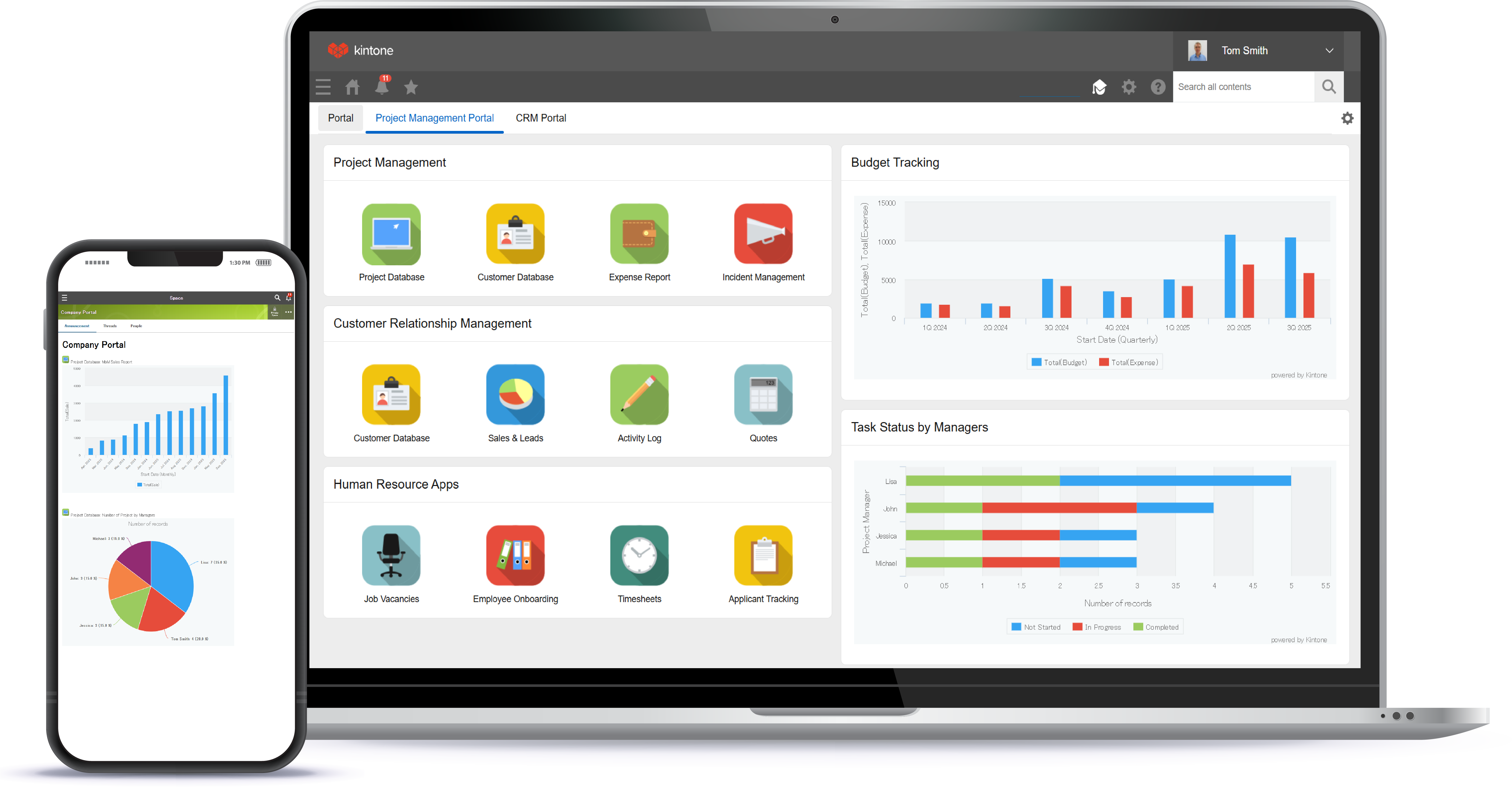
Kintone is a customizable digital workplace platform used to manage data, tasks, and communication. The no-code drag-and-drop interface can be used to create custom applications.
$24
per month per user
Pricing
ConceptDraw PROJECT
Kintone
Editions & Modules
No answers on this topic
Professional Subscription
$24
per month per user
Offerings
Pricing Offerings
ConceptDraw PROJECT
Kintone
Free Trial
Yes
Yes
Free/Freemium Version
No
No
Premium Consulting/Integration Services
No
No
Entry-level Setup Fee
No setup fee
Optional
Additional Details
Price varies for Individual, Commercial, Academic, Nonprofit and Government
Minimum requirement of 5 users. Kintone offers a free prototype to build with using existing process.
Microsoft Project is a typical Microsoft product - too much programming overhead, poor graphics, confusing and fussy interface. OmniGraffle is close to CD PROJECT but has its own fussy parts, plus it is a lot more expensive than CD PROJECT; it is in the middle between …
ConceptDraw has a much simpler licensing and pricing model. Perpetual license and ability to use in offline mode was an important criteria for us. Perfect bundle for small and medium business.
MS Project has far more features and functionality, but ConceptDraw PROJECT has the features we need at a price-point that is far easier to handle for a small business.
Kintone is more customizable, which allowed our small organization to create exactly what we needed. The other platforms we evaluated were really designed for larger organizations with more need for customer facing tools.
I don't know if this is the right Salesforce platform we used, but it was way too clunky and not built for the metrics we actually wanted to collect. Kintone doesn't have all the bells and whistles of Salesforce, but I don't really need them. For our small organization's needs, …
Kintone is more customisable. Platforms like Zendesk and Monday were much more than we needed, yet also lacked things we wanted. Access, which we used for years, was customisable, but also required us to maintain servers on site and tended to be slow. Kintone was the perfect …
We tested Pipedrive with the free 30-day trial. We did not like the standard layout. It was not customizable to our liking, and it could not perform the functions we were looking for in our daily business workflow.
We transferred our data records from google sheets to Kintone. While they aren't very comparable, the amount of tools and analysis that Kintone allowed us to do were far superior to Google Sheets.
Again, I came along after the implementation of Kintone. Kintone does provide plenty of customization and personalization within the program without the ability to code HTML.
Kintone is the easiest product to create from and the cost is the lowest I believe. In addition, reconfigurability and extendability are great. If you look for a low code tool, you can try Kintone. But as same as another low code tool, don't expect too much.
It's more flexible and better looking than its competitors. But the main reason is that after extensive searches for a product that would support our requirements, Kintone was the only one that claimed to be able to do so. After building the project, it works as expected. We …
Kintone is the best value for the dollar amount. It is also based on JavaScript (as far as the more in-depth customizations go) so you don’t have to learn a new language. Quickbase was extremely expensive for what it offered and FileMaker Pro required learning their custom …
We spent 6 months working with programmers and customer service representatives from ActiveCampaign to try to customize ActiveCampaign for our needs. ActiveCampaign employees finally told us that our use-case was too complicated for their system since it was not designed to do …
Kintone won out based on a few factors. MS Access can be a good alternative, but you can have trouble with sharing the data when needed. We like the mobile app that Kintone provides as well. Compared to Trello, the price of Kintone was better, considering the differences in …
These systems have always lacked customization which is really where Kintone shines. That being said, Salesforce did allow a certain level of customization on a more grand scale for a giant company I worked. for.
Salesforce was very difficult to navigate and I couldn't figure out how to use it. Their interface is not very user-friendly. I contacted someone for help and they gave me a very typical business presentation, which was not useful. I figured out how to use Kintone immediately, …
Monday.com — I used this in my previous job and loved it for tracking stages and tasks (and I color-code everything), but at the time it was more clunky on raw data. It may have improved in this since then? Kintone is strong on data and I still color-code everything! …
Kintone allowed me to test its product more fully than other platforms. Scalable pricing was an incentive, as was the ability to create apps to perform diverse functions, like scheduling and project management. Kintone's help documentation enabled me to really play around with …
We selected Kintone because it was the best combination of price and function. We needed something that could grow and scale with the organization, and that included looking at future prices. We didn't want to invest in something if we would be priced out five new users later. …
For small and medium companies or independent departments of large companies where usually an individual plans the projects this is the best tool without all the overheads of complex software like Microsoft Project and without any privacy concerns of all online project management tools being used today. Not that convenient when you want your employees to update timesheets, etc., as everything needs to be fed into the tool by the project manager.
I recommend Kintone for companies that need the ability to customize standalone applications or to provide a 'hub' to employees as a jumping-off point. I also recommend Kintone for any company that is drowning in spreadsheets, or is using 10 apps for 10 different purposes - you can consolidate everything into one place. Kintone, I think, needs a larger team for customization as your company grows. If you are a small office of 20 people, using it out of the box will likely be just fine for your needs. If you're working with 200 people out of an office, it'd likely be good to have someone with a bit of CSS, Java, and API experience in order to maximize what you get out of it - though you won't need that if you're keeping it simple.
PROJECT is tightly integrated with Diagram and MindMap, the two other tools in the CD Suite. This allows me to do initial scoping in MindMap and then switch to PROJECT and go back and forth as new requirements are exposed and tasks are developed.
For projects that entail the development of mechanical or electro-mechanical systems it is necessary to develop a topology of the system. By using MindMap I can define the required elements of the system, switch to Diagram to develop an initial layout of the components of the system and then switch to PROJECT to start defining the task to develop the system. Once the system has been defined I use CD Solutions to generate presentations that incorporate the reports and dashboards generated by PROJECT.
PROJECT is cross platform (Mac and Windows). We are a Mac shop, so the ability to import Microsoft project and Visio charts and export to those formats as well saves a lot of heartburn when so many of our partners and potential customers are Windows users.
We had to spend a good amount of time to understand all the features so some interactive built-in tutorials would have made getting started easier.
The UI does not look so good in macOS Catalina Dark Mode and I often switch to light mode when working on this software.
Multiple people working on the same project at a time cannot update as there is no way to synchronize changes so we put the file in our code repo but manually co-ordinate to make sure only one of us is changing the plan at a time.
I feel that Kintone is not well enough known yet. This means that other apps/APIs are not necessarily easy to connect with Kintone. Yes, you can use Zapier though for interfacing with other apps.
It would be great if it could give more customized options to change the look and format of certain things. You can make price quote apps, for example, but have to rely on 3rd party apps or programming skills to customize the look and fields.
If you make a table as an input field, it cannot connect to other internal Kintone apps for lookups and such.
I think there is more potential to make more customized data graphs.
We have been quite happy with our use of Kintone thus far. We looked at several options before choosing Kintone and believe it had the best value and best features, while allowing for complete customization, rather than being locked into preformatted apps that may not address exactly what we need or be more than what we need.
Kintone is extremely user friendly and self explanatory. Very little knowledge is needed to build or use the apps. Kintone has a very robust help section to guide you through anything you might need assistance with while building out apps. The process of building apps is basically drag and drop, making it easy for anyone to create what they need.
Customer service from the ConceptDraw sales team is relatively quick and they do a good job of answering basic questions. However, the user base for ConceptDraw products is not huge so finding answers online for anything beyond basic help-file questions is difficult
I am very happy with Kintone and support it fully. I think that it is a great place for any company that wants to create a platform for better management. It is easy to use and pretty affordable. It is straightforward and has many tools that can be used by anyone. There are many helpful tutorials available too to guide users
Everyone has their own tastes of things and way they want to work. Asking them to adapt to the changes with the new tools or apps is always difficult. We would want to start with a very small but best example within the organization, which in our case was that the employees will not be bothered by the bosses by being asked to find the documents, status of the progresses, or major things/requests/projects.
Microsoft Project is a typical Microsoft product - too much programming overhead, poor graphics, confusing and fussy interface. OmniGraffle is close to CD PROJECT but has its own fussy parts, plus it is a lot more expensive than CD PROJECT; it is in the middle between Microsoft and CD.
I don't know if this is the right Salesforce platform we used, but it was way too clunky and not built for the metrics we actually wanted to collect. Kintone doesn't have all the bells and whistles of Salesforce, but I don't really need them. For our small organization's needs, we needed something a little smaller and a little more versatile.