
Connecteam vs. NiCE CXone
Connecteam vs. NiCE CXone
| Product | Rating | Most Used By | Product Summary | Starting Price |
|---|---|---|---|---|
 Connecteam | Small Businesses (1-50 employees) | Connecteam is a workforce management platform designed to streamline operations and enhance communication for businesses of all sizes. Connecteam helps companies manage, train and communicate with the non-desk teams more efficiently. Connecteam offers a mobile-first platform that helps improve communication, and enhance daily processes. What Connecteam offers: Employee Scheduling: To create and manage… | $35 per month for the first 30 users | |
 NiCE CXone | N/A | NICE CXone is a cloud-based contact center platform that manages customer interactions across multiple communication channels. It includes features such as automatic call distribution (ACD), interactive voice response (IVR), omnichannel routing, workforce optimization, feedback management, and interaction analytics. | $110 per month per user |
| Connecteam | NiCE CXone | |||||||||||||||
|---|---|---|---|---|---|---|---|---|---|---|---|---|---|---|---|---|
| Editions & Modules |
|
| ||||||||||||||
| Offerings |
| |||||||||||||||
| Entry-level Setup Fee | Optional | No setup fee | ||||||||||||||
| Additional Details | Up to an 18% discount is available for annual billing. All plans support up to 200 users. For more than 200 users there is an Enterprise plan with custom pricing to be quoted by a sales representative. | — | ||||||||||||||
| More Pricing Information | ||||||||||||||||
| Connecteam | NiCE CXone |
|---|
| Connecteam | NiCE CXone | ||||||||||||||||||||||||||||||||||||||||||
|---|---|---|---|---|---|---|---|---|---|---|---|---|---|---|---|---|---|---|---|---|---|---|---|---|---|---|---|---|---|---|---|---|---|---|---|---|---|---|---|---|---|---|---|
| Contact Center Software |
| ||||||||||||||||||||||||||||||||||||||||||
| Workforce Optimization (WFO) |
|
| Connecteam | NiCE CXone | |
|---|---|---|
| Small Businesses |  Traqq Score 9.1 out of 10 |  CloudTalk Score 7.5 out of 10 |
| Medium-sized Companies |  TimeClock Plus Score 9.5 out of 10 | CloudTalk Score 7.5 out of 10 |
| Enterprises |  Zoho People Score 8.9 out of 10 |  Google Cloud Contact Center AI Score 5.4 out of 10 |
| All Alternatives | View all alternatives | View all alternatives |
| Connecteam | NiCE CXone | |
|---|---|---|
| Likelihood to Recommend | 10.0 (1 ratings) | 9.7 (612 ratings) |
| Likelihood to Renew | 10.0 (1 ratings) | 10.0 (28 ratings) |
| Usability | 10.0 (1 ratings) | 9.3 (587 ratings) |
| Availability | - (0 ratings) | 8.1 (9 ratings) |
| Performance | - (0 ratings) | 7.7 (9 ratings) |
| Support Rating | - (0 ratings) | 9.1 (6 ratings) |
| In-Person Training | - (0 ratings) | 8.2 (5 ratings) |
| Online Training | - (0 ratings) | 8.0 (7 ratings) |
| Implementation Rating | 10.0 (1 ratings) | 7.6 (11 ratings) |
| Configurability | - (0 ratings) | 8.2 (6 ratings) |
| Ease of integration | - (0 ratings) | 6.8 (6 ratings) |
| Product Scalability | - (0 ratings) | 7.3 (9 ratings) |
| Vendor post-sale | - (0 ratings) | 7.5 (8 ratings) |
| Vendor pre-sale | - (0 ratings) | 7.5 (8 ratings) |
| Connecteam | NiCE CXone | |
|---|---|---|
| Likelihood to Recommend | Connecteam
| NICE Systems
|
| Pros | Connecteam
| NICE Systems
|
| Cons | Connecteam
| NICE Systems
 Tomáš Sova Senior Social Media Specialist |
| Likelihood to Renew | Connecteam
| NICE Systems
 Vinicius Leite financial advice |
| Usability | Connecteam
| NICE Systems
|
| Reliability and Availability | Connecteam No answers on this topic | NICE Systems
|
| Performance | Connecteam No answers on this topic | NICE Systems
|
| Support Rating | Connecteam No answers on this topic | NICE Systems
 Kevin Lintner Data Analyst |
| In-Person Training | Connecteam No answers on this topic | NICE Systems
|
| Online Training | Connecteam No answers on this topic | NICE Systems
 Dailson Laurentino Assessor de Relacionamento Pleno |
| Implementation Rating | Connecteam
| NICE Systems
|
| Alternatives Considered | Connecteam
| NICE Systems
|
| Scalability | Connecteam No answers on this topic | NICE Systems
Dailson Laurentino Assessor de Relacionamento Pleno |
| Return on Investment | Connecteam
| NICE Systems
 Tina Higgins WFO, Contact Center Solutions Analyst |
| ScreenShots | Connecteam Screenshots      | NiCE CXone Screenshots   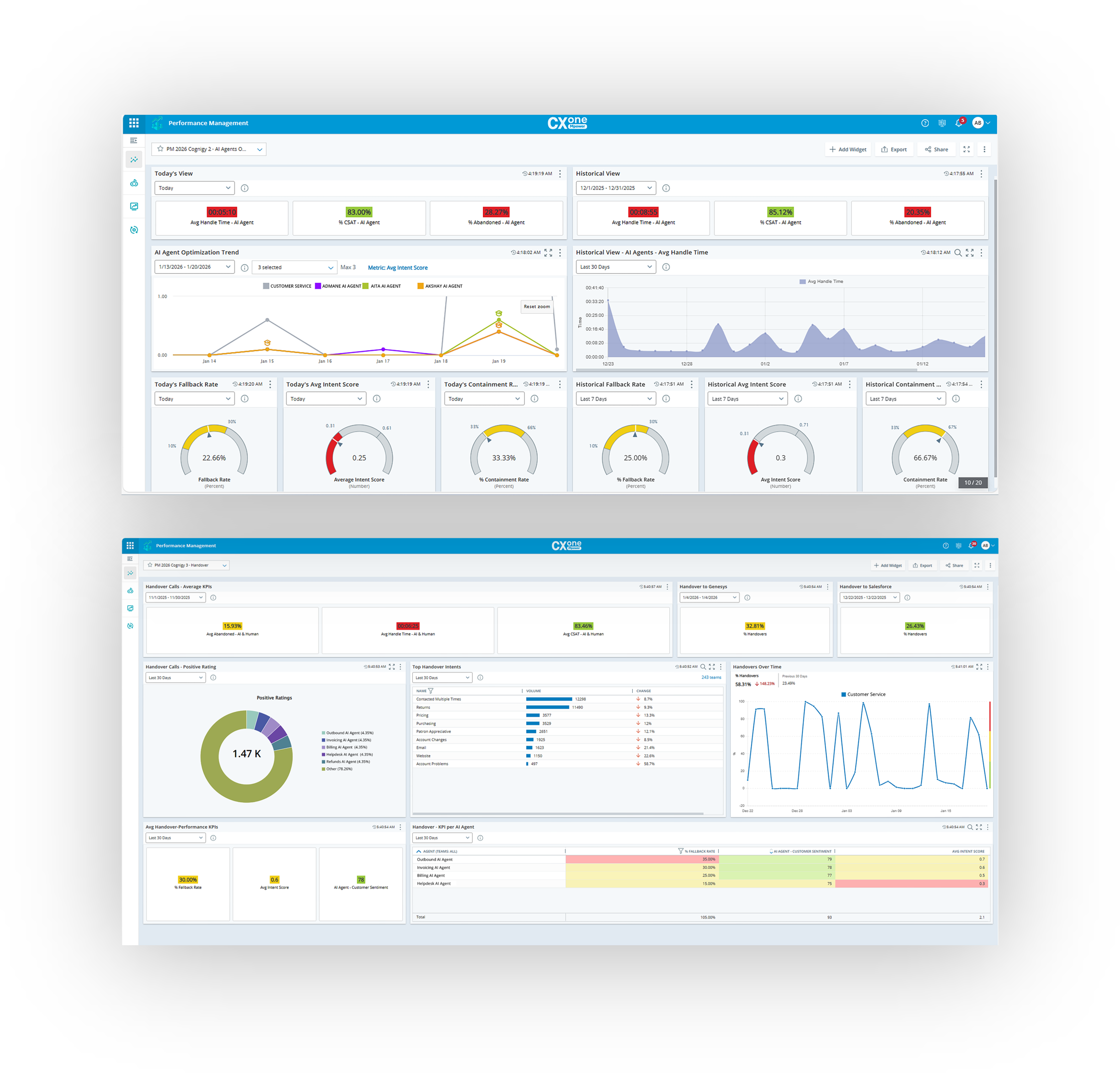 |
