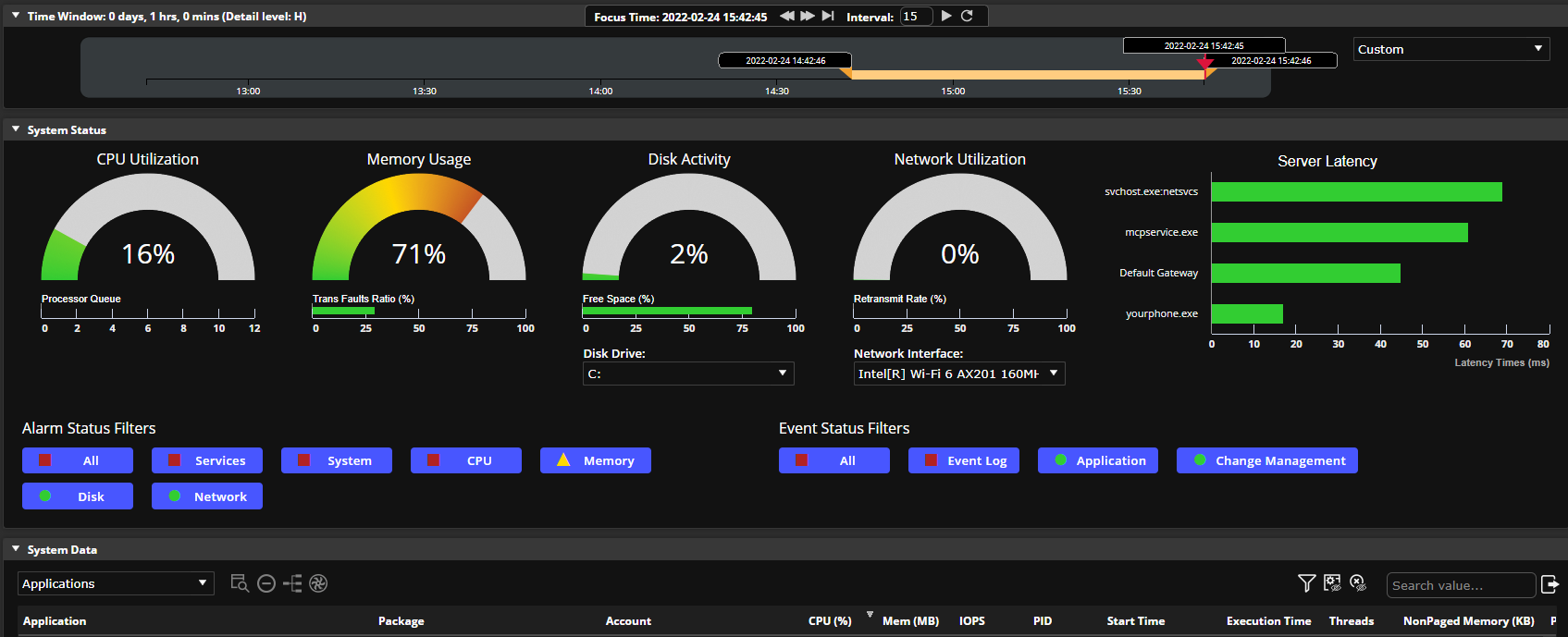
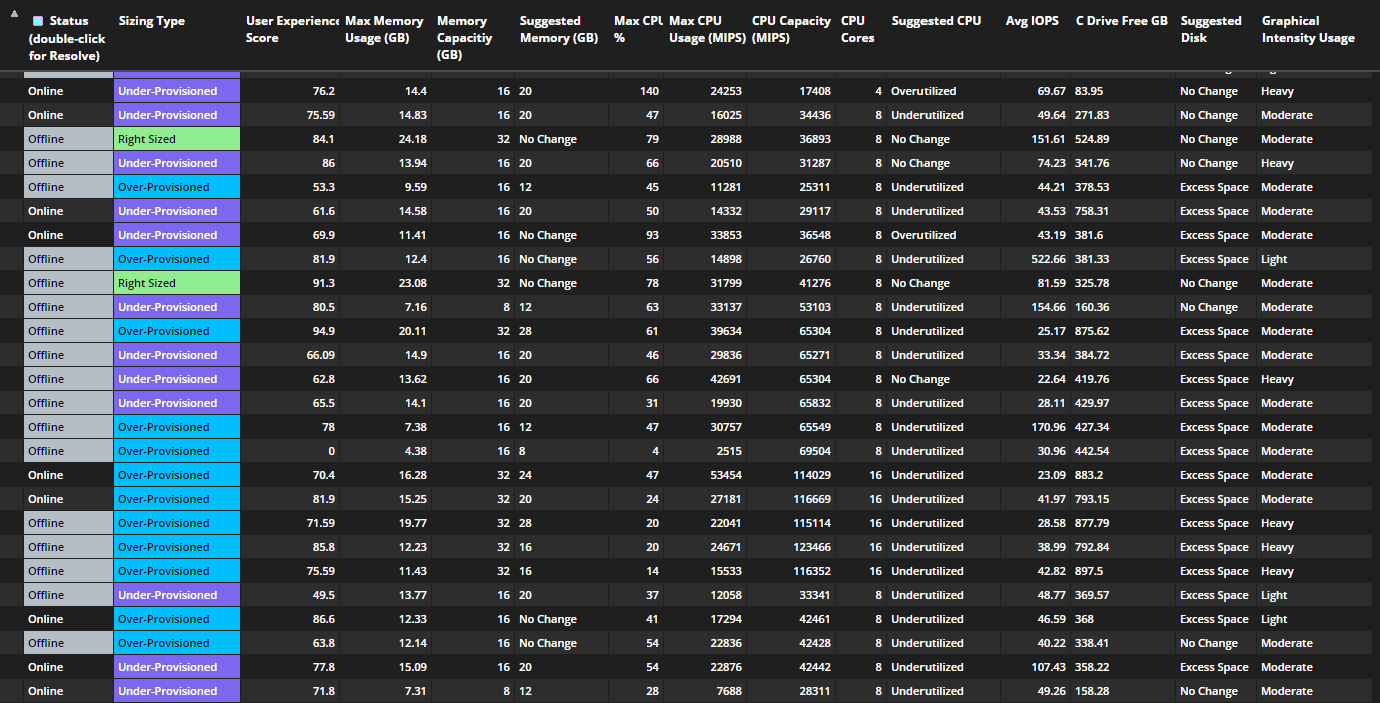
ControlUp, from the company of the same name headquartered in San Francisco, offers an end user experience monitoring focuses on being able to easily find the root cause of IT issues, remediate directly from its UI vs. having to rely on several tools, and strategically analyze historical resources, usage, and issues data.
N/A
Lakeside Digital Experience Cloud, powered by SysTrack
Score 7.0 out of 10
N/A
Lakeside Software offers cloud-based digital
experience management. Lakeside’s Digital Experience Cloud, powered by SysTrack,
gathers and analyzes more than 10,000 metrics every 15 seconds from every
endpoint across the environment, collecting edge-based device
telemetry data. With continuous insights into the
ecosystems that power employees, customers use Lakeside’s technology to
perform:
End-User Experience Management Digital Workplace Planning IT Asset…
N/A
TeamViewer DEX
Score 8.8 out of 10
N/A
Formerly from 1E, acquired by TeamViewer, The TeamViewer Digital Employee Experience (DEX) platform finds and resolves IT issues before they affect users. This eliminates digital friction, avoids costly downtime and helps keep IT operations running smoothly.
N/A
Pricing
ControlUp
Lakeside Digital Experience Cloud, powered by SysTrack
TeamViewer DEX
Editions & Modules
No answers on this topic
No answers on this topic
No answers on this topic
Offerings
Pricing Offerings
ControlUp
Lakeside Digital Experience Cloud, powered by SysTrack
TeamViewer DEX
Free Trial
No
No
No
Free/Freemium Version
No
No
No
Premium Consulting/Integration Services
No
No
No
Entry-level Setup Fee
No setup fee
No setup fee
No setup fee
Additional Details
—
—
—
More Pricing Information
Community Pulse
ControlUp
Lakeside Digital Experience Cloud, powered by SysTrack
TeamViewer DEX
Considered Multiple Products
ControlUp
Verified User
Director
Chose ControlUp
In four years of using SysTrack I never once felt like I knew where to go in investigate a problem. ControlUp is much easier to use and provide great information.
I feel all these products are good and have their strengths but for me it came down to two categories. How easy is it to find issues and cost. It seemed to me that the easiest to use is ControlUp and eG. Price broke down to ControlUp and SysTrack being lower than Goliath and …
Lakeside Digital Experience Cloud, powered by SysTrack
TeamViewer DEX
Likelihood to Recommend
ControlUp
An environment where visibility of general performance metrics isn't currently done or is done with a system that is difficult to use (which was our case). An environment where resource allocation decisions need to be made (e.g. how much RAM and CPU to allocate to VM pools). An environment where a troubleshooting tool is needed (e.g. to answer the question, "Why is this person experiencing poor performance right now?")
We are able to get to the root of the issue much more rapidly this way, and we don't have to interrupt the end user in order to see how their computer is functioning. Systrack is installed on-premises at our company. Check out that hosted infrastructure if you're in the market for it. In a matter of minutes, you may move from one workstation to more than 100k.
When we are needing to patch workstations for zero-day vulnerabilities or security risks, Explorer is our go-to tool to push out those settings quickly. We have a TeamViewer DEX server stood up in our DMZ to communicate with the workstations outside of our VPN, so we can push those settings or patches to devices without needing them to attach to our network. It's really nice to be able to communicate with the computers that rarely connect to our corporate network and ensure that they are still protected. We do have the TeamViewer Client installed on all of our internal servers in order to get inventory and licensing information, but we don't typically utilize the TeamViewer software on the servers for much else. A different team handles those computers and often requires change management, so expedited changes don't happen often there. Standard deployment and patching tools do the job.
The triggers are very flexible and can be configured to alert on things from events in sessions to hardware failures. Script actions are what they sound like. They are scripts that can be created and run on demand or tied to a trigger. One example is that if a hard drive is low on space we have a script to clean up certain things on the drive.
Script actions are supported by the ControlUp community. Community members can submit scripts that are reviewed by ControlUp and approved. This means more script are added over time.
ControlUp support and sales support has been great. Our sales engineer is always willing to jump on and help us with configuration issues and standard support is quick to respond and are good at resolving issues.
They currently don't have all of their products incorporated into the web interface, meaning that we need a separate administration console for using their Shopping product.
The TeamViewer DEX Exchange is an online repository for common or useful instructions, but it is still a bit lacking. New instructions aren't published very often.
Writing your own custom instructions for Explorer has a bit of a learning curve if you aren't already familiar with SQL queries or their SCALE language. There is published documentation for SCALE, but I'd like to see them add a basic functionality course to their online training portal.
TeamViewer DEX has plenty of features and functionality right out of the box. They offer an Exchange web portal where you can go to download new product packs as they become available through consulting engagements and customer requests. Sometimes you might need to do something more specific or customized than what is available to everyone, and that's when your own knowledge is put to the test. Being able to write your own SCALE code would be invaluable, but takes a while to learn if you aren't already familiar with SQL, PowerShell, or a few other popular languages. Making it your own can definitely take some work, but it's worth it in the end.
I feel all these products are good and have their strengths but for me it came down to two categories. How easy is it to find issues and cost. It seemed to me that the easiest to use is ControlUp and eG. Price broke down to ControlUp and SysTrack being lower than Goliath and eG.
Systrack is also used to provide baseline and post-change analytics for the testing of new applications and equipment. This gives me the confidence to install high-quality items that won't cause any serious problems for customers. These are just some of the useful tools Systrack offers to assess the digital experience and take appropriate action.
Microsoft has good intentions, but they are often late to the table. On more than one occasion, we have seen Microsoft incorporate a new feature into their own products, but it's something that TeamViewer had already been offering for a year or more. By the time Microsoft adds a new feature, it has already been in our toolbox and even then doesn't seem to have all of the additional functionality that we get from the TeamViewer software. Currently, we're starting to see Microsoft's push for endpoint performance analytics, which TeamViewer DEX has already done impressively for some time now.
Being able to deploy configuration changes while devices are off-network was a real-life-saver for us during the sudden work-from-home scenarios we faced during the pandemic.
Reclaiming unused software licenses has provided some additional budget to use towards other products, and helps us to justify the cost of what we already have.
Using Experience to proactively troubleshoot performance issues not only reduces the number of help desk tickets but also provides a better work environment for our employees.