CoreMedia is a composable DXP with a hybrid headless CMS that unifies content, data and AI to deliver personalized omnichannel experiences. It supports real-time optimization, automation, localization and flexible deployment, enhancing efficiency across marketing, content and customer interactions.
N/A
Progress Sitefinity
Score 7.6 out of 10
N/A
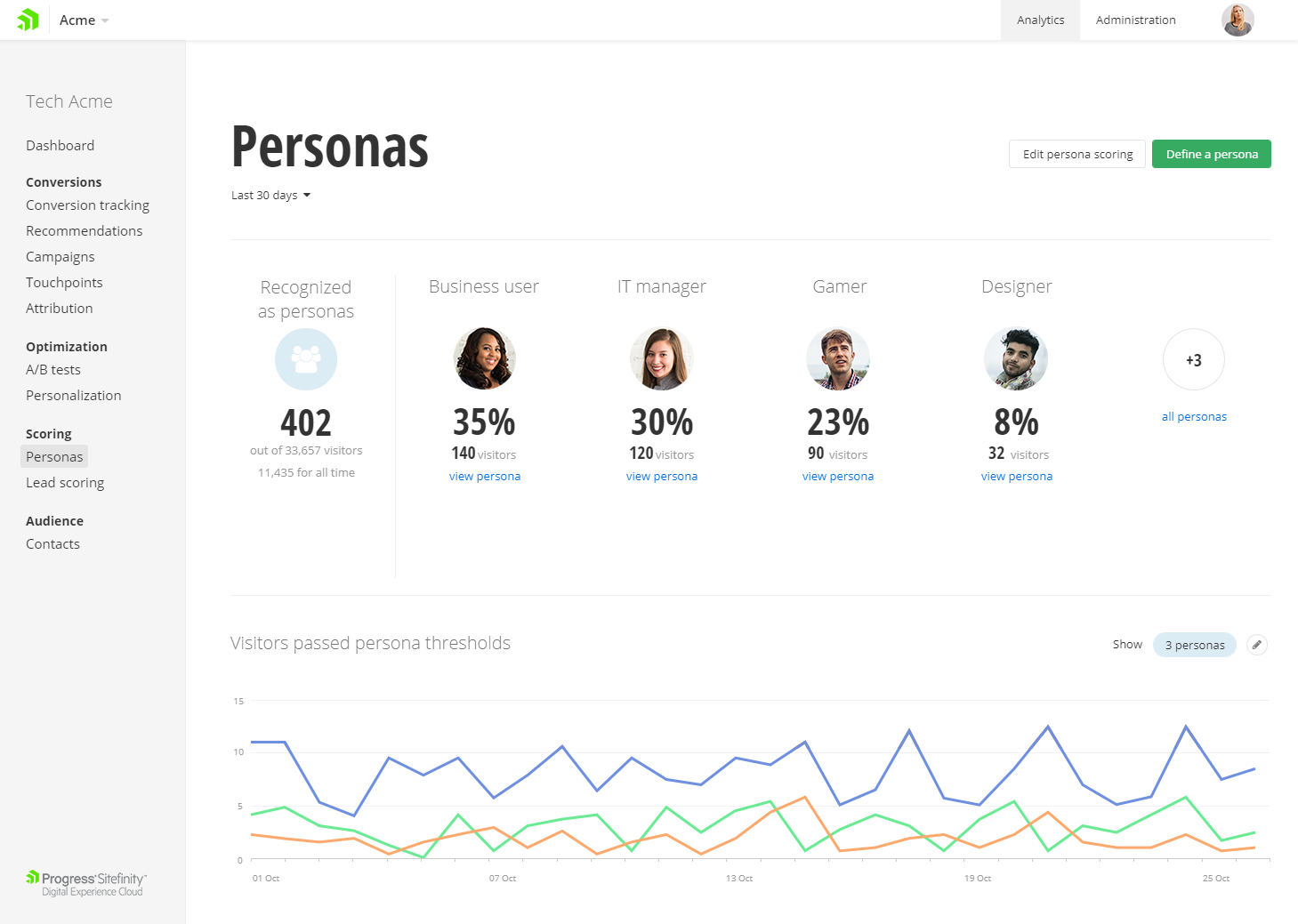
Progress Sitefinity is a content management and customer analytics platform. It supports content management, tailored marketing, multi-channel management, and ecommerce sites.
N/A
WebWave
Score 9.5 out of 10
N/A
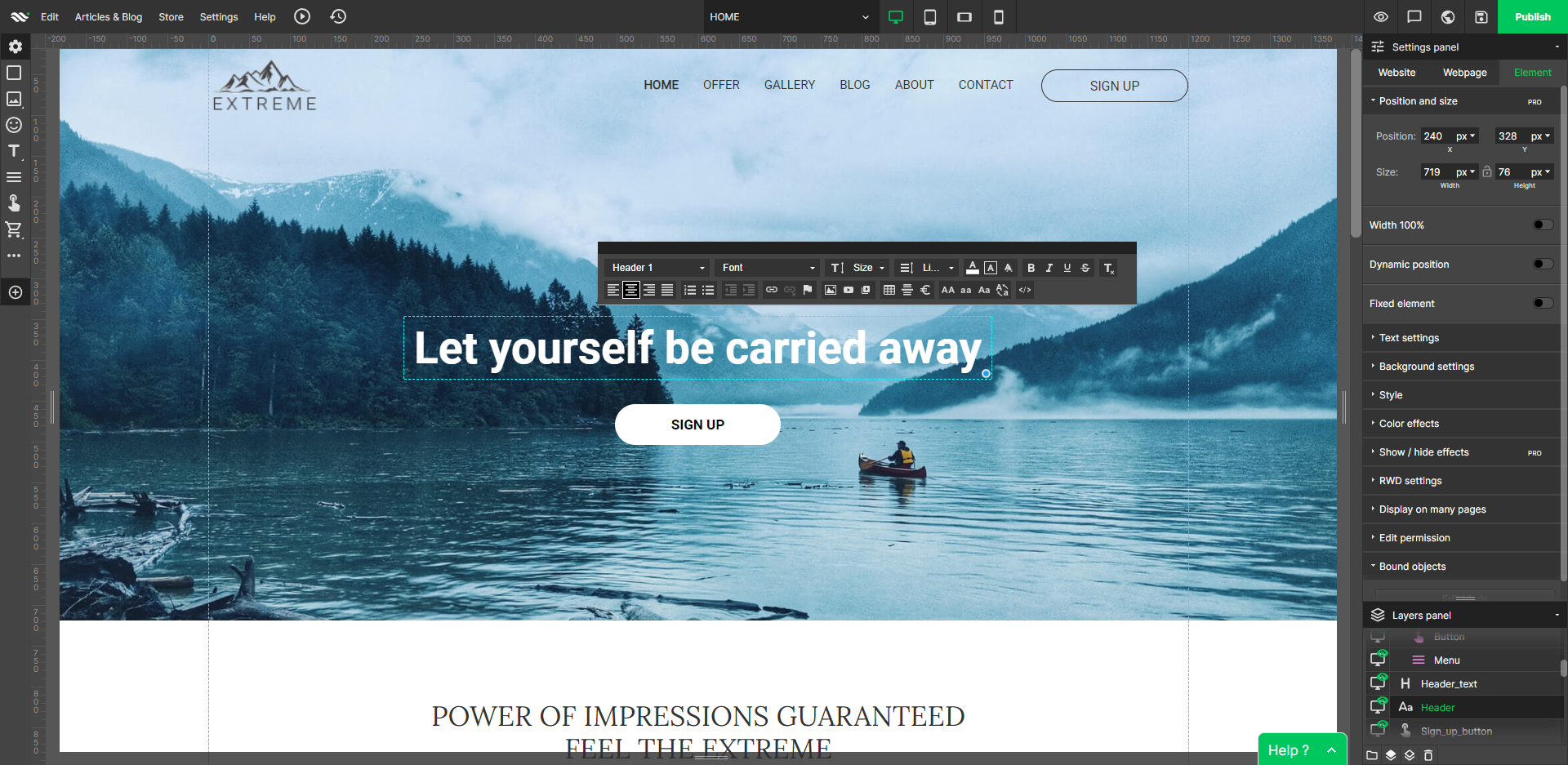
WebWave — an alternative for agencies and freelancers for creating custom websites for clients with the support of CMS. Using CMS with no sacrifices WebWave is a CMS platform that gives a designer precision up to 1 px in every single detail just like in more sophisticated graphic programs such as Photoshop while remaining a drag and drop software. This is to make creating websites much faster without loosing on details. Spend less time talking WebWave…
N/A
Pricing
CoreMedia
Progress Sitefinity
WebWave
Editions & Modules
No answers on this topic
No answers on this topic
No answers on this topic
Offerings
Pricing Offerings
CoreMedia
Progress Sitefinity
WebWave
Free Trial
No
Yes
Yes
Free/Freemium Version
No
No
Yes
Premium Consulting/Integration Services
No
Yes
Yes
Entry-level Setup Fee
No setup fee
No setup fee
$7 per month
Additional Details
—
—
—
More Pricing Information
Community Pulse
CoreMedia
Progress Sitefinity
WebWave
Features
CoreMedia
Progress Sitefinity
WebWave
Security
Comparison of Security features of Product A and Product B
CoreMedia
5.0
2 Ratings
48% below category average
Progress Sitefinity
8.1
163 Ratings
0% below category average
WebWave
-
Ratings
Role-based user permissions
5.02 Ratings
8.1163 Ratings
00 Ratings
Platform & Infrastructure
Comparison of Platform & Infrastructure features of Product A and Product B
CoreMedia
7.0
1 Ratings
15% below category average
Progress Sitefinity
8.1
144 Ratings
0% below category average
WebWave
-
Ratings
API
7.01 Ratings
8.1137 Ratings
00 Ratings
Internationalization / multi-language
7.01 Ratings
8.1106 Ratings
00 Ratings
Web Content Creation
Comparison of Web Content Creation features of Product A and Product B
CoreMedia
7.2
2 Ratings
0% above category average
Progress Sitefinity
8.0
170 Ratings
11% above category average
WebWave
-
Ratings
WYSIWYG editor
10.01 Ratings
8.1160 Ratings
00 Ratings
Code quality / cleanliness
7.01 Ratings
8.0151 Ratings
00 Ratings
Admin section
7.01 Ratings
8.0168 Ratings
00 Ratings
Page templates
4.52 Ratings
8.1164 Ratings
00 Ratings
Library of website themes
7.01 Ratings
8.0104 Ratings
00 Ratings
Mobile optimization / responsive design
7.01 Ratings
8.0155 Ratings
00 Ratings
Publishing workflow
8.02 Ratings
8.1152 Ratings
00 Ratings
Form generator
7.01 Ratings
8.0140 Ratings
00 Ratings
Web Content Management
Comparison of Web Content Management features of Product A and Product B
CoreMedia
6.0
2 Ratings
12% below category average
Progress Sitefinity
8.0
164 Ratings
17% above category average
WebWave
-
Ratings
Content taxonomy
6.02 Ratings
8.1157 Ratings
00 Ratings
SEO support
5.02 Ratings
8.1151 Ratings
00 Ratings
Bulk management
5.02 Ratings
8.0122 Ratings
00 Ratings
Availability / breadth of extensions
7.01 Ratings
8.0130 Ratings
00 Ratings
Community / comment management
7.01 Ratings
8.0121 Ratings
00 Ratings
Best Alternatives
CoreMedia
Progress Sitefinity
WebWave
Small Businesses
Bloomreach - The Agentic Platform for Personalization
Score 8.9 out of 10
Bloomreach - The Agentic Platform for Personalization
I think this CMS is best suited as an enterprise level system. For small, or simple sites, there are better options, but for large high-traffic sites, this is a great CMS.
Progress Sitefinity remains a little heavyweight for sites that require basic text content, or a limited number of pages. However, its flexibility (including the range of different content types if supports) make it a good choice for any organization requiring advanced content management capabilities at an affordable price.
Well suited: Small businesses and entrepreneurs: WebWave is an excellent option for small businesses and entrepreneurs who need a professional-looking website without spending a lot of time and money. It's easy to use, customizable, and offers fast load times and responsive design. Less appropriate: Large e-commerce websites: If you're looking to create a large e-commerce website with a vast number of products and advanced features, WebWave may not be the best option. Its e-commerce functionality is limited compared to other website builders, and it may not be able to accommodate the needs of a large-scale online store. Also, if you need much coding, you would rather have it with something that is wordpress-based.
Allows many staff members to contribute content to various portions of our website, and allows our Electronic-Communications staff to delegate tasks to these various staff (diffusing the work-load).
CoreMedia allows for easy creation of different types of content (like teasers, articles, download objects, links, etc). Permission levels can be set, so only certain staff can upload content such as photos, videos, or audio files.
The CoreMedia workflow process is easy to understand and follow. Once a staff member has submitted content for publishing to the web, they can then see who it's been assigned to for review, and at what time. You're able to leave detailed notes and stay abreast of where the workflow is at any given time.
'Low-code structured content' (dynamic content types) is one of Sitefinity's most powerful features that allows you to structure content according to business needs, while at the same time dampening editorial freedom to ensure accessibility, meta enhancement, SEO and API consumption can be achieved.
Sitefinity's content provider model allows us to flexibly (by means of admin interface) easily aggregate or separate content sharing within a multi-site instance.
This proofs particularly powerful in emerging situations where there suddenly is a demand for content sharing across countries or regions.
Adaptability at its core.
While there's never a perfect fit for everything, it allows for easy code customization and extension being a .NET application at heart. Giving it a corporate edge over other custom solutions, whether it is on the development side or deployment side (on premise, IaaS or Azure DevOps Paas). And it has enabled us to put the system to use in its core feature - which is to manage content, where on other occasions we were able to take full advantage of its features such as A/B testing and personalization.
WebWave's site builder is the platform's truly innovative feature. I've never come across another service that deploys a layer-based approach in web design, as most of them usually deploy a grid-based system. This is an incredible alteration that ensures WebWave behaves much like a traditional graphic design tool, thereby resulting in an experience that is a lot more intuitive and instinctive. I believe this has the potential to radically change the way people approach no-code web design.
WebWave provides automatic, daily backups and a free SSL certificate for every website. This results in excellent security.
WebWave's support team is first-class! I had some teething-issues in the beginning, but the support team quickly got me back on track.
WebWave's community/forum is an excellent place to vote and request new features. This proves the development team is committed to making WebWave better by listening to their users.
Diagram or illustrate more use cases for server setups, and managing of upgrades.
I'd like to see the ability to synchronize from one server to multiple others at once.
Implementation assistance as part of the purchase rather than farming out to 3rd party, although they did answer every question we asked in order to determine our best architecture setup.
Some scope for improvement in UX (colors are not very appealing). It is simple to use but design is a little dated. Especially in the builder section, I'd like to see modern design for buttons and maybe gradients also: as this is where visual motivation is also important
Some edits take effect only after pressing OK. That should be eliminated as it's an unnecessary addition. It's also kind of annoying to do that again and again, which can add up to a lot as we do so many small tweaks while building the website.
Few things (maybe glitches) in design. The rectangle below the footer was uneditable for me. I spent quite some time trying to figure it out so I'm convinced it's a glitch.
CoreMedia continues to refine and deliver new features. They also explore new technologies and trends, like social media integration. The platform is solid and growing. We are also slightly locked into using CoreMedia. Migrating such a large amount of content to another system would likely not be feasible or prudent.
Very big fan of this CMS, as it allows scalability, performance, and everything else. The support is great whenever we need it. As a marketer, the digital/marketing side of things is very easy to use and we've seen strong results from an SEO and marketing perspective. I can't speak to the developer/creative side too much, but in talking with these teams, they do recommend the tool as well.
Support can be pretty good, even though, depending on the level of licensing, it can take longer to hear back from their team. They do have a phone option, which works well. Overall, they are knowledgeable, and helpful when needed. At times, support is able to access the system directly and troubleshoot critical items when needed.
1. The support person does not seem to understand the issues, and seems like they go off to talk to somebody and revert back every 5 to 10 minutes. It takes up a lot of time. 2. There is a lack of reading material to address simple issues like changing the website name in the dashboard, pasting a code, etc.
N/A - I was not part of the implementation team. We have had this internally for over 5 years. Based on my experience, ensure that you have documentation on the initial implementation and subsequent upgrades. I would also recommend to have all the documentation on how and why the system was implemented the way it was
While CoreMedia has a better workflow, django CMS has a much easier user interface, wysiwyg editor, and is superior on every other level. Django CMS is easier to teach and support, easier to manage and develop, and provides much more flexibility in the development and design areas.
It is hands down just easier for our customers to use. The interface and the page builder experience is much better than what we have used in the past and has many enterprise features even in the lower price-point
WordPress is a more flexible and adaptive content management system than Webwave. In addition to the functionalities that are already built-in, I am unable to add any customizable plugins or add-ons. However, in the majority of cases, the inherent features of Webwave are sufficient for developing a website that serves its intended purpose. Webwave also makes it possible for you to add animations and the appearance of each of your design elements, whereas WordPress builders require additional plugins in order for users to access most of such capabilities. Webwave has several essential design features available internally, thus saving money and time.