TrustRadius: an HG Insights company

Save this comparison

Save this comparison

Add Product

Recommended Comparisons

    Overview
    ProductRatingMost Used ByProduct SummaryStarting Price

    CoSchedule Marketing Suite

    Score10 out of 10
    N/ACoSchedule provides a content calendar, content optimization, and contentmarketing products, with users among 50,000 marketers worldwide, helping them organize their work, deliver projects on time, and prove marketing team value.N/A

    Planable

    Score8.5 out of 10
    N/APlanable is a social media management tool built around content collaboration and approvals. It covers planning, creation, feedback, approval, scheduling, publishing, community management, analytics, competitor benchmarking, and social listening in one workspace. Drafts render as exact previews of the finished post, feedback is left on the content itself rather than in a separate thread, and approval requirements are set per workspace. Planable was founded in 2016 and is used…

    $39

    per month per workspace

    Pricing
    CoSchedule Marketing SuitePlanable
    Editions & Modules
    No answers on this topic
    Basic
    $39
    per month per workspace
    Pro
    $59
    per month per workspace
    Enterprise
    Custom
    Offerings
    Pricing Offerings
    CoSchedule Marketing SuitePlanable
    Free Trial
    NoYes
    Free/Freemium Version
    YesYes
    Premium Consulting/Integration Services
    NoYes
    Entry-level Setup FeeNo setup feeNo setup fee
    Additional Details—Planable is priced per workspace, not per seat. Each workspace holds one brand or client, and every plan includes unlimited users: collaborators, reviewers, and clients can be added without increasing cost. Organizations scale by adding workspaces rather than licenses. Annual billing includes two months free on all plans and add-ons. Free trial 50 posts, with no time limit and no credit card required. The allowance is a total, not a monthly reset, so the trial ends when the 50th post is created rather than on a fixed date. X (Twitter) publishing is not available during the trial. The Analytics, Social Inbox, and Social Listening add-ons carry separate 30-day free trials on paid plans. Basic — $39 per workspace per month Entry plan for small teams with straightforward review needs. 60 posts per workspace per month 4 social pages per workspace Unlimited users 2 approval types: none and optional Feed and Calendar views 3 campaigns per workspace 10GB media storage 13 months of published post storage MCP connector included Optional approval means a post can be approved but does not have to be before it publishes. Teams that need publishing blocked until sign-off require Pro. Pro — $59 per workspace per month Most common plan for agencies and in-house teams running client or stakeholder approval. Everything in Basic, plus: 150 posts per workspace per month 10 social pages per workspace Required approval, in addition to none and optional — content cannot be scheduled or published until at least one approver signs off Grid view, in addition to Feed and Calendar 10 campaigns per workspace 50GB media storage Public API access Chat support Enterprise — custom pricing For organizations with formal review chains, multiple brands, or procurement and security requirements. Everything in Pro, plus: Unlimited posts Multi-level approvals: sequential stages with designated approvers at each one List view, in addition to Feed, Calendar, and Grid Unlimited campaigns 100GB media storage 24 months of published post storage SSO Dedicated account manager and priority support Payment by bank or wire transfer Add-Ons Add-ons are priced per workspace and available on any plan, including Basic. They are enabled per workspace rather than account-wide, so an agency can run Analytics on client workspaces that pay for reporting without buying it across the board. Analytics — $14 per workspace per month, or $140 per year. Cross-channel performance data, audience insights, custom reports, and Competitor Analytics. 30-day free trial. Social Inbox — $9 per workspace per month, or $90 per year. Comments and direct messages from connected channels in one inbox, with AI reply drafting. 30-day free trial. Social Listening — $99 per workspace per month, or $990 per year. Brand, competitor, and topic monitoring across eight sources with sentiment analysis and alerts. Includes 1 brand keyword, 3 topic keywords, and 3 competitor keywords per workspace. 30-day free trial. What drives cost Three variables determine spend: the number of workspaces, the monthly post volume per workspace, and which add-ons are enabled per workspace. Team size does not affect price on any plan. Planable also offers bundled discounts with SE Ranking for SEO and SE Visible for AI search visibility.
    More Pricing Information
    Features
    CoSchedule Marketing SuitePlanable
    Content Creation
    Comparison of Content Creation features of CoSchedule Marketing Suite and Planable
    Feature
    CoSchedule Marketing Suite
    7.3
    1 Ratings
    7% below category average
    Planable
    -
    Ratings
    Ideation5.01 Ratings00 Ratings
    Content collaboration7.01 Ratings00 Ratings
    Content calendar10.01 Ratings00 Ratings
    Content Publishing
    Comparison of Content Publishing features of CoSchedule Marketing Suite and Planable
    Feature
    CoSchedule Marketing Suite
    10.0
    1 Ratings
    25% above category average
    Planable
    -
    Ratings
    Content distribution10.01 Ratings00 Ratings
    Content promotion10.01 Ratings00 Ratings
    Content automation10.01 Ratings00 Ratings
    Content Reporting & Analytics
    Comparison of Content Reporting & Analytics features of CoSchedule Marketing Suite and Planable
    Feature
    CoSchedule Marketing Suite
    10.0
    1 Ratings
    30% above category average
    Planable
    -
    Ratings
    Closed-loop tracking and reporting10.01 Ratings00 Ratings
    Content performance analytics10.01 Ratings00 Ratings
    Publishing
    Comparison of Publishing features of CoSchedule Marketing Suite and Planable
    Feature
    CoSchedule Marketing Suite
    -
    Ratings
    Planable
    10.0
    1 Ratings
    20% above category average
    Content planning and scheduling00 Ratings10.01 Ratings
    Content optimization00 Ratings10.01 Ratings
    Workflow management00 Ratings10.01 Ratings
    Channel coverage/integration
    Comparison of Channel coverage/integration features of CoSchedule Marketing Suite and Planable
    Feature
    CoSchedule Marketing Suite
    -
    Ratings
    Planable
    10.0
    1 Ratings
    18% above category average
    Twitter00 Ratings10.01 Ratings
    Facebook00 Ratings10.01 Ratings
    LinkedIn00 Ratings10.01 Ratings
    Google+00 Ratings10.01 Ratings
    Instagram00 Ratings10.01 Ratings
    Pinterest00 Ratings10.01 Ratings
    Account management
    Comparison of Account management features of CoSchedule Marketing Suite and Planable
    Feature
    CoSchedule Marketing Suite
    -
    Ratings
    Planable
    10.0
    1 Ratings
    23% above category average
    Mobile access00 Ratings10.01 Ratings
    Best Alternatives
    CoSchedule Marketing SuitePlanable
    Small Businesses
    Contently
    Score9.9 out of 10
    Sendible
    Score7.2 out of 10
    Medium-sized Companies
    Optimizely Content Marketing Platform
    Score6.8 out of 10
    Emplifi
    Score8.9 out of 10
    Enterprises
    PathFactory
    Score8.3 out of 10
    Salesforce Marketing Cloud Social Studio (discontinued)
    Score8.1 out of 10
    All AlternativesView all alternativesView all alternatives
    User Ratings
    CoSchedule Marketing SuitePlanable
    Likelihood to Recommend
    10.0
    (11 ratings)
    8.0
    (1 ratings)
    Usability
    10.0
    (1 ratings)
    8.0
    (1 ratings)
    Support Rating
    9.0
    (2 ratings)
    1.0
    (1 ratings)
    User Testimonials
    CoSchedule Marketing SuitePlanable
    Likelihood to Recommend
    CoSchedule
    CoSchedule is great for businesses or agencies who need an overview of all their marketing efforts, and who want to establish collaboration between multiple departments. The calendar view is one of the best we've worked with and makes it easy to see exactly what's happening. There is some slight clunkiness when it comes to admin-related tasks, and a few things aren't easy to find, but there's great support.
    Incentivized
    Read full review
    Planable
    It needs the ability to save hashtags. Some of the other tools offer this, so I emailed Planable and asked them to consider adding it.
    Read full review
    Pros
    CoSchedule
    • Best time to post is great at updating to when we get the most engagement by platform
    • Requeue tool to slate out additional posts for a given piece of content is a huge time saver
    • Aggregate analytics tool shows us a peek across our posts on a given platform that's actually easier to read than the platform itself
    Incentivized
    Read full review
    Planable
    • Plan posts on multiple platforms at once
    • Approval workflow
    Read full review
    Cons
    CoSchedule
    • The platform seems sluggish as of late, likely as a result of the robust amount of data we are entering and the number of filters we're creating.
    • Social media scheduling exists, but we do run into publishing errors more often then we'd like.
    • Task templates when updated are not retroactive, so when you create projects for an entire year and then change a template, you need to go back and change them manually.
    Incentivized
    Read full review
    Planable
    • Add hashtags in the tool so you can save them for future use
    Read full review
    Usability
    CoSchedule
    The interface is very intuitive, from setting up social profiles, to posting, to tags, to optimizing for best day/time to post. It's super easy to scan the aggregate analytics. The calendar is very easy to grok at a glance, and the more advanced functionality is intuitive to set up.
    Incentivized
    Read full review
    Planable
    It does what you need, but could have a bit more features for the price. $30 a month just to post things on Facebook or Instagram is a bit steep, given that that's all you can do.
    Read full review
    Support Rating
    CoSchedule
    I didn't have to use their official support, but I can say that they put out a lot of content online to help users. Their YouTube page has quite an array of tutorial videos explaining how things work and how to get the most out of their tools. If you're struggling, before picking up a phone or blasting off an email, try searching for your problem on YouTube or their forums.
    Incentivized
    Read full review
    Planable
    Emailed them a month ago to add hashtags, but they didn't add the functionality yet. Given that the product has stayed exactly the same since, I'm guessing the developers don't want to add this feature so I give the support a rating of 1.
    Read full review
    Alternatives Considered
    CoSchedule
    CoSchedule provides collaborative planning of projects. The calendar view is very well designed. Meetings and tasks can be scheduled and tracked easily. Whatever is being done, no matter how big the task/project is, it gives a bird-eye view of everything. Additionally, it also integrated very well with WordPress. Their customer service team is also very helpful.
    Incentivized
    Read full review
    Planable
    Cheaper, however, Kontentino does have the ability to save hashtags.
    Read full review
    Return on Investment
    CoSchedule
    • It has saved me about 1 hour per day to keep things organized from Asana to WordPress.
    • By not having a functioning Google Doc import feature, it costs me about 30 minutes for each blog post to copy paste all the content, images, etc.
    • By bundling too many features into their plans, many of which we don't use (e.g. social media scheduling), we lose a little ROI because we are not using the full feature set. We use and prefer Buffer for social media, so when CoSchedule raised their price $40+ per month on features we would not be using, that hurt.
    Incentivized
    Read full review
    Planable
    • Ability to post on any social media platform with 1 click. It adjusts the layout for you, pictures, adding action buttons, etc.
    Read full review
    ScreenShots

    CoSchedule Marketing Suite Screenshots

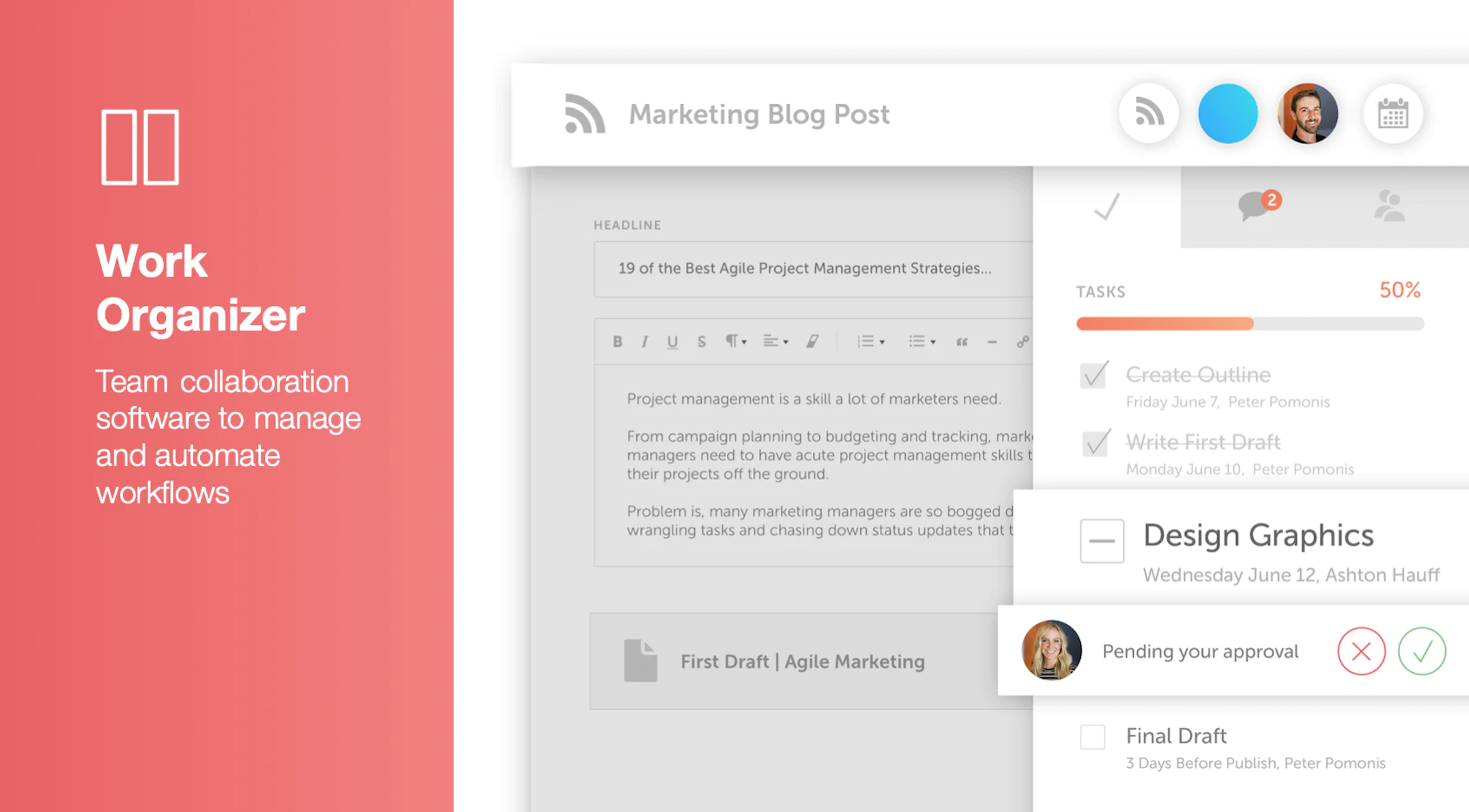
    Screenshot of Calendar Organizer: Visualizes everything in real time, and shows every project on a unified calendar of record. Helps to keep stakeholders in the know and pivot quickly when priorities change.Screenshot of Content Organizer: Eliminates content bottlenecks from idea to promotion. Optimizes the editorial process, and centralizes publishing and promotion by connecting marketing tools.Screenshot of Work Organizer: Maximizes resources by implementing consistent, defined workflows to speed up production and identify how urgent changes impact proactively planned work.Screenshot of Asset Organizer: Catalogs and maintains control of brand assets with customized taxonomies to find, update, and share files. Folders and files can be shared with stakeholders to make sure work is up-to-date.Screenshot of Idea Board: Used to write down ideas, take in requests, and prioritize the projects that are up-next, before giving them a publish date and putting them on the calendar organizer.Screenshot of An AI-powered Marketing Intelligence Assistant that can be used to write first-draft copy, complete work faster, and generate new ideas.

    Planable Screenshots

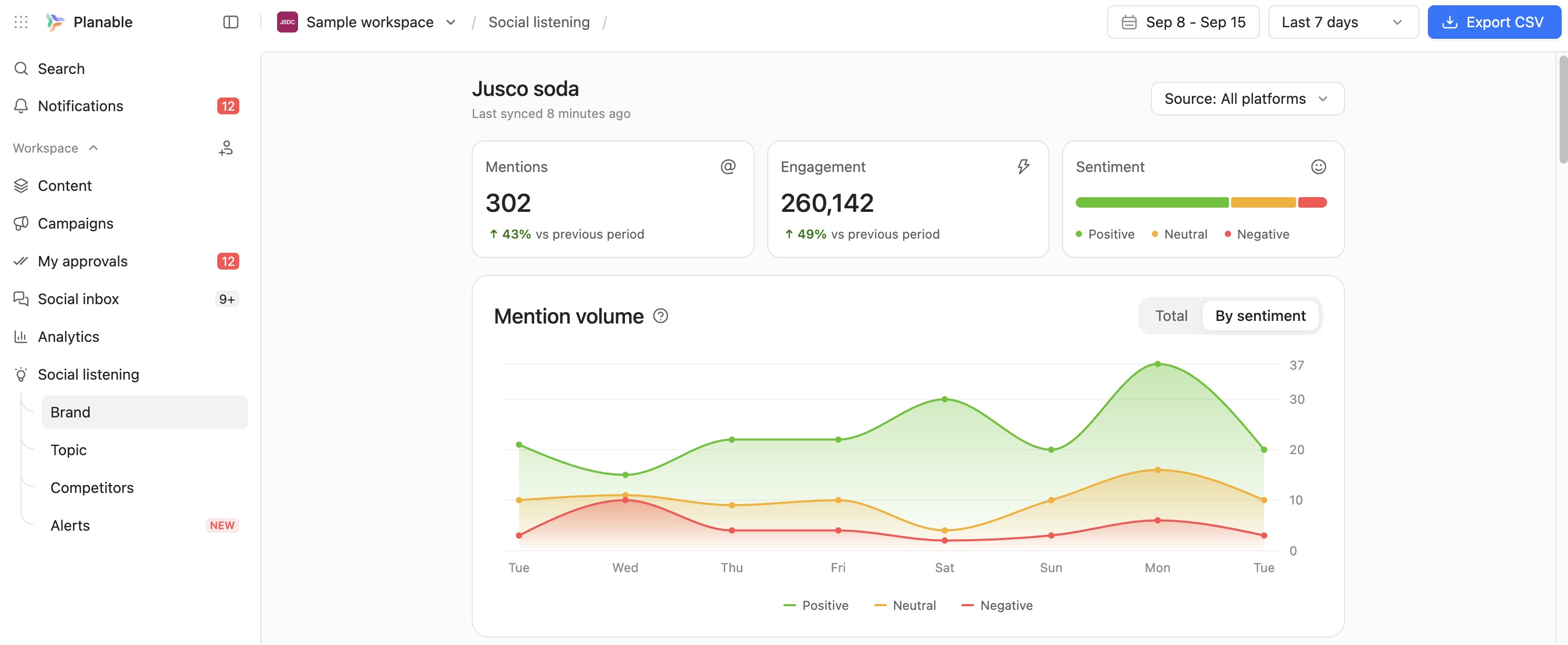
    Screenshot of Planable weekly content calendar in grid view showing scheduled posts with images, times, and platforms.Screenshot of Facebook analytics dashboard in Planable with follower growth, post count, impressions, and engagement trends.Screenshot of Planable interface showing comment thread with suggestions on a social media post draft for team collaboration.Screenshot of Approval settings panel in Planable showing user roles, toggle switches, and auto-scheduling option.Screenshot of Planable workspace permissions view showing team and client roles with customizable access for content collaboration.Screenshot of Track brand mentions and sentiment in one social listening dashboard.