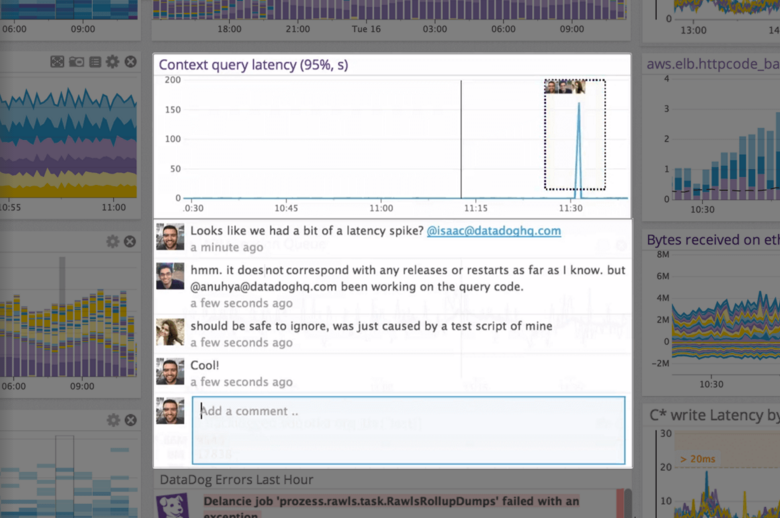
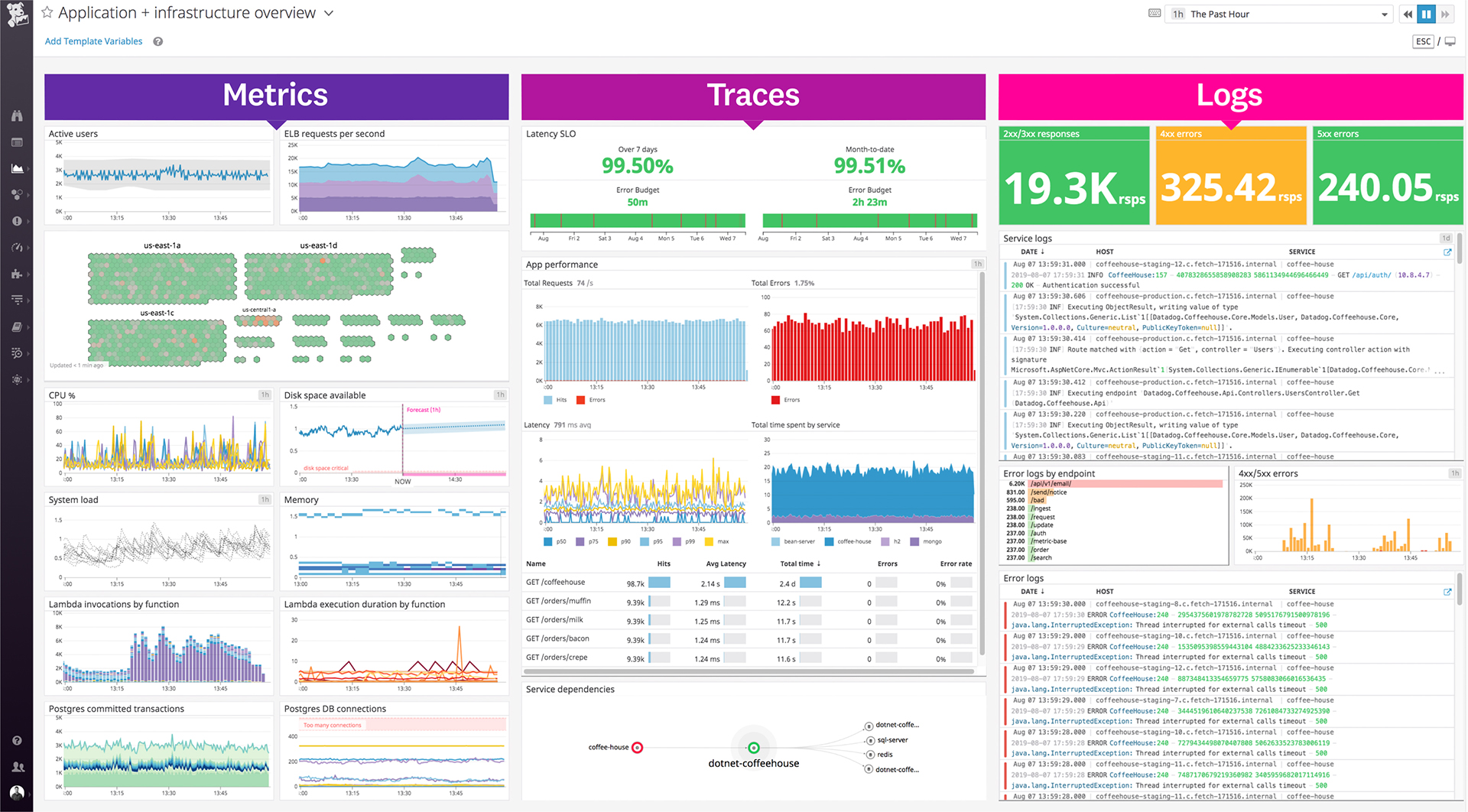
Datadog is a monitoring service for IT, Dev and Ops teams who write and run applications at scale, and want to turn the massive amounts of data produced by their apps, tools and services into actionable insight.
$18
per month per host
Visual Studio
Score8.8 out of 10
N/A
Visual Studio (now in the 2022 edition) is a 64-bit IDE that makes it easier to work with bigger projects and complex workloads, boasting a fluid and responsive experience for users. The IDE features IntelliCode, its automatic code completion tools that understand code context and that can complete up to a whole line at once to drive accurate and confident coding.
$45
per month
Pricing
Datadog
Visual Studio
Editions & Modules
Log Management
$1.27
per month (billed annually) per host
Infrastructure
$15.00
per month (billed annually) per host
Standard
$18
per month per host
Enterprise
$27
per month per host
DevSecOps Pro
$27
per month per host
APM
$31.00
per month (billed annually) per host
DevSecOps Enterprise
$41
per month per host
Professional
$45.00
per month
Enterprise
$250.00
per month
Offerings
Pricing Offerings
Datadog
Visual Studio
Free Trial
Yes
No
Free/Freemium Version
Yes
Yes
Premium Consulting/Integration Services
No
No
Entry-level Setup Fee
Optional
No setup fee
Additional Details
Discount available for annual pricing. Multi-Year/Volume discounts available (500+ hosts/mo).
Sr. Software Development Manager in Information Technology at Our Sunday Visitor, Inc (Non-profit Organization Management, 201-500 employees)
Chose Datadog
We moved to Datadog from Microsoft's Application Insights. Application Insights did a fine job in allowing us to view our application data, but it lacked the holistic view of all our infrastructure and other platforms that could not use Application Insights. Being able to …
A de minimis incentive was given to thank the reviewer for their time. The incentive was not used to bias or drive a particular response, nor was the incentive contingent on a positive endorsement. TR verified that a representative sample of customers was invited. More Info
Verified User
Chose Datadog
Datadog is an all in one solution. It has everything in one place so you don't have to go from application to application and try to figure out what exactly happened. No more stitching database errors from one third party to backend errors in another to front end errors in …
A de minimis incentive was given to thank the reviewer for their time. The incentive was not used to bias or drive a particular response, nor was the incentive contingent on a positive endorsement. More Info
Software Architect in Engineering at SpringAhead (Internet, 51-200 employees)
Chose Datadog
Geckoboard has nice dashboard options, however their third party system support isn't as strong as Datadog. Geckoboard did not support all the various server and development systems we use, whereas Datadog did. Also, Datadog has better alerting and monitoring options than …
A de minimis incentive was given to thank the reviewer for their time. The incentive was not used to bias or drive a particular response, nor was the incentive contingent on a positive endorsement. More Info
Datadog may be better suited for teams that have a more out-of-the-box infrastructure, on the primary platforms Datadog supports. You may also have better results if you have a bigger team dedicated to devops and/or a bigger budget. We found that trying to adapt it to our use case (small team, .NET on AWS Fargate) wasn't feasible. We continually ran into roadblocks that required us to dig through documentation (and at times, having to figure out some documentation was wrong), go back and forth with support, and in my opinion, waste money on excessive and unintended usages due to opaque pricing models and inaccurate usage reports, as well as broken/non-functional rate sampling controls.
A de minimis incentive was given to thank the reviewer for their time. The incentive was not used to bias or drive a particular response, nor was the incentive contingent on a positive endorsement. TR verified that a representative sample of customers was invited. More Info
When working with base C# code for desktop and web projects, then Microsoft Visual Studio is ideal as it provides the libraries and interfaces needed to quickly create, test and deploy solutions. It is when slightly more complex scenarios are required that issues can arise. The built-in integration for things like PowerBI Paginated Reports and dashboards is far from ideal.
A de minimis incentive was given to thank the reviewer for their time. The incentive was not used to bias or drive a particular response, nor was the incentive contingent on a positive endorsement. More Info
The thing which Datadog does really well, one of them are its broad range of services integrations and features which makes it one step observability solution for all. We can monitor all types of our application, infrastructure, hosts, databases etc with Datadog.
Its custom dashboard feature which helps us to visualize the data in a better way . It supports different types of charts through those charts we can create our dashboard more attractive.
Its AI powered alerting capability though that we can easily identify the root cause and also it has a low noise alerting capability which means it correlated the similar type of issues.
A de minimis incentive was given to thank the reviewer for their time. The incentive was not used to bias or drive a particular response, nor was the incentive contingent on a positive endorsement. TR verified that a representative sample of customers was invited. More Info
Alert windows cause lag in notifications (e.g. if the alert window is X errors in 1 hour, we won't get alerted until the end of the 1 hour range)
I would appreciate more supportive examples for how to filter and view metrics in the explorer
I would like a more clear interface for metrics that are missing in a time frame, rather than only showing tags/etc. for metrics that were collected within the currently viewed time frame
A de minimis incentive was given to thank the reviewer for their time. The incentive was not used to bias or drive a particular response, nor was the incentive contingent on a positive endorsement. More Info
A de minimis incentive was given to thank the reviewer for their time. The incentive was not used to bias or drive a particular response, nor was the incentive contingent on a positive endorsement. More Info
A de minimis incentive was given to thank the reviewer for their time. The incentive was not used to bias or drive a particular response, nor was the incentive contingent on a positive endorsement. TR verified that a representative sample of customers was invited. More Info
VS is the best and is required for building Microsoft applications. The quality and usefulness of the product far out-weight the licensing costs associated with it.
A de minimis incentive was given to thank the reviewer for their time. The incentive was not used to bias or drive a particular response, nor was the incentive contingent on a positive endorsement. More Info
There are so many features that it can be hard to figure out where you need to go for your own use case. For example, RUM monitoring us buried in a "Digital Experience" sidebar setting when this is one of our key use cases that I sometimes struggle to find in the application. It appears that ECS + Fargate monitoring was recently released which is great because we had to build a lambda reporting solution for ephemeral task monitoring. But this new feature was never on my radar until I starting clicking around the application.
A de minimis incentive was given to thank the reviewer for their time. The incentive was not used to bias or drive a particular response, nor was the incentive contingent on a positive endorsement. More Info
I love the overall usability of Microsoft Visual Studio. I’ve been using this IDE for more than 20 years, and I’ve seen it evolve by leaps and bounds. Today, with AI and code-suggestion/completion features, developers no longer need to remember countless libraries, methods, or language syntax, or invest a huge amount of programming effort to complete a project. It truly offers everything a developer needs to program, debug, test, and deploy in a single IDE.
A de minimis incentive was given to thank the reviewer for their time. The incentive was not used to bias or drive a particular response, nor was the incentive contingent on a positive endorsement. More Info
The support team usually gets it right. We did have a rather complicate issue setting up monitoring on a domain controller. However, they are usually responsive and helpful over chat. The downside would be I don’t think they have any phone support. If that is important to you this might not be a good fit.
A de minimis incentive was given to thank the reviewer for their time. The incentive was not used to bias or drive a particular response, nor was the incentive contingent on a positive endorsement. More Info
There are many resources available supporting Visual Studio IDE. Microsoft whitepapers, forum posts, and online Visual Studio documentation. There are countless demonstration videos available, as well. If users are having issues, they can call Microsoft Support, but depending on the company's agreement with Microsoft, the number of included support calls will vary from organization to organization. I've found that Microsoft support calls can be hit or miss depending on who you get, but they can usually get you with the right support person for your issue.
A de minimis incentive was given to thank the reviewer for their time. The incentive was not used to bias or drive a particular response, nor was the incentive contingent on a positive endorsement. More Info
IT is very complicated to understand all the functions that the environment has if you are not familiar with this type of development environments. It is important to select a good in-person training to achieve to understand all the possibilities and the capacity of the application. In this case, you will be able to develop a lot type of different applications.
A de minimis incentive was given to thank the reviewer for their time. The incentive was not used to bias or drive a particular response, nor was the incentive contingent on a positive endorsement. More Info
If you are not accustomed to develop in this type of development environments it would be complicated to follow all the parts of the course because if the course does not include a great tour with all the concepts to develop you will not have the option to understand all the functions.
A de minimis incentive was given to thank the reviewer for their time. The incentive was not used to bias or drive a particular response, nor was the incentive contingent on a positive endorsement. More Info
A de minimis incentive was given to thank the reviewer for their time. The incentive was not used to bias or drive a particular response, nor was the incentive contingent on a positive endorsement. TR verified that a representative sample of customers was invited. More Info
Our logs are very important, and Datadog manages them exceptionally well. We frequently use Datadog services for our investigations. Use case: Monitor your apps, infrastructure, APIs, and user experience.
Key features:
Logs, metrics, and APM (Application Performance Monitoring)
Real-time alerting and dashboards
Supports Kubernetes, AWS, GCP, and other integrations
RUM (Real User Monitoring) and Synthetics
✅ Best for backend, server, and distributed systems monitoring.
A de minimis incentive was given to thank the reviewer for their time. The incentive was not used to bias or drive a particular response, nor was the incentive contingent on a positive endorsement. More Info
I personally feel Visual Studio IDE has [a] better interface and [is more] user friendly than other IDEs. It has better code maintainability and intellisense. Its inbuilt team foundation server help coders to check on their code then and go. Better nugget package management, quality testing and gives features to extract TRX file as result of testing which includes all the summary of each test case.
A de minimis incentive was given to thank the reviewer for their time. The incentive was not used to bias or drive a particular response, nor was the incentive contingent on a positive endorsement. More Info
Using the integration between Visual Studio and our source control service, the cost of re-work and losing code is drastically reduced.
Paid versions of Visual Studio enable developers to be so much more productive than hacked-together open source solutions that it's hard to imagine developing in Windows without it.
When combined with support subscriptions and the vast array of free online help options available, Visual Studio saves our developers time by keeping them coding and testing, not wasting their time trying to guess their way out of problems or spend endless hours online hoping to find answers.
A de minimis incentive was given to thank the reviewer for their time. The incentive was not used to bias or drive a particular response, nor was the incentive contingent on a positive endorsement. More Info