Dataloader.io delivers a cloud based solution to import and export information from Salesforce.
$99
per month
dbForge Studio (Edge)
Score8 out of 10
N/A
dbForge Studio is provided by
Devart and is a universal front-end client for database
management, administration and development. Devart's GUI tool provides
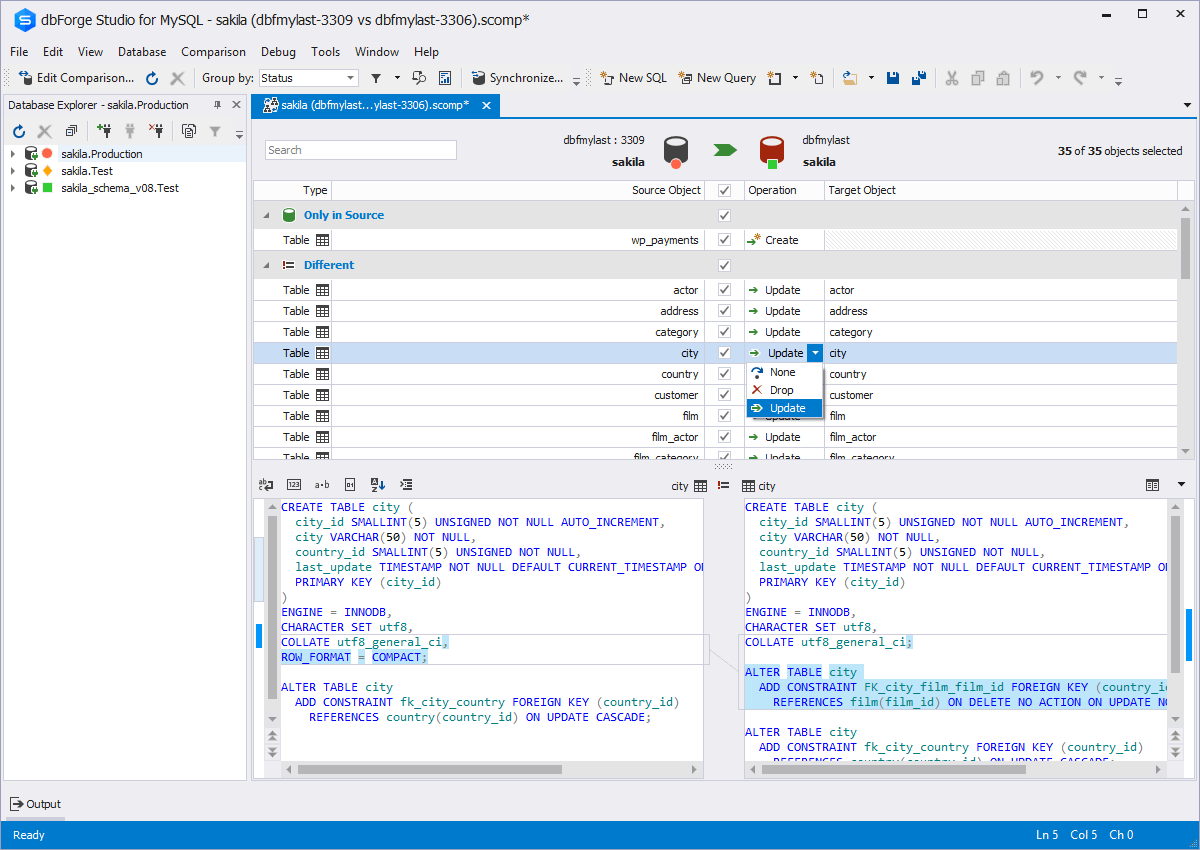
utilities to compare, synchronize, and back up databases (e.g. MySQL, Oracle, SQL Server, PostgreSQL, etc.) with scheduling,
and includes the possibility to analyze and report MySQL tables data. For example, dbForge
Studio for MySQL works with any MariaDB database servers, and supports all
MariaDB objects types. This solution enables users…
Replacing data. If we've put something in a category or a bucket that is no longer named that anymore because we've evolved with the times and we want to rebrand everything, it makes it way easier to do a quick import with the new terms.
A de minimis incentive was given to thank the reviewer for their time. The incentive was not used to bias or drive a particular response, nor was the incentive contingent on a positive endorsement. More Info
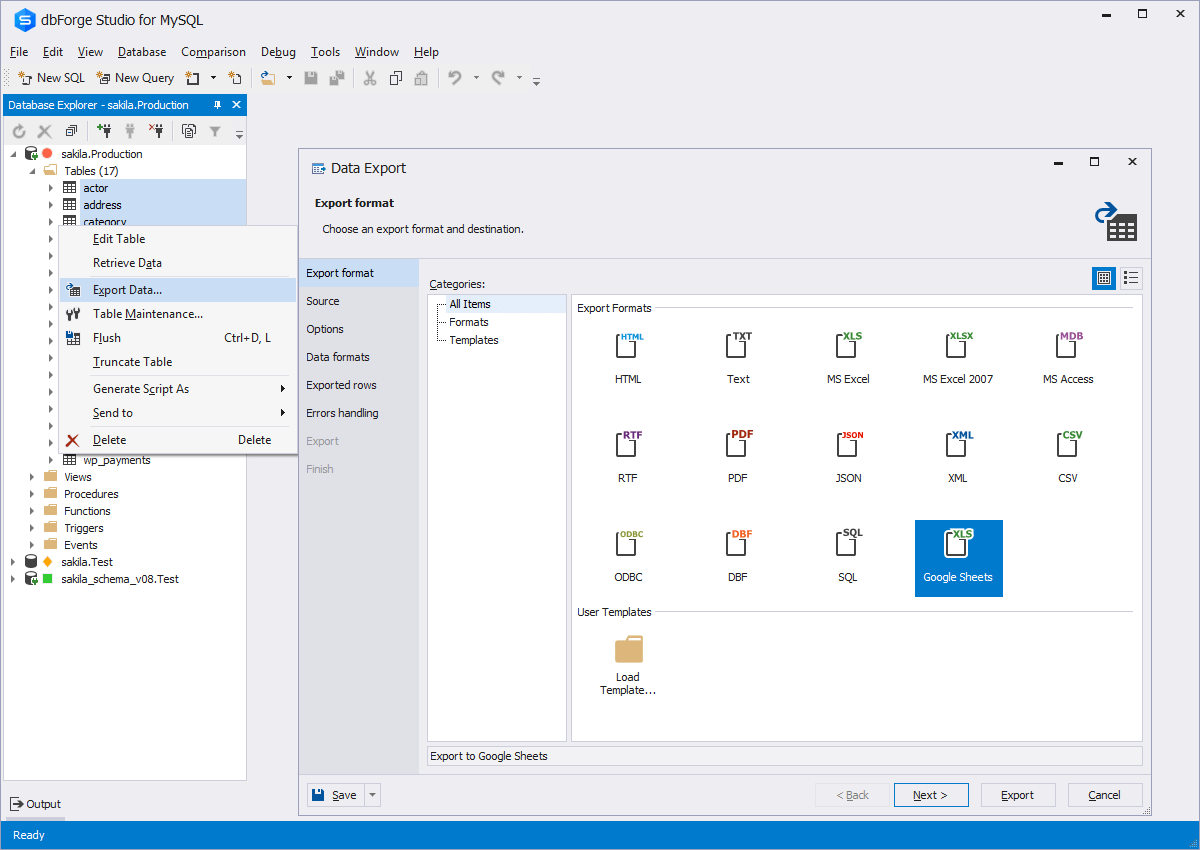
This tool is useful for small and large IT departments and associated data analysts that perform direct database functions such as DBA tasks or extracting/importing data. Non-technical staff members would not benefit from this tool as much as the functions are detailed and technical. However, automation engineers will find this tool very open for automation, and can generate the scripting code for any of its functions.
A de minimis incentive was given to thank the reviewer for their time. The incentive was not used to bias or drive a particular response, nor was the incentive contingent on a positive endorsement. More Info
Extracting Salesforce attachments in original file format! I do not know of a tool that can do this better, or more efficiently! This is a huge benefit to companies that would like to extract attachments from Salesforce for tasks like data migrations.
Cross-object data extract within one file. You can pull data from related objects as long as there is a populated lookup from the object you are extracting, to another object (Child or Parent).
UI is simple and requires very little to no training. Given the acquisition of Mulesoft by Salesforce, I would not be surprised if DataLoader.IO is rolled out as the new global data loading tool for Salesforce.
A de minimis incentive was given to thank the reviewer for their time. The incentive was not used to bias or drive a particular response, nor was the incentive contingent on a positive endorsement. More Info
A de minimis incentive was given to thank the reviewer for their time. The incentive was not used to bias or drive a particular response, nor was the incentive contingent on a positive endorsement. More Info
At the moment, I can't find a way to rename jobs. This would be useful to organize what was previously created hastily by techs in a rush.
A preview of the job, especially upserts, would take a great deal of stress away from some of us (especially those who are not so confident in their ETL practice).
A native vlookup equivalent may be a welcome addition.
The ability to parameterize searches more would be advantageous. For example, being able to specify to only look for certain columns, certain data type changes, etc.
The output reports from dbForge are very plain and could contain more detail, and perhaps be structured more like a pivot table form Excel
A de minimis incentive was given to thank the reviewer for their time. The incentive was not used to bias or drive a particular response, nor was the incentive contingent on a positive endorsement. More Info
It is easy to use and doesn't require a security token, so I enjoy using it. It also doesn't require any download or installation, which is sometimes a blocker to gettingthings done if the company has limits. also, the dataloader.io is easy for other people to pick up, so others can have visibility into the data jobs that have occurred
Dataloader definitely skews towards a more technical userbase. Users should be adept at manipulating data in spreadsheets and decipher JSON formatted error messaging. Additionally, there is a good amount of time need to set up the environment to map to the pertinent fields we are trying to adjust. While I would not recommend the typical account manager to use Dataloader, a typical operations manager should have no issue.
A de minimis incentive was given to thank the reviewer for their time. The incentive was not used to bias or drive a particular response, nor was the incentive contingent on a positive endorsement. More Info
dbForge Studio (Edge) has a great UI and it's versatile, but it still has some glitches. Its multiple database support makes it possible to stick with only one UI to handle different RDBM systems, even though you have to redefine user credentials for each new connection (no copying/cloning feature for database connections). The Edit View and diagramming features also could be improved.
A de minimis incentive was given to thank the reviewer for their time. The incentive was not used to bias or drive a particular response, nor was the incentive contingent on a positive endorsement. More Info
The utility itself is very self-explanatory and has enough information to guide you through the process. It has an intuitive experience for those familiar with data loading/exporting utilities. Outside of this, they have a Zendesk help center to log support requests and provide documentation to help guide you troubleshoot any issues that may be occurring.
A de minimis incentive was given to thank the reviewer for their time. The incentive was not used to bias or drive a particular response, nor was the incentive contingent on a positive endorsement. More Info
Although experience here is limited, as only one question has been asked and answered promptly, the registration and licensing process was very smooth and professional. There are forums online that discuss dbForge issues, as well as a Facts and Questions section on dbForge's website, so product support does seem to exist if needed.
A de minimis incentive was given to thank the reviewer for their time. The incentive was not used to bias or drive a particular response, nor was the incentive contingent on a positive endorsement. More Info
I have used salesforce inspector also for operations like import and export of data from custom objects but it doesn't work well when you have data in huge numbers. Instead of using Salesforce Inspector, one should go for Dataloader.io if the number of records is huge to be dealt with.
A de minimis incentive was given to thank the reviewer for their time. The incentive was not used to bias or drive a particular response, nor was the incentive contingent on a positive endorsement. More Info
Before choosing dbForge Studio I evaluated at least a dozen tools, especially on the Visual Query Builder function. For now, I have identified only one product that has a better Visual Query Builder than dbForge Studio. This other product also manages UNIONs, while dbStudio still doesn't do it visually. However, the better alternative product is enormously slower in operations and less feature-rich than DbForge Studio
HUGE time saving. When we need to clean or review data, we used to have to do it line by line. This can do the work within excel and make cleanup/management an afternoons work as opposed to a week.
Rollback what you did/change/deleted is relatively simple if you remember to back up the data you are manipulating.
A de minimis incentive was given to thank the reviewer for their time. The incentive was not used to bias or drive a particular response, nor was the incentive contingent on a positive endorsement. More Info
A de minimis incentive was given to thank the reviewer for their time. The incentive was not used to bias or drive a particular response, nor was the incentive contingent on a positive endorsement. More Info