
DeskTime vs. MonitUp
DeskTime vs. MonitUp
| Product | Rating | Most Used By | Product Summary | Starting Price |
|---|---|---|---|---|
 DeskTime | N/A | DeskTime is an automatic time tracking software that tracks and analyzes employee productivity, and is a project from DeskTime.com of the Draugiem Group of companies and tech startups in Latvia. | $7 per month per user | |
 MonitUp | N/A | Employee monitoring platform designed to help businesses with monitoring employee website access, computer performance, and time tracking. Features of the platform include an activity dashboard with an overview of all employees' activity, login and logout tracking, visibility into which websites employees are accessing, a list of all online and offline computers, customization, and user-specific data. | $2 per month per user |
| DeskTime | MonitUp | |||||||||||||||
|---|---|---|---|---|---|---|---|---|---|---|---|---|---|---|---|---|
| Editions & Modules |
| No answers on this topic | ||||||||||||||
| Offerings |
| |||||||||||||||
| Entry-level Setup Fee | No setup fee | Optional | ||||||||||||||
| Additional Details | 1 month free for annual pricing. | — | ||||||||||||||
| More Pricing Information | ||||||||||||||||
| DeskTime | MonitUp |
|---|
| DeskTime | MonitUp | |
|---|---|---|
| Small Businesses |  Traqq Score 9.1 out of 10 | Traqq Score 9.1 out of 10 |
| Medium-sized Companies |  TimeClock Plus Score 9.5 out of 10 |  ActivTrak Score 8.5 out of 10 |
| Enterprises |  Zoho People Score 8.9 out of 10 |  Hubstaff Score 9.4 out of 10 |
| All Alternatives | View all alternatives | View all alternatives |
| DeskTime | MonitUp | |
|---|---|---|
| Likelihood to Recommend | 9.5 (3 ratings) | - (0 ratings) |
| DeskTime | MonitUp | |
|---|---|---|
| Likelihood to Recommend |  DeskTime
 Shanna Kostopulos Paralegal/Supervisor | MonitUp No answers on this topic |
| Pros | DeskTime
| MonitUp No answers on this topic |
| Cons | DeskTime
| MonitUp No answers on this topic |
| Alternatives Considered | DeskTime
Shanna Kostopulos Paralegal/Supervisor | MonitUp No answers on this topic |
| Return on Investment | DeskTime
| MonitUp No answers on this topic |
| ScreenShots | DeskTime Screenshots  | MonitUp Screenshots 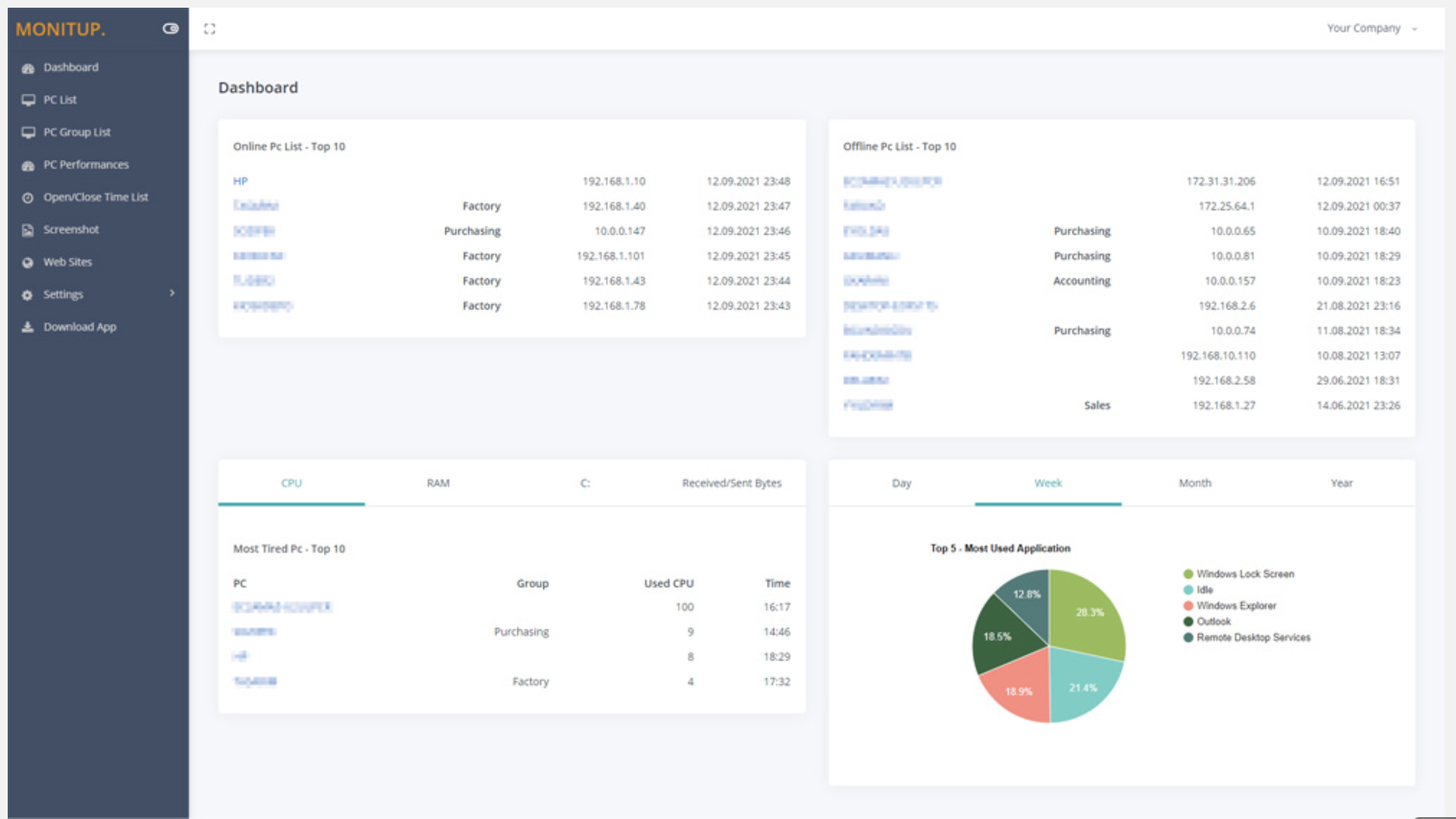     |