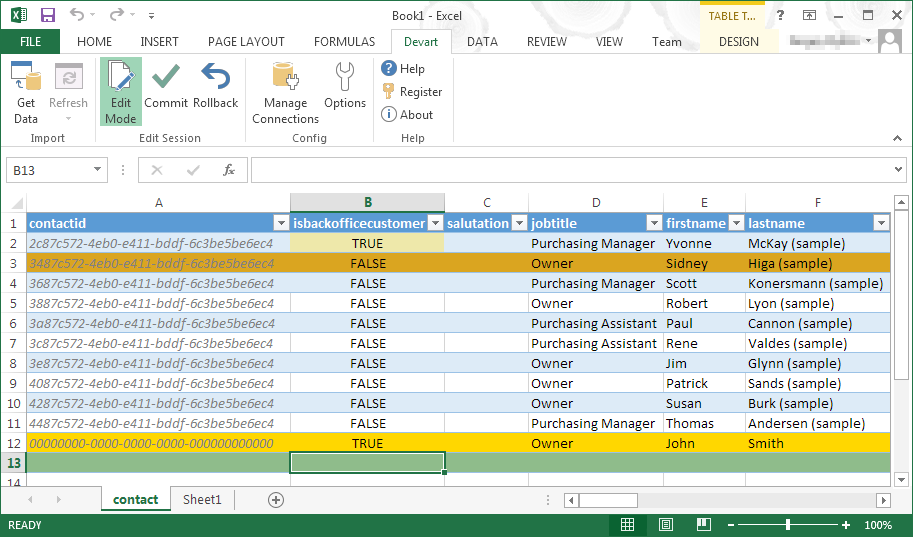
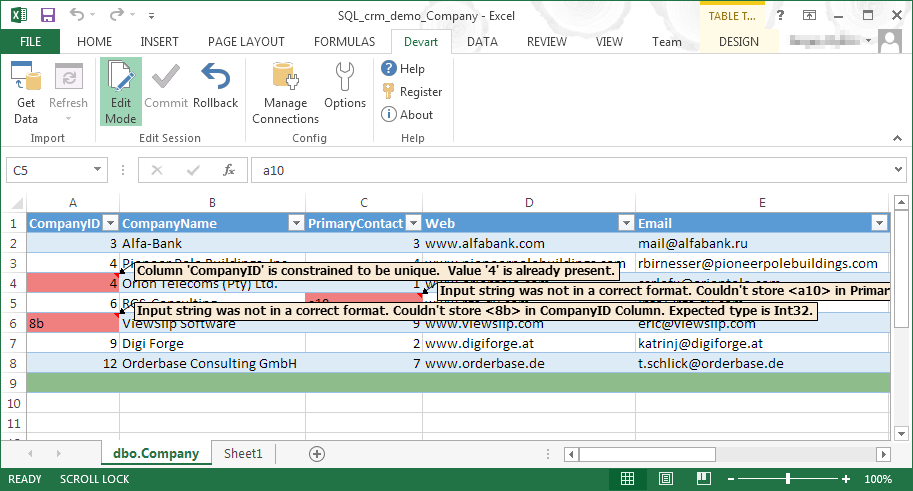
Devart Excel Add-ins allow you to use Excel capabilities to import, process, and analyze data from cloud applications and relational databases. The Excel Add-ins also allow users to make data changes and then save those changes back to the data source they were originally imported from.
$399.95
one-time fee
Oracle Data Integrator (ODI)
Score 7.6 out of 10
N/A
Oracle Data Integrator is an ELT data integrator designed with interoperability other Oracle programs. The program focuses on a high-performance capacity to support Big Data use within Oracle.
N/A
JBoss Data Virtualization
Score 6.0 out of 10
N/A
JBoss Data Virtualization is a data integration solution that sits in front of multiple data sources and allows them to be treated as a single source, to deliver the right data, in the required form, at the right time to any application and/or user. Also presented as a lean, virtual data integration solution that unlocks trapped data and delivers it as easily consumable, unified, and actionable information. Red Hat JBoss Data Virtualization makes data spread across physically diverse…
N/A
Pricing
Devart Excel Add-ins
Oracle Data Integrator (ODI)
Red Hat JBoss Data Virtualization
Editions & Modules
Excel Add-in Database Pack
$399.95
one-time fee
Excel Add-in Cloud Pack
$499.95
one-time fee
Excel Add-in Universal Pack
$599.95
one-time fee
No answers on this topic
No answers on this topic
Offerings
Pricing Offerings
Devart Excel Add-ins
Oracle Data Integrator (ODI)
JBoss Data Virtualization
Free Trial
Yes
No
No
Free/Freemium Version
No
No
No
Premium Consulting/Integration Services
No
No
No
Entry-level Setup Fee
No setup fee
No setup fee
No setup fee
Additional Details
Purchases include a perpetual license and 1 year of subscription which includes the product updates and premium support.
Director, eCommerce Analytics and Digital Marketing
Chose Devart Excel Add-ins
Microsoft Excel is the most used tool in the software universe. As such, asking Microsoft Excel to be the tool used post data acquisition makes a ton of sense. Almost everyone we hire has some idea on how to use this tool, which decreases the time spend training new employees.
Devart Excel Add-ins is really good for data comparison of one database table against another database table. There are plenty of times where the business users need help understanding with their Power BI data models are not connecting correctly and I use this tool to break down the differences between the tables they are trying to connect.
Oracle Data Integrator is well suited in all the situations where you need to integrate data from and to different systems/technologies/environments or to schedule some tasks. I've used it on Oracle Database (Data Warehouses or Data Marts), with great loading and transforming performances to accomplish any kind of relational task. This is true for all Oracle applications (like Hyperion Planning, Hyperion Essbase, Hyperion Financial Management, and so on). I've also used it to manage files on different operating systems, to execute procedures in various languages and to read and write data from and to non-Oracle technologies, and I can confirm that its performances have always been very good. It can become less appropriate depending on the expenses that can be afforded by the customer since its license costs are quite high.
Red Hat JBoss Enterprise Data Services is a top choice for JEE applications. Even though lots of documentation is available, it's difficult in terms of usability. If the development is more based on Java applications it is a good choice. It provides better installation and integrations.
Oracle Data Integrator nearly addresses every data issue that one can expect. Oracle Data Integrator is tightly integrated to the Oracle Suite of products. This is one of the major strengths of Oracle Data Integrator. Oracle Data Integrator is part of the Oracle Business Intelligence Applications Suite - which is highly used by various industries. This tool replaced Informatica ETL in Oracle Business Intelligence Applications Suite.
Oracle Data Integrator comes with many pre-written data packages. If one has to load data from Excel to Oracle Database, there is a package that is ready available for them - cutting down lot of effort on writing the code. Similarly, there are packages for Oracle to SQL, SQL to Oracle and all other possible combinations. Developers love this feature.
Oracle Data Integrator relies highly on the database for processing. This is actually an ELT tool rather than an ETL tool. It first loads all the data into target instance and then transforms it at the expense of database resources. This light footprint makes this tool very special.
The other major advantage of Oracle Data Integrator, like any other Oracle products, is a readily available developer pool. As all Oracle products are free to download for demo environments, many organizations prefer to play around with a product before purchasing it. Also, Oracle support and community is a big advantage compared to other vendors.
Data source compatibility: since it is Java, it can connect to anything with a JDBC driver.
Flexibility: you can configure it however you want, we have it configured to use LDAPS for authentication and have all interfaces encrypted, and setting that up was pretty straight forward.
ODI does not have an intuitive user interface. It is powerful, but difficult to figure out at first. There is a significant learning curve between usability, proficiency, and mastery of the tool.
ODI contains some frustrating bugs. It is Java based and has some caching issues, often requiring you to restart the program before you see your code changes stick.
ODI does not have a strong versioning process. It is not intuitive to keep an up to date repository of versioned code packages. This can create versioning issues between environments if you do not have a strong external code versioning process.
It is maturing and over time will have a good pool of resources. Each new version has addressed the issues of the previous ones. Its getting better and bigger.
Oracle Data Integrator (ODI) is a reliable ELT tool, supporting data loads from various heterogenous sources. It is effective both for structured as well as non structured data. Its works well for creating translations and transformation and also aids in the data quality checks when combined with an MDM solution. Troubleshooting issues can be of a challenge if it is not configured properly.
Devart Excel stacks up very well against its alternatives. It has significant advantages as it keeps getting an update. Features are very much suitable for smaller organizations. For larger organizations the features cannot be used directly because of the size of the company and more native requirements of IT software requirements.
I have used Trifacta Google Data Prep quite a bit. We use Google Cloud Platform across our organization. The tools are very comparable in what they offer. I would say Data Prep has a slight edge in usability and a cleaner UI, but both of the tools have comparable toolsets.
Market value and support extended by Redhat is the winner against Veritas. It has cool features and functionality but still, if your organization is Redhat shop it's better to go for the Jboss option.