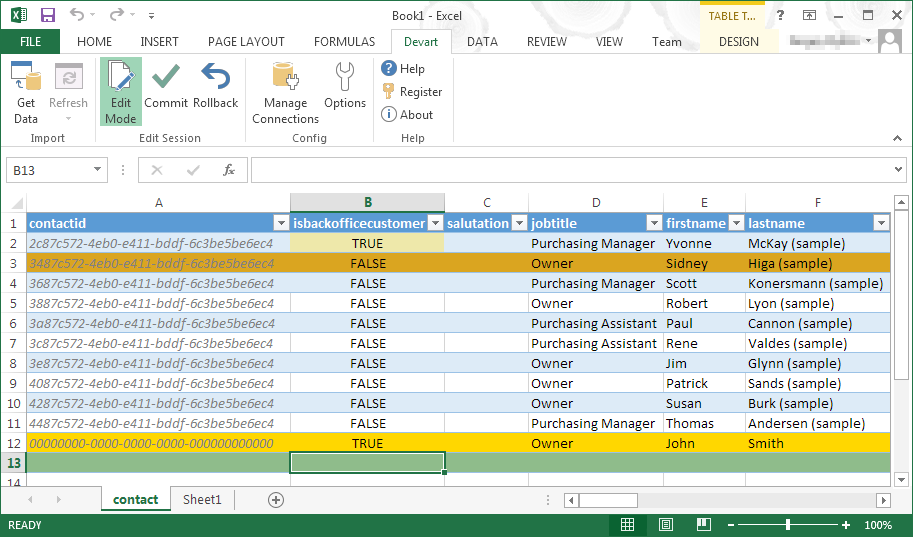
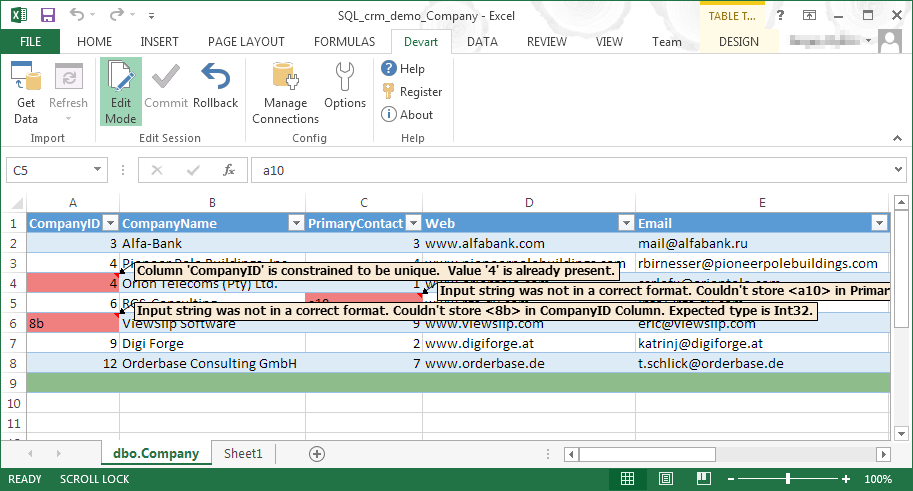
Devart Excel Add-ins allow you to use Excel capabilities to import, process, and analyze data from cloud applications and relational databases. The Excel Add-ins also allow users to make data changes and then save those changes back to the data source they were originally imported from.
$399.95
one-time fee
PrestoDB (or Presto)
Score10 out of 10
N/A
Presto is an open source SQL query engine designed to run queries on data stored in Hadoop or in traditional databases.
Teradata supported development of Presto followed the acquisition of Hadapt and Revelytix.
N/A
Pricing
Devart Excel Add-ins
PrestoDB (or Presto)
Editions & Modules
Excel Add-in Database Pack
$399.95
one-time fee
Excel Add-in Cloud Pack
$499.95
one-time fee
Excel Add-in Universal Pack
$599.95
one-time fee
No answers on this topic
Offerings
Pricing Offerings
Devart Excel Add-ins
PrestoDB (or Presto)
Free Trial
Yes
No
Free/Freemium Version
No
No
Premium Consulting/Integration Services
No
No
Entry-level Setup Fee
No setup fee
No setup fee
Additional Details
Purchases include a perpetual license and 1 year of subscription which includes the product updates and premium support.
—
More Pricing Information
Features
Devart Excel Add-ins
PrestoDB (or Presto)
Data Source Connection
Comparison of Data Source Connection features of Devart Excel Add-ins and PrestoDB (or Presto)
Feature
Devart Excel Add-ins
8.5
1 Ratings
1% above category average
PrestoDB (or Presto)
-
Ratings
Connect to traditional data sources
8.01 Ratings
00 Ratings
Connecto to Big Data and NoSQL
9.01 Ratings
00 Ratings
Data Transformations
Comparison of Data Transformations features of Devart Excel Add-ins and PrestoDB (or Presto)
Feature
Devart Excel Add-ins
7.0
1 Ratings
15% below category average
PrestoDB (or Presto)
-
Ratings
Simple transformations
8.01 Ratings
00 Ratings
Complex transformations
6.01 Ratings
00 Ratings
Data Modeling
Comparison of Data Modeling features of Devart Excel Add-ins and PrestoDB (or Presto)
Feature
Devart Excel Add-ins
8.6
1 Ratings
8% above category average
PrestoDB (or Presto)
-
Ratings
Data model creation
10.01 Ratings
00 Ratings
Metadata management
9.01 Ratings
00 Ratings
Business rules and workflow
8.01 Ratings
00 Ratings
Collaboration
9.01 Ratings
00 Ratings
Testing and debugging
7.01 Ratings
00 Ratings
Data Governance
Comparison of Data Governance features of Devart Excel Add-ins and PrestoDB (or Presto)
A de minimis incentive was given to thank the reviewer for their time. The incentive was not used to bias or drive a particular response, nor was the incentive contingent on a positive endorsement. More Info
Presto is for interactive simple queries, where Hive is for reliable processing. If you have a fact-dim join, presto is great..however for fact-fact joins presto is not the solution.. Presto is a great replacement for proprietary technology like Vertica
A de minimis incentive was given to thank the reviewer for their time. The incentive was not used to bias or drive a particular response, nor was the incentive contingent on a positive endorsement. More Info
A de minimis incentive was given to thank the reviewer for their time. The incentive was not used to bias or drive a particular response, nor was the incentive contingent on a positive endorsement. More Info
Linking, embedding links and adding images is easy enough.
Once you have become familiar with the interface, Presto becomes very quick & easy to use (but, you have to practice & repeat to know what you are doing - it is not as intuitive as one would hope).
Organizing & design is fairly simple with click & drag parameters.
A de minimis incentive was given to thank the reviewer for their time. The incentive was not used to bias or drive a particular response, nor was the incentive contingent on a positive endorsement. More Info
It has room for improvement in terms of security and making it possible for large organizations like us to use it in a more secure way with integrating with our in-house security systems.
Pricing could be reduced further for it to be adopted world-wide.
it isn't foolproof. Excel has no means of checking for human error during data entry, which means that the wrong information can skew all the results - sometimes severe.
Users unfamiliar with Excel syntax may also find entering calculations and calling up other functions a bit frustrating until they get a solid understanding.
A de minimis incentive was given to thank the reviewer for their time. The incentive was not used to bias or drive a particular response, nor was the incentive contingent on a positive endorsement. More Info
Presto was not designed for large fact fact joins. This is by design as presto does not leverage disk and used memory for processing which in turn makes it fast.. However, this is a tradeoff..in an ideal world, people would like to use one system for all their use cases, and presto should get exhaustive by solving this problem.
Resource allocation is not similar to YARN and presto has a priority queue based query resource allocation..so a query that takes long takes longer...this might be alleviated by giving some more control back to the user to define priority/override.
UDF Support is not available in presto. You will have to write your own functions..while this is good for performance, it comes at a huge overhead of building exclusively for presto and not being interoperable with other systems like Hive, SparkSQL etc.
A de minimis incentive was given to thank the reviewer for their time. The incentive was not used to bias or drive a particular response, nor was the incentive contingent on a positive endorsement. More Info
It automated the whole reporting and excel. Our team can generate pivot, dashboards and multiple other reports in various formats and update them with one click. My Sales team need to update more then 1500 leads status on daily basis. By using this tool now they can do this in few minutes.
A de minimis incentive was given to thank the reviewer for their time. The incentive was not used to bias or drive a particular response, nor was the incentive contingent on a positive endorsement. More Info
Microsoft Excel is the most used tool in the software universe. As such, asking Microsoft Excel to be the tool used post data acquisition makes a ton of sense. Almost everyone we hire has some idea on how to use this tool, which decreases the time spend training new employees.
A de minimis incentive was given to thank the reviewer for their time. The incentive was not used to bias or drive a particular response, nor was the incentive contingent on a positive endorsement. More Info
Presto is good for a templated design appeal. You cannot be too creative via this interface - but, the layout and options make the finalized visual product appealing to customers. The other design products I use are for different purposes and not really comparable to Presto.
A de minimis incentive was given to thank the reviewer for their time. The incentive was not used to bias or drive a particular response, nor was the incentive contingent on a positive endorsement. More Info
A de minimis incentive was given to thank the reviewer for their time. The incentive was not used to bias or drive a particular response, nor was the incentive contingent on a positive endorsement. More Info
A de minimis incentive was given to thank the reviewer for their time. The incentive was not used to bias or drive a particular response, nor was the incentive contingent on a positive endorsement. More Info