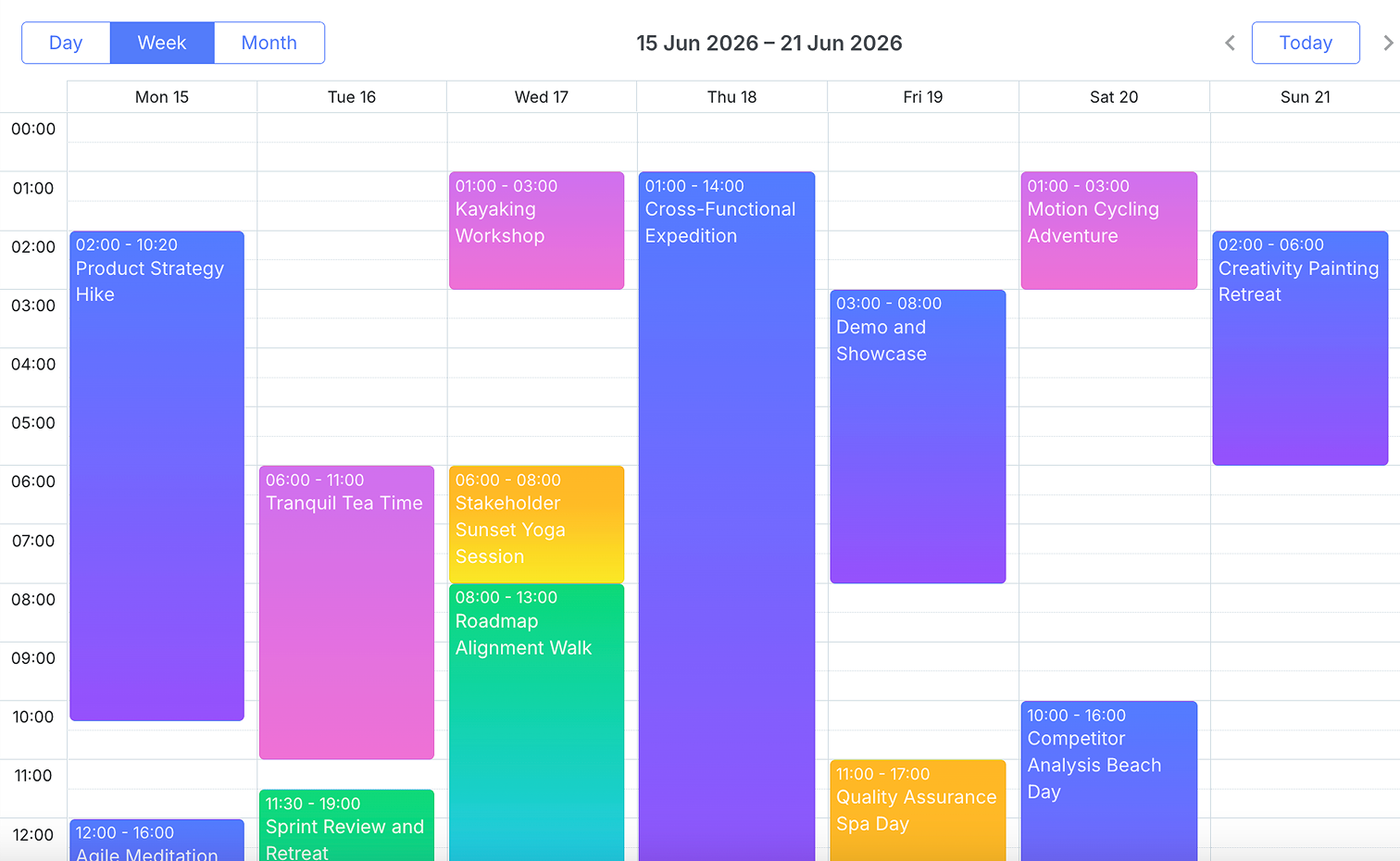
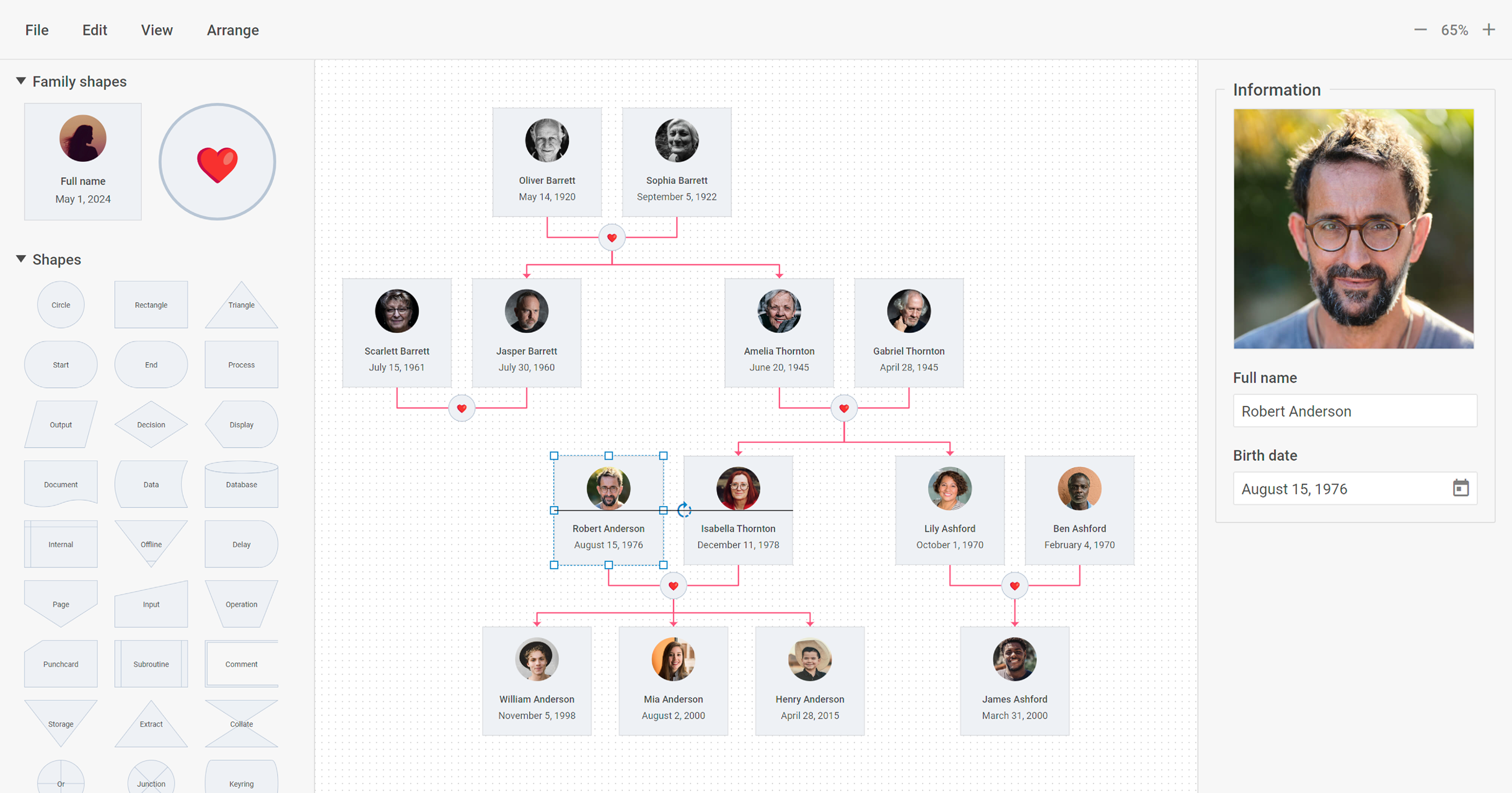
DHTMLX delivers JavaScript/HTML5 libraries and UI widgets designed for building enterprise web apps of any complexity. With these out-of-the-box components, web developers can streamline their coding processes and integrate advanced functionality, to reduce development time. The actual DHTMLX product lineup comprises a range of web-based tools that can cover most of the contemporary business needs. DHTMLX
$799
one-time fee lowest cost single component
NativeScript
Score4.8 out of 10
N/A
NativeScript is an open source framework that allows
you to create native iOS and Android apps, with one codebase, using the web
skills you already have (JavaScript and CSS) and the libraries you already
love.
N/A
Xamarin
Score6 out of 10
N/A
N/A
N/A
Pricing
DHTMLX
NativeScript
Xamarin
Editions & Modules
DHTMLX Gantt Individual - Professional Functionality with Standard Support
$799
one-time fee for 1 developer
DHTMLX Gantt Commercial - Professional Functionality with Premium Support
$1599
one-time fee for 5 developers
DHTMLX Gantt Enterprise - Professional Functionality with Premium Support
$2999
one-time fee for 20 developers
DHTMLX Gantt Ultimate - Professional Functionality with Ultimate Support
$5999
one-time fee for an unlimited number of developers
No answers on this topic
Xamarin
Free
Offerings
Pricing Offerings
DHTMLX
NativeScript
Xamarin
Free Trial
Yes
Yes
No
Free/Freemium Version
Yes
Yes
Yes
Premium Consulting/Integration Services
No
No
No
Entry-level Setup Fee
No setup fee
No setup fee
No setup fee
Additional Details
UI widgets are available standalone or "a la carte," or as part of bundles built around a theme (e.g. complete edition, scheduling components, planning components, etc.).
The NativeScript framework and CLI are completely free and open source. NativeScript Sidekick is a free download to improve developer productivity with optional paid tiers for power users.
Director and Azure Cloud Solutions Architect in Information Technology at KiZAN Technologies (Computer Software, 51-200 employees)
Chose NativeScript
We have previously evaluated Xamarin, and the time it took us to get started, install all of the software, license it, learn Xamarin, and create a app that runs and debugs on connected mobile devices was painful. With NativeScript and the Playground, we're able to get started …
A de minimis incentive was given to thank the reviewer for their time. The incentive was not used to bias or drive a particular response, nor was the incentive contingent on a positive endorsement. More Info
Head Research Assistant in Engineering at Nazarbayev University JSC (Research, 1001-5000 employees)
Chose NativeScript
First and foremost, the codebase on which the project application was developed in NativeScript on 90% can be shared with React Native framework. Moreover, the documentation of the framework is extensive in a manner to allow developers the easy low-level entrance for the …
A de minimis incentive was given to thank the reviewer for their time. The incentive was not used to bias or drive a particular response, nor was the incentive contingent on a positive endorsement. More Info
Lead Software Developer in Information Technology at Bfit Technologies (Computer Software, 1-10 employees)
Chose NativeScript
Unlike its competitors, NativeScript offers its users 4 architectural choices.
It shines in the area of offering 100% day zero Native API access.
The development experience is great and feels like you are home, if you are a web developer coming from Angular or Vue background, …
A de minimis incentive was given to thank the reviewer for their time. The incentive was not used to bias or drive a particular response, nor was the incentive contingent on a positive endorsement. More Info
Application Developer in Engineering at Couchbase (Computer Software, 1-10 employees)
Chose NativeScript
I was once a user of Ionic Framework which operates on Apache Cordova. At the time, Ionic was the obvious choice because it was lightyears ahead of the other cross platform frameworks. However, because Ionic Framework and Apache Cordova require a WebView component to function, …
A de minimis incentive was given to thank the reviewer for their time. The incentive was not used to bias or drive a particular response, nor was the incentive contingent on a positive endorsement. More Info
Co-Founder/Partner in Information Technology at nStudio, LLC. (Computer Software, 1-10 employees)
Chose NativeScript
The direct native API access without having to write any Java or ObjC was the ultimate decision for us. We can drop in a native Android/Ios library and instantly code against that SDK without any special work. Whereas with Ionic or RN, you have to write some Java/ObjC (or …
A de minimis incentive was given to thank the reviewer for their time. The incentive was not used to bias or drive a particular response, nor was the incentive contingent on a positive endorsement. More Info
Rapid development of web applications: DHTMLX provides a set of pre-built UI widgets that can be easily integrated into web applications, which makes it well suited for developing applications quickly. DHTMLX is well suited for building enterprise-level applications that require complex UI elements and data visualization. DHTMLX is less appropriate for Simple applications: If you are building a simple application that does not require a complex UI, DHTMLX may be overkill, and you may be better off using a lighter-weight framework.
A de minimis incentive was given to thank the reviewer for their time. The incentive was not used to bias or drive a particular response, nor was the incentive contingent on a positive endorsement. More Info
I gotta be honest, after a PoC period, we choose to rewrite the whole application in a different cross-platform app. Our developers had to invest a lot of time and effort to debug a lot of plugin-related issues, which we needed to utilize the android mobile phone capabilities. QR reader, special visualizations, and fine-tuning were really hard and often resulted in writing native Android code instead of using the shared Angular code. In the end, we think that writing a standalone Android app and an Angular app would have been a better alternative, as the shared code base was so unreliable that it did not save us any time.
A de minimis incentive was given to thank the reviewer for their time. The incentive was not used to bias or drive a particular response, nor was the incentive contingent on a positive endorsement. More Info
If you are required to develop applications that are cross-platformed, Xamarin is a great tool to use. It will help save time and effort from your development team to be able to build applications seamlessly for android, IOS, Windows, and web on a single platform instead of requiring multiple tools to get the job done.
A de minimis incentive was given to thank the reviewer for their time. The incentive was not used to bias or drive a particular response, nor was the incentive contingent on a positive endorsement. More Info
True native app. The app uses native components and that is quite noticeable in the overall performance of the app. NativeScript is also awesome in the way we can access the native APIs, so we are never really constrained by the framework. If we need, we can just dive into the native APIs without leaving our environment and language (JS).
Cross-platform. Builds for Android and iOS. It deals with the platforms differences very well.
Support for Vue.js. Even though it is just a community effort, the NativeScript-Vue plugin is the best alternative to build native Apps with Vue.js. That was a major factor to go with NativeScript.
A de minimis incentive was given to thank the reviewer for their time. The incentive was not used to bias or drive a particular response, nor was the incentive contingent on a positive endorsement. More Info
Xamarin allows you to write cross platform code. This allows companies to build apps more quickly by writing less code. Having code abstracted and reused across multiple platforms allows for more testing and less issues overall.
The ability to use Visual Studio is a huge plus. Visual Studio is one of the best IDE's available and being able to write cross platforms apps while in a great IDE makes everything less painful.
Xamarin is now free with a large company backing. This means that bugs on the platform get fixed more quickly and there is a large community of developers.
A de minimis incentive was given to thank the reviewer for their time. The incentive was not used to bias or drive a particular response, nor was the incentive contingent on a positive endorsement. More Info
A de minimis incentive was given to thank the reviewer for their time. The incentive was not used to bias or drive a particular response, nor was the incentive contingent on a positive endorsement. More Info
A de minimis incentive was given to thank the reviewer for their time. The incentive was not used to bias or drive a particular response, nor was the incentive contingent on a positive endorsement. More Info
The hybrid is ok but native is better for performance and the right use case I want to go for is the performance without dealing with too many development tools.
A de minimis incentive was given to thank the reviewer for their time. The incentive was not used to bias or drive a particular response, nor was the incentive contingent on a positive endorsement. More Info
Xamarin has been great for developing different projects efficiently and effectively. It's nice to reuse the core business logic across different platforms so that there are less to maintain and little replications are needed. The biggest benefit is that C# programmers do not have to learn a different language to do mobile development.
A de minimis incentive was given to thank the reviewer for their time. The incentive was not used to bias or drive a particular response, nor was the incentive contingent on a positive endorsement. More Info
With regard to the two major components we used, namely the tabular representation and the graphical modeler, we were able to effectively replace the existing building blocks of our applications by integrating them. We were able to retain existing functionalities and benefit from a significant enhancement with what DHTMLX offers natively. This made it easy for us to get our end-users to adopt the change.
If you are required to develop applications that are cross-platformed, Xamarin is a great tool to use. It will help save time and efforts from your development team to be able to build applications seamlessly for android, IOS, windows, and web on a single platform instead of requiring multiple tools to get the job done
A de minimis incentive was given to thank the reviewer for their time. The incentive was not used to bias or drive a particular response, nor was the incentive contingent on a positive endorsement. More Info
The community support is excellent. They have a slack community as well as a discourse forum forum.nativescript.org Both of these offer community driven support. The forum is more for a threaded discussion. The slack community is more for a quick talk.
A de minimis incentive was given to thank the reviewer for their time. The incentive was not used to bias or drive a particular response, nor was the incentive contingent on a positive endorsement. More Info
I never had to contact support for any help. Most of the problems we ran into, we were able to identify and use peer support through blogs and other internet sources to resolve the problems. There are plenty of sources online which provide tutorials, discuss problems, etc. Example: StackOverflow
A de minimis incentive was given to thank the reviewer for their time. The incentive was not used to bias or drive a particular response, nor was the incentive contingent on a positive endorsement. More Info
Just with any programming tasks, have a plan first. Design out the system, spend time to build it correctly the first time and have plenty of testing and user acceptance opportunities. Xamarin was easy to implement for a C# programmer. However, you need to do tutorials to realize the platform's capabilities.
A de minimis incentive was given to thank the reviewer for their time. The incentive was not used to bias or drive a particular response, nor was the incentive contingent on a positive endorsement. More Info
We looked at Kendo UI for ASP.Net Core as it has a Gantt chart but it was not as close a fit to our requirements as the DHTMLX Gantt Resource Management component. We'd have had to do much more work to make this fit.
A de minimis incentive was given to thank the reviewer for their time. The incentive was not used to bias or drive a particular response, nor was the incentive contingent on a positive endorsement. More Info
Ionic Ionic is an excellent Angular-based framework for mobile, and it does give a lot of access to the native device api's. However, the technology is based on Cordova, which means the apps being built are just webviews, with html, css and JS all running on the UI thread, and potentially creating very slow experiences for users. NativeScript is a truly native solution, and so provides a faster user experience. ReactNative We evaluate ReactNative, and found it much the same as NativeScript. The main difference is that your JS is all written with React, while NativeScript lets you choose between normal JS, Angular, and Vue. For our team, Angular was the most appropriate choice.
A de minimis incentive was given to thank the reviewer for their time. The incentive was not used to bias or drive a particular response, nor was the incentive contingent on a positive endorsement. More Info
Xamarin runs natively on MacOS, and the debugger and other integration and auto-complete tools are far better than Eclipse for C# .NET. It also carries much of the plugin/add-on capabilities that are so desirable on Atom. Eclipse is a better for generalized software development, provided a developer is comfortable switching between the IDE the command line for certain parts of their workflow, like building, package management, or debugging. But for C# .NET development on MacOS specifically, Xamarin is the best product I've used for the job.
A de minimis incentive was given to thank the reviewer for their time. The incentive was not used to bias or drive a particular response, nor was the incentive contingent on a positive endorsement. More Info
A de minimis incentive was given to thank the reviewer for their time. The incentive was not used to bias or drive a particular response, nor was the incentive contingent on a positive endorsement. More Info
The poor quality of NativeScript documentation has the potential to weigh heavily on development timelines, budgets, and QA resources in a NEGATIVE manner.
The poor interoperability of NativeScript plugins can significantly increase development time.
The need to seek out professional instruction to learn how to use NativeScript effectively may become a burden on your budget.
The number of breaking changes between versions of NativeScript, may cause your development efforts to lag further behind the most recent releases of NativeScript and your other chosen environments than you are accustomed to.
NativeScript still does not support the latest major version of Angular. Any significant changes to the other environment components of your systems may hold you back even further while NativeScript plays catch-up.
A de minimis incentive was given to thank the reviewer for their time. The incentive was not used to bias or drive a particular response, nor was the incentive contingent on a positive endorsement. More Info