Digital T Card vs. Microsoft Lists

Overview
ProductRatingMost Used ByProduct SummaryStarting Price
Digital T Card
Score 0.0 out of 10
N/A
Digital TCards is a Kanban solution for streamlined workflow management. It empowers industries to customise workflow solutions tailored to their needs. Every process is tracked in real-time, from managing work orders to conducting quality inspections. Bottlenecks in the process are anticipated and addressed with features like scheduling tools and process audits, to ensure complete visibility into operations. TCards can be used across diverse industries such as manufacturing,…
$57.27
per month 3 seats included
Microsoft Lists
Score 9.8 out of 10
N/A
Lists is an information tracking app in Microsoft 365 that enables users to work with anyone, anywhere. Users can configure lists to better organize events, issues, and assets.N/A
Pricing
Digital T CardMicrosoft Lists
Editions & Modules
Starter
£45
per month 3 seats (£10 for additional seats)
Lite
£140
per month 10 seats (£9 for additional seats)
Pro
£299
per month 25 seats (£8 for additional seats)
No answers on this topic
Offerings
Pricing Offerings
Digital T CardMicrosoft Lists
Free Trial
YesNo
Free/Freemium Version
NoNo
Premium Consulting/Integration Services
YesNo
Entry-level Setup FeeNo setup feeNo setup fee
Additional DetailsDiscount available for annual pricing.
More Pricing Information
Best Alternatives
Digital T CardMicrosoft Lists
Small Businesses
Kintone
Kintone
Score 9.7 out of 10
Kintone
Kintone
Score 9.7 out of 10
Medium-sized Companies
Kintone
Kintone
Score 9.7 out of 10
Kintone
Kintone
Score 9.7 out of 10
Enterprises
MeisterTask
MeisterTask
Score 9.0 out of 10
MeisterTask
MeisterTask
Score 9.0 out of 10
All AlternativesView all alternativesView all alternatives
User Ratings
Digital T CardMicrosoft Lists
Likelihood to Recommend
-
(0 ratings)
10.0
(2 ratings)
Usability
-
(0 ratings)
10.0
(1 ratings)
User Testimonials
Digital T CardMicrosoft Lists
Likelihood to Recommend
Lean Transition Solutions Ltd
No answers on this topic
Microsoft
Organizations with institutional subscriptions should consider maximizing the use of Microsoft Lists in their operations because it has the feature of seamlessly working with all the other Microsoft Apps. You can have a master file of multiple projects that are going on, and you don't have to manually do the updating. However, it is important to note that to maximize the Microsoft List experience, the team should have basic knowledge about integration and automation
Read full review
Pros
Lean Transition Solutions Ltd
No answers on this topic
Microsoft
  • great for capturing loads of data
  • great for manipulating and viewing the data many ways
  • strong integration with other M365 products and Power Automate
Read full review
Cons
Lean Transition Solutions Ltd
No answers on this topic
Microsoft
  • Unlike Excel, you need to go to Edit mode for you to make changes in the entries
  • You cannot just copy paste like Excel
Read full review
Usability
Lean Transition Solutions Ltd
No answers on this topic
Microsoft
The first time I learned about Microsoft Lists, I was automatically converted. How I wish I had learned about Microsoft Lists early on; it could have saved me tons of time, and could have rendered me real-time reports regarding my work, as the data I work with usually keeps changing every time. I believe the best part of it is that it works well with other Microsoft products, so less stressful.
Read full review
Alternatives Considered
Lean Transition Solutions Ltd
No answers on this topic
Microsoft
They are all different but can be used for the same things. They all have different benefits, and I use them except Airtable. Trello has the best automation capabilities natively built into the product of any product I've ever used. (I've personally built over 1,000 automations or more for clients on Trello.) ClickUp has the best flexibility to view data in very different ways and from different organisation levels (i.e. High level data through to detailed specific data across multiple departments or projetcs. Microsoft Lists is an excellent choice if you work in M365 already and you want a deeply integrated way to hold data and use it within M365
Read full review
Return on Investment
Lean Transition Solutions Ltd
No answers on this topic
Microsoft
  • Massively positive, we have build a business that can scale with ease
Read full review
ScreenShots

Digital T Card Screenshots

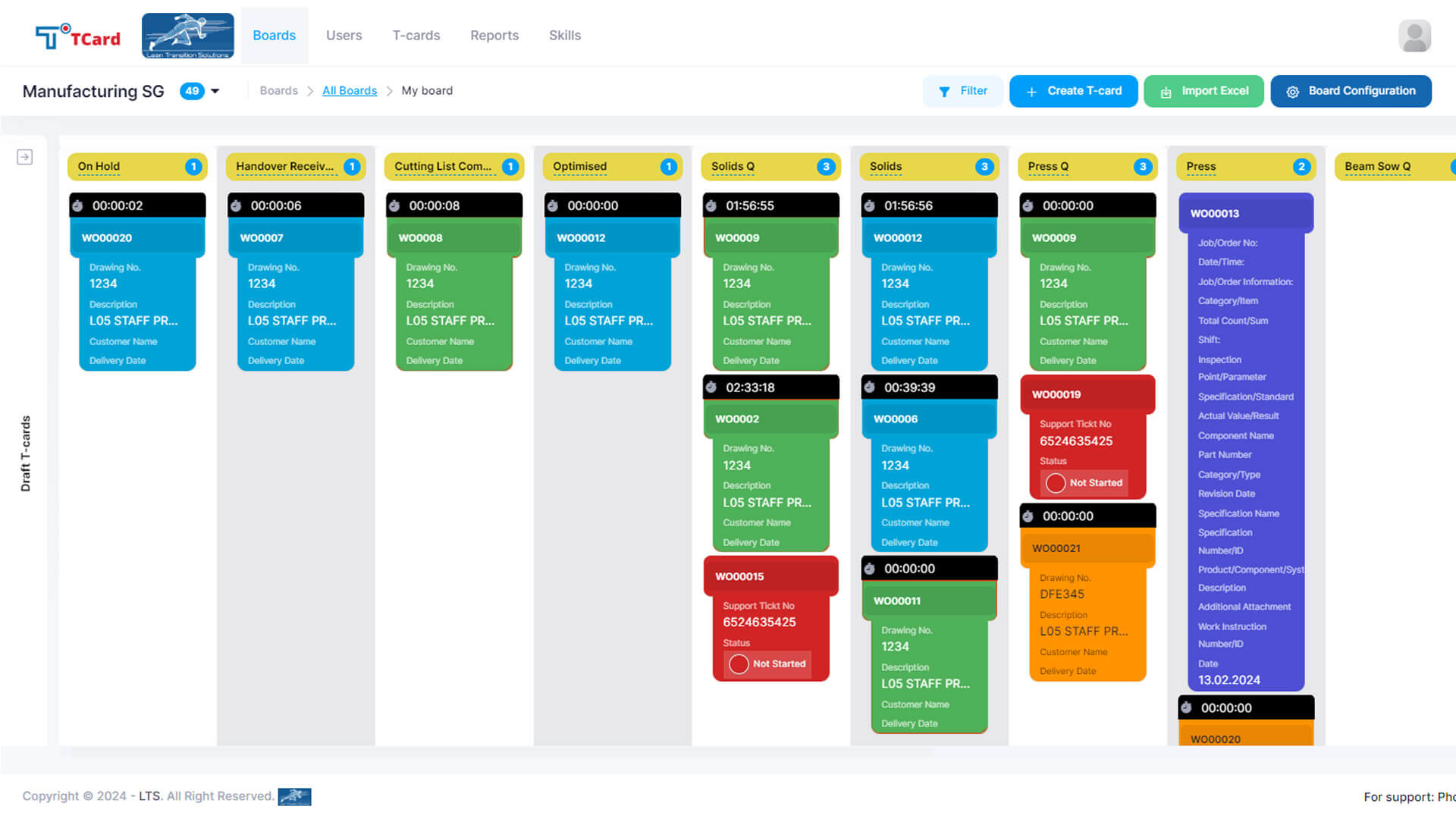
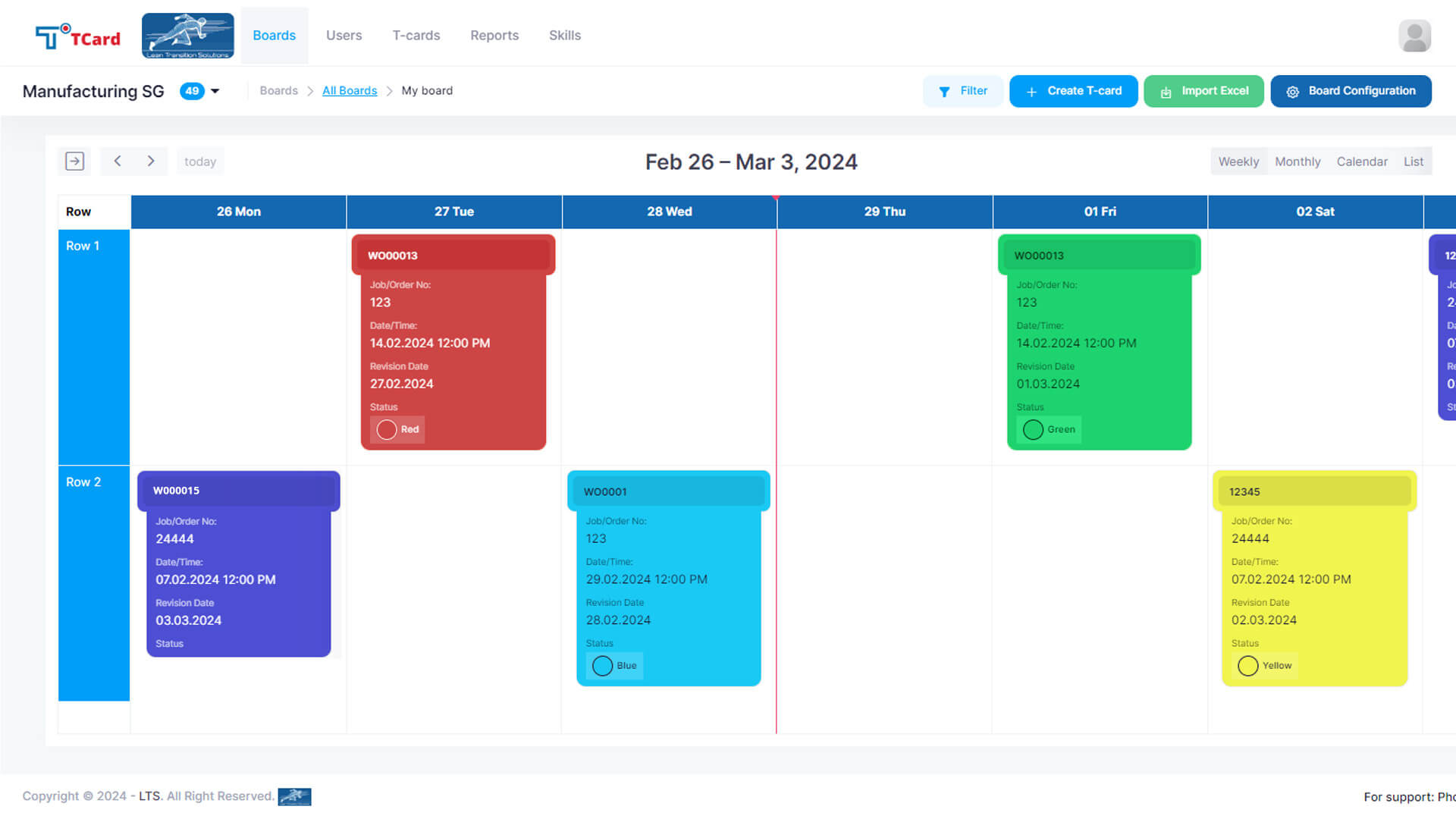
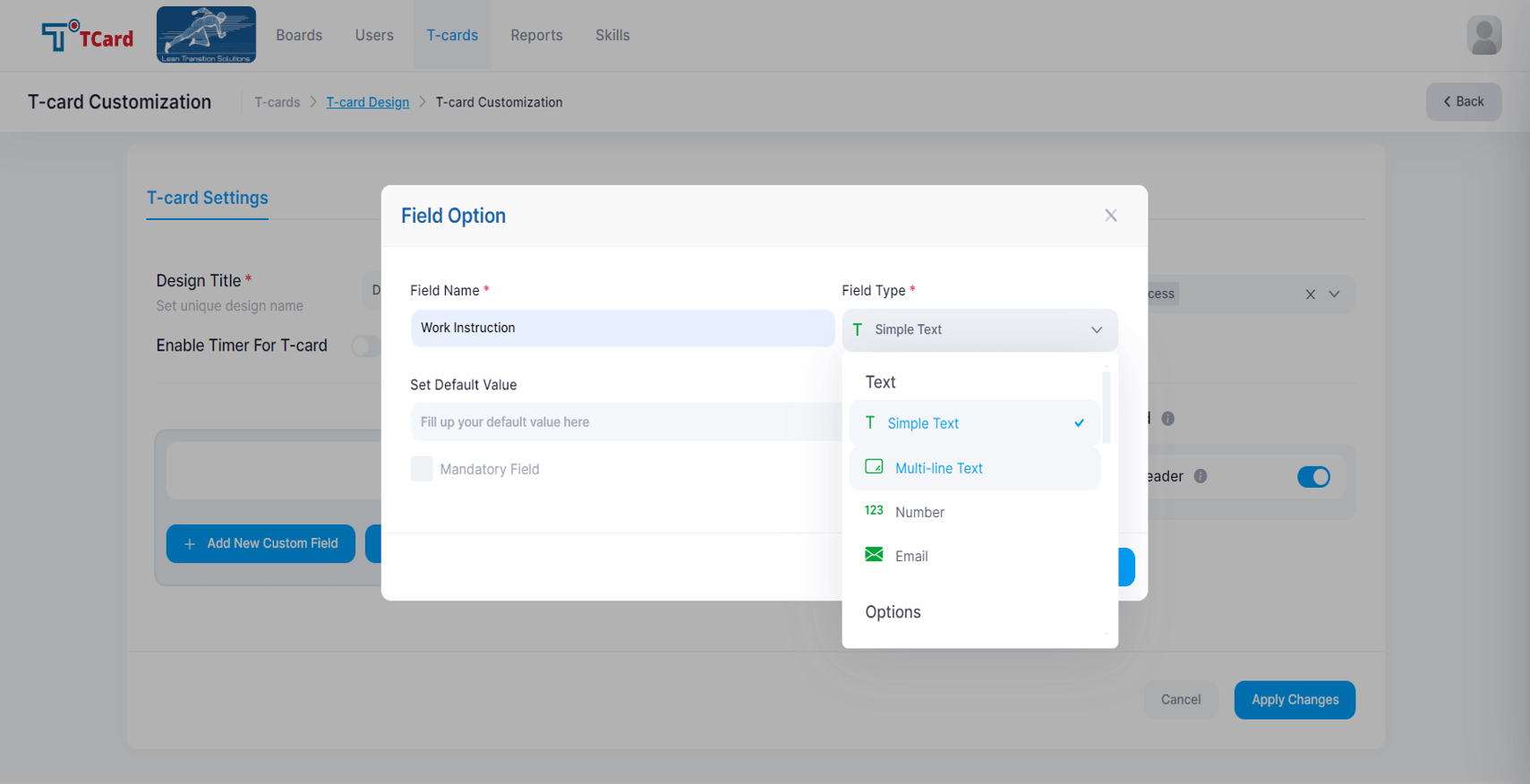
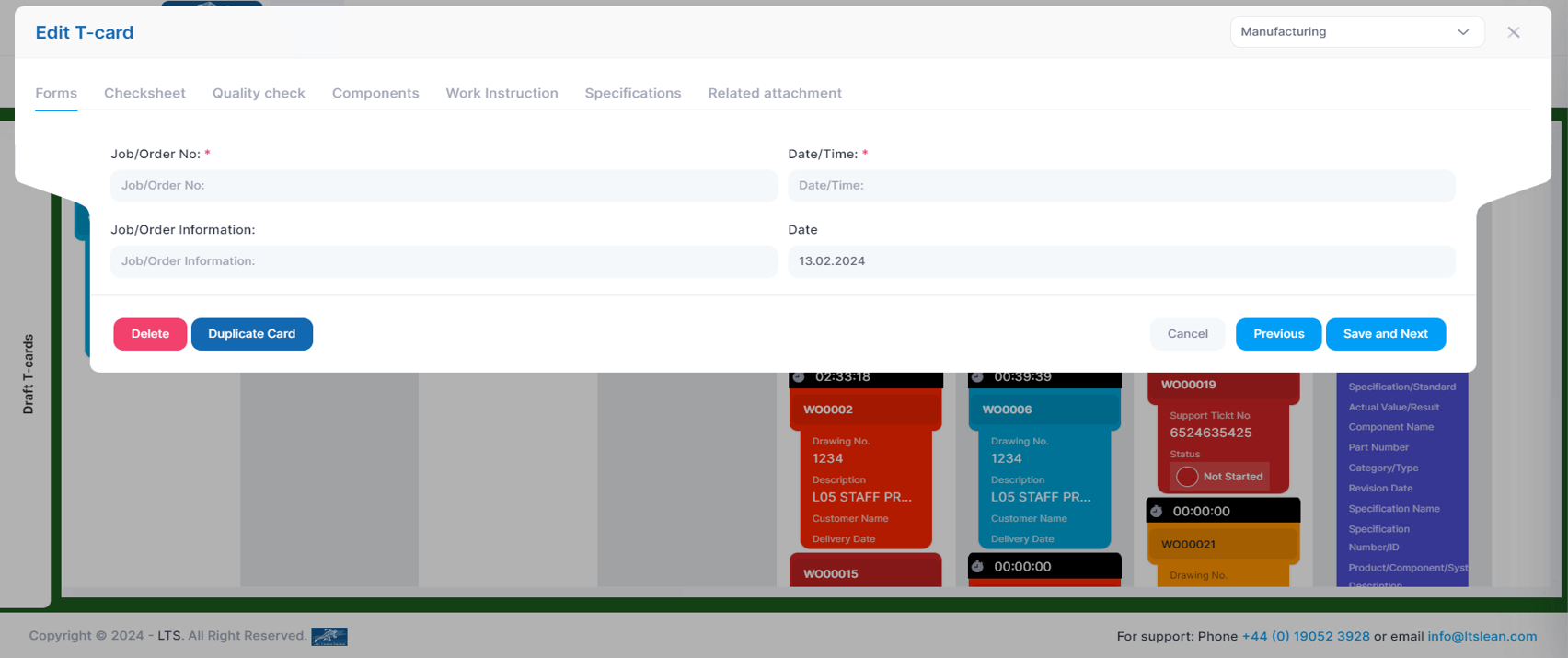
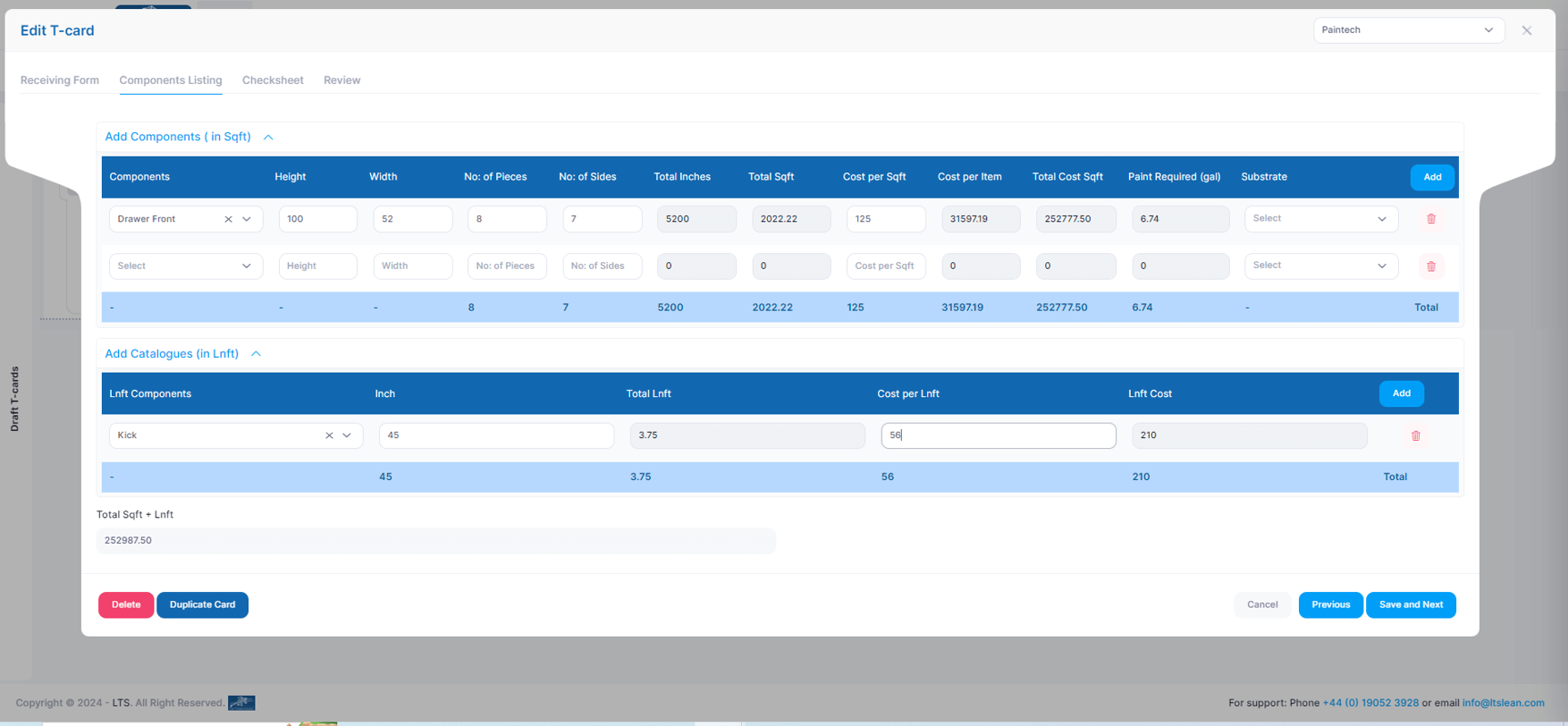
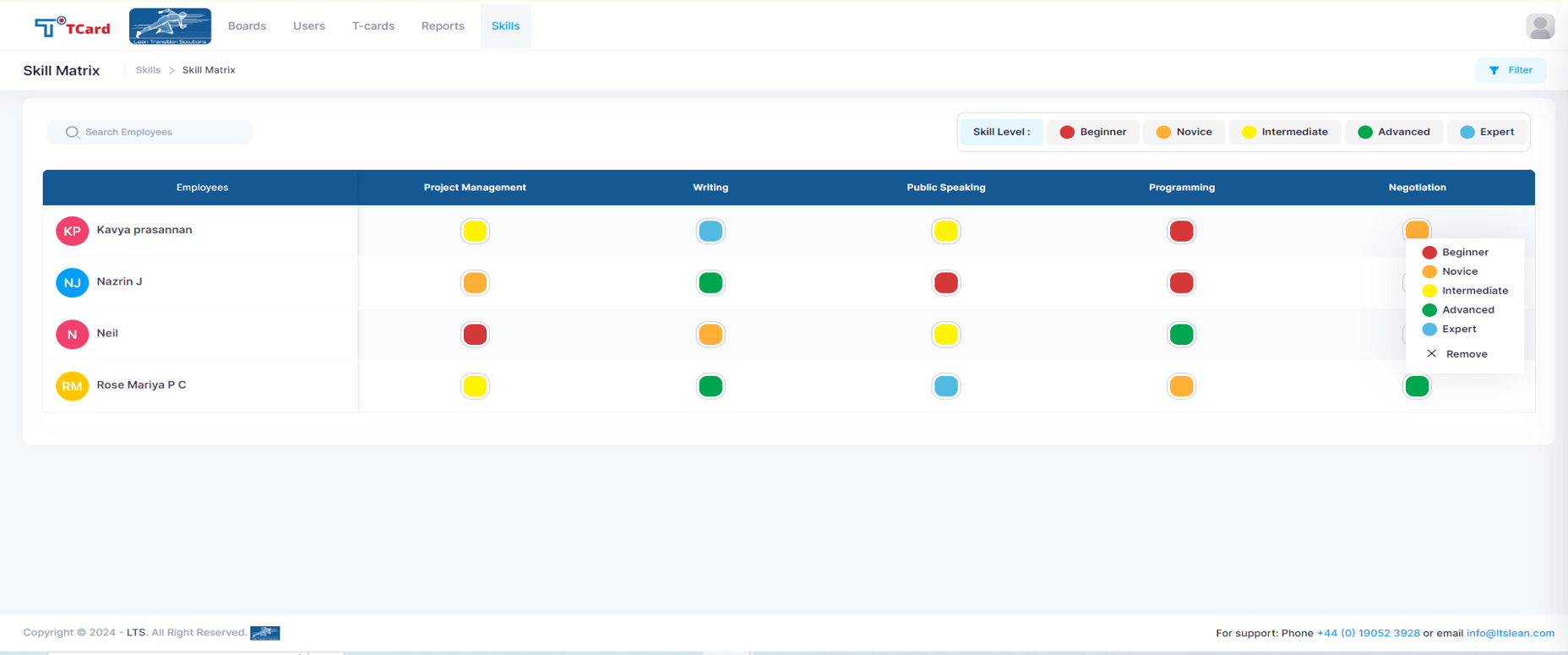
Screenshot of the Kanban boards that organise the process stages into columns and rows, giving a clear overview of each stage's progress.Screenshot of the Calendar view used to assign resources to specific dates by creating an associated card.Screenshot of the interface to tailor the cards, where users can create dynamic fields such as Text Area, Number, Dropdowns, Date and Time, Colour Options, Check Boxes, Radio Buttons, File Upload Area, Image Attachment, Dynamic Table, Icons and Users List.Screenshot of the screen to add multiple tabs in a Card that can help organise different data sets (Forms, Checksheets, Quality Checks, Components, Work Instructions, Specifications, Related Attachments), which will optimise the task flow.Screenshot of the advanced business rules in the TCard System, used to tailor workflow processes and customise how the tasks, information and data flow.Screenshot of the Skills Matrix, which is a tool used in workforce management to assess, document, and visualise the skills and competencies of employees. It helps identify skill gaps, training needs, and strengths, enabling better resource allocation and strategic planning by providing a clear overview of the skills available in a team or company. The skills matrix aids in making informed decisions about hiring, training, and project assignments.