Digital T Card vs. Todoist

Overview
ProductRatingMost Used ByProduct SummaryStarting Price
Digital T Card
Score 0.0 out of 10
N/A
Digital TCards is a Kanban solution for streamlined workflow management. It empowers industries to customise workflow solutions tailored to their needs. Every process is tracked in real-time, from managing work orders to conducting quality inspections. Bottlenecks in the process are anticipated and addressed with features like scheduling tools and process audits, to ensure complete visibility into operations. TCards can be used across diverse industries such as manufacturing,…
$57.27
per month 3 seats included
Todoist
Score 9.2 out of 10
N/A
Doist, a company boasting an entirely globally distributed workforce, offers Todoist, a project management platform emphasizing the needs of a distributed workforce. The application emphasizes tracking events over time with advanced closed task and progress reporting, with custom graphics for sharing or ease of review.
$8
per month per user
Pricing
Digital T CardTodoist
Editions & Modules
Starter
£45
per month 3 seats (£10 for additional seats)
Lite
£140
per month 10 seats (£9 for additional seats)
Pro
£299
per month 25 seats (£8 for additional seats)
Business
$8
per month per user
Offerings
Pricing Offerings
Digital T CardTodoist
Free Trial
YesYes
Free/Freemium Version
NoYes
Premium Consulting/Integration Services
YesNo
Entry-level Setup FeeNo setup feeNo setup fee
Additional DetailsDiscount available for annual pricing.
More Pricing Information
Community Pulse
Digital T CardTodoist
Best Alternatives
Digital T CardTodoist
Small Businesses
7shifts
7shifts
Score 9.8 out of 10
7shifts
7shifts
Score 9.8 out of 10
Medium-sized Companies
Todoist
Todoist
Score 9.2 out of 10
Teamwork.com
Teamwork.com
Score 8.8 out of 10
Enterprises
Notion
Notion
Score 8.7 out of 10
Notion
Notion
Score 8.7 out of 10
All AlternativesView all alternativesView all alternatives
User Ratings
Digital T CardTodoist
Likelihood to Recommend
-
(0 ratings)
8.6
(80 ratings)
Usability
-
(0 ratings)
9.0
(9 ratings)
Support Rating
-
(0 ratings)
8.6
(31 ratings)
User Testimonials
Digital T CardTodoist
Likelihood to Recommend
Lean Transition Solutions Ltd
No answers on this topic
Doist
There have been lots of times when we need to add a new habit into our daily work routines, and having the option to do so in the To-Doist app on the very first screen is incredibly helpful. It's a good reminder, and I believe that professionals who truly appreciate and properly value the implementation of good habits would be very grateful for this feature. It's also a time saver because you don't have to manually type it in every day/week / etc.
Read full review
Pros
Lean Transition Solutions Ltd
No answers on this topic
Doist
  • Free plan offers two viewing options and 4 color themes; paid plans offer more
  • Can integrate with Google Calendar, IFTTT, and Zapier apps
  • Viewing format is pretty uncomplicated, including sidebar, easy on the eyes
  • Importable and exportable data, emails
  • Optional beta testing opportunities (can opt in/opt out at any time)
Read full review
Cons
Lean Transition Solutions Ltd
No answers on this topic
Doist
  • The Todoist application now works almost identically across all platforms. There is a minor improvement that I would like to see on iOS and that is the ability to show task count by custom filter.
  • In Board view, I want to be able to easily add sub-tasks to a parent task.
  • Besides those two minor improvements, I am extremely happy with the application.
Read full review
Usability
Lean Transition Solutions Ltd
No answers on this topic
Doist
Excellent features and concept, simple implementation, but the software is not very clear in training new users and communicating features. The occasional unexplained crash or freeze is not handled gracefully by the desktop software, requiring either the user or tech support to manually restart.
Read full review
Support Rating
Lean Transition Solutions Ltd
No answers on this topic
Doist
I've used Todoist for about three years now and I haven't needed to contact support, which I'm considering a 10 out of 10. Honestly, their platform is so easy to use that I never had to look up a knowledge base or forum to be able to do what I wanted in Todoist. So I'm not sure what their support system looks like or how it works, but I do know that if I haven't needed support, that's also a good sign!
Read full review
Alternatives Considered
Lean Transition Solutions Ltd
No answers on this topic
Doist
[Todoist: To-Do List & Task Manager] is significantly simpler and cheaper than most of the alternatives and doesn't complicate the management of tasks with a plethora of unnecessary features. While all the alternatives have strong feature sets, what Todoist does better than any of them is manage tasks, in theory the central point of them all.
Read full review
Return on Investment
Lean Transition Solutions Ltd
No answers on this topic
Doist
  • Location-based reminders ensured that my staff didn't miss things when they went onsite with a customer. This has led to renewals on a regular basis.
  • Sharing of task visibility for managers with their direct reports has enhanced 1-on-1 meetings and ensured that field coaches kept focused
  • The cost of Todoist vs. the value it creates is a huge selling point for the software. For the price per user, I've found nothing that even comes close!
Read full review
ScreenShots

Digital T Card Screenshots

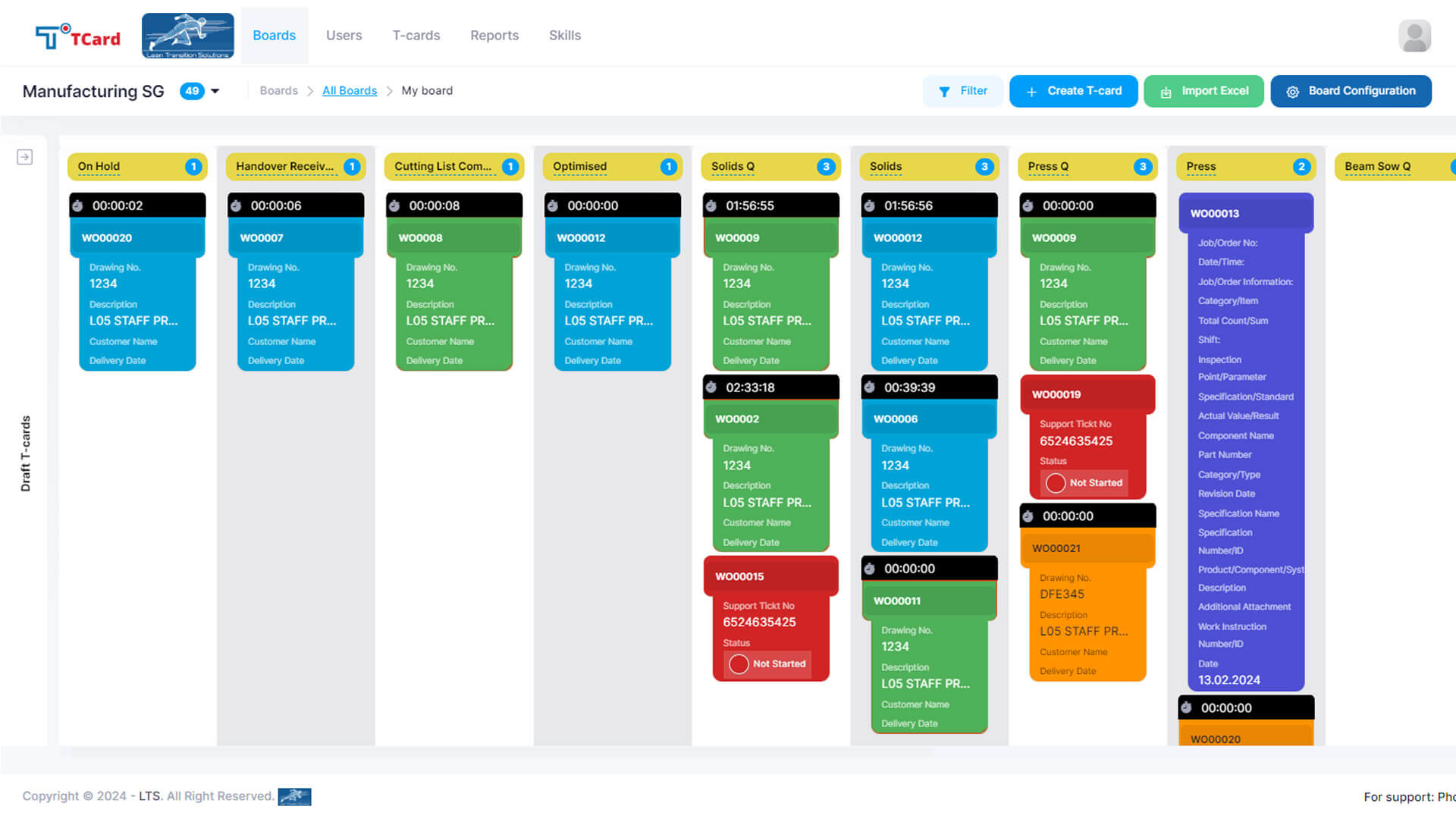
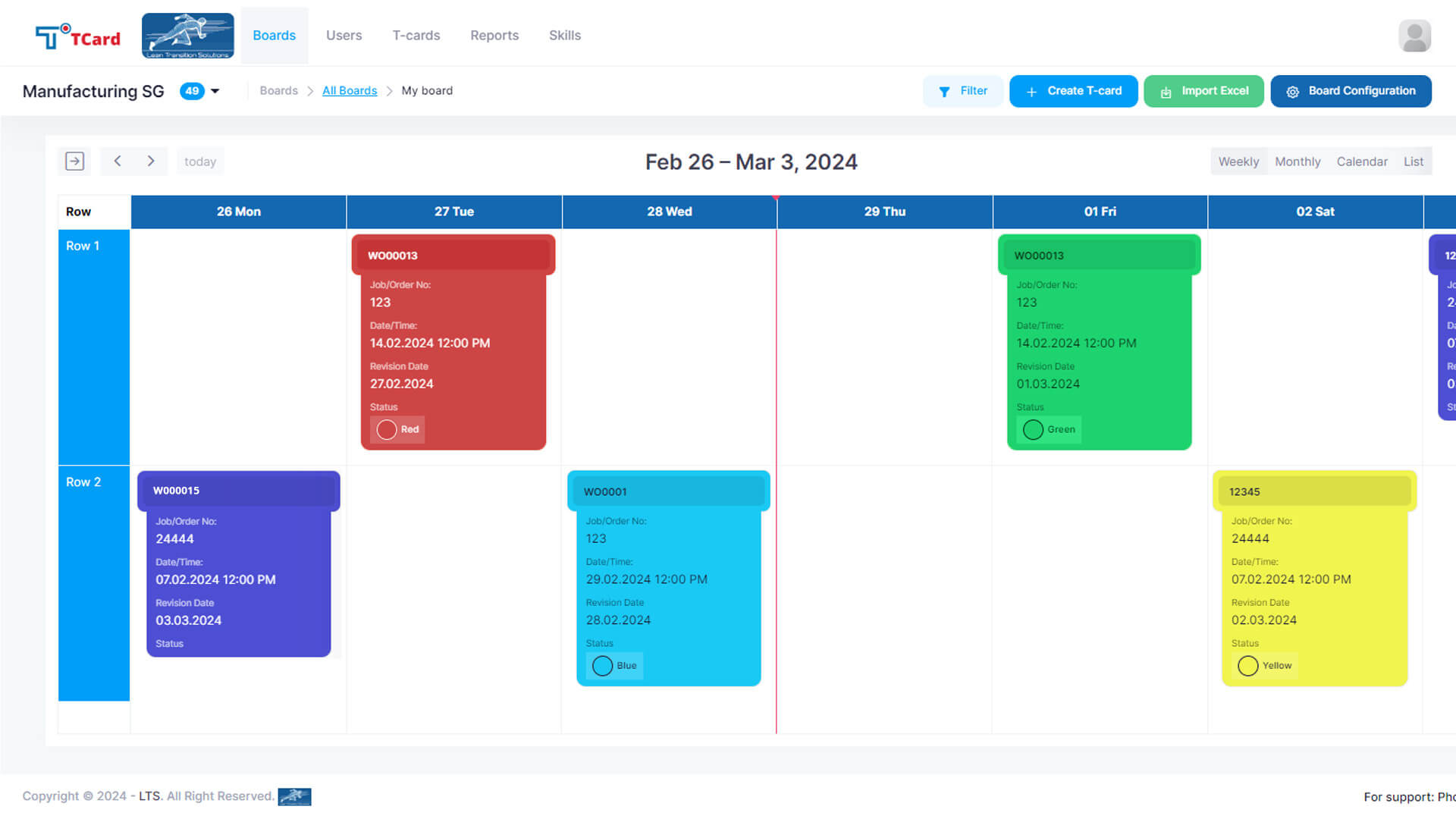
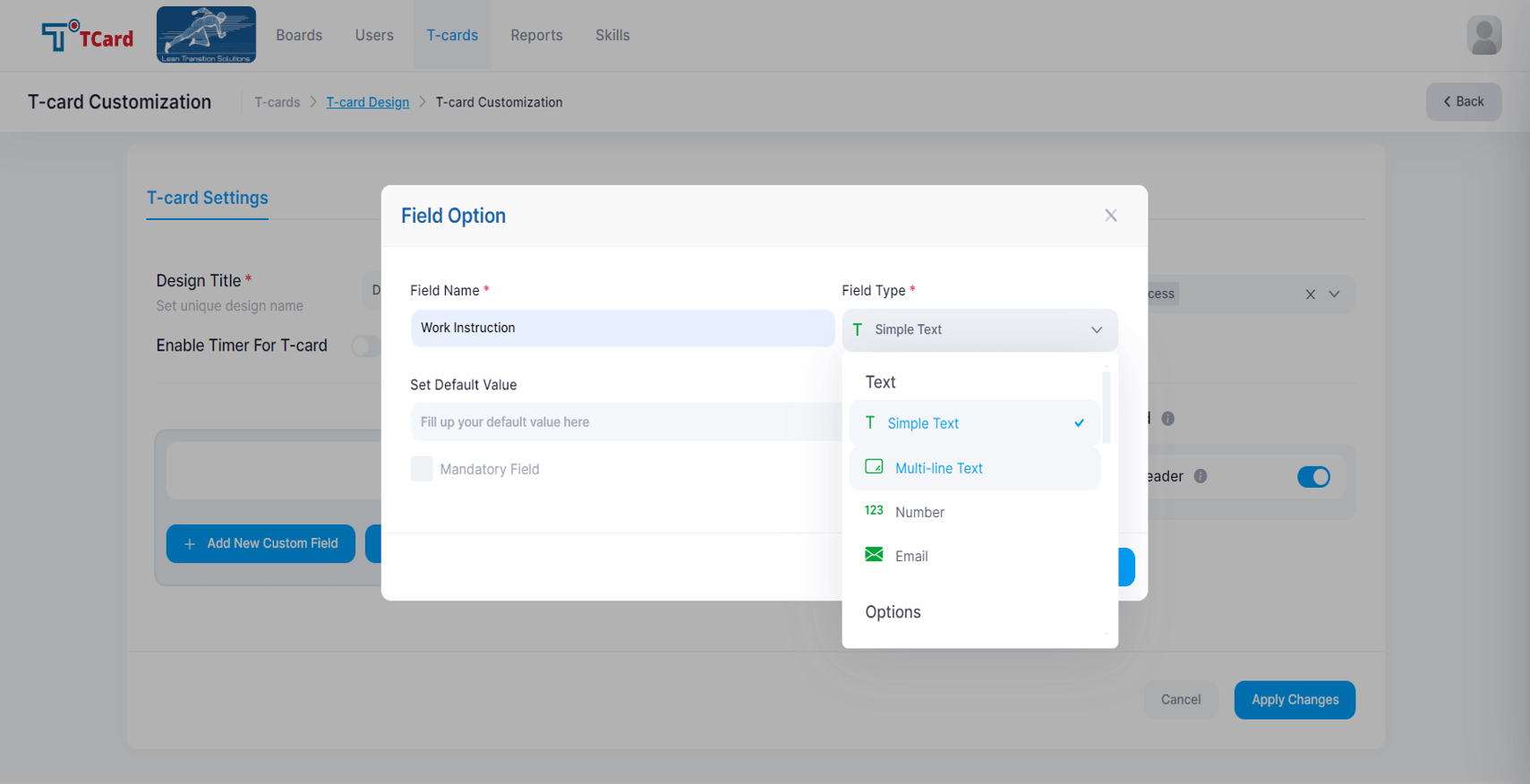
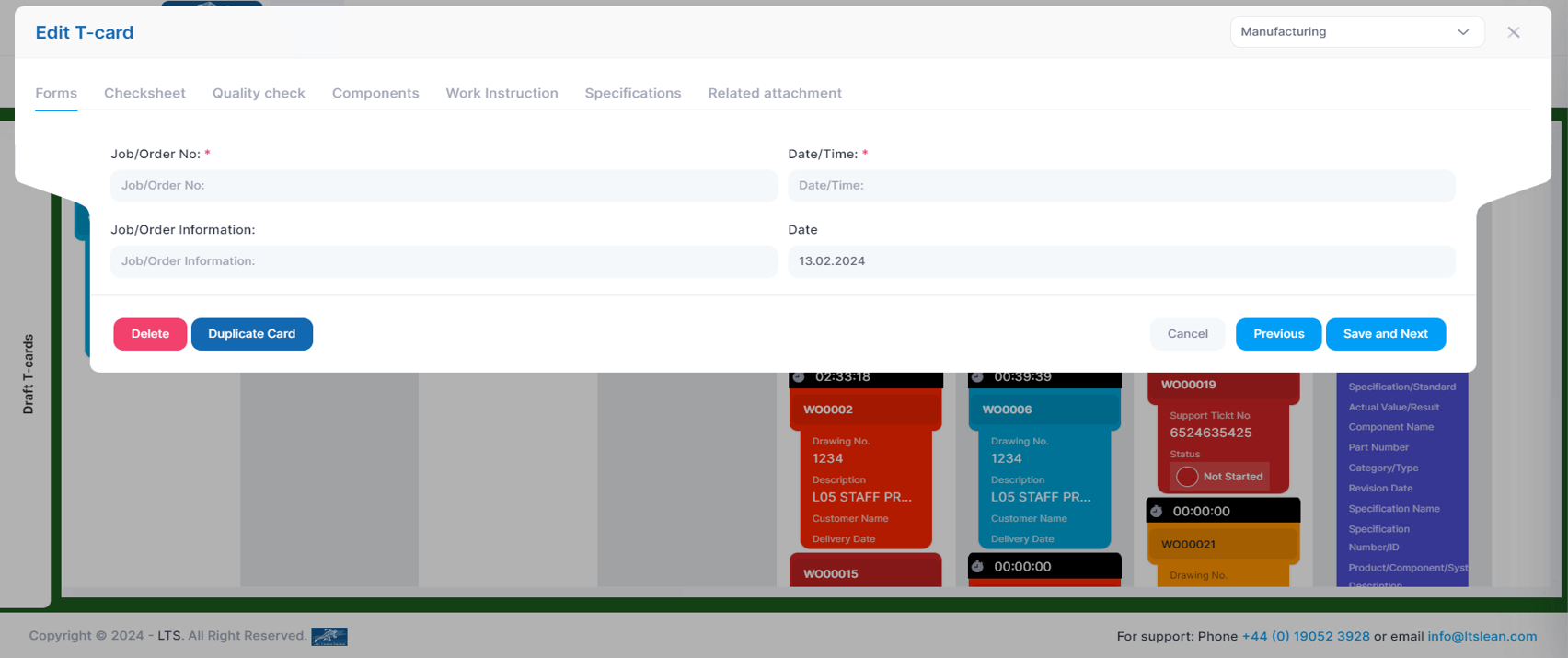
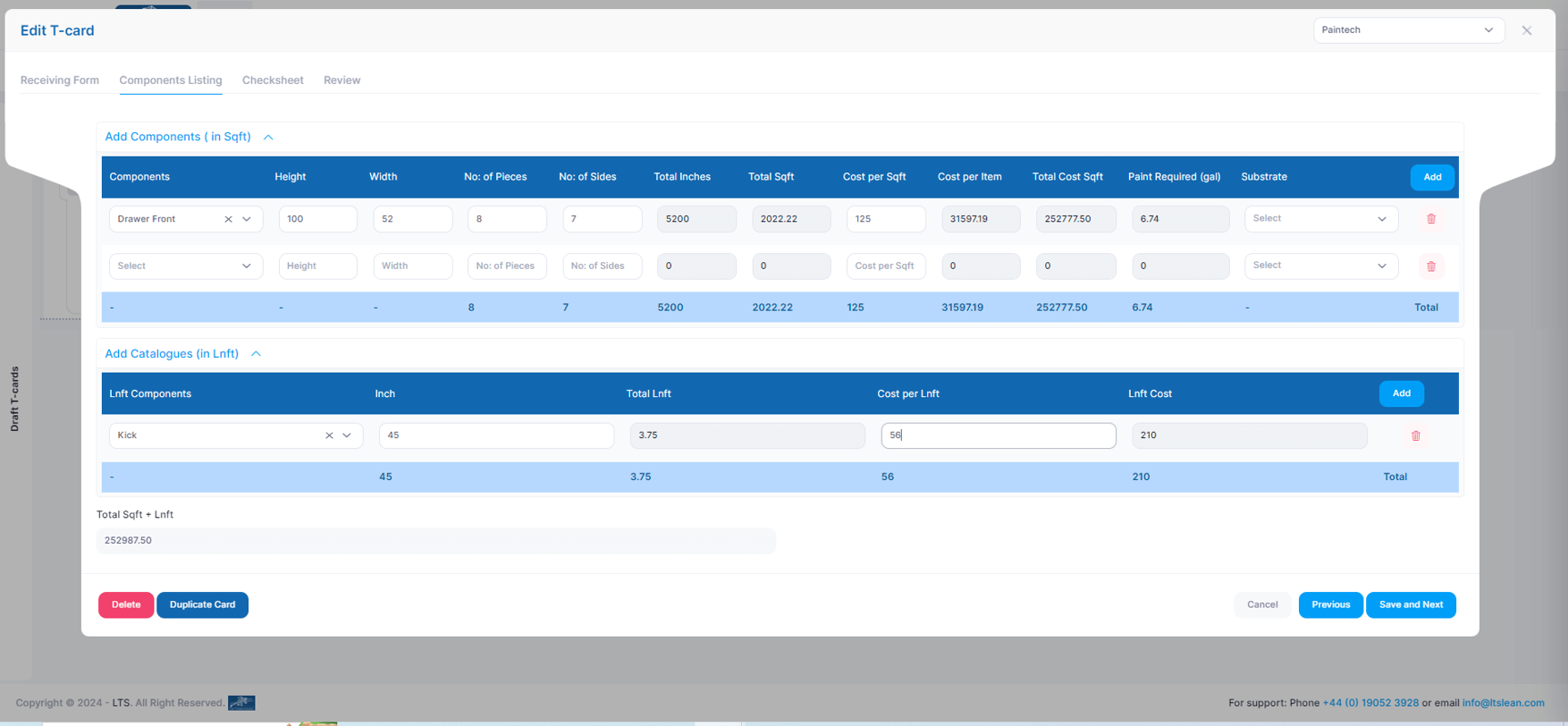
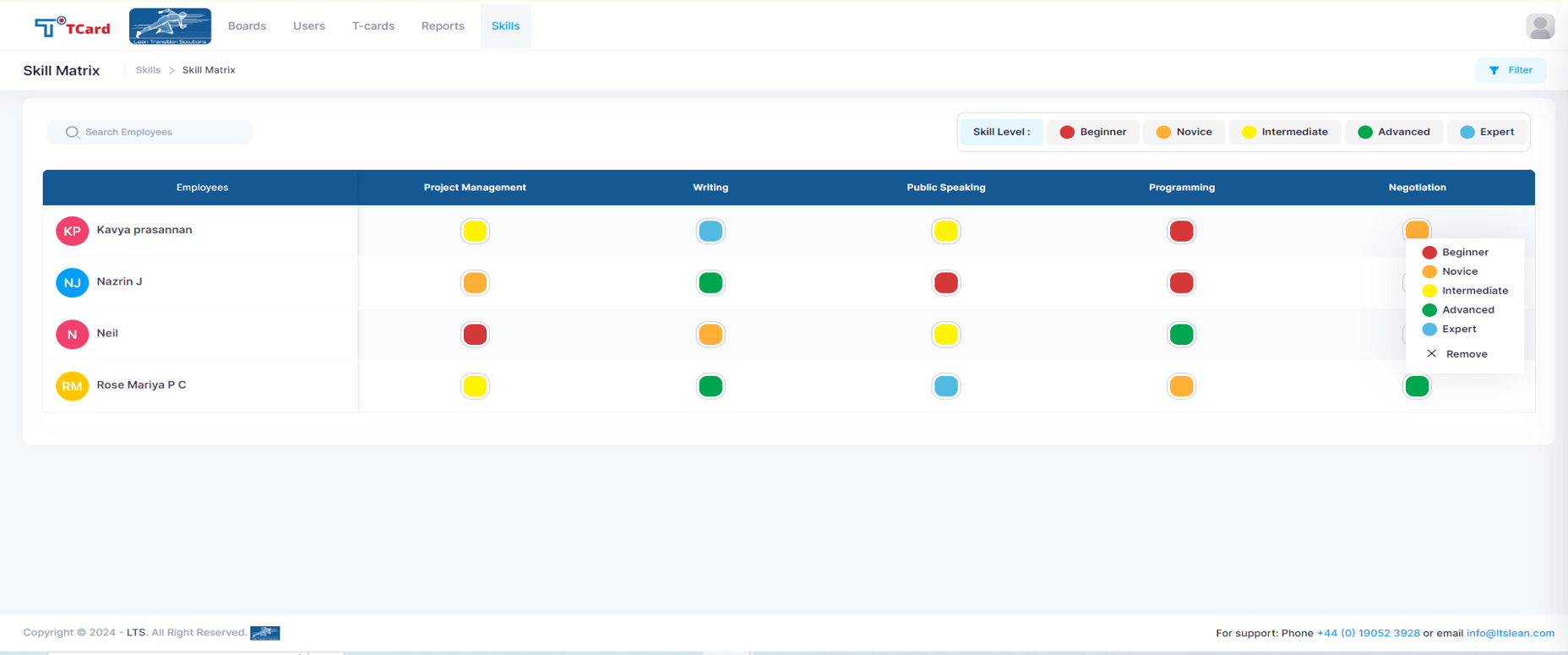
Screenshot of the Kanban boards that organise the process stages into columns and rows, giving a clear overview of each stage's progress.Screenshot of the Calendar view used to assign resources to specific dates by creating an associated card.Screenshot of the interface to tailor the cards, where users can create dynamic fields such as Text Area, Number, Dropdowns, Date and Time, Colour Options, Check Boxes, Radio Buttons, File Upload Area, Image Attachment, Dynamic Table, Icons and Users List.Screenshot of the screen to add multiple tabs in a Card that can help organise different data sets (Forms, Checksheets, Quality Checks, Components, Work Instructions, Specifications, Related Attachments), which will optimise the task flow.Screenshot of the advanced business rules in the TCard System, used to tailor workflow processes and customise how the tasks, information and data flow.Screenshot of the Skills Matrix, which is a tool used in workforce management to assess, document, and visualise the skills and competencies of employees. It helps identify skill gaps, training needs, and strengths, enabling better resource allocation and strategic planning by providing a clear overview of the skills available in a team or company. The skills matrix aids in making informed decisions about hiring, training, and project assignments.

Todoist Screenshots

Screenshot of Todoist's tasks, projects, and deadlines tracking.Screenshot of the task assignment interface.Screenshot of Todoist's project layouts, which allow users to switch between board, calendar or list to track progress and deliver projects on time.Screenshot of the task grouping and filtering feature. This can be done by personal and/or team projects to separate work and life, or to get an overview of both.Screenshot of Screenshot of the project folder organizing feature, used to organize projects by client, department, initiative, or goals.