
Chose Drupal
Drupal vs. Netlify CMS vs. Umbraco CMS
Drupal vs. Netlify CMS vs. Umbraco CMS
| Product | Rating | Most Used By | Product Summary | Starting Price |
|---|---|---|---|---|
 Drupal | N/A | Drupal is a free, open-source content management system written in PHP that competes primarily with Joomla and Plone. The standard release of Drupal, known as Drupal core, contains basic features such as account and menu management, RSS feeds, page layout customization, and system administration. | N/A | |
 Netlify CMS | N/A | Netlify CMS is an open source Git-based CMS for static site generators. it runs 100% in a browser. | N/A | |
 Umbraco CMS | N/A | Umbraco is an open-source .NET Core CMS with over 700,000 active installs worldwide and with more than 200,000 active community members. It was first released on February 16th, 2005, and is still to this day an open-source project backed by a commercial company. To ensure Umbraco is always running the latest technology, the company has aligned with Microsoft's .NET release schedule to always have the Umbraco CMS… | $0 |
| Drupal | Netlify CMS | Umbraco CMS | ||||||||||||||||||||||
|---|---|---|---|---|---|---|---|---|---|---|---|---|---|---|---|---|---|---|---|---|---|---|---|---|
| Editions & Modules | No answers on this topic | No answers on this topic |
| |||||||||||||||||||||
| Offerings |
| |||||||||||||||||||||||
| Entry-level Setup Fee | No setup fee | No setup fee | No setup fee | |||||||||||||||||||||
| Additional Details | — | — | The Umbraco CMS and all of its core features are the same across all plans. | |||||||||||||||||||||
| More Pricing Information | ||||||||||||||||||||||||
| Drupal | Netlify CMS | Umbraco CMS | |
|---|---|---|---|
| Considered Multiple Products |  Drupal  Alex Lada Tech Director Chose Drupal | Netlify CMS No answer on this topic |  Umbraco CMS Alex Lada Tech Director Chose Umbraco CMS Umbraco provides the best bang-for-the-buck CMS option on a .NET platform for those that cannot afford Sitecore. It is much friendlier to use than Ektron, is free to use, has commercial grade plugins that are not overly expensive, and provides the functionality that most …  Filip Witkowski Web Developer Chose Umbraco CMS There is not really an alternative when it comes to CMS based on ASP.Net (MVC4 with Razor). There are a few frameworks, like Booststrap; however framework is not content management system. I will compare it to Drupal, because the second one is well known. Against Drupal, … |
| Drupal | Netlify CMS | Umbraco CMS | |||||||||||||||||||||||||||||||||||
|---|---|---|---|---|---|---|---|---|---|---|---|---|---|---|---|---|---|---|---|---|---|---|---|---|---|---|---|---|---|---|---|---|---|---|---|---|---|
| Security |
| ||||||||||||||||||||||||||||||||||||
| Platform & Infrastructure |
| ||||||||||||||||||||||||||||||||||||
| Web Content Creation |
| ||||||||||||||||||||||||||||||||||||
| Web Content Management |
|
| Drupal | Netlify CMS | Umbraco CMS | |
|---|---|---|---|
| Small Businesses |  ManageWP Score 10.0 out of 10 | ManageWP Score 10.0 out of 10 | ManageWP Score 10.0 out of 10 |
| Medium-sized Companies |  RWS Tridion Sites Score 9.0 out of 10 | RWS Tridion Sites Score 9.0 out of 10 | RWS Tridion Sites Score 9.0 out of 10 |
| Enterprises | RWS Tridion Sites Score 9.0 out of 10 | RWS Tridion Sites Score 9.0 out of 10 | RWS Tridion Sites Score 9.0 out of 10 |
| All Alternatives | View all alternatives | View all alternatives | View all alternatives |
| Drupal | Netlify CMS | Umbraco CMS | |
|---|---|---|---|
| Likelihood to Recommend | 6.0 (84 ratings) | 9.0 (1 ratings) | 6.0 (12 ratings) |
| Likelihood to Renew | 1.0 (19 ratings) | - (0 ratings) | - (0 ratings) |
| Usability | 6.6 (18 ratings) | - (0 ratings) | 8.0 (2 ratings) |
| Availability | 9.7 (3 ratings) | - (0 ratings) | 7.0 (1 ratings) |
| Performance | 8.9 (2 ratings) | - (0 ratings) | 3.0 (1 ratings) |
| Support Rating | 1.0 (5 ratings) | - (0 ratings) | 2.0 (1 ratings) |
| In-Person Training | 8.0 (1 ratings) | - (0 ratings) | - (0 ratings) |
| Online Training | 6.0 (2 ratings) | - (0 ratings) | 3.0 (1 ratings) |
| Implementation Rating | 5.1 (4 ratings) | - (0 ratings) | 7.0 (1 ratings) |
| Ease of integration | 9.0 (1 ratings) | - (0 ratings) | - (0 ratings) |
| Product Scalability | 8.0 (2 ratings) | - (0 ratings) | 4.0 (1 ratings) |
| Drupal | Netlify CMS | Umbraco CMS | |
|---|---|---|---|
| Likelihood to Recommend | Open Source
 Paul Nielsen Volunteer Web Developer | Netlify
 Mani Kumar Reddy Kancharla UI Developer | Umbraco
 Debbie Marshall Operations Manager |
| Pros | Open Source
| Netlify
Mani Kumar Reddy Kancharla UI Developer | Umbraco
Filip Witkowski Web Developer |
| Cons | Open Source
| Netlify
Mani Kumar Reddy Kancharla UI Developer | Umbraco
 Jason Kelly Data Manager |
| Likelihood to Renew | Open Source
 Eric Batson Learning and Development Specialist | Netlify No answers on this topic | Umbraco No answers on this topic |
| Usability | Open Source
| Netlify No answers on this topic | Umbraco
|
| Reliability and Availability | Open Source
 Peter Wolanin Principal Engineer | Netlify No answers on this topic | Umbraco
 Matthew Hardesty Founder |
| Performance | Open Source
 Michael Sypes Programmer Analyst | Netlify No answers on this topic | Umbraco
Matthew Hardesty Founder |
| Support Rating | Open Source
Michael Sypes Programmer Analyst | Netlify No answers on this topic | Umbraco
Matthew Hardesty Founder |
| In-Person Training | Open Source
Eric Batson Learning and Development Specialist | Netlify No answers on this topic | Umbraco No answers on this topic |
| Online Training | Open Source
Eric Batson Learning and Development Specialist | Netlify No answers on this topic | Umbraco
Matthew Hardesty Founder |
| Implementation Rating | Open Source
Michael Sypes Programmer Analyst | Netlify No answers on this topic | Umbraco
Matthew Hardesty Founder |
| Alternatives Considered | Open Source
 Dustin Day Director of UX development, social media and SEO/SEM | Netlify
Mani Kumar Reddy Kancharla UI Developer | Umbraco |
| Scalability | Open Source
Michael Sypes Programmer Analyst | Netlify No answers on this topic | Umbraco
Matthew Hardesty Founder |
| Return on Investment | Open Source
 Sohail Lajevardi Drupal Front-end Engineer | Netlify
Mani Kumar Reddy Kancharla UI Developer | Umbraco
Debbie Marshall Operations Manager |
| ScreenShots | Umbraco CMS Screenshots    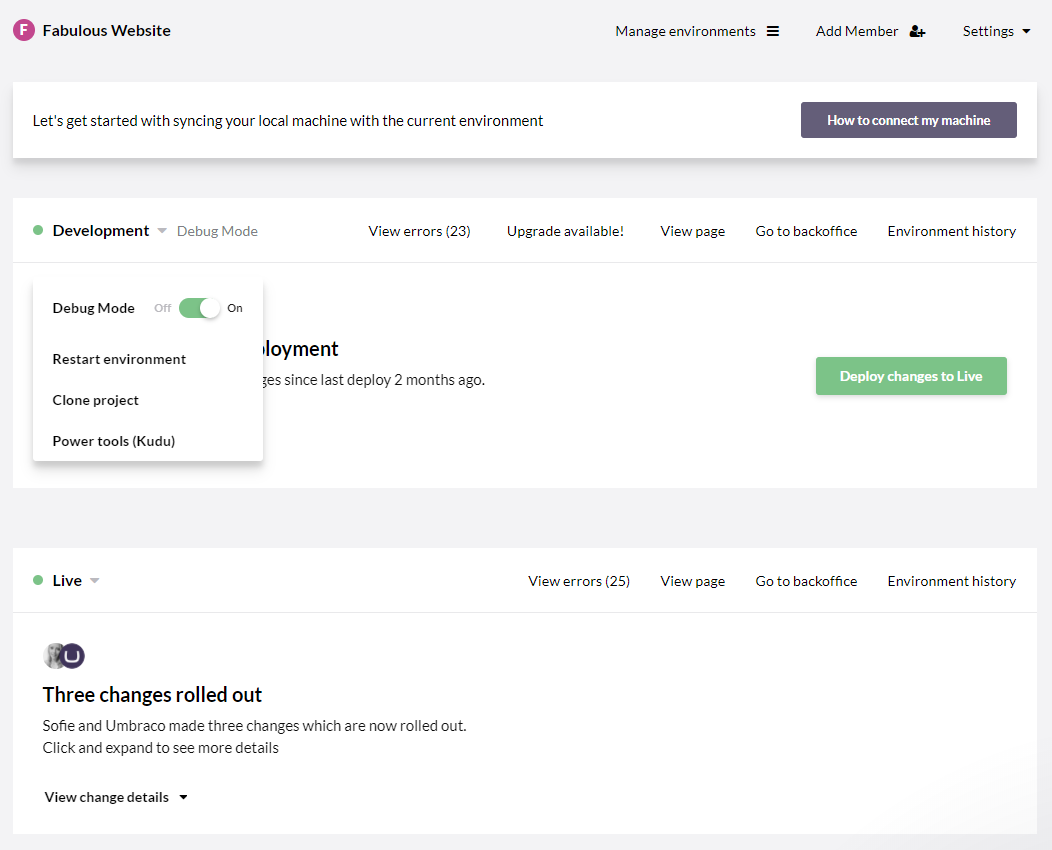 |