Eclipse is a free and open source integrated development environment (IDE).
N/A
Rapise
Score 8.0 out of 10
Mid-Size Companies (51-1,000 employees)
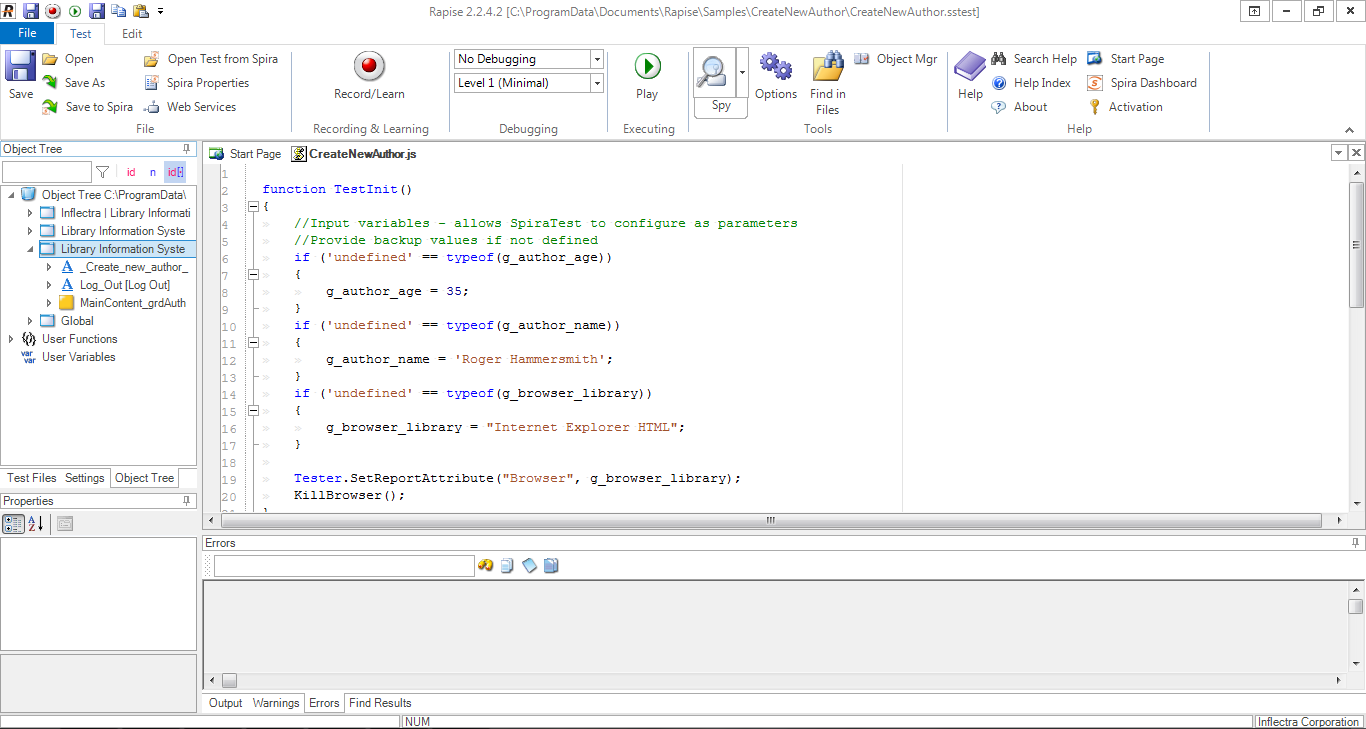
Rapise is a software testing platform that allows users to regression test web, desktop and mobile applications. Some key features include: Playback of Tests, Test Script Editing and Data Driven Testing.
$324
per month (1 license)
Selenium
Score 8.3 out of 10
N/A
Selenium is open source software for browser automation, primarily used for functional, load, or performance testing of applications.
N/A
Pricing
Eclipse
Rapise
Selenium
Editions & Modules
No answers on this topic
No answers on this topic
No answers on this topic
Offerings
Pricing Offerings
Eclipse
Rapise
Selenium
Free Trial
No
Yes
No
Free/Freemium Version
No
No
No
Premium Consulting/Integration Services
No
No
No
Entry-level Setup Fee
No setup fee
No setup fee
No setup fee
Additional Details
—
Discount available for annual billing (up to 10%).
1. Eclipse is easy to use. 2. when you are new to building something you can go for Eclipse as it provides a clean UI. 3. Provide support to connect with other tools and technology.
We compared Eclipse primarily with IntelliJ, and the thing we liked about Eclipse was the support for plugins which makes it really customizable. The other features that we liked were the multitasking, filtering and debugging which are very carefully designed by keeping in mind …
Eclipse is as good as Visual Studio. It provides as good features to edit software and to debug the software and to view the run time characteristics. In addition eclipse is open source and is constantly improved.
The executable can run on open source platform thereby reducing …
The main reason for choosing Rapise was that the other two options that we had tried at that time only served us for web applications and with Rapise we have greater versatility without changing the solution. In addition to the compatibility with other libraries that are …
Sikuli is a GUI automation program that offers an alternative for web based (and any other engine) programs. Sikuli's native language is Python. However, users can customize the software with add-ons similar to Selenium add-ons. These add-ons extend the use of Sikuli to …
I think that if someone asked me for an IDE for Java programming, I would definitely recommend Eclipse as is one of the most complete solutions for this language out there. If the main programming language of that person is not Java, I don't think Eclipse would suit his needs[.]
The appropriate scenario to use Rapise is when we have a project that is considered from medium onwards, since Rapise will help us to define, develop and implement the testing phase in a reliable and efficient way. Also with Rapise we will not have to worry about the platform that we are using since it has great versatility and flexibility.
When you have to test the UI and how it behaves when certain actions are performed, you need something that can automate the browsers. This is where Selenium comes to the rescue. If you have to test APIs and not the frontend (UI), I would recommend going with other libraries that support HTTP Requests. Selenium is good only when you have no choice but to run the steps on a browser.
While the DB integration is broad (many connectors) it isn't particularly deep. So if you need to do serious DB work on (for example) SQL Server, it is sometimes necessary to go directly to the SQL Server Studio. But for general access and manipulation, it is ok.
The syntax formatting is sometimes painful to set up and doesn't always support things well. For example, it doesn't effectively support SCSS.
Using it for remote debugging in a VM works pretty well, but it is difficult to set up and there is no documentation I could find to really explain how to do it. When remote debugging, the editor does not necessarily integrate the remote context. So, for example, things like Pylint don't always find the libraries in the VM and display spurious errors.
The debugging console is not the default, and my choice is never remembered, so every time I restart my program, it's a dialog and several clicks to get it back. The debugging console has the same contextual problems with remote debugging that the editor does.
For tests that require specific approaches it is necessary to have advanced knowledge of programming in javascrip, which sometimes the QA team does not have experience
Sometimes I have noticed that when using object dragging errors occur intermittently
The integration with some tools (Dynamics) is only with the basic functions from my point of view
Selenium is pretty user-friendly but sometimes tests tend to flake out. I'd say roughly one out of twenty tests yields a false positive.
Selenium software cannot read images. This is a minor negative because a free plug-in is available from alternate sources.
Slowness may be a minor factor with Selenium, though this is an issue with basically any testing software since waiting on a site to execute JavaScript requires the browser to wait for a particular action.
I love this product, what makes it one of the best tool out in the market is its ability to function with a wide range of languages. The online community support is superb, so you are never stuck on an issue. The customization is endless, you can keep adding plugins or jars for more functionalities as per your requirements. It's Free !!!
We love this product mainly because of its high customization abilities and the ease of use. Moreover, its free and can be learned easily through online communities and videos. The tests are more consistent and reliable as compared to Manual tests. It has enabled us to test a large number of features all in one go, which would have impossible through manual tests. The reports generated at the end of the tests are really helpful for the QA and the development teams to get a fair view of the application.
It has everything that the developer needs to do the job. Few things that I have used in my day-to-day development 1. Console output. 2. Software flash functionality supporting multiple JTAG vendors like J-LINK. 3. Debugging capabilities like having a breakpoint, looking at the assembly, looking at the memory etc. this also applies to Embedded boards. 4. Plug-in like CMake, Doxygen and PlantUML are available.
For those who are unfamiliar with coding, there is a bit of a learning curve. There is plenty of helpful documentation and resources but it can take a little time to get the software up and running. Once you get the hang of how Selenium works, and what it can do, you realize how many things you can use it for, and how many processes you can automate.
I gave this rating because Eclipse is an open-source free IDE therefore no support system is available as far as I know. I have to go through other sources to solve my problem which is very tough and annoying. So if you are using Eclipse then you are on your own, as a student, it is not a big issue for me but for developers it is a need.
The Selenium app has a pretty fat community of users. For the problems we are experiencing, we are primarily receiving support from these communities. In addition, there is widespread service support. Instant support is given to the problems we experience when we need Online support. We and our team are happy to provide this support, especially before important deployment processes
We did everything we needed to use it. Now we can execute our tests on different operational systems and browsers running few tests simultaneously. We also implemented Appium framework to execute our tests on mobile devices, such as iPhones, iPads, Android phones and tablets. We use SauceLabs for our test execution and Jenkins for continuous integration.
The installation, adaptability, and ease of usage for Eclipse are pretty high and simple compared to some of the other products. Also, the fact that it is almost a plug and play once the connections are established and once a new user gets the hang of the system comes pretty handy.
At the time of adoption, there were not many other alternatives that were even close to being competitive when it comes to browser testing. As far as I know now to this day, there is still little competition to Selenium for what it does. Any other browser-based testing still utilises Selenium to interact with the browser.
This development environment offers the possibility of improving the productivity time of work teams by supporting the integration of large architectures.
It drives constant change and evolution in work teams thanks to its constant versioning.
It works well enough to develop continuous server client integrations, based on solid or any other programming principle.
The primary objective of the institution is a service to the public, so everything that improves response times to the public helps us to achieve it.
As a department in charge of the development of systems and applications, our objective is fulfilled by delivering quality products and tools such as Rapise help us greatly
The return on investment can be more than justified by fulfilling the primary objectives