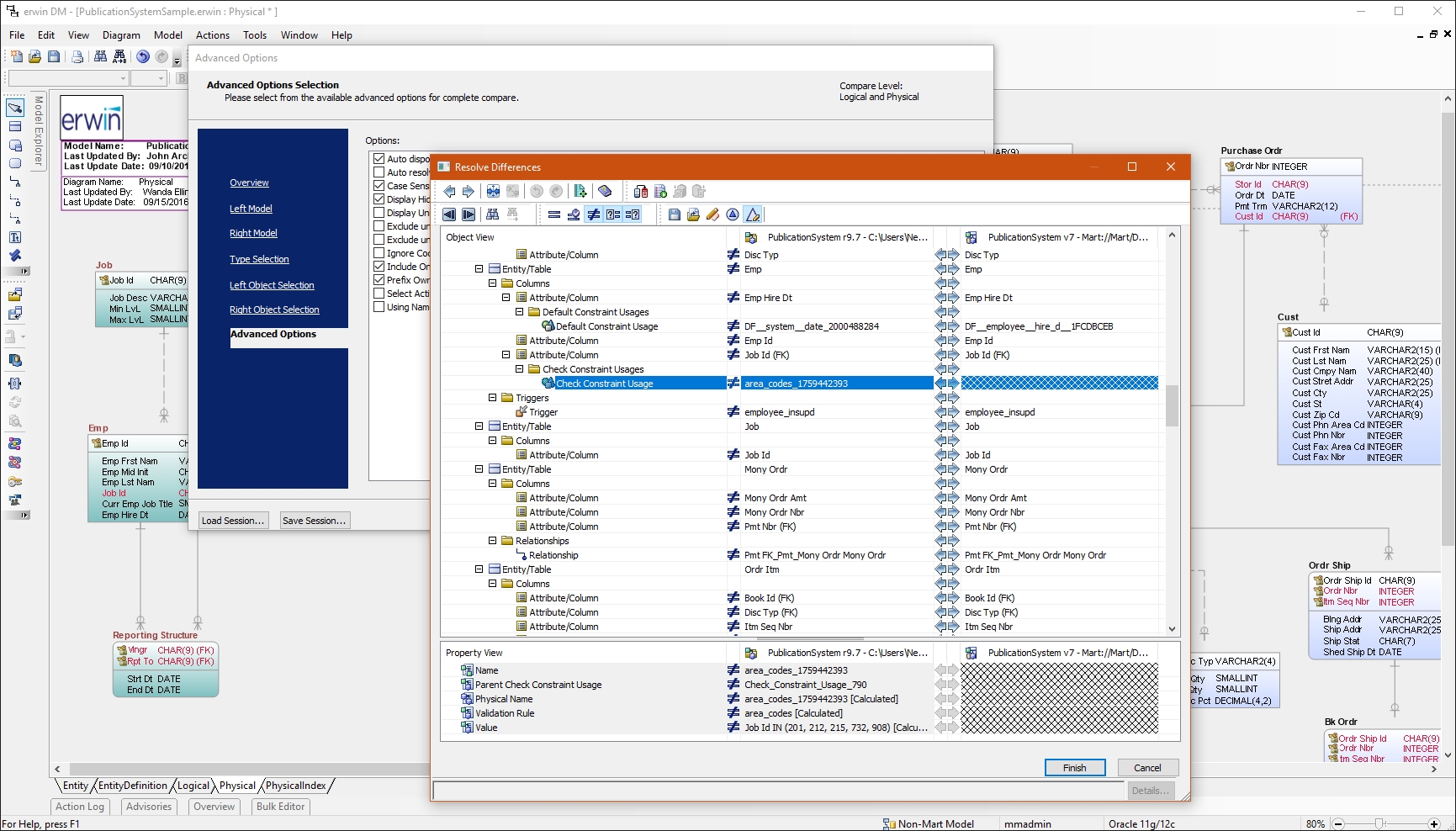
erwin Data Modeler by Quest is a data modeling tool used to find, visualize, design, deploy and standardize high-quality enterprise data assets. It can discover and document any data from anywhere for consistency, clarity and artifact reuse across large-scale data integration, master data management, metadata management, Big Data, business intelligence and analytics initiatives, accomplishing this whil esupporting data governance and intelligence efforts.
N/A
Geckoboard
Score9 out of 10
Mid-Size Companies (51-1,000 employees)
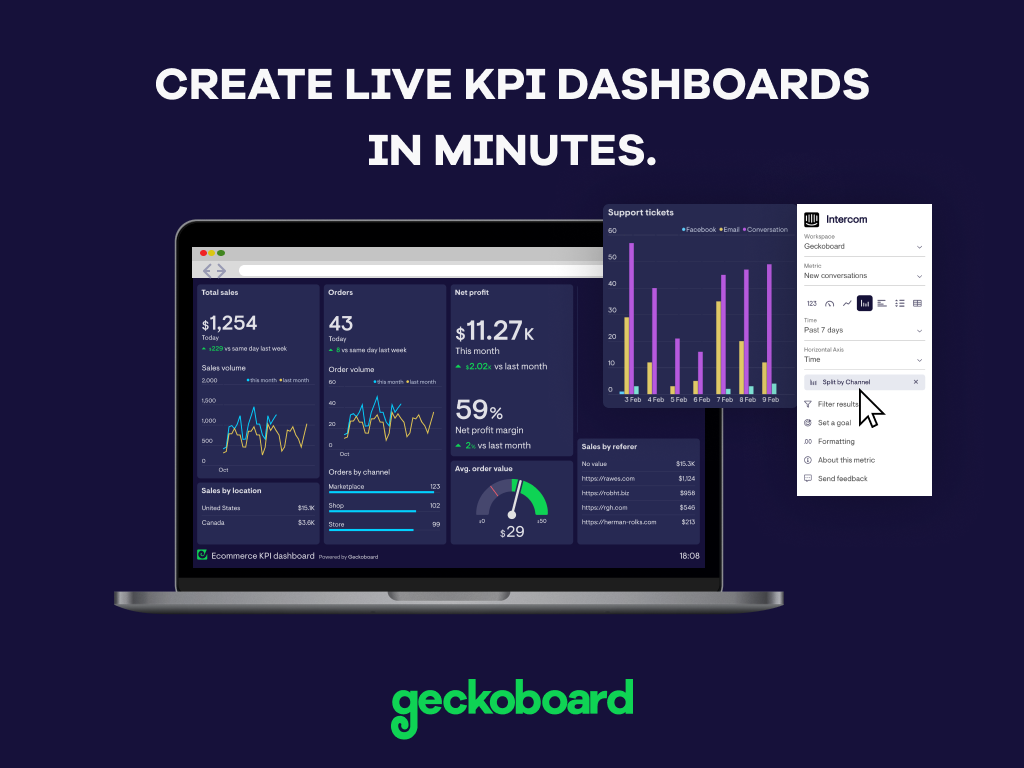
Geckoboard enables users to create real time dashboards using data from over 80 cloud services. It integrates with other products such as: AWeber, Basecamp, Campaign Monitor and HubSpot.
$35
per month
Pricing
erwin Data Modeler
Geckoboard
Editions & Modules
No answers on this topic
Starter
$35
per month
Team
$159
per month
Team Plus
$275
per month
Company
$599
per month
Offerings
Pricing Offerings
erwin Data Modeler
Geckoboard
Free Trial
Yes
Yes
Free/Freemium Version
No
Yes
Premium Consulting/Integration Services
Yes
No
Entry-level Setup Fee
Optional
No setup fee
Additional Details
—
—
More Pricing Information
Features
erwin Data Modeler
Geckoboard
BI Standard Reporting
Comparison of BI Standard Reporting features of erwin Data Modeler and Geckoboard
Feature
erwin Data Modeler
-
Ratings
Geckoboard
9.3
5 Ratings
13% above category average
Pixel Perfect reports
00 Ratings
8.03 Ratings
Customizable dashboards
00 Ratings
10.05 Ratings
Report Formatting Templates
00 Ratings
10.04 Ratings
Ad-hoc Reporting
Comparison of Ad-hoc Reporting features of erwin Data Modeler and Geckoboard
Feature
erwin Data Modeler
-
Ratings
Geckoboard
7.7
5 Ratings
4% below category average
Drill-down analysis
00 Ratings
8.04 Ratings
Formatting capabilities
00 Ratings
8.03 Ratings
Integration with R or other statistical packages
00 Ratings
7.02 Ratings
Report sharing and collaboration
00 Ratings
8.05 Ratings
Report Output and Scheduling
Comparison of Report Output and Scheduling features of erwin Data Modeler and Geckoboard
Feature
erwin Data Modeler
-
Ratings
Geckoboard
9.0
5 Ratings
9% above category average
Publish to Web
00 Ratings
10.05 Ratings
Publish to PDF
00 Ratings
9.01 Ratings
Report Versioning
00 Ratings
9.02 Ratings
Report Delivery Scheduling
00 Ratings
8.03 Ratings
Delivery to Remote Servers
00 Ratings
9.03 Ratings
Data Discovery and Visualization
Comparison of Data Discovery and Visualization features of erwin Data Modeler and Geckoboard
I have had a chance to use few other data modeling tools from Quest and Oracle, but I am most comfortable using erwin Data Modeler. They understand your data modeling needs and have designed the software to give you a feeling of completeness when you are designing a data model.
A de minimis incentive was given to thank the reviewer for their time. The incentive was not used to bias or drive a particular response, nor was the incentive contingent on a positive endorsement. More Info
Great value for the money. Excellent for smaller agencies with multiple projects and teams in a smaller space. We can quickly roll out mobile displays to help with a particular deployment push or monitoring a clients website engagement. It's also useful for showing live data without requiring analytics to run reports from a CRM, etc.
A de minimis incentive was given to thank the reviewer for their time. The incentive was not used to bias or drive a particular response, nor was the incentive contingent on a positive endorsement. More Info
Reverse Engineering: I love the way we can import an SQL file containing schema meta data and generate ER diagram out of it. This is specifically useful if you are implementing erwin Data Modeler for an existing database.
Forward Engineering: We use this feature very frequently. Where we do database changes in our physical and logical data models and then generate deployment scripts for the changes made.
Physical vs Logical Models: I like to have my database model split into physical and logical models and at the same time still linked to each other. Any changes you make to logical model or physical model shows up in the other.
A de minimis incentive was given to thank the reviewer for their time. The incentive was not used to bias or drive a particular response, nor was the incentive contingent on a positive endorsement. More Info
A de minimis incentive was given to thank the reviewer for their time. The incentive was not used to bias or drive a particular response, nor was the incentive contingent on a positive endorsement. More Info
A de minimis incentive was given to thank the reviewer for their time. The incentive was not used to bias or drive a particular response, nor was the incentive contingent on a positive endorsement. More Info
A de minimis incentive was given to thank the reviewer for their time. The incentive was not used to bias or drive a particular response, nor was the incentive contingent on a positive endorsement. More Info
I had a lot of experience using erwin Data Modeler for designing data models. I think it's pretty intuitive and easy to use. It has enough features to represent your database requirements in form of a model.
A de minimis incentive was given to thank the reviewer for their time. The incentive was not used to bias or drive a particular response, nor was the incentive contingent on a positive endorsement. More Info
With a simple interface and available templates, creating basic dashboards is easy. Obviously depending on the data you want to visualize, there may be higher learning curves. That being said, they have a huge amount of integrations and extensible frameworks. If you are using anything made in the past ten years there is an API function or integration that can get it talking to the platform. As such, it's pretty easy to hit the main data points you want and get it on a cheap display in front of your team.
A de minimis incentive was given to thank the reviewer for their time. The incentive was not used to bias or drive a particular response, nor was the incentive contingent on a positive endorsement. More Info
CA customer support and our account manager have been able to support us with any issues that we have had, from managing our serial keys to issues we logged tickets to resolve. There are aspects of key management that have made it difficult over the years but support usually has worked with us.
A de minimis incentive was given to thank the reviewer for their time. The incentive was not used to bias or drive a particular response, nor was the incentive contingent on a positive endorsement. More Info
The support levels vary based on the level of plan that you have but that's to be expected. Virtually everything except the Enterprise plan has basic chat/email support. While they are responsive they are not going to be much assistance in helping you figure out API calls or implementing 3rd party integrations. That is to be expected and the support community can pretty much get you in the right direction if you look.
A de minimis incentive was given to thank the reviewer for their time. The incentive was not used to bias or drive a particular response, nor was the incentive contingent on a positive endorsement. More Info
Not listed, but I've only used alternatives built into something like the Squirrel SQL editor. That one is semi-functional but lacking many features and, in some instances, just plain wrong. The only pro there is that it's freely available and works over ODBC. I've tried some of the other free ones like Creately but didn't have much success.
A de minimis incentive was given to thank the reviewer for their time. The incentive was not used to bias or drive a particular response, nor was the incentive contingent on a positive endorsement. More Info
A de minimis incentive was given to thank the reviewer for their time. The incentive was not used to bias or drive a particular response, nor was the incentive contingent on a positive endorsement. More Info
A de minimis incentive was given to thank the reviewer for their time. The incentive was not used to bias or drive a particular response, nor was the incentive contingent on a positive endorsement. More Info
While we originally used this as an internal IS tool, we eventually have expanded it to be used by nearly every department.
Because pricing is monthly, we can grow or decrease our usage based on our current client needs.
Because it is low cost and easy to deploy, we can utilize it in place of considerable resources in analytics and reporting by delivering snapshots of data without pulling reports.
A de minimis incentive was given to thank the reviewer for their time. The incentive was not used to bias or drive a particular response, nor was the incentive contingent on a positive endorsement. More Info