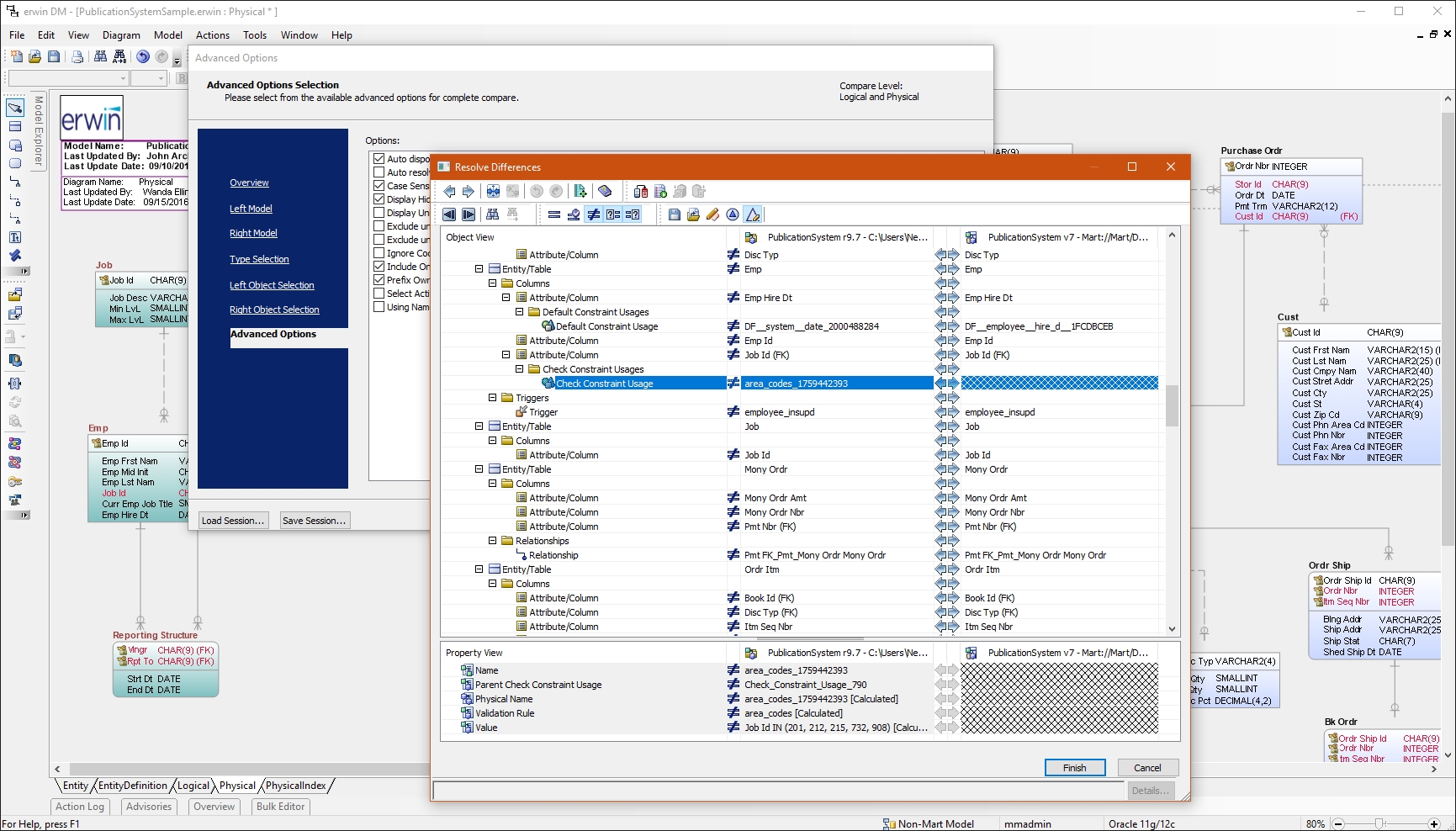
erwin Data Modeler by Quest is a data modeling tool used to find, visualize, design, deploy and standardize high-quality enterprise data assets. It can discover and document any data from anywhere for consistency, clarity and artifact reuse across large-scale data integration, master data management, metadata management, Big Data, business intelligence and analytics initiatives, accomplishing this whil esupporting data governance and intelligence efforts.
N/A
MongoDB Atlas
Score7.8 out of 10
N/A
MongoDB Atlas is the company's automated managed cloud service, supplying automated deployment, provisioning and patching, and other features supporting database monitoring and optimization.
I have had a chance to use few other data modeling tools from Quest and Oracle, but I am most comfortable using erwin Data Modeler. They understand your data modeling needs and have designed the software to give you a feeling of completeness when you are designing a data model.
A de minimis incentive was given to thank the reviewer for their time. The incentive was not used to bias or drive a particular response, nor was the incentive contingent on a positive endorsement. More Info
It is good if you: 1. Have unstructured data that you need to save (since it is NoSQL DB) 2. You don't have time or knowledge to setup the MongoDB Atlas, the managed service is the way to go (Atlas) 3. If you need a multi regional DB across the world
A de minimis incentive was given to thank the reviewer for their time. The incentive was not used to bias or drive a particular response, nor was the incentive contingent on a positive endorsement. More Info
Reverse Engineering: I love the way we can import an SQL file containing schema meta data and generate ER diagram out of it. This is specifically useful if you are implementing erwin Data Modeler for an existing database.
Forward Engineering: We use this feature very frequently. Where we do database changes in our physical and logical data models and then generate deployment scripts for the changes made.
Physical vs Logical Models: I like to have my database model split into physical and logical models and at the same time still linked to each other. Any changes you make to logical model or physical model shows up in the other.
A de minimis incentive was given to thank the reviewer for their time. The incentive was not used to bias or drive a particular response, nor was the incentive contingent on a positive endorsement. More Info
Generous free and trial plan for evaluation or test purposes.
New versions of MongoDB are able to be deployed with Atlas as soon as they're released—deploying recent versions to other services can be difficult or risky.
As the key supporters of the open source MongoDB project, the service runs in a highly optimized and performant manner, making it much easier than having to do the work internally.
A de minimis incentive was given to thank the reviewer for their time. The incentive was not used to bias or drive a particular response, nor was the incentive contingent on a positive endorsement. More Info
A de minimis incentive was given to thank the reviewer for their time. The incentive was not used to bias or drive a particular response, nor was the incentive contingent on a positive endorsement. More Info
For someone new, it could be challenging using MongoDB Atlas. Some official video tutorials could help a lot
Pricing calculation is sometimes misleading and unpredictable, maybe better variables could be used to provide better insights about the cost
Since it is a managed service, we have limited control over the instances and some issues we faced we couldn't;'t know about without reaching out to the support and got fixed from their end. So more control over the instance might help
The way of managing users and access is somehow confusing. Maybe it could be placed somewhere easy to access
A de minimis incentive was given to thank the reviewer for their time. The incentive was not used to bias or drive a particular response, nor was the incentive contingent on a positive endorsement. More Info
I had a lot of experience using erwin Data Modeler for designing data models. I think it's pretty intuitive and easy to use. It has enough features to represent your database requirements in form of a model.
A de minimis incentive was given to thank the reviewer for their time. The incentive was not used to bias or drive a particular response, nor was the incentive contingent on a positive endorsement. More Info
I would give it 8. Good stuff: 1. Easy to use in terms of creating cluster, integrating with Databases, setting up backups and high availability instance, using the monitors they provide to check cluster status, managing users at company level, configure multiple replicas and cross region databases. Things hard to use: 1. roles and permissions at DB level. 2. Calculate expected costs
A de minimis incentive was given to thank the reviewer for their time. The incentive was not used to bias or drive a particular response, nor was the incentive contingent on a positive endorsement. More Info
CA customer support and our account manager have been able to support us with any issues that we have had, from managing our serial keys to issues we logged tickets to resolve. There are aspects of key management that have made it difficult over the years but support usually has worked with us.
A de minimis incentive was given to thank the reviewer for their time. The incentive was not used to bias or drive a particular response, nor was the incentive contingent on a positive endorsement. More Info
We love MongoDB support and have great relationship with them. When we decided to go with MongoDB Atlas, they sent a team of 5 to our company to discuss the process of setting up a Mongo cluster and walked us through. when we have questions, we create a ticket and they will respond very quickly
A de minimis incentive was given to thank the reviewer for their time. The incentive was not used to bias or drive a particular response, nor was the incentive contingent on a positive endorsement. More Info
Not listed, but I've only used alternatives built into something like the Squirrel SQL editor. That one is semi-functional but lacking many features and, in some instances, just plain wrong. The only pro there is that it's freely available and works over ODBC. I've tried some of the other free ones like Creately but didn't have much success.
A de minimis incentive was given to thank the reviewer for their time. The incentive was not used to bias or drive a particular response, nor was the incentive contingent on a positive endorsement. More Info
MongoDB is a great product but on premise deployments can be slow. So we turned to Atlas. We also looked at Redis Labs and we use Redis as our side cache for app servers. But we love using MongoDB Atlas for cloud deployments, especially for prototyping because we can get started immediately. And the cost is low and easy to justify.
A de minimis incentive was given to thank the reviewer for their time. The incentive was not used to bias or drive a particular response, nor was the incentive contingent on a positive endorsement. More Info
A de minimis incentive was given to thank the reviewer for their time. The incentive was not used to bias or drive a particular response, nor was the incentive contingent on a positive endorsement. More Info
A de minimis incentive was given to thank the reviewer for their time. The incentive was not used to bias or drive a particular response, nor was the incentive contingent on a positive endorsement. More Info