Evolution Payroll vs. Workday Workforce Management

Overview
ProductRatingMost Used ByProduct SummaryStarting Price
Evolution Payroll
Score 9.0 out of 10
N/A
Evolution Payroll Services (EPS) is a full service payroll company offering integrated services related to employee operations and payroll. Their cloud-based HRMS accelerates routine HR tasks.N/A
Workday Workforce Management
Score 8.3 out of 10
N/A
Workday Workforce Management is a workforce operations software that integrates HR, time, and scheduling data, to eliminate disjointed processes that halt day-to-day operations. Consistent with a worker-first approach, Workday provides mobile-first access to personalized pay, time, and schedules, giving workers frictionless on-the-go access. This helps overcome difficulties in retaining workers and keeps them engaged in a competitive labor…N/A
Pricing
Evolution PayrollWorkday Workforce Management
Editions & Modules
No answers on this topic
Offerings
Pricing Offerings
Evolution PayrollWorkday Workforce Management
Free Trial
NoNo
Free/Freemium Version
NoNo
Premium Consulting/Integration Services
NoNo
Entry-level Setup FeeNo setup feeNo setup fee
Additional Details
More Pricing Information
Community Pulse
Evolution PayrollWorkday Workforce Management
Features
Evolution PayrollWorkday Workforce Management
Payroll Management
Comparison of Payroll Management features of Product A and Product B
Evolution Payroll
9.7
2 Ratings
16% above category average
Workday Workforce Management
9.1
14 Ratings
10% above category average
Pay calculation10.02 Ratings9.811 Ratings
Support for external payroll vendors10.01 Ratings7.66 Ratings
Off-cycle/On-Demand payment10.01 Ratings9.08 Ratings
Benefit plan administration9.01 Ratings9.710 Ratings
Direct deposit files10.02 Ratings9.113 Ratings
Salary revision and increment management9.02 Ratings9.013 Ratings
Reimbursement management10.01 Ratings9.26 Ratings
Best Alternatives
Evolution PayrollWorkday Workforce Management
Small Businesses
Dayforce Powerpay
Dayforce Powerpay
Score 9.3 out of 10
Dayforce Powerpay
Dayforce Powerpay
Score 9.3 out of 10
Medium-sized Companies
Paypro Workforce Management
Score 9.1 out of 10
Paypro Workforce Management
Score 9.1 out of 10
Enterprises
Infor Human Resources
Score 7.1 out of 10
Infor Human Resources
Score 7.1 out of 10
All AlternativesView all alternativesView all alternatives
User Ratings
Evolution PayrollWorkday Workforce Management
Likelihood to Recommend
10.0
(2 ratings)
8.5
(14 ratings)
Likelihood to Renew
4.0
(1 ratings)
-
(0 ratings)
Usability
-
(0 ratings)
7.8
(12 ratings)
User Testimonials
Evolution PayrollWorkday Workforce Management
Likelihood to Recommend
Evolution Payroll Services
We have a small company with very simple needs. This software meets those needs, but it looks like it is capable of doing so much more than what we use it for. I typically use only a few screens and a few reports. It is very well suited for our needs, but I don't know the full functionality of the system due to our limited needs.
Read full review
Workday
Workday has solved many organizational needs we have from tracking time and attendance, performance and goals, compliance trainings, benefits and so much more. It is easy to adjust schedules, assign attendance points, run reports and more to keep up with employee performance. Being able to source new employees (in and out of the network) all within the same platform that we track time and benefits helps solve many needs in just one easy to use platform.
Read full review
Pros
Evolution Payroll Services
  • Payroll management
  • Provides accurate employees' reports
  • Helps us in tracking payroll taxes
Read full review
Workday
  • Collaborate with HR on completed tasks
  • Review and Submit Timesheets for staff
  • Submit personal time off for supervisors to review and approve or decline.
Read full review
Cons
Evolution Payroll Services
  • One problem it has is if you try to cut multiple checks for a person (sometimes) it creates an error which requires assistance from the processor to get it straightened out.
  • You need to pay close attention when reviewing prior to submitting. Sometimes if you think you saved something it might not have saved it and if you don't catch it before you submit, it requires assistance to get corrected up to and including voiding a check and re-issuing.
  • In my opinion, it's somewhat expensive. I have been looking at other providers who would use a different system, and they seem to be significantly cheaper. That may not be a direct correlation to the software but to the provider.
  • I don't know if it is capable of allowing a user to create new reports, but if it doesn't, that would be something to consider as a missing functionality.
  • I haven't found an area that allows for tracking pay increases. We simply overwrite a persons rate of pay when we give a raise, so there is no tracking of the date a raise was given or a comparison showing what they made prior to or when the last raise was given. (That I am aware of).
Read full review
Workday
  • The tasks function is somewhat clunky, and its hard to see who the task is sent to next in order to follow up with them.
  • In-process referrals don't always show up in the "My Referrals" tab
  • Filters on tasks don't always work.
Read full review
Likelihood to Renew
Evolution Payroll Services
Evolution is provided by our current third party payroll processor. We are currently considering changing processors, because of increased prices and competition is priced significantly lower.
Read full review
Workday
No answers on this topic
Usability
Evolution Payroll Services
No answers on this topic
Workday
The UI is intimidating for a lot of people. You have to get used to where to click and search for specific information. What we have found that works is to have new hires sit with seasoned employees for tips and tricks on how to maneuver around in the system efficiently. It is important that new hires know from the start specific resources that they will need to access in using WFM daily and hone in on those skills and locations of data needed. Starting off, our experience shows that it's better to focus on the minimum tools and learn those well and build knowledge from there to make it less intimidating
Read full review
Alternatives Considered
Evolution Payroll Services
The ease of integration of Evolution Payroll with other essential platforms makes it a reliable and unique software for us. This software also distinguishes itself from others because it is easy to use and affordable. It has high-quality features that work very well for us when it comes to payroll management.
Read full review
Workday
The only other tool I have used was paylocity. Paylocity is a great tool as well and is more user friendly, however it is not for as big of organizations as Workday is. I would say if you are under 1k employees go with Paylocity as it will be less expensive and has everything you need with a user friendly experience. Workday is great for larger orgs but doesn’t have as much of a user friendly experience
Read full review
Return on Investment
Evolution Payroll Services
  • Accuracy is one amazing thing I love about Evolution Payroll.
  • It collects data from other systems to make payroll management excellent
  • It is affordable and reliable
Read full review
Workday
  • Workday Workforce Management has lowered the amount of time team members have to go to HR for questions.
  • The approval process for reimbursement is lightning fast.
  • I am no longer requested to research my team's different benefit options, which saves me a LOT of time during enrollment periods.
Read full review
ScreenShots

Workday Workforce Management Screenshots
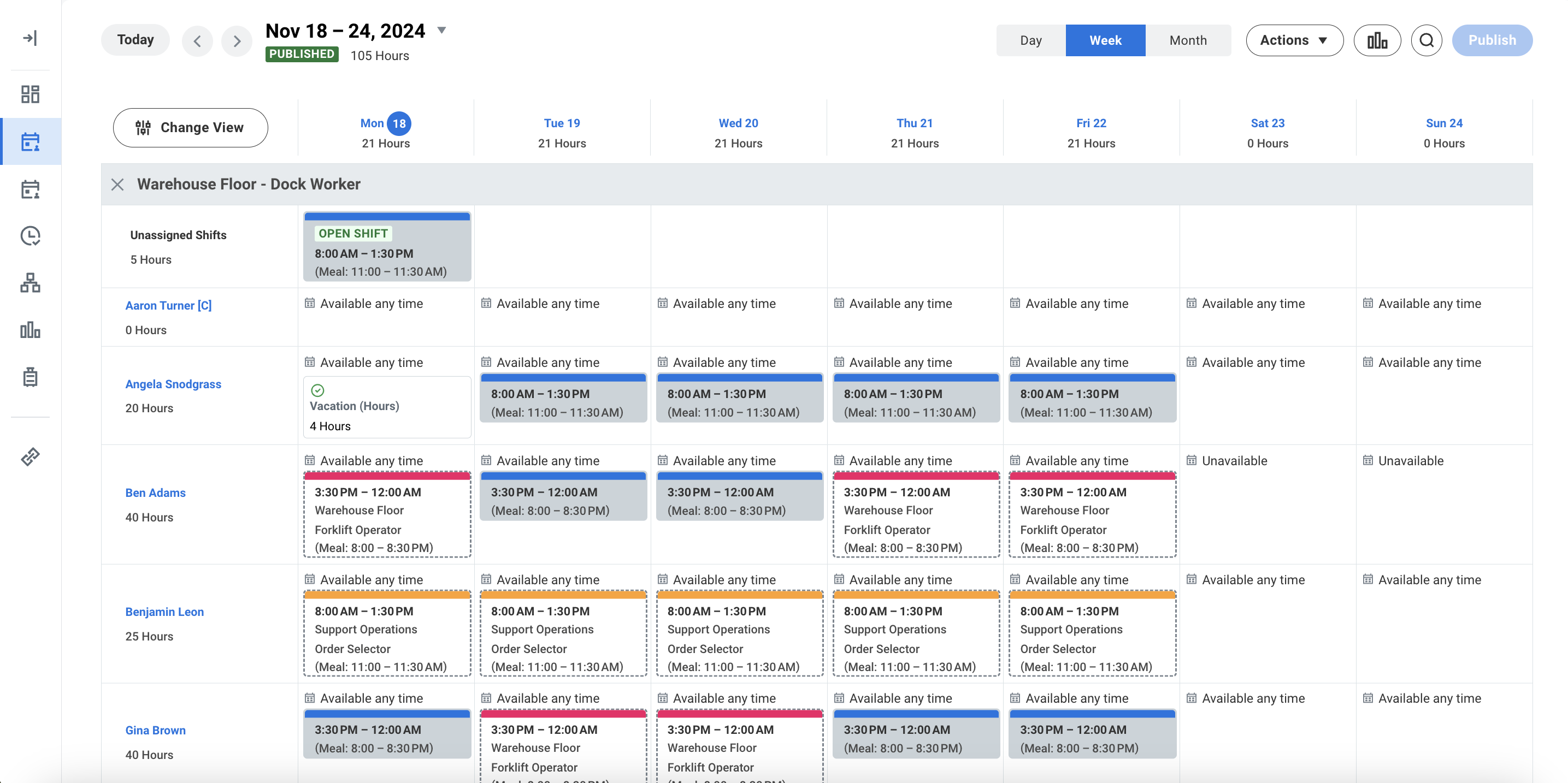
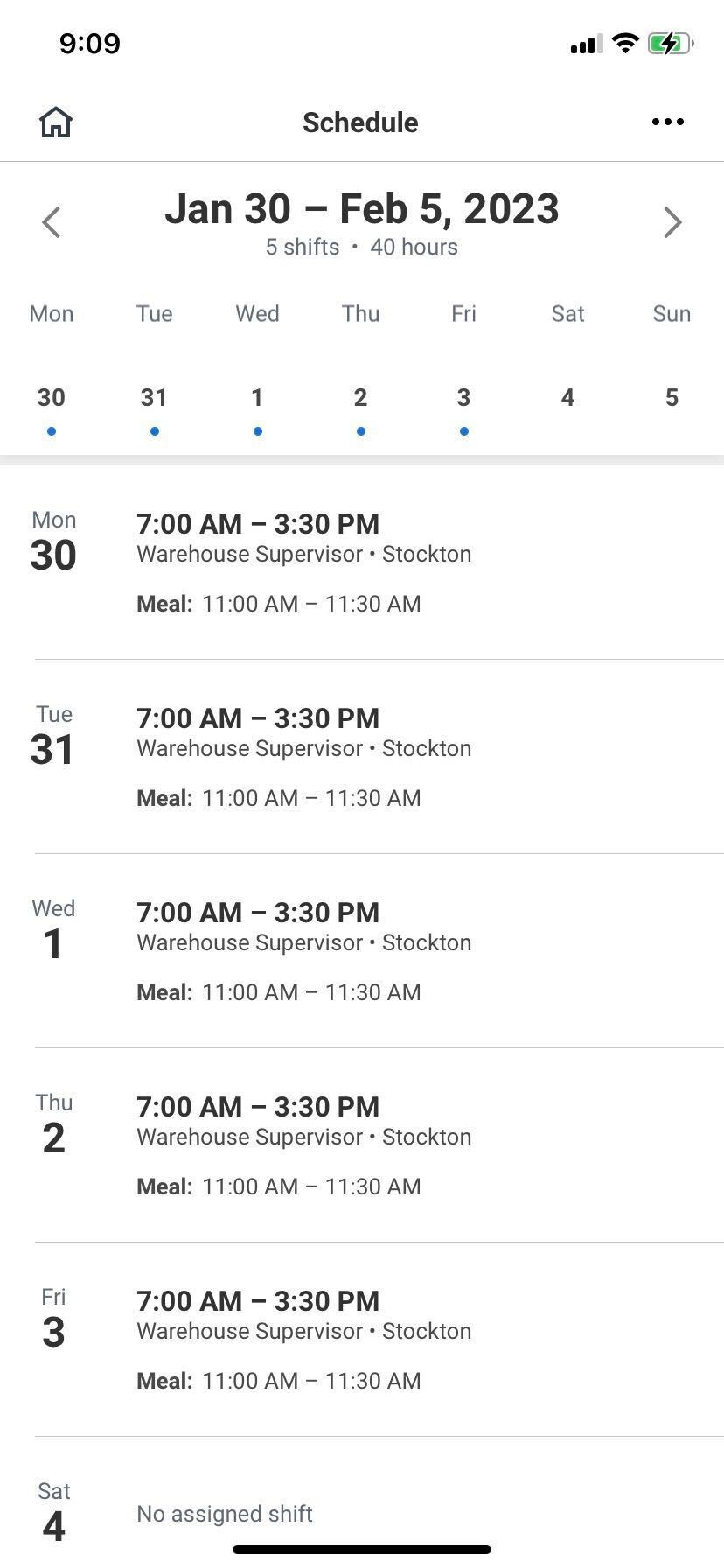
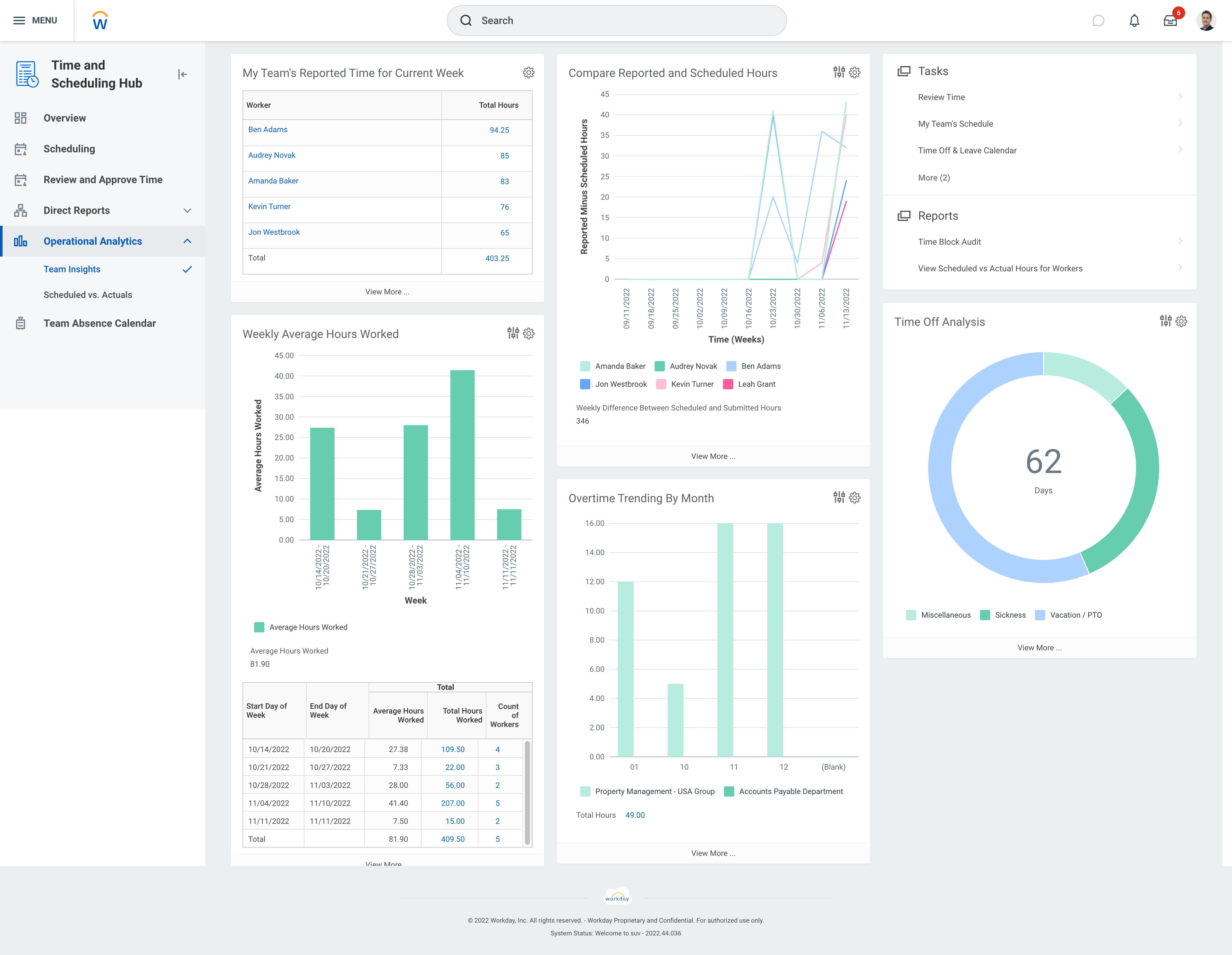
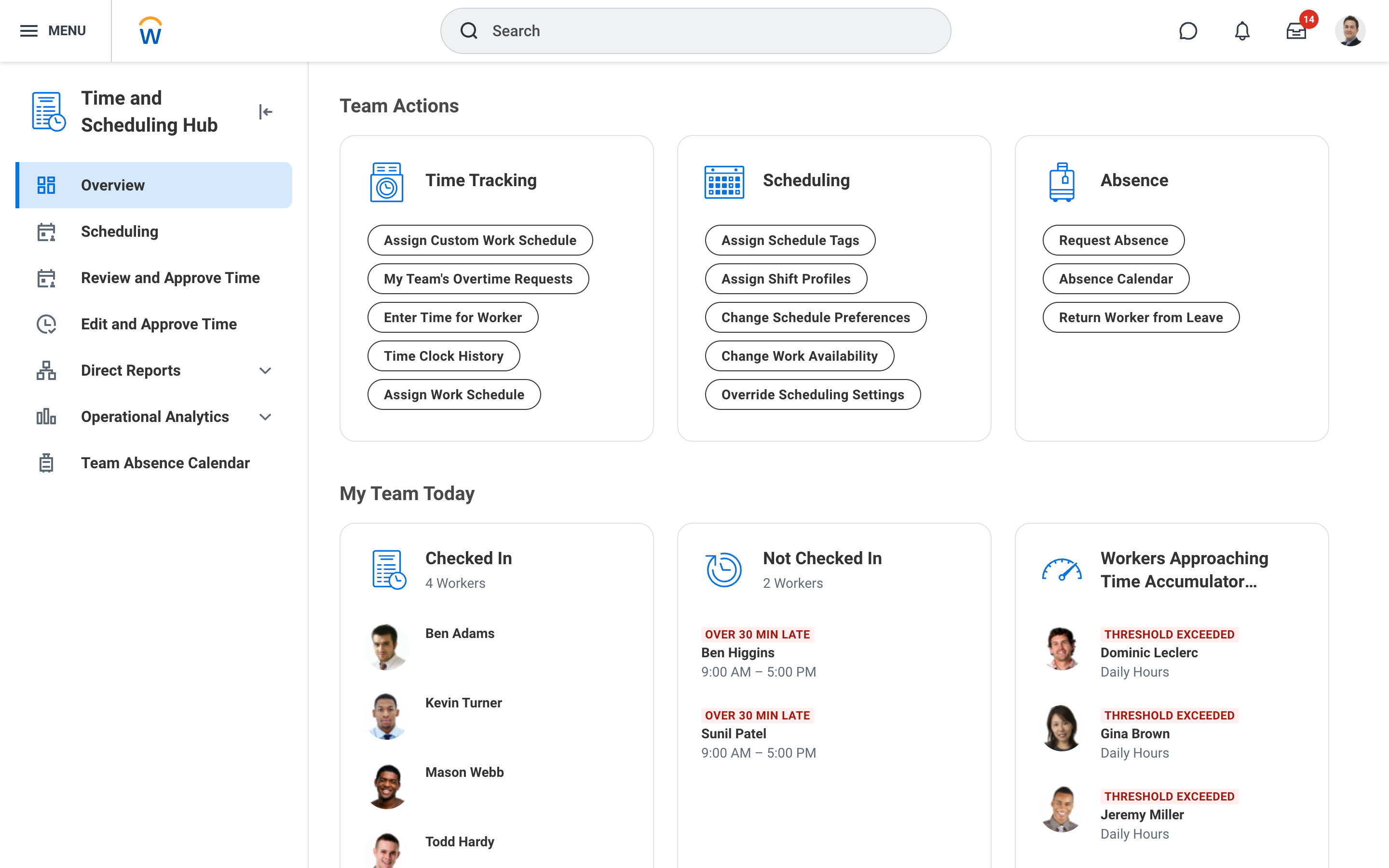
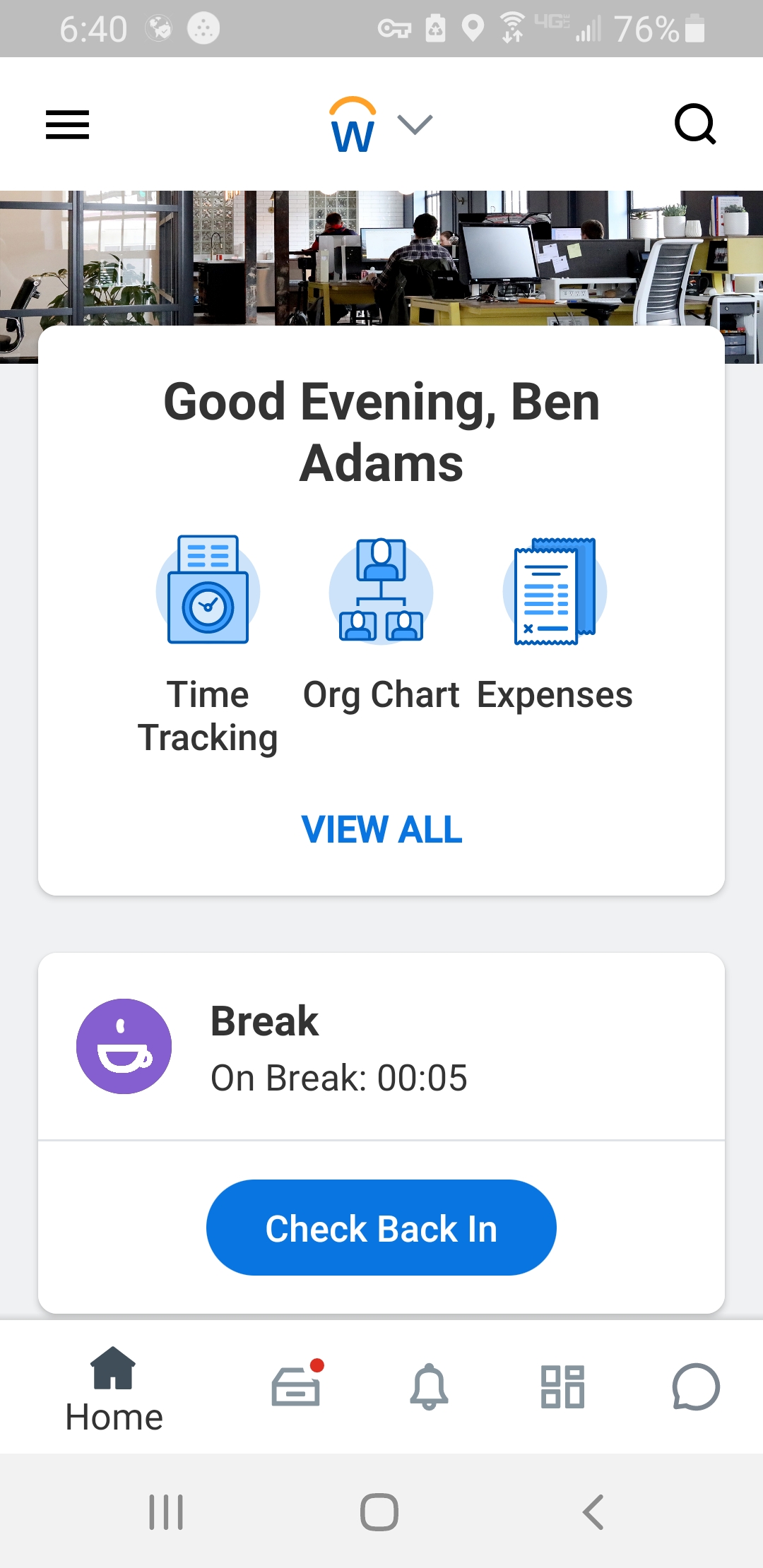
Screenshot of Workday Workforce Management ScheduleScreenshot of Workday Workforce Management Schedule (Mobile)Screenshot of Workday Workforce Management Team InsightsScreenshot of Workday Workforce Management Time and Scheduling HubScreenshot of Workday Workforce Management Time (Mobile)