FileZilla vs. SFTP To Go

Overview
ProductRatingMost Used ByProduct SummaryStarting Price
FileZilla
Score 9.2 out of 10
N/A
FileZilla is a file transfer protocol (FTP) solution.N/A
SFTP To Go
Score 10.0 out of 10
Small Businesses (1-50 employees)
SFTP To Go is a secure, cloud-based file transfer solution used by over 1,000 businesses worldwide. Powered by Amazon Web Services (AWS), it’s built for reliability and scalability, and is designed to make file sharing simple and secure. With compliance to SOC 2, HIPAA, and GDPR, SFTP To Go ensures that data is safe and stored with the strictest regulatory standards. Business Associate Agreements (BAA) are also available for those working with sensitive data. Only…
$60
per month
Pricing
FileZillaSFTP To Go
Editions & Modules
No answers on this topic
Mini
$60
per month 15 credentialed users, 20 GB storage
Small
$120
per month 50 credentialed users, 50 GB storage
Starter
$300
per month 100 credentialed users, 1 TB storage
Professional
$600
per month 250 credentialed users, 2 TB storage
Premium
$1200
per month 800 credentialed users, 4 TB storage
Custom
Custom Pricing
unlimited credentialed users and storage
Offerings
Pricing Offerings
FileZillaSFTP To Go
Free Trial
NoYes
Free/Freemium Version
NoNo
Premium Consulting/Integration Services
NoNo
Entry-level Setup FeeNo setup feeNo setup fee
Additional Details
More Pricing Information
Community Pulse
FileZillaSFTP To Go
Best Alternatives
FileZillaSFTP To Go
Small Businesses
DataMotion
DataMotion
Score 9.2 out of 10
DataMotion
DataMotion
Score 9.2 out of 10
Medium-sized Companies
DataMotion
DataMotion
Score 9.2 out of 10
DataMotion
DataMotion
Score 9.2 out of 10
Enterprises
Fortra's GoAnywhere MFT
Score 7.8 out of 10
Fortra's GoAnywhere MFT
Score 7.8 out of 10
All AlternativesView all alternativesView all alternatives
User Ratings
FileZillaSFTP To Go
Likelihood to Recommend
9.6
(41 ratings)
-
(0 ratings)
Likelihood to Renew
10.0
(1 ratings)
-
(0 ratings)
Usability
9.6
(9 ratings)
-
(0 ratings)
Support Rating
9.4
(16 ratings)
-
(0 ratings)
User Testimonials
FileZillaSFTP To Go
Likelihood to Recommend
FileZilla
I use FileZilla to securely upload files that are not permitted to be sent via insecure methods like email or web forms. FileZilla is great to test the ability to "reach" the remote SFTP server and to verify my files arrived. Once I have tested that, then our internal IT group automates the uploads to these third parties, however I can always manually log into FIleZilla to verify the uploads.
Read full review
Crazy Ant Labs
No answers on this topic
Pros
FileZilla
  • Strips away unwanted underlying code from products that produce documents using any Microsoft product that is not needed in our products.
  • The nice part is that it strips away hidden code such as ctrl and another digit that is not necessary or can be replaced with the correct coding to produce standard processes such as graphics using ANSI or another protocol as well as line feeds and header masks.
  • We are in the process of determining if their pro product will function in the way we want it to across networks rather than going to each workstation to make changes decreasing our productivity.
  • We are also evaluating whether their technical support is responsive.
Read full review
Crazy Ant Labs
No answers on this topic
Cons
FileZilla
  • Some of it's user interface could be a bit better designed (at least updated) to more of a modern look, but it's not really that big of a deal.
  • Inside the software it shows you various windows all embedded in one box. Moving the sizes of those windows around is a bit weird, especially if you just want of the windows to go away.
  • From time to time it can hang due to a timeout with the server connection. In those instances, I wish FileZilla would give you a heads up as to why it locked.
Read full review
Crazy Ant Labs
No answers on this topic
Likelihood to Renew
FileZilla
Excellent software that does what it's meant to do, without complication.
Read full review
Crazy Ant Labs
No answers on this topic
Usability
FileZilla
FileZilla is really easy to understand and makes it easy to log into servers to upload files. Moving files around is a breeze (even if it's a little tedious to wait for large quantities to move one by one) and editing html and css files directly is a feature it would be difficult for us to live without
Read full review
Crazy Ant Labs
No answers on this topic
Support Rating
FileZilla
I've never contacted FileZilla support directly, but they are so popular that there are countless tutorials online showing how to connect to any number of web servers, how to configure SSH/SFTP and so on. I feel that because of the popularity of FileZilla, the support from the general user community is sufficient.
Read full review
Crazy Ant Labs
No answers on this topic
Alternatives Considered
FileZilla
Both perform the job they are expected to do, and they are easy to use. The FileZilla software is a desktop-based app, so I can only access it on the device on which it was installed. Cisco Secure Email allows you to send emails as you would normally, but the email and attachments are secure.
Read full review
Crazy Ant Labs
No answers on this topic
Return on Investment
FileZilla
  • The positive impact is easy file management. Since we have multiple clients some of them have different host providers which offer their own FTP interface. Using FileZilla allows us to use one interface to interact with all of our client files.
  • The return on investment is quick turnaround for updating files.
Read full review
Crazy Ant Labs
No answers on this topic
ScreenShots

SFTP To Go Screenshots

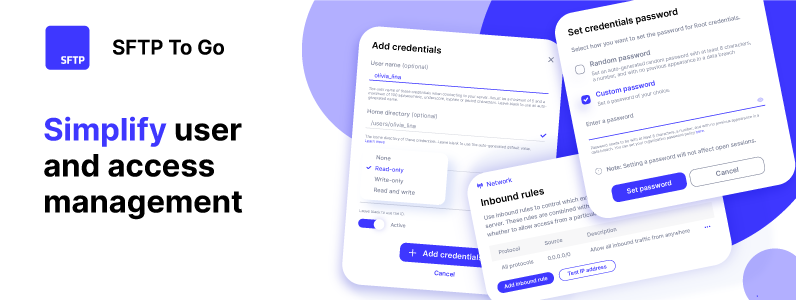
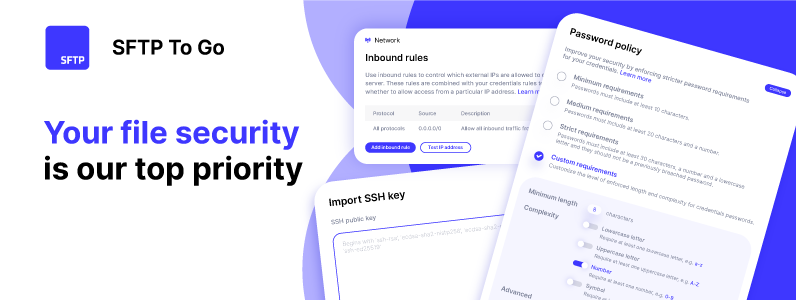
Screenshot of user and access management - User-specific home directories and permissions can be assigned, as well as inbound network rules to restrict cloud storage access.Screenshot of file management in the web portal - Files can be managed directly through a browser using any set of credentials. From the admin dashboard, the user can upload, download, and delete files, as well as copy and move files within the storage without having to download or upload files.Screenshot of the customizable web portal - The web portal can be personalized with a brand's logo, and colors to make it consistent with a brand's identity.Screenshot of automations using webhooks - Other applications and systems can be alerted as soon as files are uploaded using real-time programmatic notifications.Screenshot of file security rules restrict access to known IP addresses, and maintains compliance with HIPAA, SOC2, and GDPR, to guarantee the safety of sensitive data.