The Flow task management app featured a range of tools like kanban board, checklist, timeline, and other features for tracking projects from start to finish. The product is discontinued, and the company Flow Technologies is no longer operating.
N/A
TaskQue
Score9 out of 10
N/A
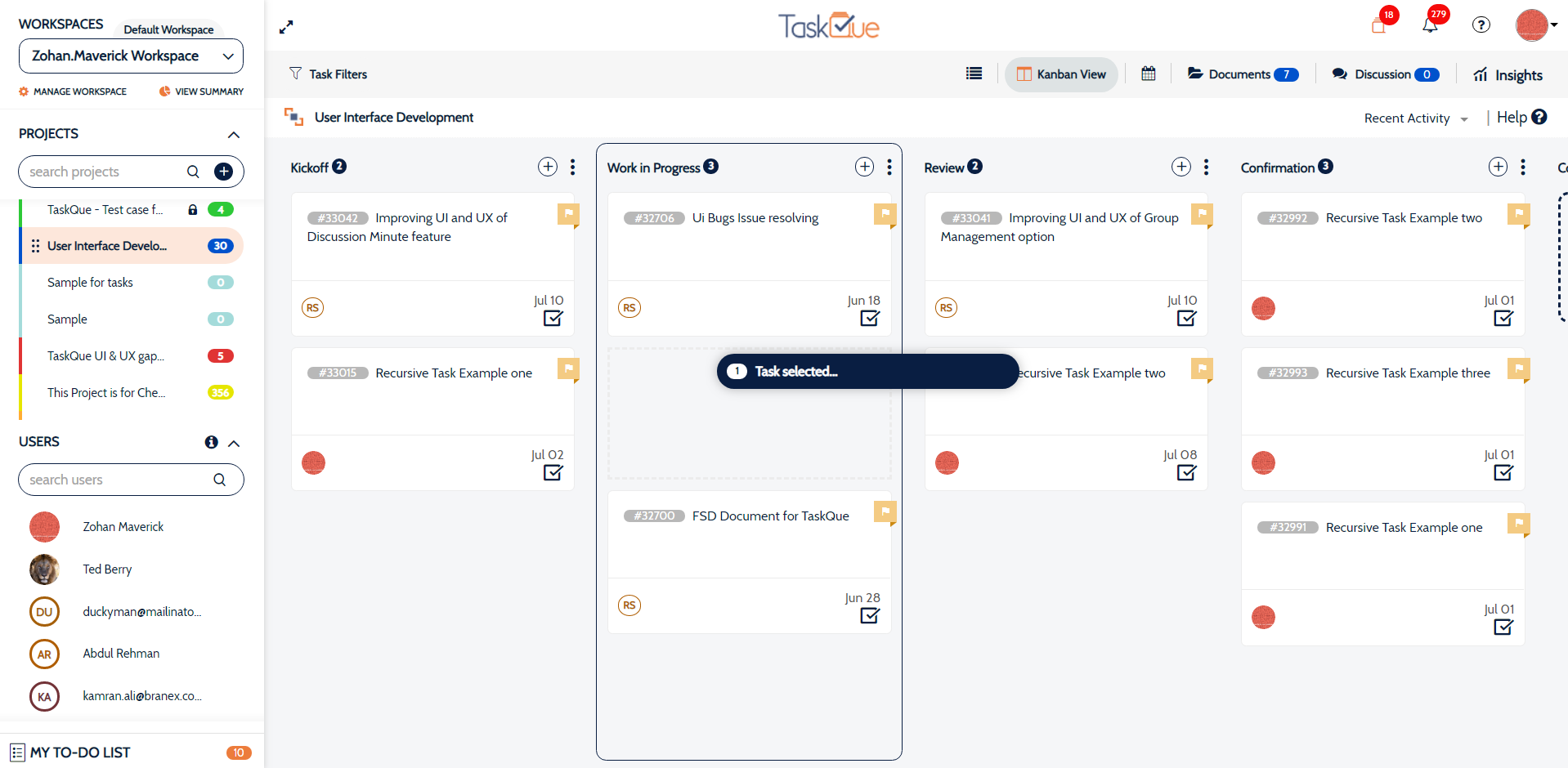
TaskQue is a productivity management tool. It offers auto task assignment features, different workflow templates for various industries and functional departments, and a list of collaboration tools designed to facilitate remote workers.
$0
up to 10 users
Pricing
Flow (discontinued)
TaskQue
Editions & Modules
No answers on this topic
Basic
$0.00
up to 10 users
Business
$5.00
per user
Offerings
Pricing Offerings
Flow (discontinued)
TaskQue
Free Trial
No
Yes
Free/Freemium Version
No
Yes
Premium Consulting/Integration Services
No
Yes
Entry-level Setup Fee
No setup fee
$5 per user
Additional Details
—
For 10 users, its free. After that, we charge $5.00 per user.
More Pricing Information
Features
Flow (discontinued)
TaskQue
Project Management
Comparison of Project Management features of Flow (discontinued) and TaskQue
Feature
Flow (discontinued)
9.3
7 Ratings
19% above category average
TaskQue
7.8
1 Ratings
2% above category average
Task Management
9.37 Ratings
10.01 Ratings
Resource Management
10.06 Ratings
9.01 Ratings
Gantt Charts
10.05 Ratings
00 Ratings
Scheduling
10.05 Ratings
9.01 Ratings
Workflow Automation
10.05 Ratings
7.01 Ratings
Team Collaboration
10.07 Ratings
7.01 Ratings
Support for Agile Methodology
8.33 Ratings
7.01 Ratings
Support for Waterfall Methodology
7.42 Ratings
7.01 Ratings
Document Management
10.06 Ratings
8.01 Ratings
Email integration
10.05 Ratings
00 Ratings
Mobile Access
7.27 Ratings
9.01 Ratings
Timesheet Tracking
10.04 Ratings
7.01 Ratings
Change request and Case Management
10.03 Ratings
6.01 Ratings
Budget and Expense Management
7.72 Ratings
00 Ratings
Professional Services Automation
Comparison of Professional Services Automation features of Flow (discontinued) and TaskQue
If you are used to using apps such as Slack, Box or Harvest, you will have an easy time getting use to Flow's UI. Drag and drop features, messaging between users, @tagging for notifications that alert you not only on your desktop but your as well email are particularly useful. If you need projects done fast and easily between multiple teams this is a great application for your business. A particular scenario where Flow is NOT suitable would be if you are used to working soley from your phone. Flows mobile app is slow, not user friendly at all and hard to navigate. Also, you cannot use a mobile site because it directs you to using the app. This IMO is a great desktop project manager, but NOT mobile.
A de minimis incentive was given to thank the reviewer for their time. The incentive was not used to bias or drive a particular response, nor was the incentive contingent on a positive endorsement. More Info
Companies that face issues due to chaos in terms of document management can really take advantage by organizing all their documents at a single place. TaskQue is inappropriate for project costing requirements in big projects.
A de minimis incentive was given to thank the reviewer for their time. The incentive was not used to bias or drive a particular response, nor was the incentive contingent on a positive endorsement. More Info
A de minimis incentive was given to thank the reviewer for their time. The incentive was not used to bias or drive a particular response, nor was the incentive contingent on a positive endorsement. More Info
I think Gantt charts should be here to be used as a project management tool. Moreover, affiliation with productivity tools such as time-tracking tools can make it much better.
Flow, unlike Trello, offers its users a more organized interface and much more complete tools to carry out project management, which is why I consider that for the management of business projects of medium or large companies this tool covers the needs of each. In addition, its ease of use makes it much easier to adapt to this tool because it does not require a very learning curve
A de minimis incentive was given to thank the reviewer for their time. The incentive was not used to bias or drive a particular response, nor was the incentive contingent on a positive endorsement. More Info
TaskQue’s most unique feature is the queue feature which enables you to assign tasks automatically. We were seriously fed up with the manual assignment of tasks.
Our biggest issue prior to flow was scrambling at the last minute to meet a project deadline. Flow has helped us manage tasks towards a deadline to execute more successful events and projects.
Since Flow is being used across our entire organization, the speed at which we can collaborate cross-departmentally has increased. This is especially true of our communication and collaboration with our Marketing team.
Flow has allowed our leadership team to be able to see the progress of a project at any time just by looking at that projects dashboard. This has both given them confidence as well as let them know when they need to intervene.
A de minimis incentive was given to thank the reviewer for their time. The incentive was not used to bias or drive a particular response, nor was the incentive contingent on a positive endorsement. More Info