FlowX — No-Code BPM Automation vs. Zapier

Overview
ProductRatingMost Used ByProduct SummaryStarting Price
FlowX — No-Code BPM Automation
Score 10.0 out of 10
N/A
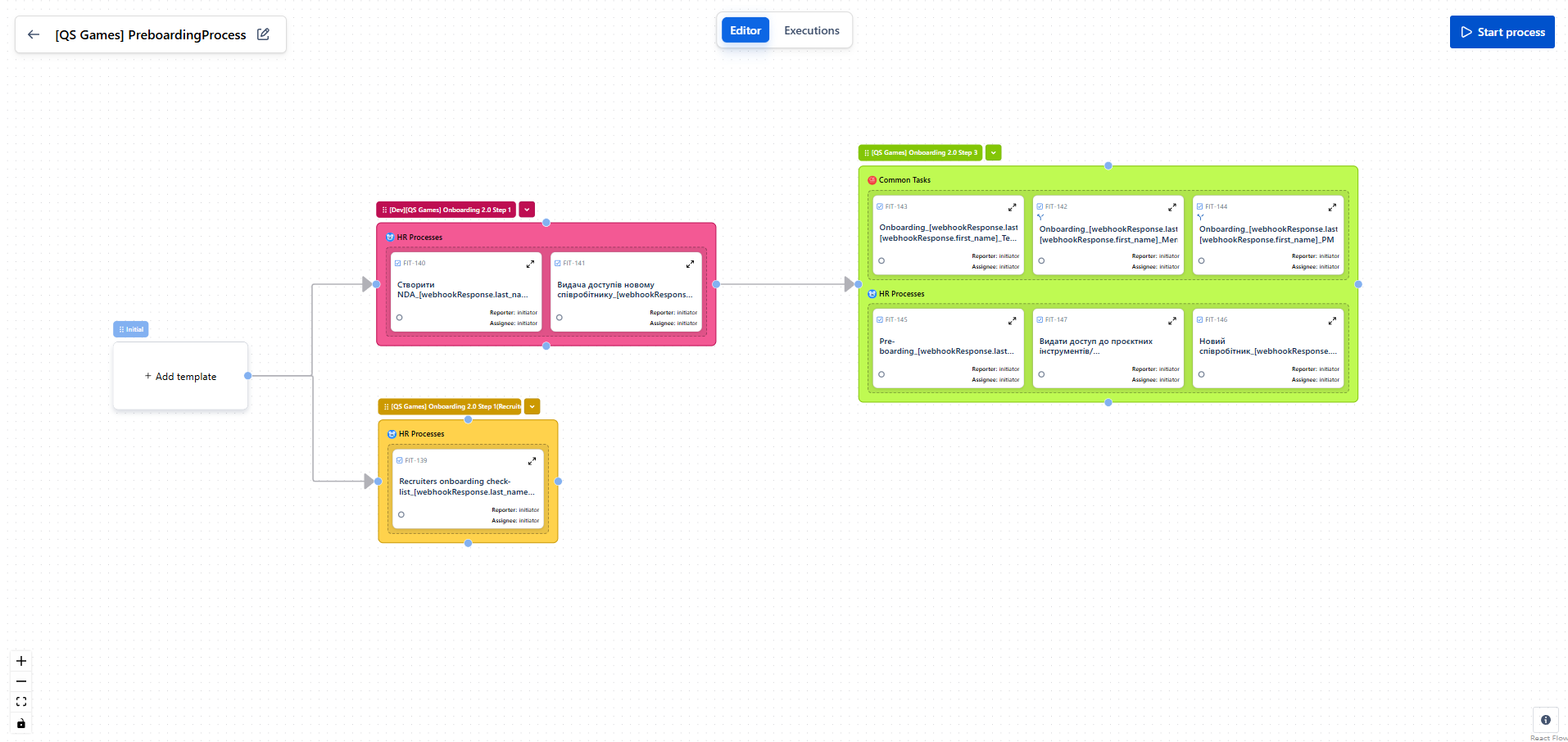
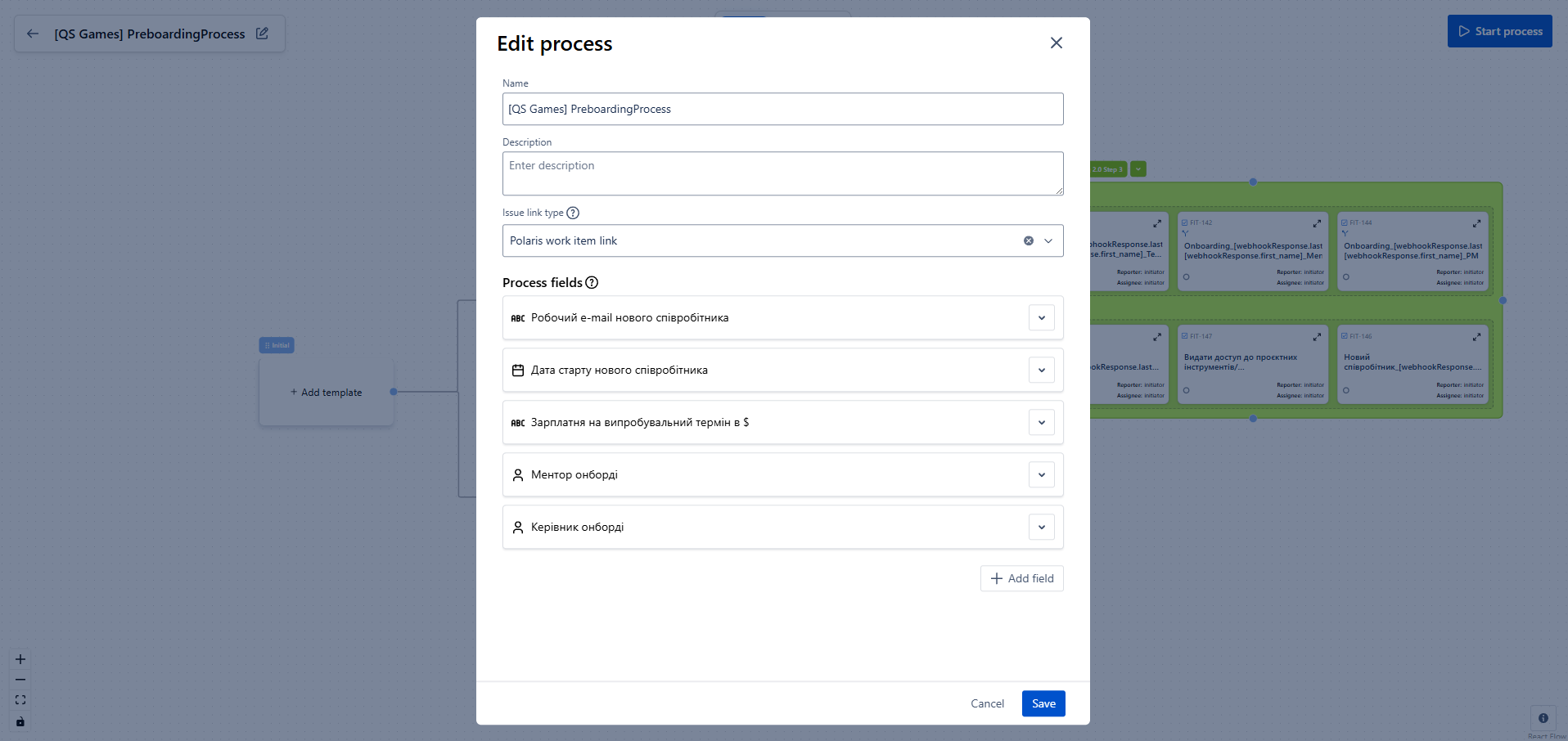
FlowX for Jira is a no‑code tool for designing business processes directly on top of standard Jira tasks. It enables building smart task chains, managing data flow between steps, and integrating with external systems without writing a single line of code. The goal is to eliminate manual routine (e.g., onboarding/offboarding), increase execution transparency, and accelerate delivery across teams. Key Features Flow Editor. Processes are designed visually: create…N/A
Zapier
Score 8.8 out of 10
N/A
The Zapier Automation Platform designed to integrate data between web apps. It is scaled for small to mid-sized businesses, with a functional but limited free version of the program.
$29.99
per month 750 tasks per month
Pricing
FlowX — No-Code BPM AutomationZapier
Editions & Modules
No answers on this topic
Starter
$29.99
per month 750 tasks per month
Professional
$73.50
per month 2k tasks per month
Team
$103.50
per month 2k tasks per month
Company
Contact Sales
Offerings
Pricing Offerings
FlowX — No-Code BPM AutomationZapier
Free Trial
NoNo
Free/Freemium Version
YesYes
Premium Consulting/Integration Services
NoNo
Entry-level Setup FeeNo setup feeNo setup fee
Additional Details33% discount for annual pricing.
More Pricing Information
Community Pulse
FlowX — No-Code BPM AutomationZapier
Features
FlowX — No-Code BPM AutomationZapier
Process Engine
Comparison of Process Engine features of Product A and Product B
FlowX — No-Code BPM Automation
9.0
1 Ratings
8% above category average
Zapier
-
Ratings
Process designer9.01 Ratings00 Ratings
Model execution9.01 Ratings00 Ratings
Content Management Capabilties
Comparison of Content Management Capabilties features of Product A and Product B
FlowX — No-Code BPM Automation
9.0
1 Ratings
10% above category average
Zapier
-
Ratings
Content management9.01 Ratings00 Ratings
Cloud Data Integration
Comparison of Cloud Data Integration features of Product A and Product B
FlowX — No-Code BPM Automation
-
Ratings
Zapier
9.1
107 Ratings
13% above category average
Pre-built connectors00 Ratings9.4103 Ratings
Connector modification00 Ratings8.691 Ratings
Support for real-time and batch integration00 Ratings8.389 Ratings
Data quality services00 Ratings9.472 Ratings
Data security features00 Ratings9.671 Ratings
Monitoring console00 Ratings9.180 Ratings
Best Alternatives
FlowX — No-Code BPM AutomationZapier
Small Businesses
Square 9 Softworks
Square 9 Softworks
Score 9.7 out of 10
Make
Make
Score 9.3 out of 10
Medium-sized Companies
Square 9 Softworks
Square 9 Softworks
Score 9.7 out of 10
IBM App Connect
IBM App Connect
Score 9.2 out of 10
Enterprises
CMW Platform
CMW Platform
Score 9.3 out of 10
IBM App Connect
IBM App Connect
Score 9.2 out of 10
All AlternativesView all alternativesView all alternatives
User Ratings
FlowX — No-Code BPM AutomationZapier
Likelihood to Recommend
-
(0 ratings)
9.4
(112 ratings)
Likelihood to Renew
-
(0 ratings)
10.0
(1 ratings)
Usability
-
(0 ratings)
9.5
(11 ratings)
Support Rating
-
(0 ratings)
1.0
(10 ratings)
User Testimonials
FlowX — No-Code BPM AutomationZapier
Likelihood to Recommend
QS Integration
FlowX has a very intuitive interface and great documentation with video tutorials.
Even I, as a non-technical specialist, was able to set up the process on my own in just a few hours.
Everything is clear, logical, and simple a truly user-friendly solution
Read full review
Zapier
If you have processes that are now managed and controlled using a spreadsheet, Zapier will give you a lot more control over what is happening and will help you increase productivity by eliminating simple steps such as sending emails and sharing information with your colleagues. It frees time for very transactional activities.
Read full review
Pros
QS Integration
  • Automates routine tasks — creates issues, triggers processes, and sends notifications without manual work.
  • Builds “if–then” logic — lets you create flexible workflows with conditions and variables.
  • Visualizes processes — everything is shown on a clear diagram, easy to understand even for non-technical users.
Read full review
Zapier
  • Ease of use - multiple people in the organization can set up and run Zaps per their specific use cases without much training.
  • Connectivity - Zapier is able to connect to multiple applications we use on a regular basis.
  • Functionality - Zapier provides embedded functionality within the app itself (email, data conversion), but also appropriate triggers and actions for apps it connects to.
  • Versatile - Zapier can execute complicated and simple tasks and thus has many use cases.
Read full review
Cons
QS Integration
No answers on this topic
Zapier
  • Being able to turn off one leg of a Zap without having to delete it or turn the whole Zap off
  • Not all fields populate when using certain aspects of Salesforce, but that could be an SF issue
  • Communication when support is actually needed basically doesn't happen
Read full review
Likelihood to Renew
QS Integration
No answers on this topic
Zapier
Zapier is now very much an integral part of our business and we could not operate without it!
Read full review
Usability
QS Integration
A very convenient automation system for setting up processes in Jira.
It’s easy to create logic, templates, and conditions without any coding.
It helps make Jira smarter and more user-friendly for the whole team.
Read full review
Zapier
The interface is very user-friendly, and there are also many tools to help a brand-new user get started. For example, you can put your Zap idea into the AI bot, and it will basically build a shell of your Zap to get started on. The format for each step within a Zap is also very helpful (set up the connection/app, set up the fields/details, then test).
Read full review
Support Rating
QS Integration
No answers on this topic
Zapier
Before we purchased Zapier, I contacted support and asked them if Zapier could support my intended workflow (this is actually a selection on their support form - awesome). Within 2 hours, I was contacted by a support team member who seemed sure it would work, but granted me premium access for 2 weeks to try it out for myself. Sure enough, it did! Ever since then, support has replied rapidly to any problems I have experienced and answered my questions within a few sentences.
Read full review
Alternatives Considered
QS Integration
No answers on this topic
Zapier
We actually utilize both Integromat and Zapier at our company, for all the reasons detailed in this review. Though Zapier is excellent for simple client integrations, we often run into internal use cases that require complexity that Zapier cannot provide. Specifically working with API calls (not just webhooks), complex multi-step integrations with Routing/parsing/etc, and large volume integrations. Integromat is perfect for these use cases, but doesn’t provide the simplicity and account scalability that Zapier offers.
Read full review
Return on Investment
QS Integration
  • Reduced routine work by over 3 hours on just one onboarding process.
  • Full transparency: with the process map, every participant can see in real time where the process is and why it stopped.
  • Easy setup of multi-condition workflows — even complex scenarios are simple to build and adjust.
Read full review
Zapier
  • It has saved me the money in hiring an administrative assistant
  • It also saved me the time it took to do these tasks
  • It also allowed me to automate things that increased my lead generation
  • It also allowed me to automate several processes
Read full review
ScreenShots

FlowX — No-Code BPM Automation Screenshots
Screenshot of Screenshot of