A software project management system used to plan, track and release great software with this lightweight and customizable system that integrates into any project management workflow. FogBugz is designed for software development teams and includes all the project management tools developers need straight out of the box. Users can: Track projects from start to finish - With tasks and subtasks for each case with required details and track them to ensure…
$62
per month
GanttPRO
Score7.9 out of 10
N/A
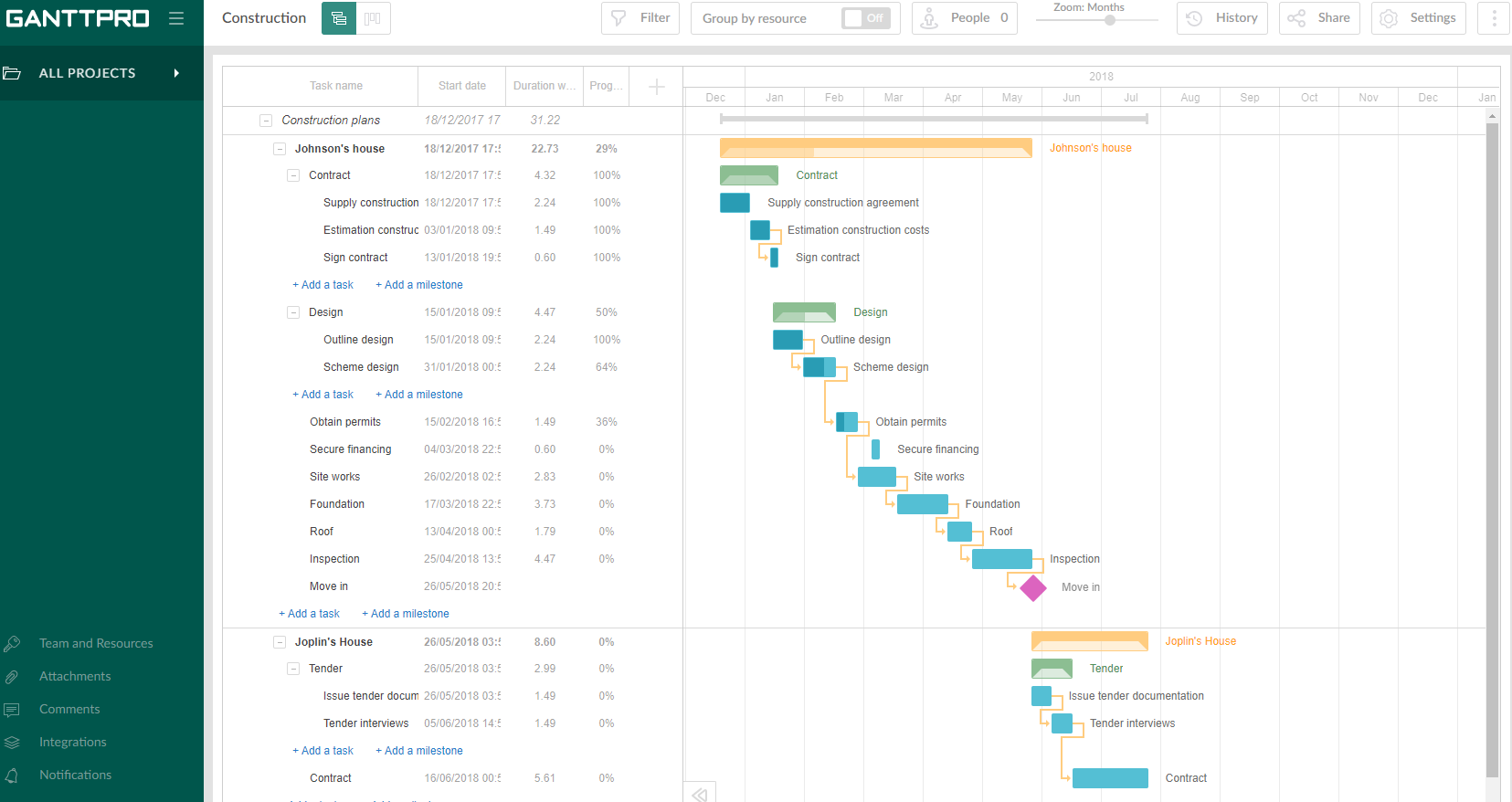
GanttPRO is a project planning tool based on a Gantt chart approach. It visualizes all tasks along a timeline, and it supports resource management, collaboration within teams, and importing and exporting projects onto 3rd party programs.
FogBugz has been a very useful tool to our organization, and much preferred over other options we reviewed, mainly JIRA. There are still some improvements needed, but with the fairly recent acquisition by DevFactory, we have a great deal of hope for what is in store given DevFactory's focus and transparency. It seems like both DevFactory and FogBugz customers are eager for substantial improvements on the front-end, but there is/was a great deal of backend housecleaning that definitely needed to take place first.
A de minimis incentive was given to thank the reviewer for their time. The incentive was not used to bias or drive a particular response, nor was the incentive contingent on a positive endorsement. More Info
Projects are a lot easier to set up with GanttPRO than most tools that support a WBS, so although I've used GanttPRO for very simple projects, it's great for projects with complex WBS' and/or dynamic backlogs (using Agile methodologies). I've used it for long-running projects with multiple phases, where I needed to set up high-level plans for downstream phases (for budgeting) that got updated and modified based on outcomes from upstream phases.
Tasks, Subtasks, and notes. All three of these areas were critical for our team. Tasks in Fogbugz were a bit easier to see than in more bug based software like Trello or JIRA
The entire screen is used to view a task or case. Clicking on a task or case will open up and take up the entire screen, aside from the sidebar nav columns. I like to see details and I think Fogbugz does this very well, using up as much digital real estate as possible.
Flowcharting in Fogbugz with Creately is nice - instead of getting an exterior flowchart software like Lucidchart, Creately works right in Fogbugz.
A de minimis incentive was given to thank the reviewer for their time. The incentive was not used to bias or drive a particular response, nor was the incentive contingent on a positive endorsement. More Info
A de minimis incentive was given to thank the reviewer for their time. The incentive was not used to bias or drive a particular response, nor was the incentive contingent on a positive endorsement. More Info
The simplicity of a single admin type user is not great because anyone who can create a job or client in the system, can also add and delete users. Content and User administrative rights should be separated.
There are ways to change the terminology/lexicon within the tool, but we are not able to get it to work even after reaching out to tech support. So we are forced to use the system terminology that doesn't match up to our company making training a bit difficult.
There is a subscribe function that you can opt into, there should be a way to add subscribers as you create a new task.
A de minimis incentive was given to thank the reviewer for their time. The incentive was not used to bias or drive a particular response, nor was the incentive contingent on a positive endorsement. More Info
Intuitive interface, clean, and nice design. As an online app, the data can be viewed on Windows PCs, Macs, and tablets. It saves the data very quickly (depending on the Internet speed) as if it is a locally installed application. Training is minimal, plus there is an extensive range of learning videos and topics in the GanttPRO learning center.
A de minimis incentive was given to thank the reviewer for their time. The incentive was not used to bias or drive a particular response, nor was the incentive contingent on a positive endorsement. More Info
The support for GanttPro is very good. I have no troubles reaching out for their customer support whenever I have questions, they respond almost instantly. I just hope that they will have live chat support for a real-time support experience on the user-end and can answer the questions in real-time.
A de minimis incentive was given to thank the reviewer for their time. The incentive was not used to bias or drive a particular response, nor was the incentive contingent on a positive endorsement. More Info
GanttPRO is easy to use and just works. If you need to do something quickly or do a small project then GanttPro is a great tool to use. If you are managing a large project then I would consider using Microsoft Project even though it is a more substantial investment overtime.
A de minimis incentive was given to thank the reviewer for their time. The incentive was not used to bias or drive a particular response, nor was the incentive contingent on a positive endorsement. More Info
Saves time by quickly allowing Developers to make the necessary notes without getting bogged down in bloated UIs
Has allowed us to look back easily and see the exact code changes made for the exact Case to aid in decisions for current changes, increasing the certainty of the decided path, without regression
A de minimis incentive was given to thank the reviewer for their time. The incentive was not used to bias or drive a particular response, nor was the incentive contingent on a positive endorsement. More Info
A de minimis incentive was given to thank the reviewer for their time. The incentive was not used to bias or drive a particular response, nor was the incentive contingent on a positive endorsement. More Info