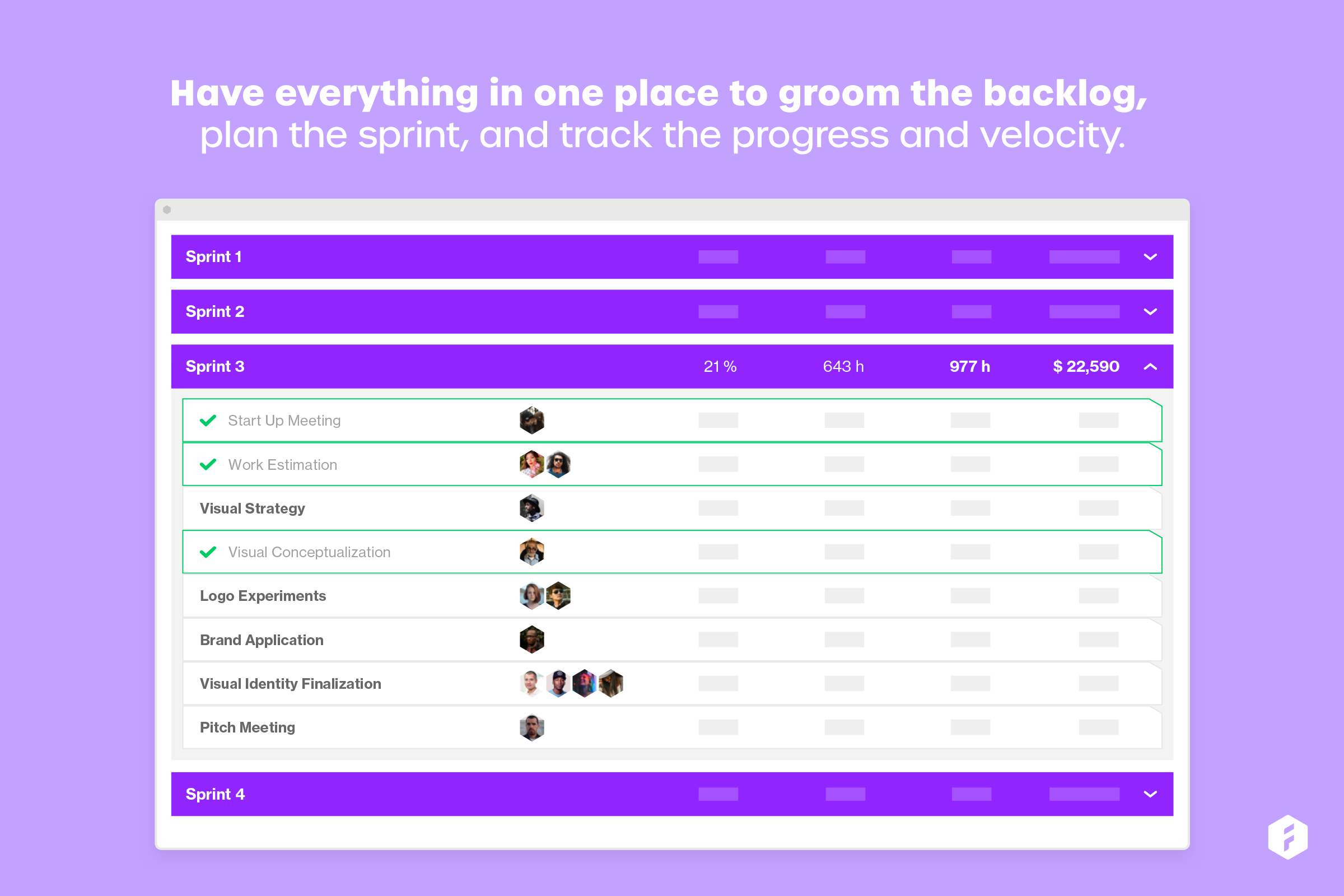
Forecast.it is a project portfolio management solution built around features such as resource planning and time tracking, budget estimating, and analytics and reporting, with key third-party integrations.
$29
per seat (billed annually)
OpenText Hightail
Score 9.4 out of 10
N/A
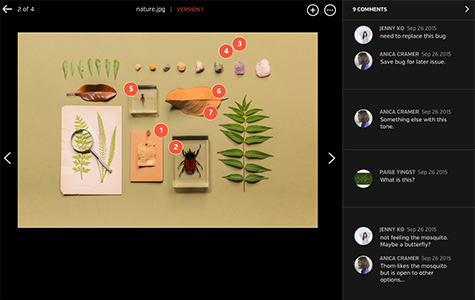
OpenText Hightail is a cloud-based collaboration software for creative content reviews and approvals. With one place for teams to share large, multimedia files, collect precise feedback and approve content, Hightail streamlines the creative process and helps teams keep projects on schedule.
$0
100MB per file upload
Pricing
Forecast
OpenText Hightail
Editions & Modules
Lite (Annual subscription)
$29
per seat (billed annually)
Pro (Annual subscription)
$49
per seat (billed anually)
Enterprise
Call us
Lite
$0
100MB per file upload
Pro
$15
per user, per month
Teams
$30
per user/per month
Business
Custom
per user, per month
Offerings
Pricing Offerings
Forecast
OpenText Hightail
Free Trial
Yes
Yes
Free/Freemium Version
No
Yes
Premium Consulting/Integration Services
No
No
Entry-level Setup Fee
Optional
No setup fee
Additional Details
—
Lite: Send large files with anyone. Files are limited to 100MB for each file size uploaded, 2GB storage max. Files expire after 7 days.
Pro: Send large files with anyone and set advanced security permissions such as expiration dates and access codes. Files are limited to 25GB for each file size uploaded, with unlimited storage.
Teams: Send large files, collaborate in real-time and manage creative projects with your team. The Hightail Teams plan allows you to purchase multiple users online (from 1-30 users per organization) and allows users to send file sizes up to 50GB with unlimited storage. The Teams plan also includes features such as file previews, organization, annotations, version control, discussions, follow-ups, approval routing and more.
Business: Create unlimited visual project folders (called a Space) with collaboration and project management features such as approval routing and assigning to-dos, upload unlimited files up to 100GB each, protect them with access codes and manage user permissions., plus intuitive admin controls , detailed activity analysis for your entire company, advanced organization options and priority support.
I have not used any other scheduling software other than Forecast. The company selected Forecast because it is used in conjunction with Harvest. The pair of web apps can be used to pull detailed data. This is very important to our agency, and making data-driven decisions is …
Greater functionalities and tools. More suitable for not only sharing materials and files but also working on them, adequate and coordinated management of projects, tasks, and activities. Multiple tools for the control, follow-up, and coordination of the shared materials, then …
Global Marketing / Corporate Communication Manager
Chose OpenText Hightail
We looked at Dropbox because it's very well known in the industry and widely used. We didn't use it for a couple of reasons. First, our server security presented too many challenges and our IT director nixed the idea. Secondly, a lot of people used DropBox for personal use and …
Honestly, once we started using Google Drive more efficiently and saw what improvements OpenText Hightail had made, it was hard to choose. But now that we more consistently use Google Drive, I use it probably 75% more than I use OpenText Hightail for the same tasks. I'm not …
I've used WeTransfer on the receiving end, and only once to send large files (because the client specifically asked that I send his files with WeTransfer). I can't really comment on how it stacks up against Hightail. On the receiving end, it works. I get an email from them with …
I have used WeTransfer in the past. I think they are very similar however hightail seems to gave faster upload and download times. We transfer had a brighter more fun and user friendly interface making, hightail is a little dark, however it does exactly what we need it to and …
Hightail has the specific features we were looking for and makes it super easy to send large files over email. Its cost and ease of use makes it our preferred solution for sending large files. It doesn't have all the features of DropBox, but is also lighter weight and tasks can …
Forecast is well suited to track resources throughout a project or account lifecycle. The biggest benefit Forecast offers is the ease of scheduling resources across upcoming projects. This allows managers to confirm that projects are fully staffed or see which resources are over-allocated. This often will lead to department heads to analyze teams and determine whether more resources are required to be hired.
-It is useful for carrying out projects and campaigns that use an interdisciplinary team and in which multiple documents have to be worked on, since sending them ends up being pleasant and comfortable for all the people involved. -When it is necessary to have real control and monitoring of the activities of an entire team, it facilitates visualization and coordination. -Intuitive and easy to use for the simplest functionalities such as sending files and material. -Due to its price, it is possible that if you do not use all the tools contained in the software, it might seem a bit expensive.
Not as intuitive as its companion software, Harvest. This software takes longer to learn when on-boarding new staff. It is also difficult to view time notes without needing to physically open them up. This could be improved by expanding the "on hover" functionality. Personally, having spent as little time in workflow software is really important, as it gives me more time to code.
Because we use this software to plan schedules, items often fall through the cracks. I would like to see some more sophisticated syncing with not only Harvest but also with Asana.
Lack of integration with Asana. It would be nice to pull data from forecast and display it in Asana. This would be helpful for understanding how much time I have to spend on a project rather than bounce back and forth between web apps.
Some of our recipients are not very tech-savvy and can get confused with how to download a file. There is some room for improvement by making it clearer where the user should click to download the file.
I have not used any other scheduling software other than Forecast. The company selected Forecast because it is used in conjunction with Harvest. The pair of web apps can be used to pull detailed data. This is very important to our agency, and making data-driven decisions is exceptionally important to our agency mission.
I've used WeTransfer on the receiving end, and only once to send large files (because the client specifically asked that I send his files with WeTransfer). I can't really comment on how it stacks up against Hightail. On the receiving end, it works. I get an email from them with a download button that takes me to a page (with excellent image content) and I start the download from there. Simple and it works. Using their free option to send files was easy. It was browser-based, which is fine. Whether or not there are desktop and mobile apps I have no idea, although I would imagine there are. I use Hightail because it was the best option when I started using it and it continues to work well for me.
Forecast does not integrate with other software in our workflow, and it makes it an entire extra step when it doesn't necessarily need to be. This takes extra time away from my actual job.
Forecast is powerful when used with Harvest, and allows for powerful data-driven decisions in hiring and project estimates. The more informed we are when making decisions and scoping, the more profitable the company can be.
It takes some time to onboard new Employees which can take time away from a profitability or other training.
Hightail simply saves time. We no longer struggle with trying to meet the requirements of OutLook. When we have a file that is too large to send via OutLook we just "hightail it".