FortiManager delivers unified management for consistent security across complex hybrid environments, providing protection against security threats. Key benefits include accelerated zero-touch provisioning with best-practice templates for deployment at scale of SD-WAN and streamlined workflows between the Fortinet Security Fabric and integrations with 500+ ecosystem partners.
N/A
HCL BigFix
Score8.3 out of 10
N/A
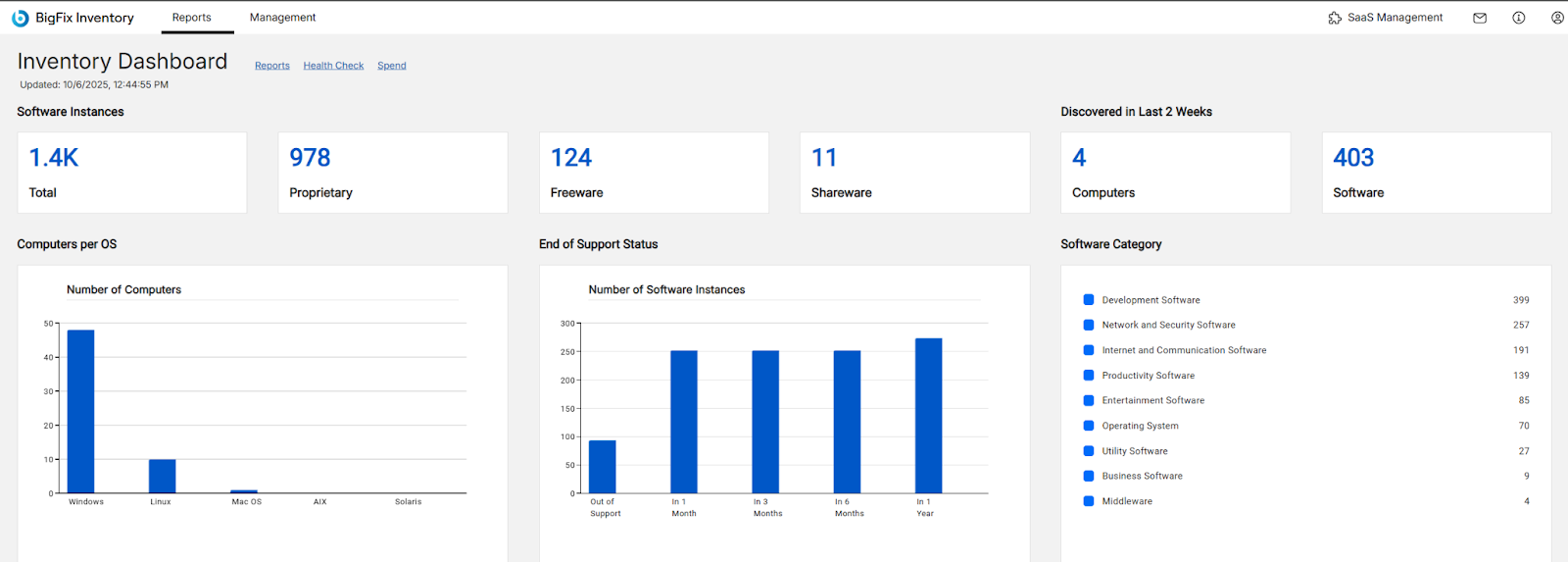
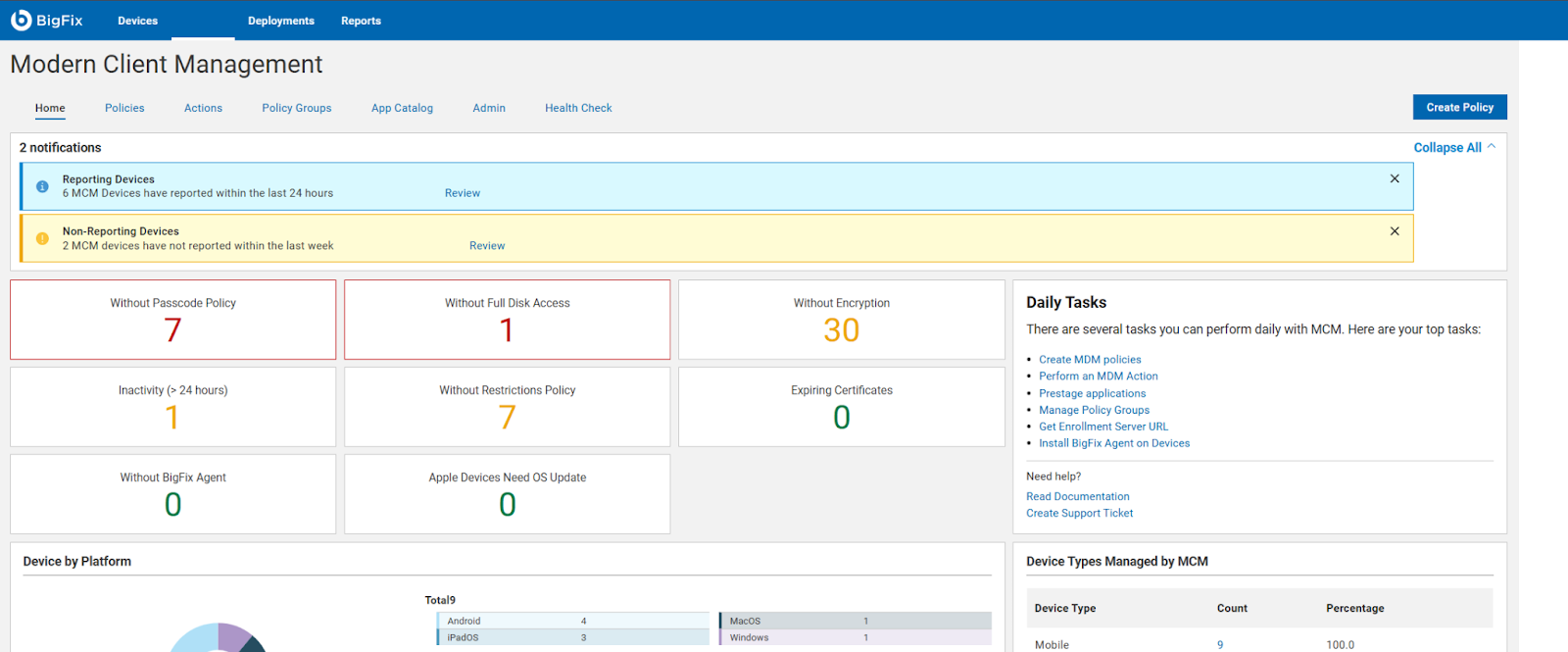
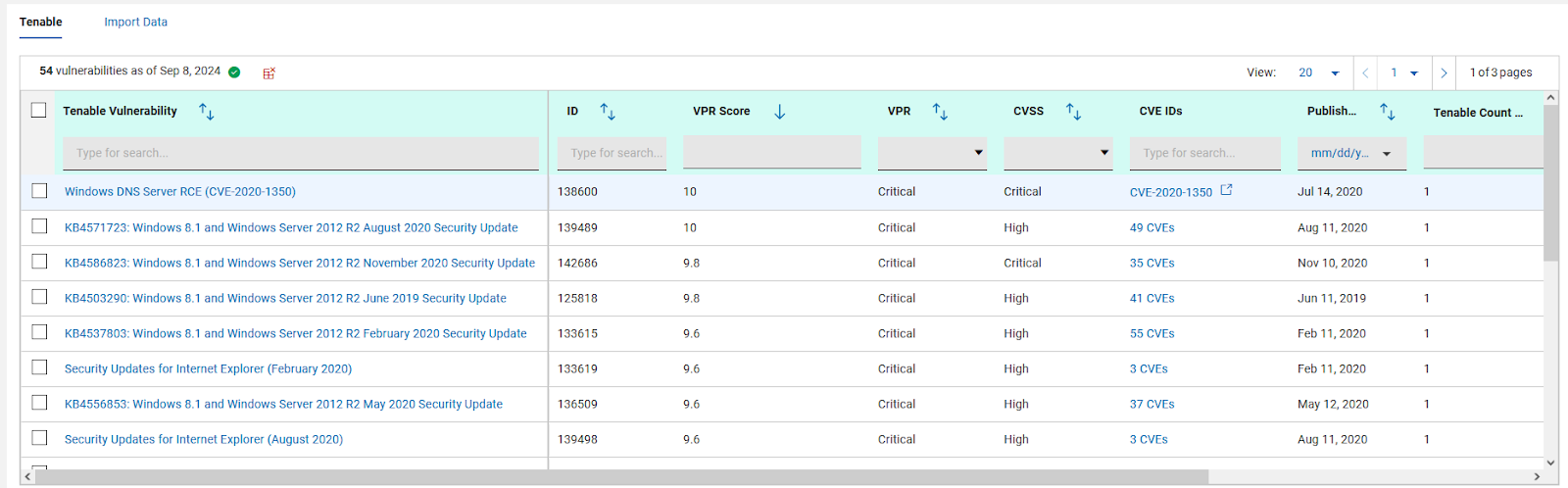
BigFix, now supported by HCL Technologies since the acquisition of BigFix from IBM in 2018, is an endpoint management solution providing endpoint visibility and IT asset discovery, automated endpoint patching (BigFix Lifecycle and BigFix Patch) policy enforcement (BigFix Compliance), and software asset discovery for licensed and unlicensed software (BigFix Inventory).
FortiManager is well suited for larger organizations which require unified configurations and IT departments that need quick turn around on firewall related tickets. I believe MSPs can also benefit with the use of the VDOM feature, if strict separation between clients is needed. FortiManager wouldn't be ideal for 1-3 site operations, unless their configurations are extremely complex or have a high number of active users.
A de minimis incentive was given to thank the reviewer for their time. The incentive was not used to bias or drive a particular response, nor was the incentive contingent on a positive endorsement. More Info
Patch Management for Diverse Devices: HCL BigFix is ideal for organizations with a diverse range of devices, including laptops, desktops, cloud, virtual machines, and mobile devices. Its endpoint management functionality enables seamless patching across various operating systems such as Windows, MacOS, ChromeOS, and Linux.
Comprehensive Patch Management: With HCL BigFix, organizations can achieve comprehensive patch management across their IT infrastructures. It ensures that all endpoints, regardless of the operating system, receive timely and secure patches, reducing vulnerabilities and enhancing overall security.
Troubleshooting and Monitoring: HCL BigFix excels in providing a dashboard that effectively displays problematic and functional machines. This feature allows IT teams to quickly identify and address issues, improving overall troubleshooting efficiency. However, there are some scenarios where HCL BigFix may be less appropriate or areas for improvement: 1. Coverage Expansion: It is important for HCL BigFix to continue expanding its coverage to include all possible resources installed within the IT infrastructure. Ensuring comprehensive coverage can enhance its effectiveness. 2.On-Site and OS Upgrades: Optimizing the process of on-site and operating system upgrades can help streamline the deployment process further. Improvements in this area would contribute to a smoother and more efficient upgrade experience. 3.Communication Speed: Enhancing the speed of communication between the HCL BigFix agent and the server can help improve the overall responsiveness and efficiency of the solution.
Pricing Optimization: Adjusting the pricing of HCL BigFix to be more cost-effective would make it more accessible and attractive to organizations of different sizes and budgets.
A de minimis incentive was given to thank the reviewer for their time. The incentive was not used to bias or drive a particular response, nor was the incentive contingent on a positive endorsement. More Info
A de minimis incentive was given to thank the reviewer for their time. The incentive was not used to bias or drive a particular response, nor was the incentive contingent on a positive endorsement. More Info
Various bugs: The software is buggy, and if you don't have a good understanding of it's underlaying operation, you can get confused or stuck when pushing a configuration. There are lots of little quirks you will have to learn, which are not described in any documentation.
Conflict resolution: Occasionally, during larger changes, bringing new devices in, pushing a config will fail due to dependencies, conflicts, or other software bugs. This is somewhat time consuming because the error messages provided aren't descriptive
CLI Options: Some configuration changes require creating scripts that execute on each device, and can't be done via the GUI
A de minimis incentive was given to thank the reviewer for their time. The incentive was not used to bias or drive a particular response, nor was the incentive contingent on a positive endorsement. More Info
A de minimis incentive was given to thank the reviewer for their time. The incentive was not used to bias or drive a particular response, nor was the incentive contingent on a positive endorsement. More Info
A de minimis incentive was given to thank the reviewer for their time. The incentive was not used to bias or drive a particular response, nor was the incentive contingent on a positive endorsement. More Info
FortiManager is the best choice for managing numerous FortiGate firewalls. It allows for easy integration into ServiceNow and automates simple repetitive tasks that are very straightforward. Role-based access control is easy to enable and you can get quite granular with user permissions. Administrative Domains help segregate firewall management and compliance within the FortiManager console, by almost any classification method that makes sense to your organization.
A de minimis incentive was given to thank the reviewer for their time. The incentive was not used to bias or drive a particular response, nor was the incentive contingent on a positive endorsement. More Info
We have significantly enhanced our ability to patch desktops, including laptops, desktop, cloud, virtual machines and other mobile devices used by end-users. BigFix's endpoint management functionality allows us to seamlessly patch a wide range of operating systems, such as Windows, MacOS, ChromeOS, and Linux systems, ensuring comprehensive patch management across IT infrastructures. We have established a track record of delivering secure and hassle-free patching solutions to our clients
A de minimis incentive was given to thank the reviewer for their time. The incentive was not used to bias or drive a particular response, nor was the incentive contingent on a positive endorsement. More Info
A de minimis incentive was given to thank the reviewer for their time. The incentive was not used to bias or drive a particular response, nor was the incentive contingent on a positive endorsement. More Info