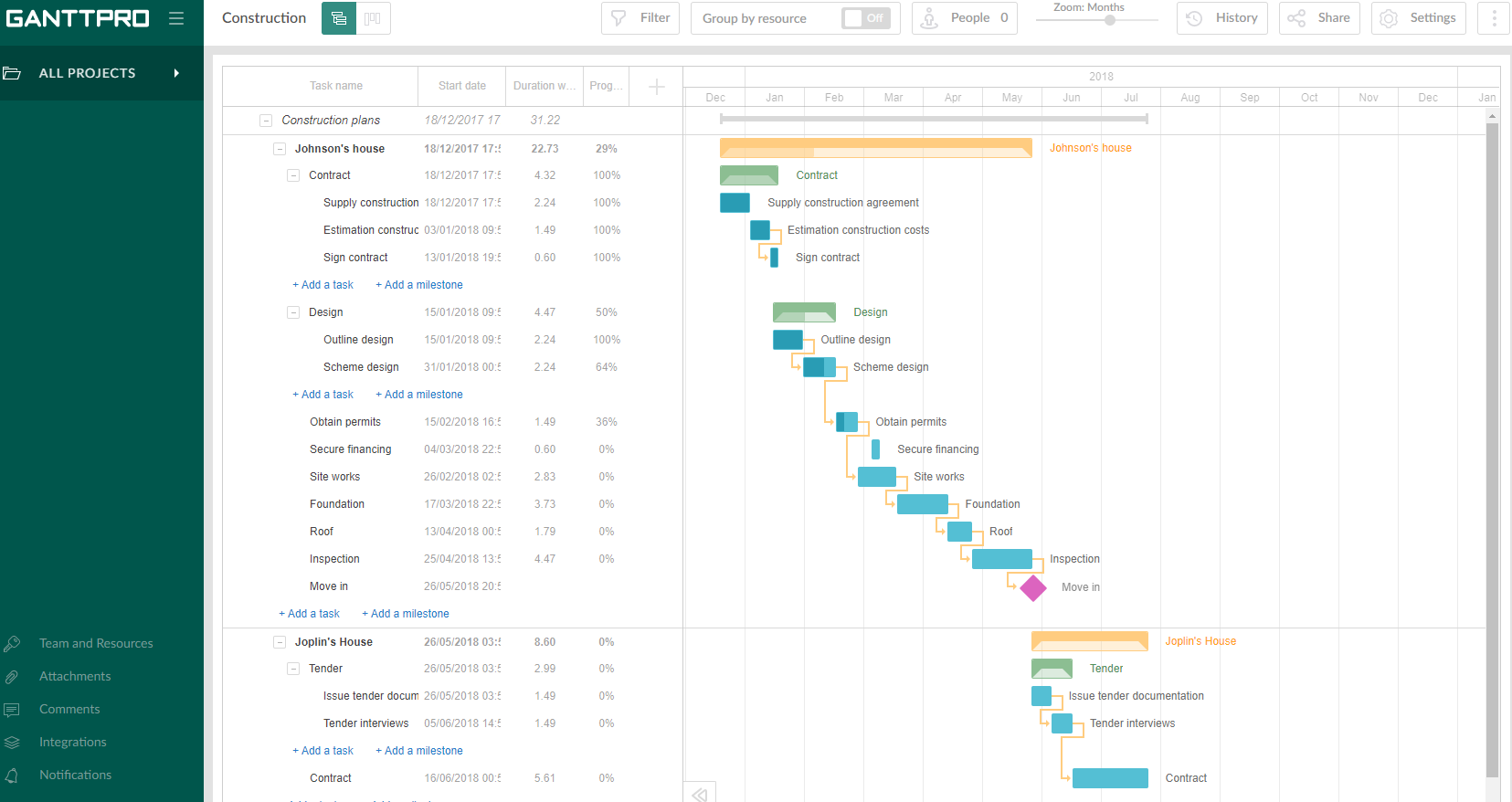
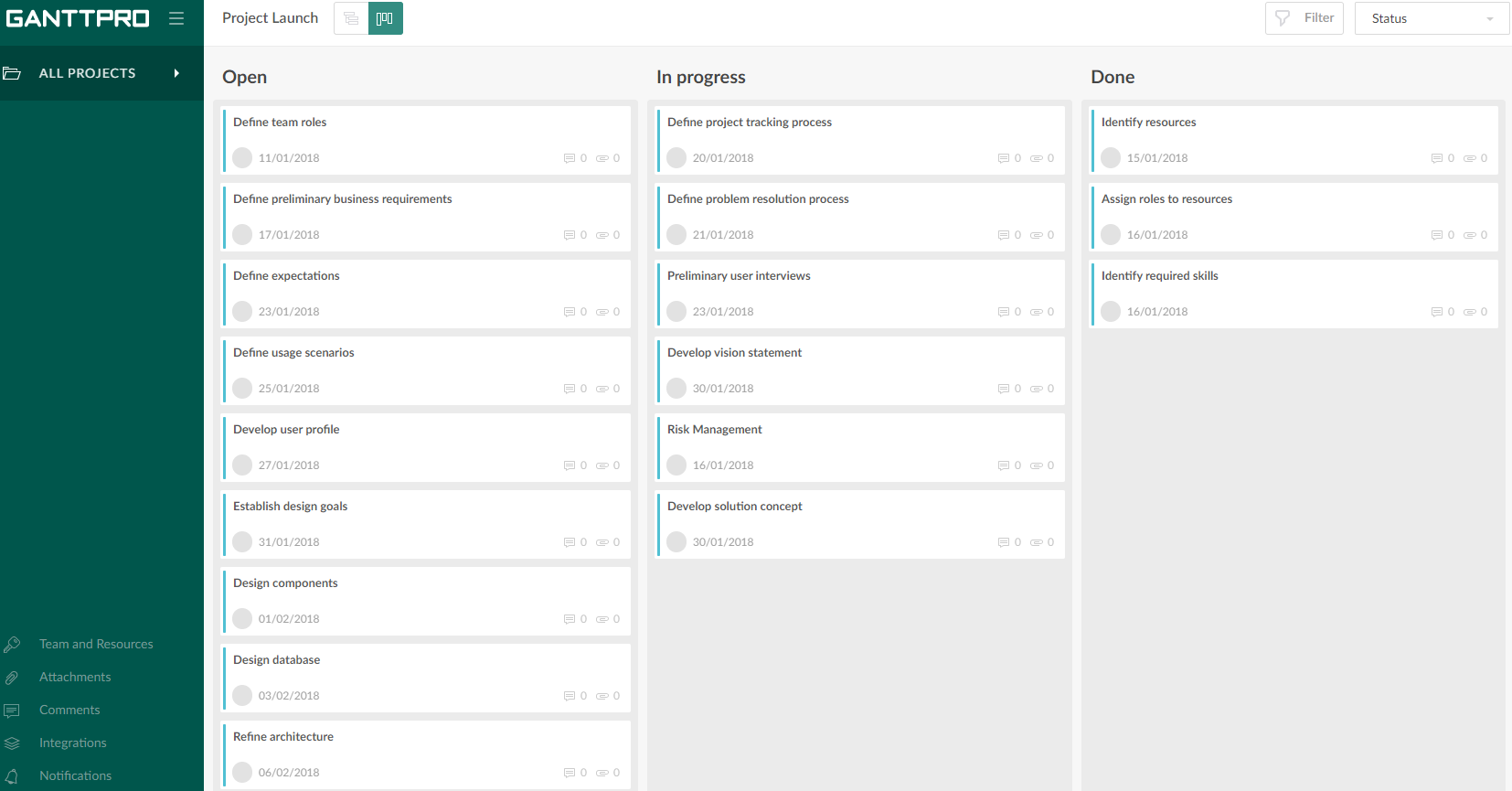
GanttPRO is a project planning tool based on a Gantt chart approach. It visualizes all tasks along a timeline, and it supports resource management, collaboration within teams, and importing and exporting projects onto 3rd party programs.
$8.90
per user per month
Planview AgilePlace
Score 7.8 out of 10
N/A
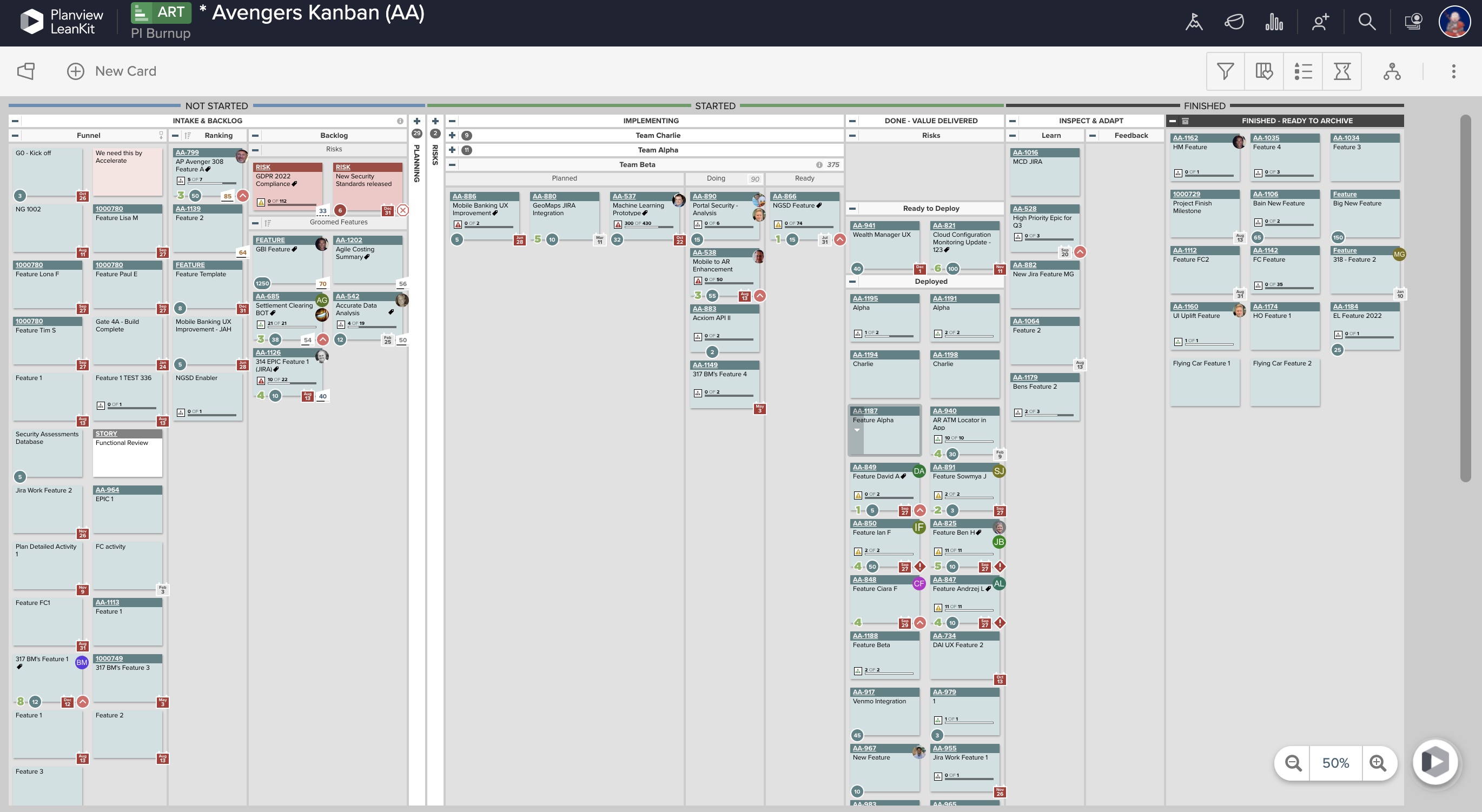
AgilePlace is a project management solution built around flexibility, data-driven analytics, and workflow automation. The software was acquired by Planview in December 2017 to expand that company's capabilities.
$19
per user, per month
Pricing
GanttPRO
Planview AgilePlace
Editions & Modules
Team 5
$8.90
per user per month
Team 10
$8.90
per user per month
Team 15
$8.90
per user per month
Individual for personal needs
$15.00
per user per month
Teams
$19
per user, per month
Scaled Teams
$29
per user, per month
Custom
Contact Sales for Quote
per user, per month
Offerings
Pricing Offerings
GanttPRO
Planview AgilePlace
Free Trial
Yes
Yes
Free/Freemium Version
No
No
Premium Consulting/Integration Services
No
No
Entry-level Setup Fee
No setup fee
No setup fee
Additional Details
—
All editions include unlimited boards.
More Pricing Information
Community Pulse
GanttPRO
Planview AgilePlace
Features
GanttPRO
Planview AgilePlace
Project Management
Comparison of Project Management features of Product A and Product B
GanttPRO
6.9
50 Ratings
11% below category average
Planview AgilePlace
7.4
25 Ratings
1% below category average
Task Management
4.749 Ratings
10.025 Ratings
Resource Management
8.444 Ratings
9.921 Ratings
Gantt Charts
9.449 Ratings
10.014 Ratings
Scheduling
8.447 Ratings
9.919 Ratings
Workflow Automation
1.542 Ratings
00 Ratings
Team Collaboration
7.543 Ratings
00 Ratings
Support for Agile Methodology
5.739 Ratings
9.320 Ratings
Support for Waterfall Methodology
9.435 Ratings
4.014 Ratings
Budget and Expense Management
7.534 Ratings
00 Ratings
Document Management
00 Ratings
6.57 Ratings
Email integration
00 Ratings
7.319 Ratings
Mobile Access
00 Ratings
2.114 Ratings
Timesheet Tracking
00 Ratings
6.44 Ratings
Change request and Case Management
00 Ratings
7.29 Ratings
Visual planning tools
00 Ratings
7.39 Ratings
Agile Development
Comparison of Agile Development features of Product A and Product B
Projects are a lot easier to set up with GanttPRO than most tools that support a WBS, so although I've used GanttPRO for very simple projects, it's great for projects with complex WBS' and/or dynamic backlogs (using Agile methodologies). I've used it for long-running projects with multiple phases, where I needed to set up high-level plans for downstream phases (for budgeting) that got updated and modified based on outcomes from upstream phases.
This tool enables the visual management needed in many offshore teams to easily and quickly see the pending work, work in progress and completed work.For teams that work with a waterfall methodology and do not have AGILE internalized, I believe there are other solutions from Planview or other providers.
Ability to add more than 1 visual cue to the card. We use custom icons and sometimes more than 1 is appropriate but you have to choose which is most important since only 1 can be applied.
Better visibility to board access from the user administration screens. Currently have to run 1-2 reports to see this information. Would like to be able to click on a user within Configure Users and see what boards they have access to quickly.
Intuitive interface, clean, and nice design. As an online app, the data can be viewed on Windows PCs, Macs, and tablets. It saves the data very quickly (depending on the Internet speed) as if it is a locally installed application. Training is minimal, plus there is an extensive range of learning videos and topics in the GanttPRO learning center.
LeanKit isn't the best designed Kanban system I've seen, but overall it's pretty usable. The boards I've used are pretty complex, so it can be difficult to find things. I found that searching and filtering for specific cards was somewhat of a challenge. Dragging a card from one lane to another is kind of a fun way to get things done though.
The support for GanttPro is very good. I have no troubles reaching out for their customer support whenever I have questions, they respond almost instantly. I just hope that they will have live chat support for a real-time support experience on the user-end and can answer the questions in real-time.
Every time I have reached out to the AgilePlace support team I have received a timely response in addition to professional & personal feedback. Their consultants are knowledgeable and the management team is happy to jump in and help when needed.
GanttPRO is easy to use and just works. If you need to do something quickly or do a small project then GanttPro is a great tool to use. If you are managing a large project then I would consider using Microsoft Project even though it is a more substantial investment overtime.
Originally, we had evaluated two other tools next to Planview LeanKit: Kanbantool and Kanbanflow. The latter was a close contestant for productive use, as it was also very customizable and a joy to work with and look at. It also had lower user fees and a mobile integration. In the end, we picked Planview LeanKit because of several reasons: Aesthetics: The look was much more clean and professional. Reporting: It was obvious from the start that we could use Planview LeanKit as a tool for improvement. API: We needed to integrate the Kanban into our central systems and Planview LeanKit API was (and still is) a way to do it. Card Headers: This sounds like a simple thing, but the headers above the titles fit our work perfectly and looked perfect, which helped the decision.