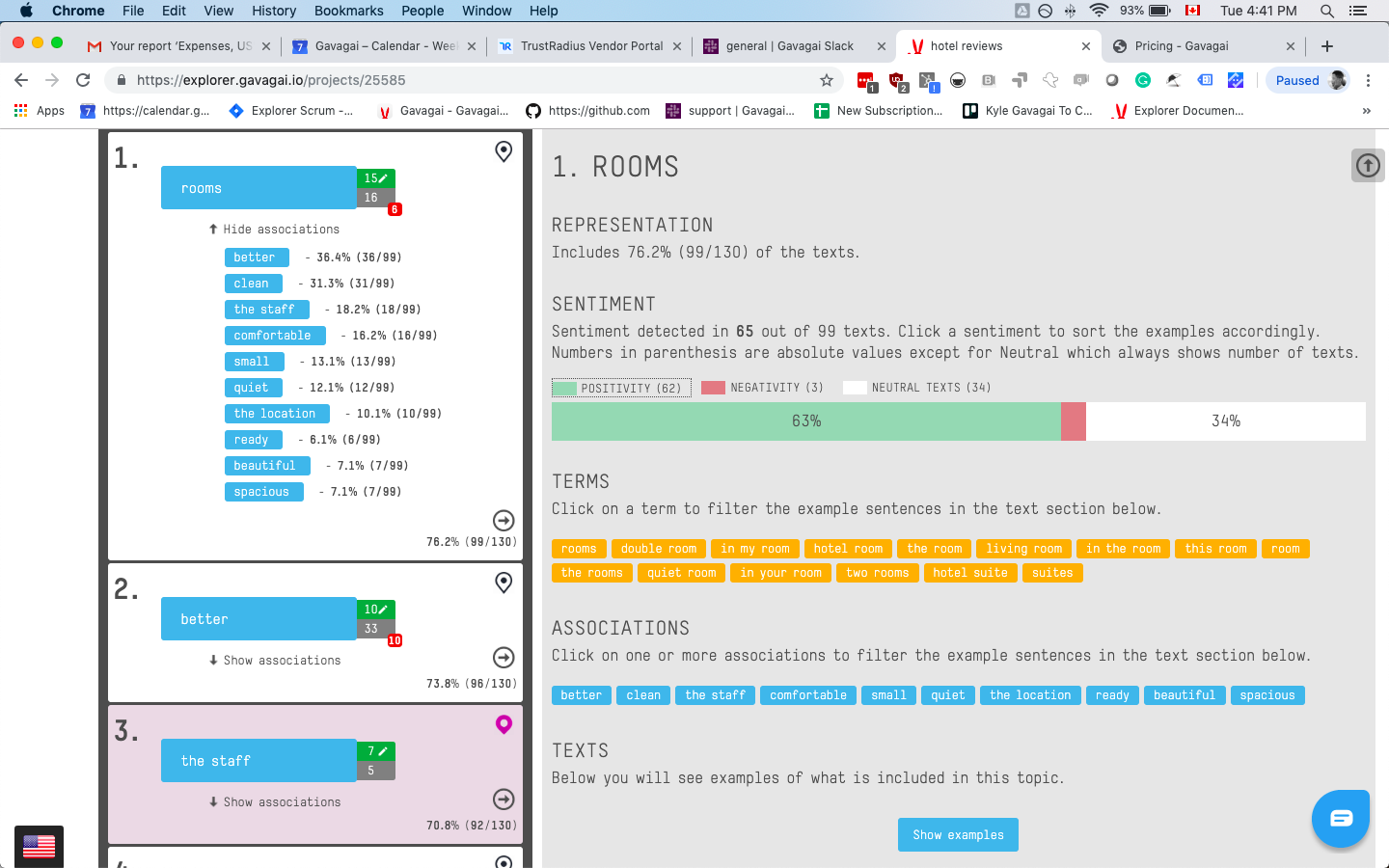
Gavagai Explorer is a text analysis tool for companies that want to keep track of what their customers think – regardless of which language they speak. Explorer analyzes texts in 47 languages. The texts get automatically analyzed and the results are presented in interactive and share-able Dashboards. Gavagai understands meaning The majority of the text data it analyzes comes from sources such as surveys, reviews, emails, chat conversations, and social…
$3,000
Time used to Set Up
IBM Cognos Analytics
Score 7.5 out of 10
N/A
IBM Cognos is a full-featured business intelligence suite by IBM, designed for larger deployments. It comprises Query Studio, Reporting Studio, Analysis Studio and Event Studio, and Cognos Administration along with tools for Microsoft Office integration, full-text search, and dashboards.
$11.25
per month per user
Pricing
Gavagai
IBM Cognos Analytics
Editions & Modules
Small - 3 project slots -1200 credits
€ 120 per month - More or extra credits can be purchased
Number of Texts Analyzing, number of seats, number of projects
Medium - 10 project slots - 1200 credits
€ 400 per month - More or extra credits can be purchased
Number of Texts Analyzing, number of seats, number of projects
Large - 50 project slots - 1200 credits
€ 2,000 per month - More or extra credits can be purchased
Number of Texts Analyzing, number of seats, number of projects
The Entire Web Application
$3000.00
Time used to Set Up
Enterprise
quote: https://www.gavagai.io/request-quote/
Number of Texts Analyzing, number of seats, number of projects
On Demand - Standard
USD 11.25
per month per user
On Demand - Premium
USD 44.90
per month per user
Offerings
Pricing Offerings
Gavagai
IBM Cognos Analytics
Free Trial
Yes
Yes
Free/Freemium Version
No
No
Premium Consulting/Integration Services
Yes
Yes
Entry-level Setup Fee
Optional
Optional
Additional Details
Buy extra credits at any time
Bought credits never expire
Gavagai is well suited for a B2C business that receives a lot of customer feedback in a form of open-ended text. It makes life easier for the customer experience team to efficiently identify the strengths and areas of improvement for the business. It saves a lot of time and also the hassle of analysing text data manually. It is not just a word cloud tool that shows you the words with the most number of mentions. Gavagai directs you towards actionability.
Well suited: Financial reporting - It can handle complex, pixel perfect, muti-page reports with scheduled delivery to stakeholders (like sales report by region on quarterly periodicity) Operational dashboard across departments - It can combine multiple data sources (ERP, CRM, excels etc) with filters, and embedded AI insights Less appropriate: Live dashboards - As stated earlier as well, IBM Cognos Analytics doesn't suit well for live dashboards or event driven data. For ex: live web traffic data or IOT device data, etc Data science - Although IBM Cognos Analytics is great tool for data exploration but it should not be used as a substitute for Python or R, which has edge over advanced modelling and stats based workflows like predictive modelling or clustering
IBM Cognos Analytics enables customer data segmentation, which is essential for marketing, improving and streamlining purchasing behavior and preferences. This helps companies create more targeted and effective marketing campaigns.
Our clients Through data analysis, we can identify and observe trends in the behavior of other clients, allowing us to anticipate needs and adjust strategies to avoid consequences.
For an existing solution, renewing licenses does provide a good return on investment. Additionally, while rolling out scorecards and dashboards with little adhoc capabilities, to end users, cognos is very easily scalable. It also allows to create a solution that has a mix of OLAP and relational data-sources, which is a limitation with other tools. Synchronizing with existing security setup is easy too.
We have a strong user base (3500 users) that are highly utilizing this tool. Basic users are able to consume content within the applied security model. We have a set of advanced users that really push the limits of Cognos with Report and Query Studio. These users have created a lot of personal content and stored it in 'My Reports'. Users enjoy this flexibility.
Reports can typically be viewed through any browser that can access the server, so the availability is ultimately up to what the company utilizing it is comfortable with allowing, though report development tends to be more picky about browsers and settings as mentioned above. It also has an optional iPad app and general mobile browsing support, but dashboards lack the mobile compatibility. What keeps it from getting a higher score is the desktop tools that are vital to the development process. The compatibility with only Windows when the server has a wide range of compatibility can be a real sore point for a company that outfits its employees exclusively with Mac or Linux machines. Of course, if they are planning on outsourcing the development anyways, it's a rather moot point
Overall no major complaints but it doesn't handle DMR (Dimensionally Modeled for Relational) very well. DMR modelling is a capability that IBM Cognos Framework Manager provides allowing you to specify dimensional information for relational metadata and allows for OLAP-style queries. However, the capability is not very efficient and, for example, if I'm using only 2 columns on a 20-column model, the software is not smart enough to exclude 18 columns and the query side gets progressively larger and larger until it's effectively unusable.
Why is their web application not working as fast as you think it should? They never know, and it is always a a bunch of shots in the dark to find out. Trying to download software from them is like trying to find a book at the library before computers were invented.
Onsite training provided by IBM Cognos was effective and as expected. They did not perform training with our data which was a bit difficult for our end-users.
The online courses they offer are thorough and presented in such a way that someone who isn't already familiar with the general design methodologies used in this field will be capable of making a good design. The training environments are provided as a fully self contained virtual machine with everything needed already to create the environments. We've had some persisting issues with the environments becoming unavailable, but support has been responsive when these issues arise and straightening them out for us
Make sure that any custom tables that you have, are built into your metadata packages. You can still access them via SQL queries in Cognos, but it is much easier to have them as a part of the available metadata packages.
I didn't evaluate many options while choosing Gavagai, I had explored a few local vendors whose capabilities were either incomplete or were not up to the mark. Their customer support was also quite poor. Also, the tool was debugged enough which led to frequent crashing. Alchmer although is not a direct competitor to Gavagai, since it's more of a customer feedback tool with additional capabilities of text analytics. I found Alchemer to be extremely expensive. Zonka on the other hand was quite welcoming to feedback from me and promised to develop additional capabilities for my specific requirements although the plan didn't go through due to internal reasons.
Power BI is stronger for quick ad-hoc analysis and dashboards, but IBM Cognos Analytics is better when consistency, precision, and mass distribution matter. Tableau is best for interactive analysis, while IBM Cognos Analytics is better for standardized, repeatable enterprise reporting. Sigma shines for customizable dashboards and drill-down analysis while IBM Cognos Analytics holds an edge in data discovery and visualization.
The Cognos architecture is well suited for scalability. However, the architecture must be designed with scalability in mind from day one of the implementation. We recently upgraded from 10.1 to 10.2.1 and took the opportunity to revamp our architecture. It is now poised for future growth and scalability.