TrustRadius: an HG Insights company

Save this comparison

Save this comparison

Add Product

Recommended Comparisons

    Overview
    ProductRatingMost Used ByProduct SummaryStarting Price

    GForge

    N/A
    Enterprise companies (1,001+ employees)
    GForge is a DevOps and project management platform offering tools for tickets, code, documentation, and collaboration. Available as both cloud-hosted SaaS and on-premise installation, GForge supports air-gapped networks and offline deployment - making it a fit for defense contractors, aerospace companies, and other organizations with strict security or compliance requirements. Core Capabilities Project Management: Customizable trackers…

    $6

    per month per user

    Projector PSA

    Score1 out of 10
    N/AProjector's cloud-based Professional Services Automation (PSA) software helps project-based services organizations track time and expenses, invoice clients, schedule resources, and manage projects. Its three modules span a more comprehensive set of uses than typical project management software. The Accounting module helps the user track time and expenses and manage invoices and billing. Also it syncs with the company's accounting systems as a sub-ledger. The Resource Scheduling module matches…

    $15

    per user

    Pricing
    GForgeProjector PSA
    Editions & Modules
    Standard
    $6
    per month per user
    Team Edition
    $15
    per user
    Professional Edition
    $25
    per user
    Enterprise Edition
    $30
    per user
    Offerings
    Pricing Offerings
    GForgeProjector PSA
    Free Trial
    YesYes
    Free/Freemium Version
    YesNo
    Premium Consulting/Integration Services
    YesYes
    Entry-level Setup Fee$2,000 one-time fee per installationNo setup fee
    Additional DetailsAll features are included at every pricing level - there are no add-on modules or tiered feature gates. The first 5 users are free on both SaaS and on-premise deployments. Enterprise licensing is available for organizations that need to deploy multiple on-premise instances without separate procurement for each installation. Contact GForge Group for enterprise pricing.—
    More Pricing Information
    Features
    GForgeProjector PSA
    Project Management
    Comparison of Project Management features of GForge and Projector PSA
    Feature
    GForge
    -
    Ratings
    Projector PSA
    7.4
    11 Ratings
    3% below category average
    Task Management00 Ratings9.510 Ratings
    Resource Management00 Ratings9.510 Ratings
    Gantt Charts00 Ratings6.03 Ratings
    Scheduling00 Ratings8.511 Ratings
    Workflow Automation00 Ratings9.07 Ratings
    Team Collaboration00 Ratings7.57 Ratings
    Support for Agile Methodology00 Ratings5.82 Ratings
    Support for Waterfall Methodology00 Ratings5.23 Ratings
    Document Management00 Ratings8.57 Ratings
    Email integration00 Ratings7.65 Ratings
    Mobile Access00 Ratings3.77 Ratings
    Timesheet Tracking00 Ratings9.511 Ratings
    Change request and Case Management00 Ratings5.23 Ratings
    Budget and Expense Management00 Ratings8.19 Ratings
    Professional Services Automation
    Comparison of Professional Services Automation features of GForge and Projector PSA
    Feature
    GForge
    -
    Ratings
    Projector PSA
    7.9
    3 Ratings
    2% above category average
    Invoicing00 Ratings7.02 Ratings
    Project & financial reporting00 Ratings8.52 Ratings
    Integration with accounting software00 Ratings8.03 Ratings
    Best Alternatives
    GForgeProjector PSA
    Small Businesses
    Polarion ALM
    Score10 out of 10
    Any.do
    Score8 out of 10
    Medium-sized Companies
    PTC Windchill RV&S
    Score2 out of 10
    KanbanFlow
    Score7.3 out of 10
    Enterprises
    IBM Engineering Lifecycle Management
    Score5 out of 10
    Microsoft To Do
    Score7.8 out of 10
    All AlternativesView all alternativesView all alternatives
    User Ratings
    GForgeProjector PSA
    Likelihood to Recommend
    -
    (0 ratings)
    7.0
    (12 ratings)
    Likelihood to Renew
    -
    (0 ratings)
    10.0
    (2 ratings)
    Usability
    -
    (0 ratings)
    6.4
    (1 ratings)
    Availability
    -
    (0 ratings)
    10.0
    (1 ratings)
    Implementation Rating
    -
    (0 ratings)
    8.2
    (1 ratings)
    Product Scalability
    -
    (0 ratings)
    7.0
    (1 ratings)
    User Testimonials
    GForgeProjector PSA
    Likelihood to Recommend
    The GForge Group, Inc
    No answers on this topic
    Projector PSA
    We think Projector PSA is a great tool to track and manage people in a professional service environment like management consulting. This system is easy to set up, easy to understand and should easily suit the needs of smaller and medium sized firms. It may be less appropriate for firms that rely very heavily on project management through another system (like MS Project) or firms that rely very heavily on a sales pipeline tracking system. While still very much possible to use, you would (I believe) have to do some re-keying between systems
    Read full review
    Pros
    The GForge Group, Inc
    No answers on this topic
    Projector PSA
    • Projector is a very well designed tool for project management. It has allowed us to eliminate a number of auxiliary tools for project timelines and WBS for the vast majority of our projects.
    • Time and expense entry is intuitive and quick for our staff.
    • Our forecasting and resource management capability has improved greatly with Projector and allows us to grow our team efficiently with minimal additional administrative burden.
    • Reporting is extremely robust. It does require some time to really get a handle on the full functionality of the reporting tool, but once you do, you can get almost any kind of report you want out of the system!
    Read full review
    Cons
    The GForge Group, Inc
    No answers on this topic
    Projector PSA
    • Release management process needs to be improved. Currently no facility is provided to test the impact of new releases in a sand-box. This introduces business risk if there are interfaces into Projector PSA as part of it's use in the business.
    Read full review
    Likelihood to Renew
    The GForge Group, Inc
    No answers on this topic
    Projector PSA
    We have been using this tool for a year now and find our use of it continually evolves and broadens. We are also very excited about the overhaul that's under way and feel many of the improvements being put in place will help make us that much more effective and efficient. The Projector team is also very responsive and collaborative in terms of user feedback and improvement suggestions, which helps us know they will work hard to help us get what we need out of the tool.
    Read full review
    Usability
    The GForge Group, Inc
    No answers on this topic
    Projector PSA
    Desktop interface feels complex to new users.
    Read full review
    Reliability and Availability
    The GForge Group, Inc
    No answers on this topic
    Projector PSA
    In 5 years of use we have never experienced an unscheduled outage.
    Read full review
    Alternatives Considered
    The GForge Group, Inc
    No answers on this topic
    Projector PSA
    We did pursue Quick Arrow another tool that was similar. We found that be in inflexible in use. Projector allows a lot of flexibility in setup. Our organization has very specific business processes and we were able to set up Projector to work with those processes. Several other systems we tried were not as flexible in allowing set up to our needs.
    Read full review
    Return on Investment
    The GForge Group, Inc
    No answers on this topic
    Projector PSA
    • Even in the small time that I stayed to see Projector PSA reporting I saw ROI projections become more realistic. There was real data to analyze that proved we were spending way too much and charging way too less on some projects.
    • Although employees were not used at entering their hours, this single reporting improved operations management and validated employees concerns that more people were needed to manage workload
    • Project proposals were more realistic because they were driven by real data.
    • Decision making overall for the department became more efficient and effective
    Incentivized
    Read full review
    ScreenShots

    GForge Screenshots

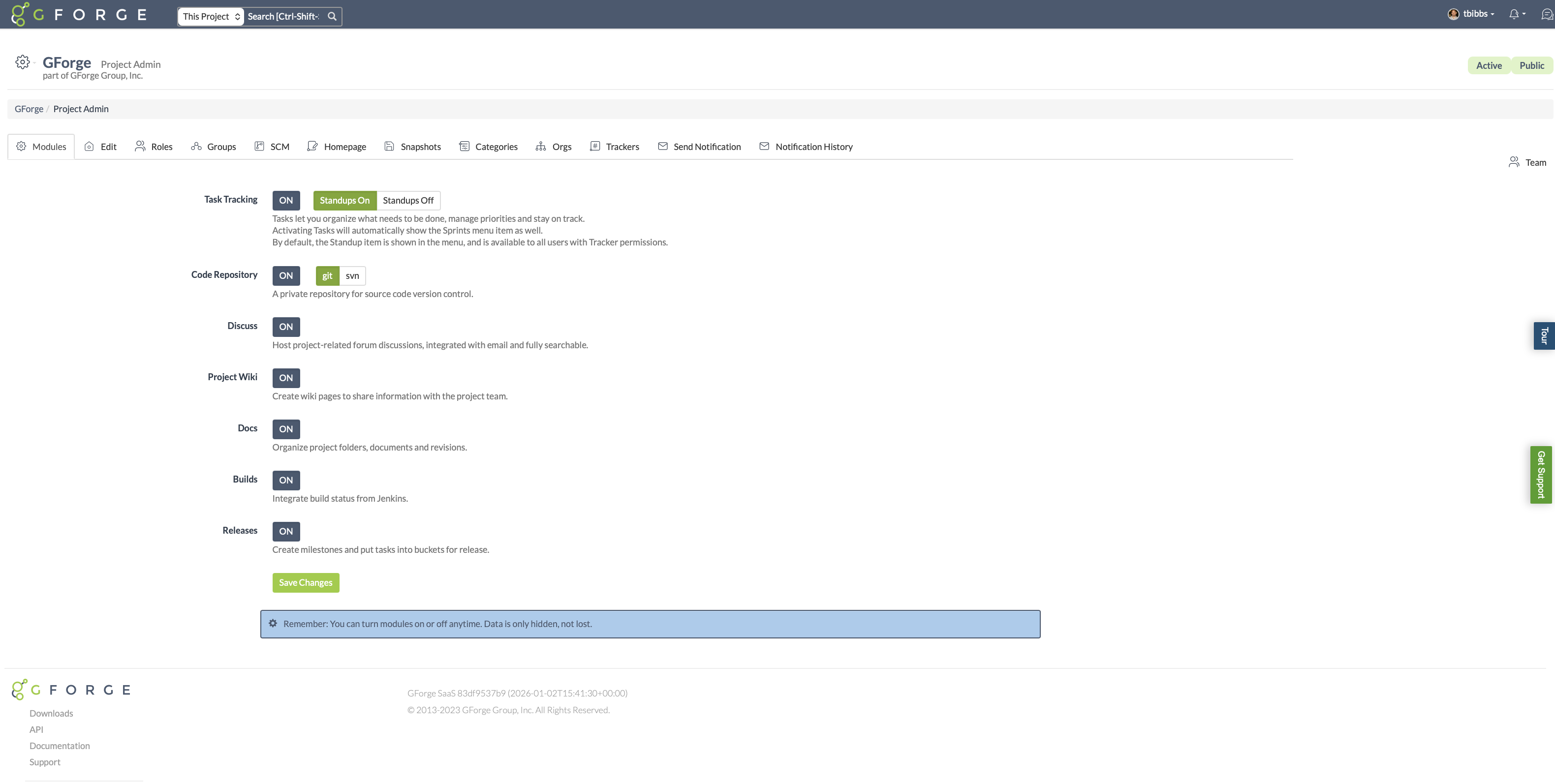
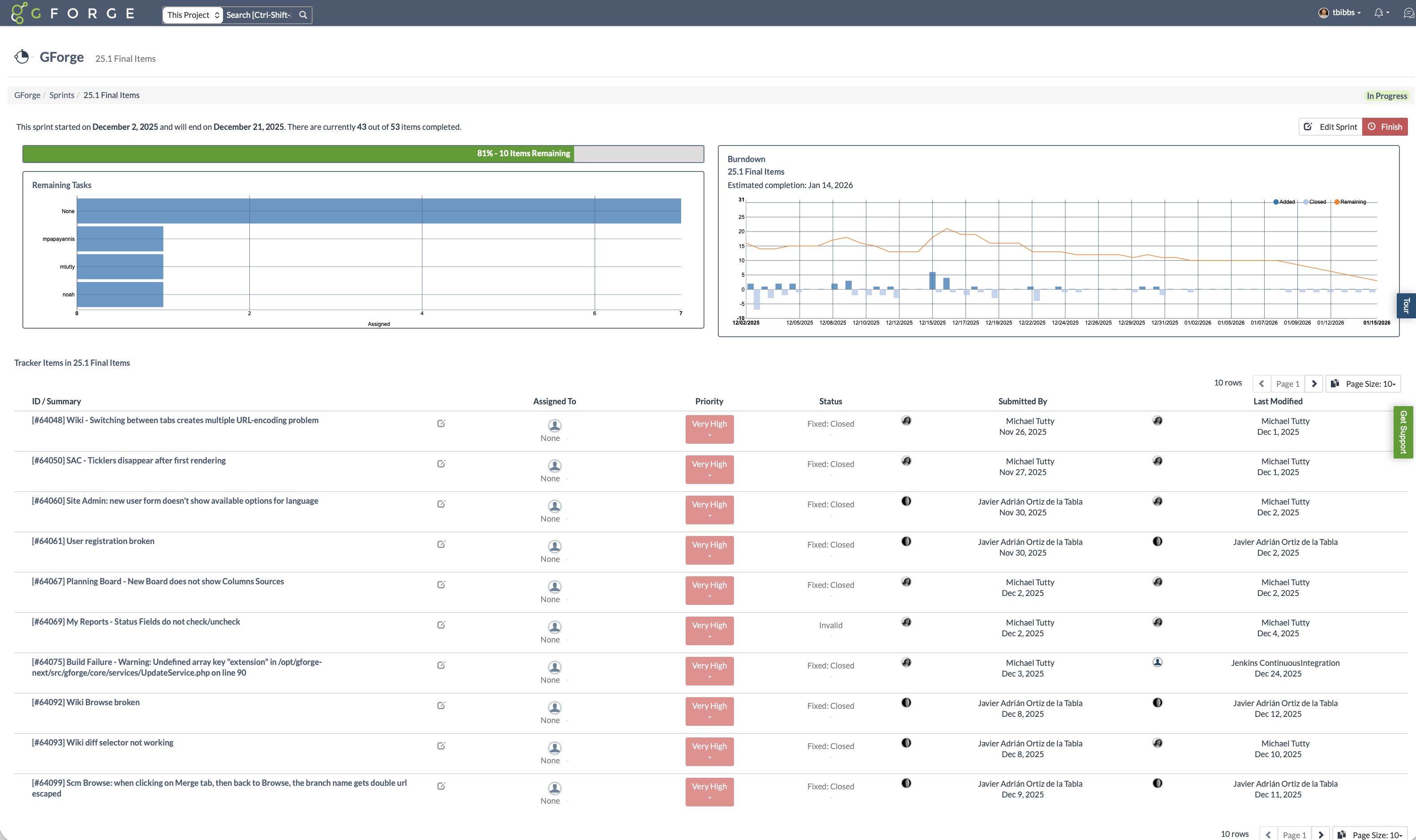
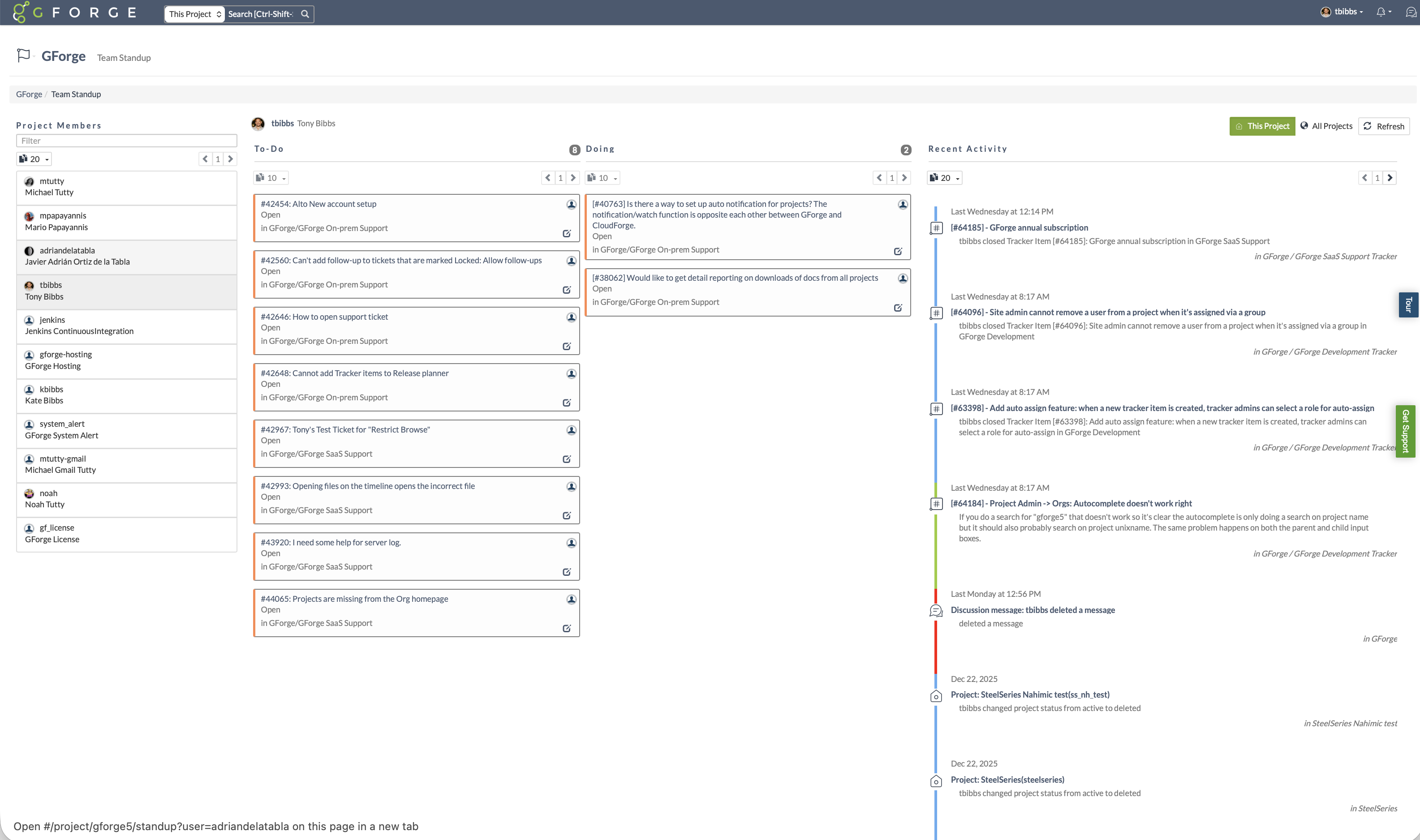
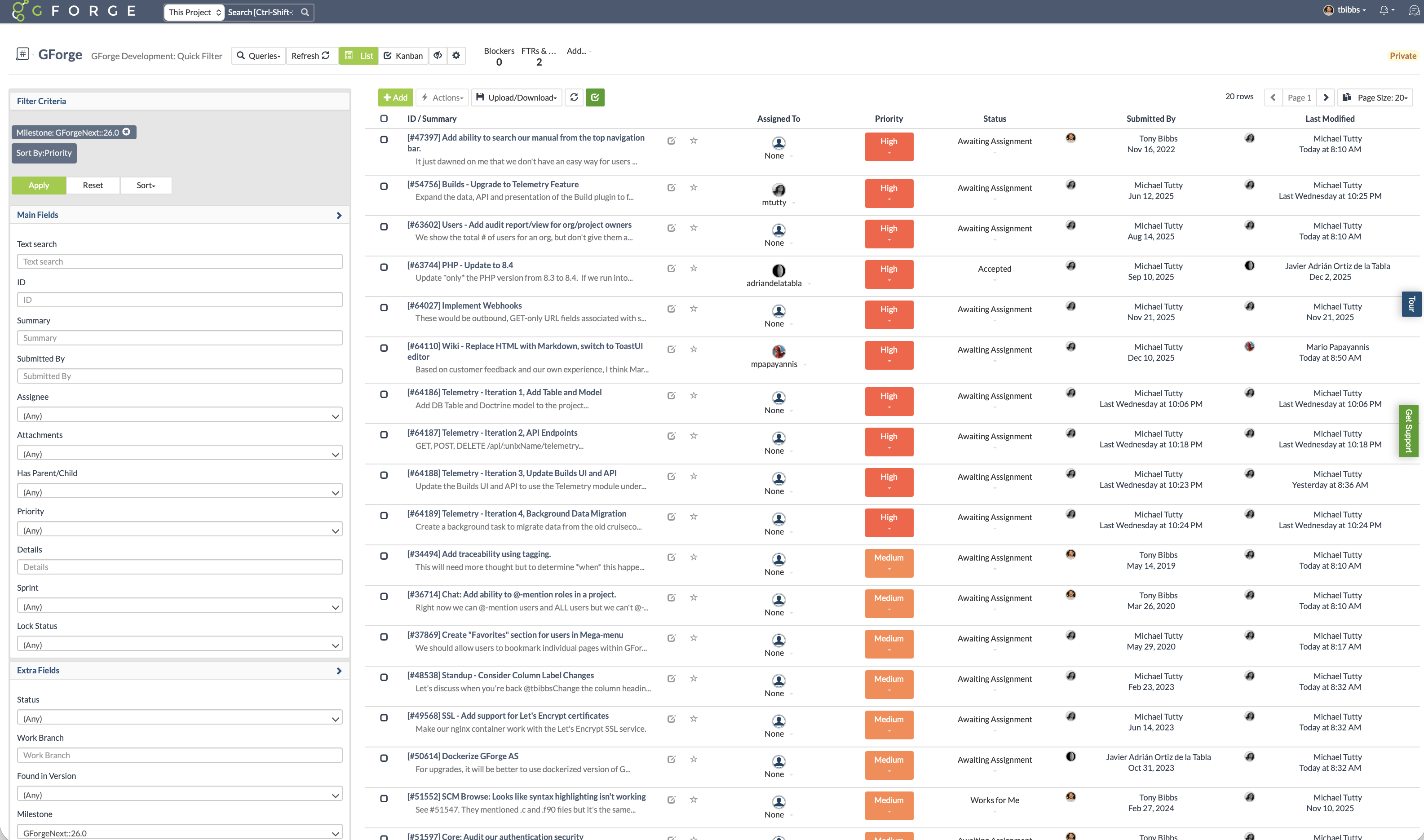
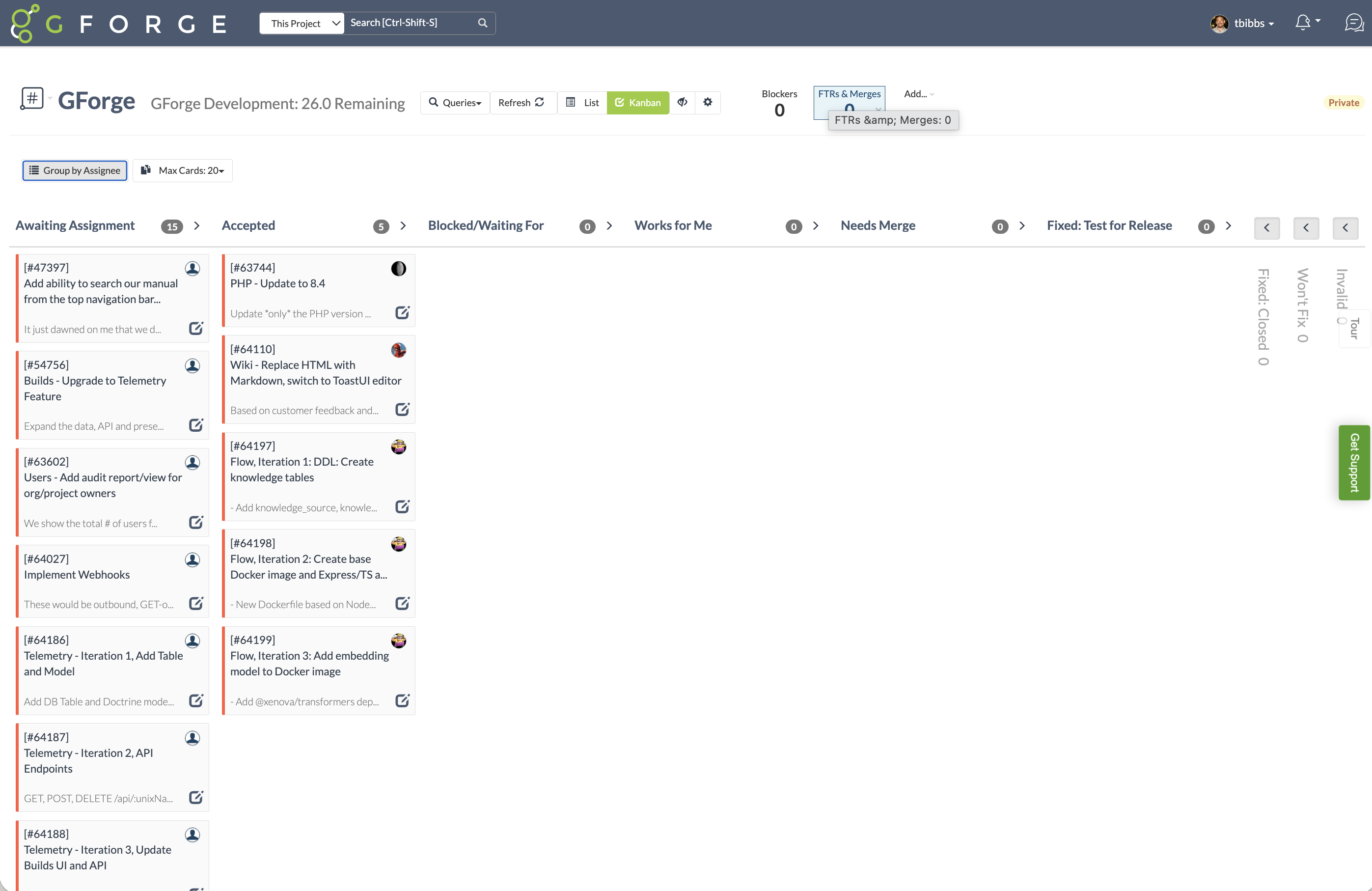
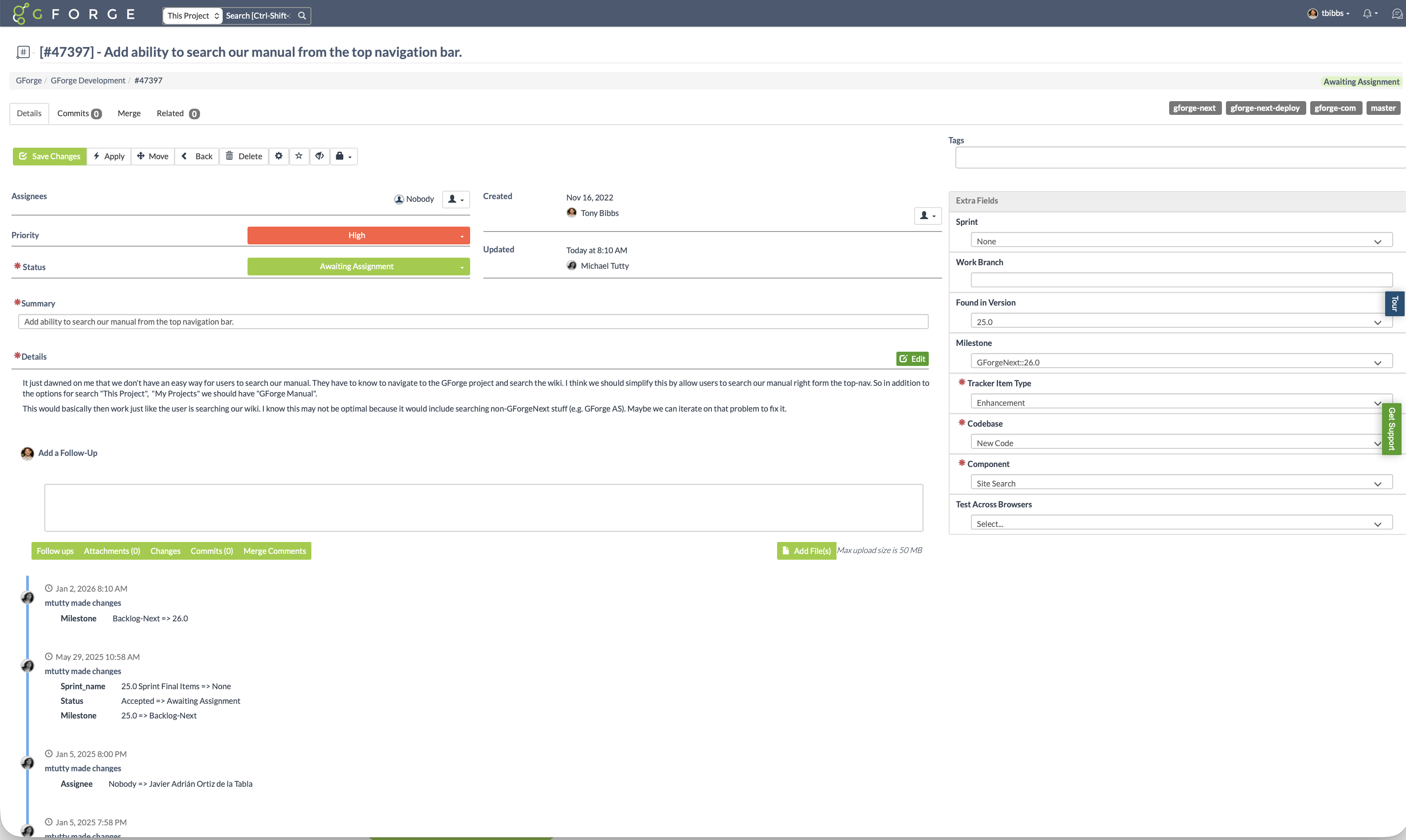
    Screenshot of Use only the features you need. GForge lets project administrators enable or disable task tracking, source control (Git or SVN), wiki, documents, builds, and releases at any time. GForge scales up or down with your project - without losing data.Screenshot of Track sprint progress with visual burndown charts and estimated completion dates. See remaining tasks by assignee, monitor velocity, and keep releases on track - all integrated with your trackers and milestones.Screenshot of See what everyone is working on at a glance. The standup view shows each team member's to-do and in-progress items alongside a real-time activity stream - replacing the need for daily status meetings or separate standup tools.Screenshot of Filter and sort issues by milestone, priority, status, assignee, or any custom field. Save filtered views for quick access to the tasks that matter most - whether that's your current sprint backlog, high-priority bugs, or items awaiting assignment.Screenshot of Visualize workflow with drag-and-drop Kanban boards. Cards move through customizable status columns as work progresses - switch between Kanban and list views with one click.Screenshot of Every issue captures the full picture: priority, status, custom fields, file attachments, and linked commits. A complete change history shows who changed what and when - providing full traceability from request to release.

    Projector PSA Screenshots

    Screenshot of Employee Dashboards help resources stay on task by displaying schedules and alerts.