Google Tasks, also available via a mobile app, aims to allow users to manage, capture, and edit tasks from anywhere, at anytime, with to-dos that sync across all devices. Integrates with Gmail and Google Calendar.
N/A
Kintone
Score9.7 out of 10
N/A
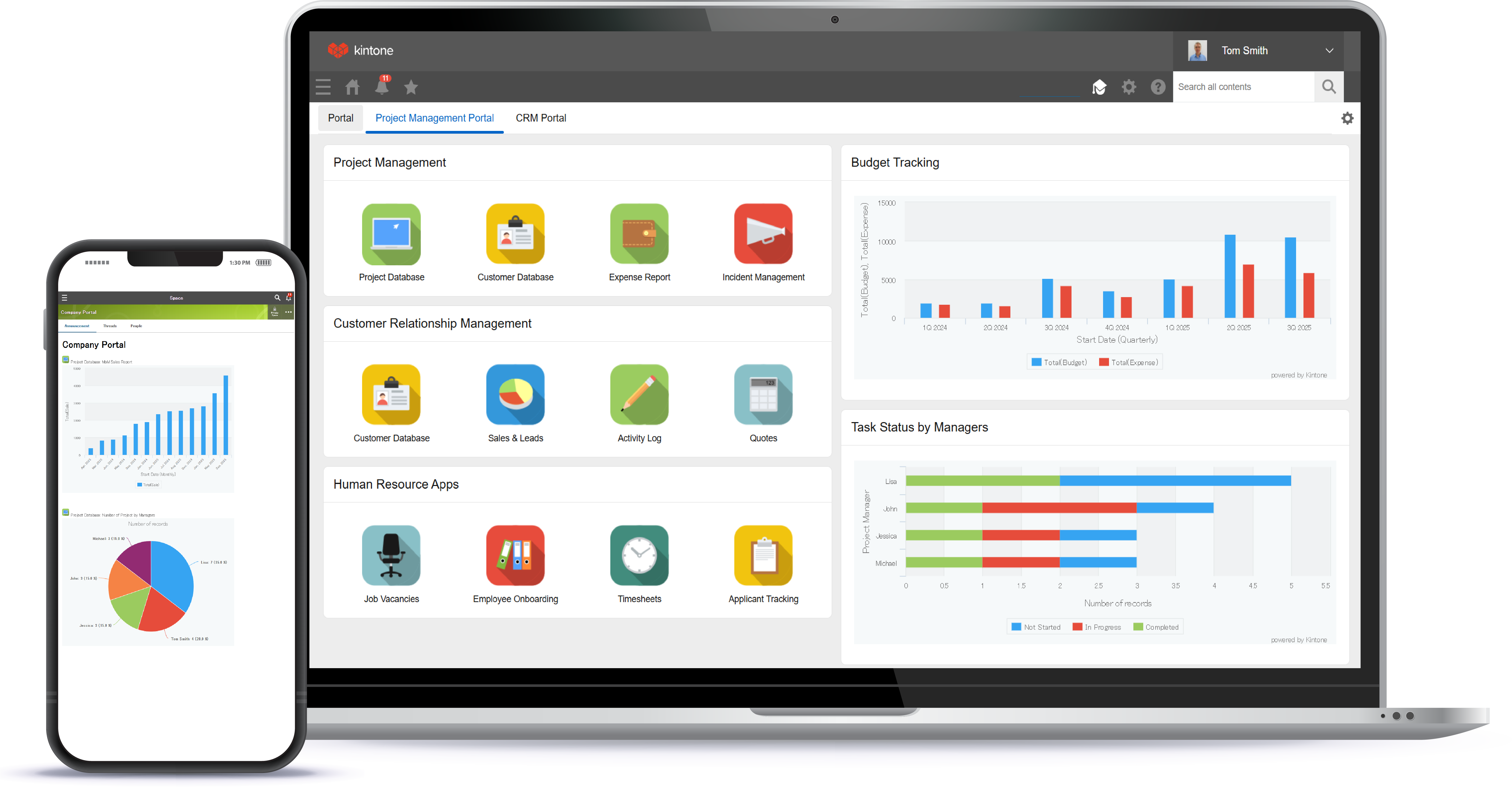
Kintone is a customizable digital workplace platform used to manage data, tasks, and communication. The no-code drag-and-drop interface can be used to create custom applications.
$120
per month for 5 users (minimum)
Pricing
Google Tasks
Kintone
Editions & Modules
No answers on this topic
Professional Subscription
$24
per month per user
Offerings
Pricing Offerings
Google Tasks
Kintone
Free Trial
No
Yes
Free/Freemium Version
No
No
Premium Consulting/Integration Services
No
Yes
Entry-level Setup Fee
No setup fee
Optional
Additional Details
—
Minimum requirement of 5 users. Kintone offers a free prototype to build with using existing process.
If other google products are already in use, it is very easy to get into Google Tasks as well and everybody probably has a google account, hence, does not need another account as well. It is helpful for simple to do lists, we would not recommend for larger project planning.
A de minimis incentive was given to thank the reviewer for their time. The incentive was not used to bias or drive a particular response, nor was the incentive contingent on a positive endorsement. More Info
I recommend Kintone for companies that need the ability to customize standalone applications or to provide a 'hub' to employees as a jumping-off point. I also recommend Kintone for any company that is drowning in spreadsheets, or is using 10 apps for 10 different purposes - you can consolidate everything into one place. Kintone, I think, needs a larger team for customization as your company grows. If you are a small office of 20 people, using it out of the box will likely be just fine for your needs. If you're working with 200 people out of an office, it'd likely be good to have someone with a bit of CSS, Java, and API experience in order to maximize what you get out of it - though you won't need that if you're keeping it simple.
A de minimis incentive was given to thank the reviewer for their time. The incentive was not used to bias or drive a particular response, nor was the incentive contingent on a positive endorsement. TR verified that a representative sample of customers was invited. More Info
The best part, Google Tasks is FREE. No paywall, no ads. Just pure productivity. I was looking for some task-management app which is free, since it was difficult to get a paid one. I found that this was the perfect solution for me.
It's deeply integrated with other Google services like Gmail and Calendar. It can pick tasks with Gmail from emails, in the form of suggestions. It's up to you, completely. The tasks will appear in your calendar automatically, if it's time or date specific.
It's simple and hassle free to insert tasks and complete them. The app loads fast and hardly faces any crash. I encountered no such crashes.
It is present in multiple platforms. I would create a task in my phone, and would check it off on my laptop.
It's hassle free to add and check off tasks. It was very helpful for me in college.
A de minimis incentive was given to thank the reviewer for their time. The incentive was not used to bias or drive a particular response, nor was the incentive contingent on a positive endorsement. More Info
A de minimis incentive was given to thank the reviewer for their time. The incentive was not used to bias or drive a particular response, nor was the incentive contingent on a positive endorsement. More Info
A de minimis incentive was given to thank the reviewer for their time. The incentive was not used to bias or drive a particular response, nor was the incentive contingent on a positive endorsement. TR verified that a representative sample of customers was invited. More Info
We have been quite happy with our use of Kintone thus far. We looked at several options before choosing Kintone and believe it had the best value and best features, while allowing for complete customization, rather than being locked into preformatted apps that may not address exactly what we need or be more than what we need.
A de minimis incentive was given to thank the reviewer for their time. The incentive was not used to bias or drive a particular response, nor was the incentive contingent on a positive endorsement. TR verified that a representative sample of customers was invited. More Info
Google is simple to use and easy to understand. Having a one-click to add tasks via Google Calendar is a must for any busy business that manages multiple accounts and/or projects. Compliance and business standards are at the forefront, with notification reminders so you don't forget any of those annual certifications, for example.
A de minimis incentive was given to thank the reviewer for their time. The incentive was not used to bias or drive a particular response, nor was the incentive contingent on a positive endorsement. More Info
I love everything bout it. I love that if there is something I don't feel is working well enough, we are able to change it. The ONLY thing I would say is that if you were able to make it so every time I click on anything in the website/app it stayed in the same page, that would be great, but I don' think it is possible and I think this is due to using so many external APIs
A de minimis incentive was given to thank the reviewer for their time. The incentive was not used to bias or drive a particular response, nor was the incentive contingent on a positive endorsement. TR verified that a representative sample of customers was invited. More Info
A de minimis incentive was given to thank the reviewer for their time. The incentive was not used to bias or drive a particular response, nor was the incentive contingent on a positive endorsement. TR verified that a representative sample of customers was invited. More Info
A de minimis incentive was given to thank the reviewer for their time. The incentive was not used to bias or drive a particular response, nor was the incentive contingent on a positive endorsement. TR verified that a representative sample of customers was invited. More Info
Since the app is free, we can't expect to get a great support. 1. The app does not even have a dedicated forum where other members can help each other. 2. The app only has a feedback option, which I rarely think visits the team. 3. Even after sending many feedbacks, you can't expect a reply. 4. In a nutshell, if you face any problem, you can just wait. Nothing more than that.
I am very happy with Kintone and support it fully. I think that it is a great place for any company that wants to create a platform for better management. It is easy to use and pretty affordable. It is straightforward and has many tools that can be used by anyone. There are many helpful tutorials available too to guide users
A de minimis incentive was given to thank the reviewer for their time. The incentive was not used to bias or drive a particular response, nor was the incentive contingent on a positive endorsement. More Info
A de minimis incentive was given to thank the reviewer for their time. The incentive was not used to bias or drive a particular response, nor was the incentive contingent on a positive endorsement. TR verified that a representative sample of customers was invited. More Info
Everyone has their own tastes of things and way they want to work. Asking them to adapt to the changes with the new tools or apps is always difficult. We would want to start with a very small but best example within the organization, which in our case was that the employees will not be bothered by the bosses by being asked to find the documents, status of the progresses, or major things/requests/projects.
A de minimis incentive was given to thank the reviewer for their time. The incentive was not used to bias or drive a particular response, nor was the incentive contingent on a positive endorsement. More Info
Google Tasks is not necessarily better than its competitors and certainly not as robust or complex as most to-do applications and platforms available in the market, but because it is automatically integrated into G Suite services--our primary technology interface--this free option has precluded us from needing to explore other tools that are often "better" but not as intuitive when so much time and focus is already spent within the Google ecosystem.
A de minimis incentive was given to thank the reviewer for their time. The incentive was not used to bias or drive a particular response, nor was the incentive contingent on a positive endorsement. More Info
Kintone is the easiest product to create from and the cost is the lowest I believe. In addition, reconfigurability and extendability are great. If you look for a low code tool, you can try Kintone. But as same as another low code tool, don't expect too much.
A de minimis incentive was given to thank the reviewer for their time. The incentive was not used to bias or drive a particular response, nor was the incentive contingent on a positive endorsement. More Info
A de minimis incentive was given to thank the reviewer for their time. The incentive was not used to bias or drive a particular response, nor was the incentive contingent on a positive endorsement. TR verified that a representative sample of customers was invited. More Info
A de minimis incentive was given to thank the reviewer for their time. The incentive was not used to bias or drive a particular response, nor was the incentive contingent on a positive endorsement. TR verified that a representative sample of customers was invited. More Info
A de minimis incentive was given to thank the reviewer for their time. The incentive was not used to bias or drive a particular response, nor was the incentive contingent on a positive endorsement. TR verified that a representative sample of customers was invited. More Info
Personally, has managed over 1280 tasks for me in the past couple of years that I have been able to check off thanks to the app
Has accurately allowed me personally to schedule out tasks into the future that I want to get done but don't have the mental space currently to be trying to remember or do
A de minimis incentive was given to thank the reviewer for their time. The incentive was not used to bias or drive a particular response, nor was the incentive contingent on a positive endorsement. More Info
A de minimis incentive was given to thank the reviewer for their time. The incentive was not used to bias or drive a particular response, nor was the incentive contingent on a positive endorsement. More Info