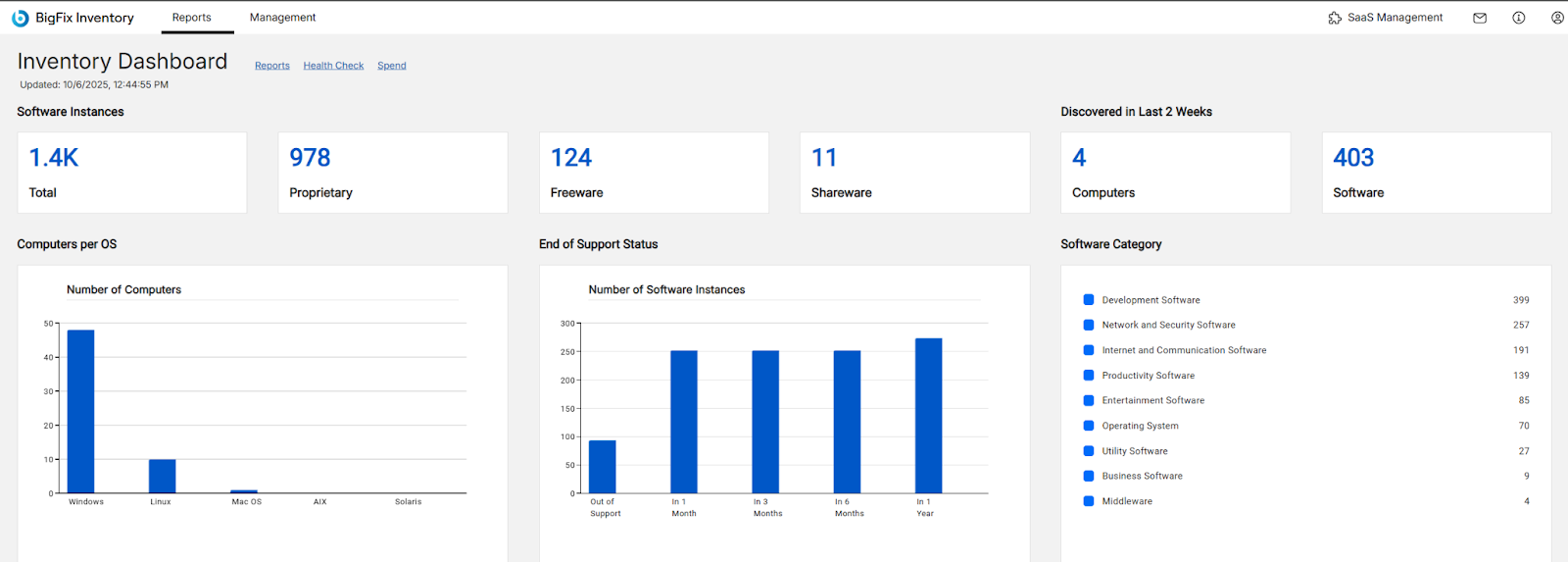
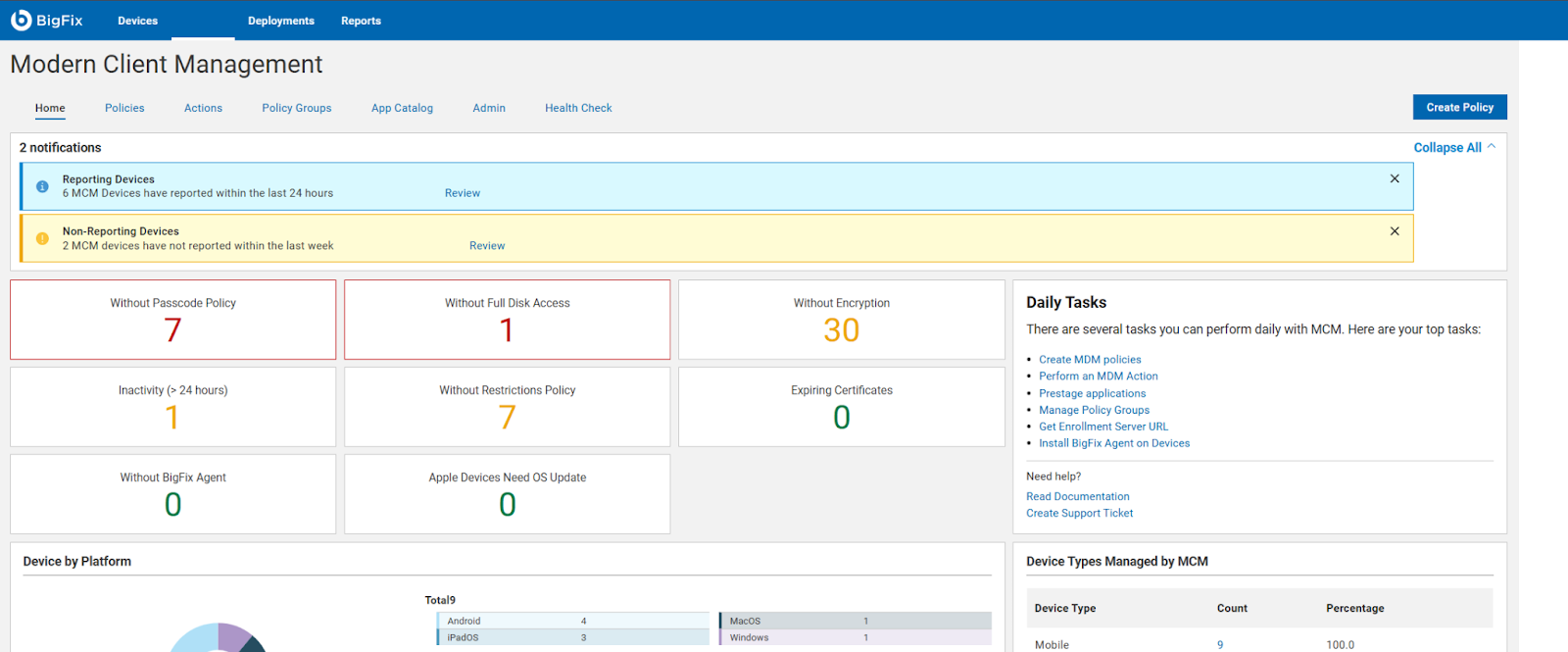
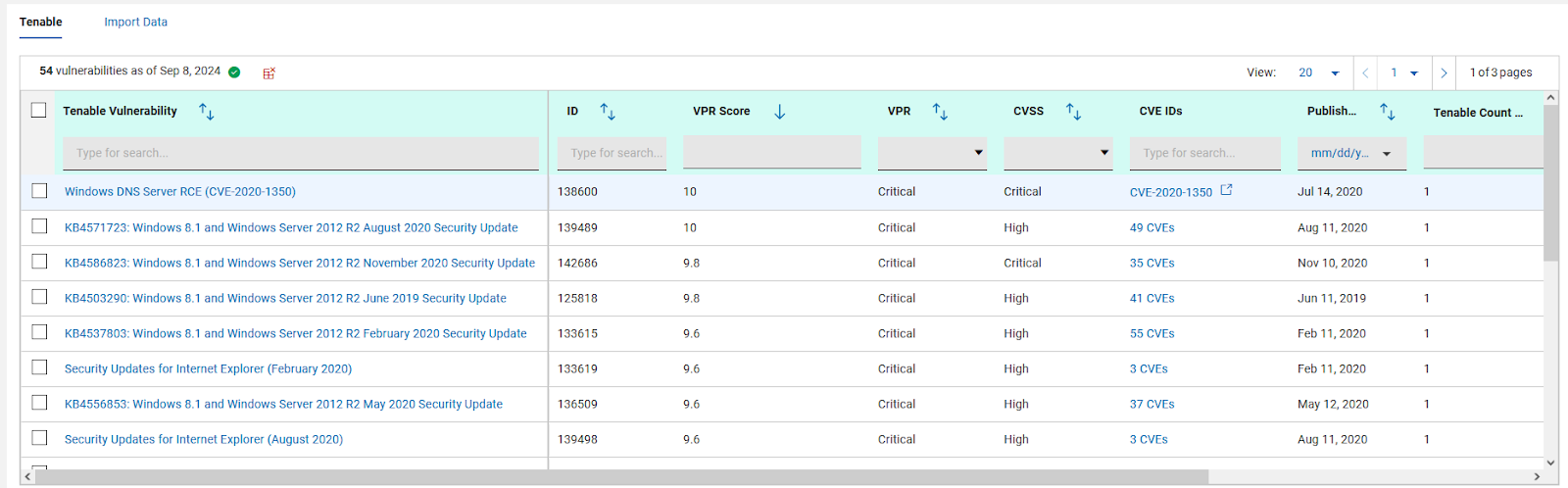
BigFix, now supported by HCL Technologies since the acquisition of BigFix from IBM in 2018, is an endpoint management solution providing endpoint visibility and IT asset discovery, automated endpoint patching (BigFix Lifecycle and BigFix Patch) policy enforcement (BigFix Compliance), and software asset discovery for licensed and unlicensed software (BigFix Inventory).
N/A
Snow Device Manager
Score8 out of 10
N/A
Swedish company Snow Software offers Snow Device Manager, a mobile device management (MDM) application scalable to complete UEM with Snow ancillary products and capabilities.
Patch Management for Diverse Devices: HCL BigFix is ideal for organizations with a diverse range of devices, including laptops, desktops, cloud, virtual machines, and mobile devices. Its endpoint management functionality enables seamless patching across various operating systems such as Windows, MacOS, ChromeOS, and Linux.
Comprehensive Patch Management: With HCL BigFix, organizations can achieve comprehensive patch management across their IT infrastructures. It ensures that all endpoints, regardless of the operating system, receive timely and secure patches, reducing vulnerabilities and enhancing overall security.
Troubleshooting and Monitoring: HCL BigFix excels in providing a dashboard that effectively displays problematic and functional machines. This feature allows IT teams to quickly identify and address issues, improving overall troubleshooting efficiency. However, there are some scenarios where HCL BigFix may be less appropriate or areas for improvement: 1. Coverage Expansion: It is important for HCL BigFix to continue expanding its coverage to include all possible resources installed within the IT infrastructure. Ensuring comprehensive coverage can enhance its effectiveness. 2.On-Site and OS Upgrades: Optimizing the process of on-site and operating system upgrades can help streamline the deployment process further. Improvements in this area would contribute to a smoother and more efficient upgrade experience. 3.Communication Speed: Enhancing the speed of communication between the HCL BigFix agent and the server can help improve the overall responsiveness and efficiency of the solution.
Pricing Optimization: Adjusting the pricing of HCL BigFix to be more cost-effective would make it more accessible and attractive to organizations of different sizes and budgets.
Once we had got 20k plus users to blacklist. The data was too big. We wanted the results within some hours. When we used SDM and did all in one shot. It hardly took 2 hours. The same we presented to the clients in our weekly call. Got appreciation as well for that. Yes, just to summarize, even though we have huge datas, this helps us to fetch the results too easily. Thanks.
A de minimis incentive was given to thank the reviewer for their time. The incentive was not used to bias or drive a particular response, nor was the incentive contingent on a positive endorsement. More Info
A de minimis incentive was given to thank the reviewer for their time. The incentive was not used to bias or drive a particular response, nor was the incentive contingent on a positive endorsement. More Info
A de minimis incentive was given to thank the reviewer for their time. The incentive was not used to bias or drive a particular response, nor was the incentive contingent on a positive endorsement. More Info
We have significantly enhanced our ability to patch desktops, including laptops, desktop, cloud, virtual machines and other mobile devices used by end-users. BigFix's endpoint management functionality allows us to seamlessly patch a wide range of operating systems, such as Windows, MacOS, ChromeOS, and Linux systems, ensuring comprehensive patch management across IT infrastructures. We have established a track record of delivering secure and hassle-free patching solutions to our clients
As I said, we can do the task in bulk which is the added advantage in this. At times alerts gets triggered in multiple like 1000 plus. We can't do it manually as it kills time. But by using this, we can do it on bulk within hours. So likewise, we also did in the same way. We can pull reports also from this (excel files). We showcased to clients wherein we got the appreciation also. Really liked. Thanks team!
A de minimis incentive was given to thank the reviewer for their time. The incentive was not used to bias or drive a particular response, nor was the incentive contingent on a positive endorsement. More Info